

In this article we will create a Web Service and consume it in a console application.
WebService
Web Services are the business logic components that run over HTTP using SOAP. Web Services have a *.asmx extension. It is platform independent.
Procedure to create a web Service
- Go to Visual Studio. Create a Web Application Project.
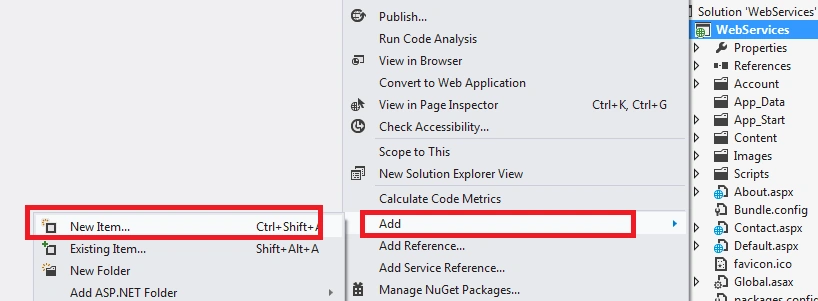
- Then right-click on the project then seelct Add -> New Item as in the following:
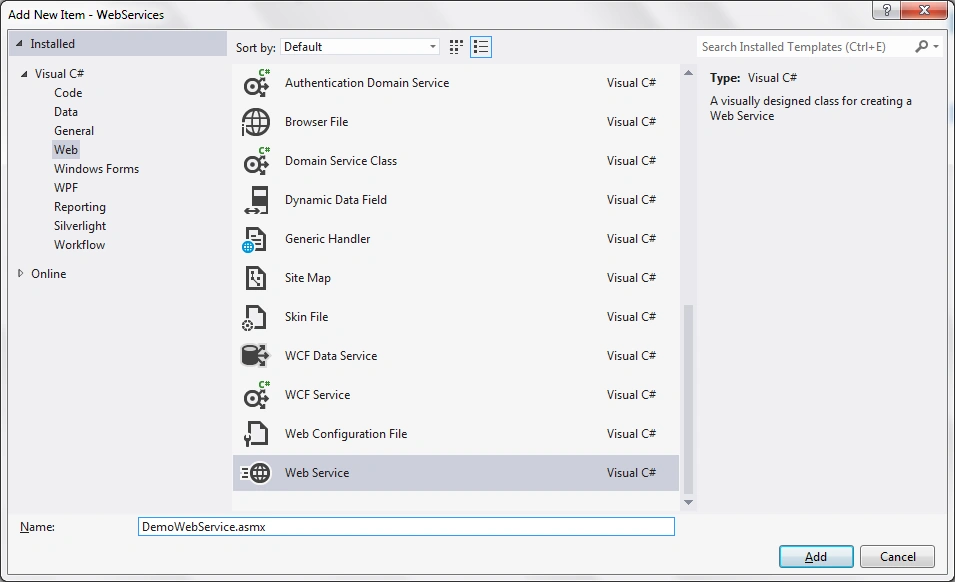
- Seelct Web in the left then select Web Services in the middle pane. Name it something. Click Add.
When the webservice is added to the application the following code is generated in the *.asmx.cs file.
- /// <summary>
- /// Summary description for DemoWebService
- /// </summary>
- [WebService(Namespace = "http://tempuri.org/")]
- [WebServiceBinding(ConformsTo = WsiProfiles.BasicProfile1_1)]
- [System.ComponentModel.ToolboxItem(false)]
- // To allow this Web Service to be called from script, using ASP.NET AJAX, uncomment the following line.
- // [System.Web.Script.Services.ScriptService]
- public class DemoWebService: System.Web.Services.WebService
- {
- [WebMethod]
- public string HelloWorld()
- {
- return "Hello World";
- }
- }
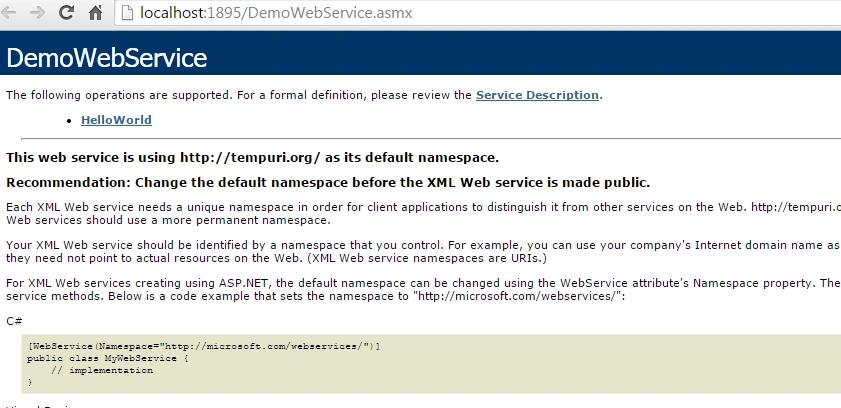
Now we will create one web method to add two numbers. Write the following code in the *.asmx.cs file.
- [WebMethod]
- public int Add(int a,int b)
- {
- return a + b;
- }
After adding the method, let us again run the webservice to see if the method is added to the list.
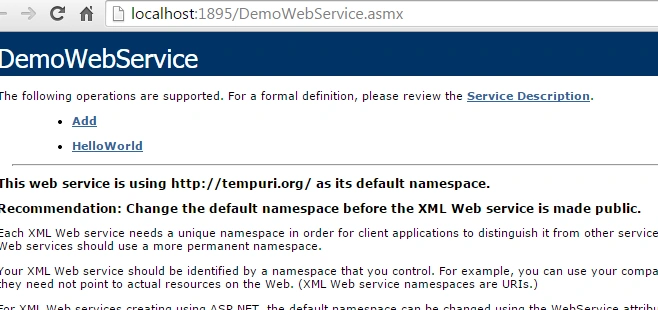
We can see our method is included in the list of webmethods. Click on the web method and we get the following screen.
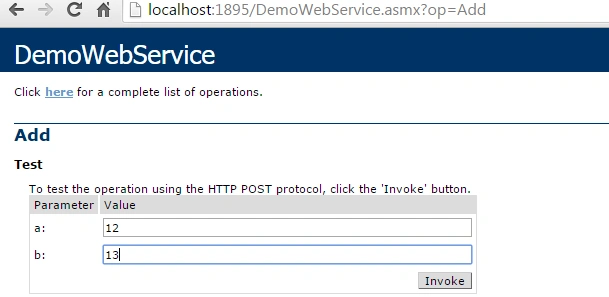
Enter numbers in the TextBox. These numbers are basically arguments to be passed to the web service. When we click on Invoke we get the sum of the numbers. Check the following screen.

Let us now use this webservice in a console application and pass data from the console application to the web service. Go to Visual Studio then select New Project -> Console Application.
Now we will add a Web Service Reference to this console application.
Right-click on the References then select Add Service Reference.
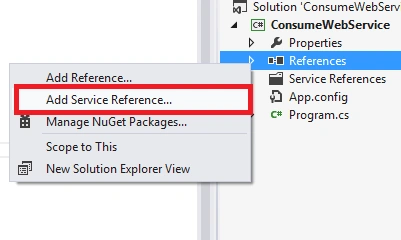
Click on Advanced.
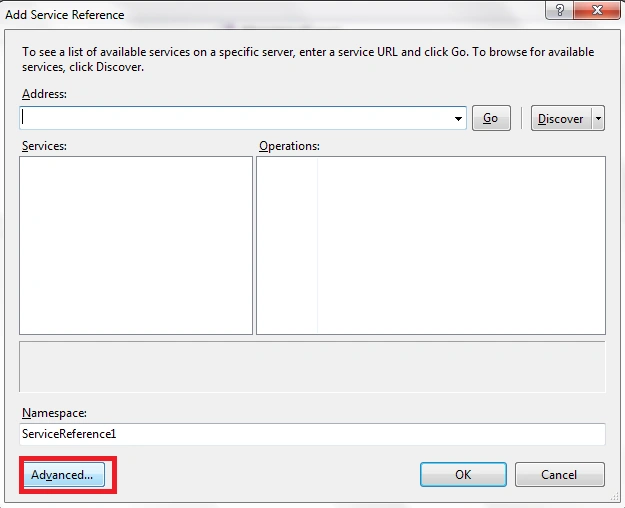
Click on Add Web Reference.
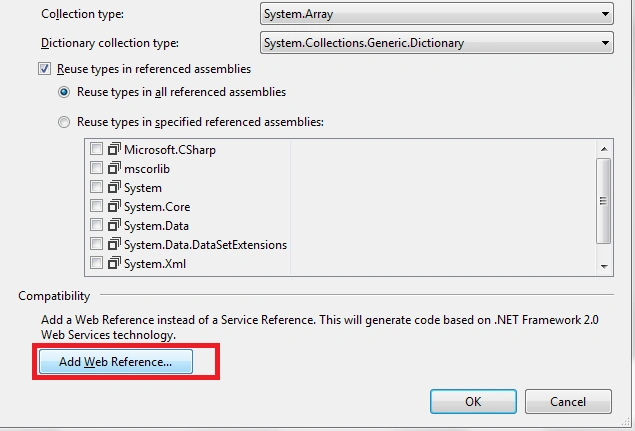
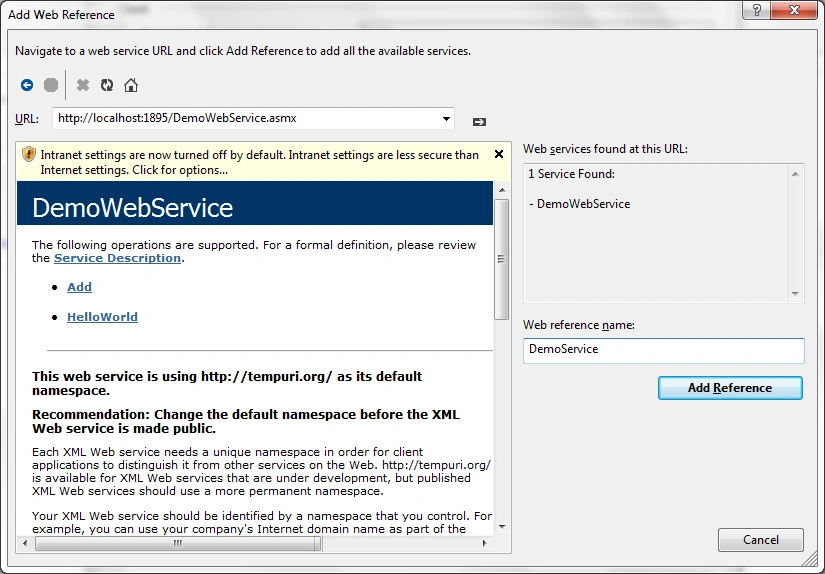
Enter the web service URL in the space provided. Provide a meaningful reference name. Click Add Reference.
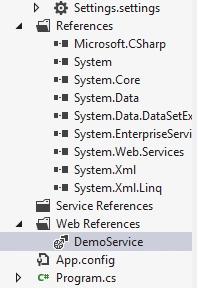
Once the reference is added in the console application we get the following changes in the application directory.
Also in the App.Config file we get the following code auto generated that specifies the Web Service URL along with the name.
- <applicationSettings>
- <ConsumeWebService.Properties.Settings>
- <setting name="ConsumeWebService_DemoService_DemoWebService"
- serializeAs="String">
- <value>http://localhost:1895/DemoWebService.asmx</value>
- </setting>
- </ConsumeWebService.Properties.Settings>
- </applicationSettings>
- class Program
- {
- static void Main(string[] args)
- {
- DemoService.DemoWebService obj = new DemoService.DemoWebService();
- int result = obj.Add(14, 15);
- Console.WriteLine(result);
- Console.ReadLine();
- }
- }

Asfend YarPosted Feb 28, 2016, 2:29 PM
I am currently working on web services your article is very nice for me
Asfend YarPosted Feb 28, 2016, 2:28 PM
thanks
Siva SankarPosted Apr 17, 2015, 5:38 AM
Nice Presentation
Bruno PétersonPosted Apr 15, 2015, 4:58 PM
Good one! Thank you.
Sibeesh VenuPosted Apr 15, 2015, 8:37 AM
Good one.
Santhakumar MunuswamyPosted Apr 14, 2015, 10:53 PM
Good one
Khargesh RajputPosted Apr 14, 2015, 8:46 PM
Good to begin web service