

In this article we will see how to share an Excel workbook without the uploading of the Excel file to a SharePoint Document Library.
For this you will need to use the following procedure.
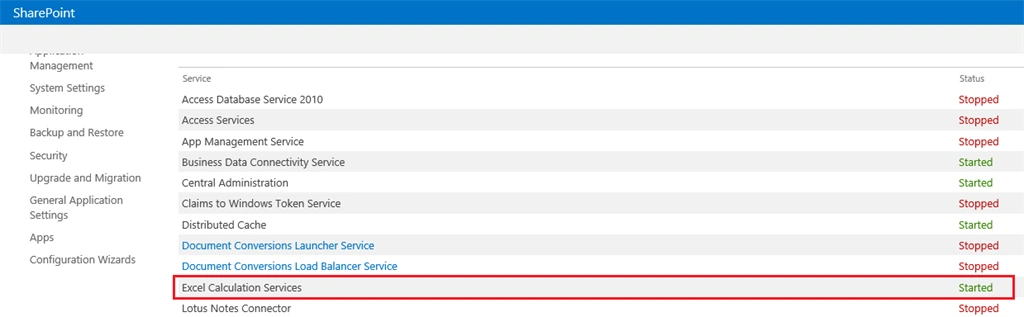
Step 1: Start the Excel Calculation Services.
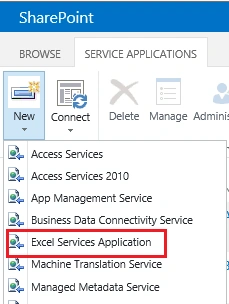
Step 2: Create a new Excel Web Application if not already done.
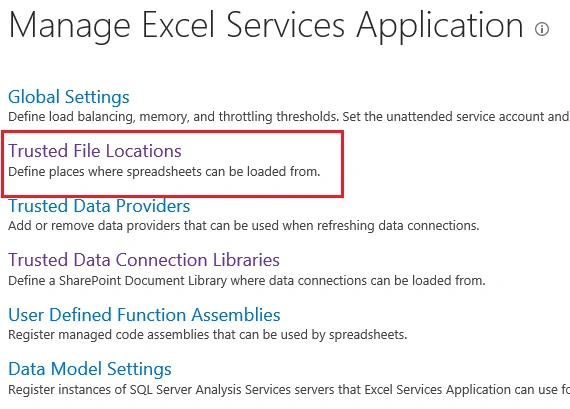
Step 3: Click on the Manage menu of this app and Configure the trusted location.
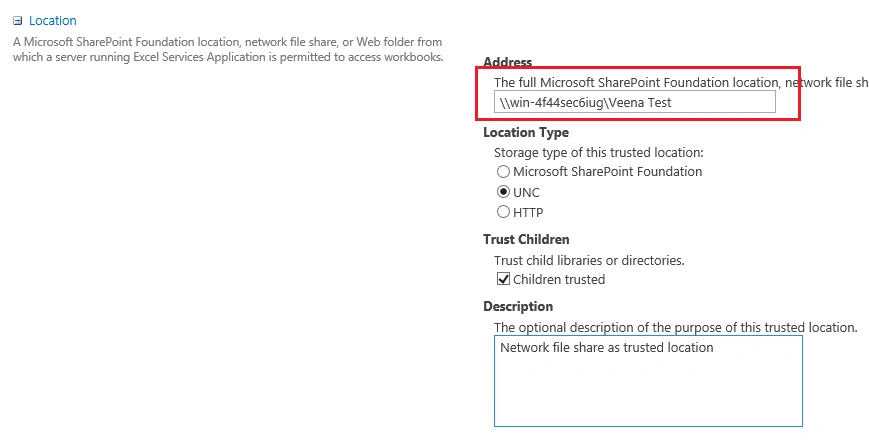
Step 4: Click on the Add Trusted File Location.
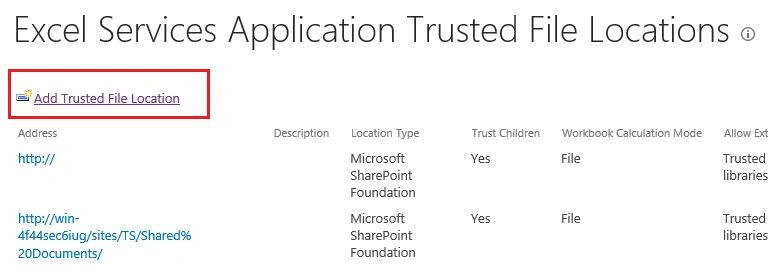
Step 5: Click on UNC as the Location Type and in the Address specify the Network File Share from where you want to display the files.
Step 6: On the web page, insert an Excel Web Access web part and configure the workbook file location as shown below:
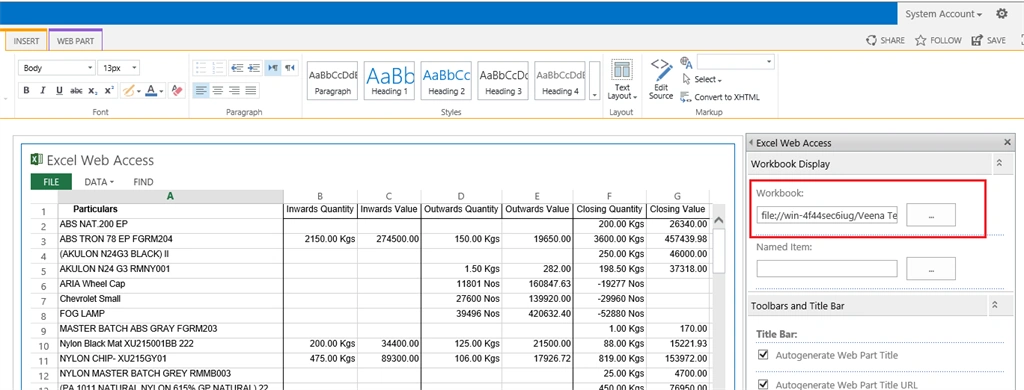
That's it, you will view the Excel files from your network share on SharePoint portal without uploading them.
Tom MohanPosted Mar 1, 2015, 7:46 PM
Nice
Vithal WadjePosted Feb 28, 2015, 1:03 PM
great keep it up
Sibeesh VenuPosted Feb 28, 2015, 5:31 AM
Good one....
Rahul Kumar SaxenaPosted Feb 27, 2015, 6:38 AM
thanks for sharing...