

Introduction
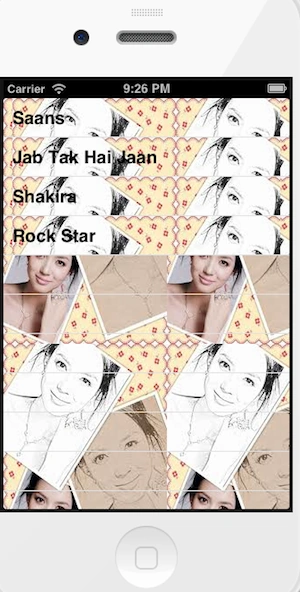
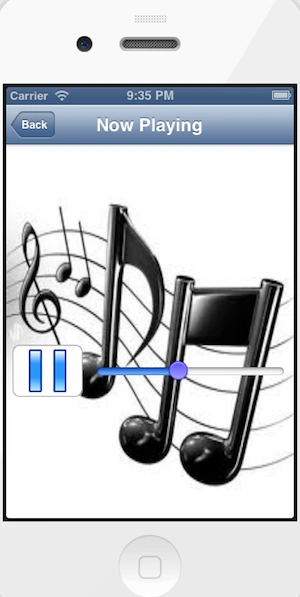
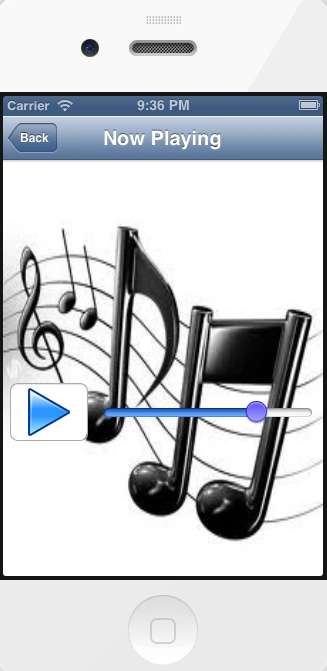
In this article I will create a single view application. First in this app we add the AVFoundation framework to implement MP3Player. To take an audio file from a plist, we add the plist from a resource and link to it the project by providing the path in code. Here we use two views, one is suitable for a view controller for showing an audio file on a table view and another is a uiview controller to design a UI of the media player. Here we use a play button to listen to the audio file.
To better understand, use these instructions.
Step 1
Open Xcode by double-clicking on it.
Step 2
Create a New XCode Project by clicking on it.
Step 3
Now Select Single View Application and click on "Next".
Step 4
Now provide your Product Name and Company Identifier.
Step 5
Select the location where you want to save your project and click on "Create".
Step 6
First we add the MediaPlayer framework that is required.
To import this framework we use the following.
Step 7
Click on the project and select "Build Phase".
Step 8
Click on the "+" icon to add a framework and click on the "Add" button.

Step 9
Now we add a .plist (Property list) file from the Resources.
Step 10
Now we write the code.
MP3PlayerAppDelegate.h
//
// MP3PlayerAppDelegate.h
// MP3Player
//
// Created by Sachin Bhardwaj on 19/01/13.
// Copyright (c) 2013 Sachin Bhardwaj. All rights reserved.
//
#import <UIKit/UIKit.h>
@class MP3PlayerViewController;
@interface MP3PlayerAppDelegate : UIResponder <UIApplicationDelegate>
{
UINavigationController *nav;
}
@property (strong, nonatomic) UIWindow *window;
@property (strong,nonatomic) UINavigationController *nav;
@property (strong, nonatomic) MP3PlayerViewController *viewController;
@end
MP3PlayerAppDelegate.m
//
// MP3PlayerAppDelegate.m
// MP3Player
//
// Created by Sachin Bhardwaj on 19/01/13.
// Copyright (c) 2013 Sachin Bhardwaj. All rights reserved.
//
#import "MP3PlayerAppDelegate.h"
#import "MP3PlayerViewController.h"
@implementation MP3PlayerAppDelegate
@synthesize nav;
- (void)dealloc
{
[_window release];
[_viewController release];
[super dealloc];
}
- (BOOL)application:(UIApplication *)application didFinishLaunchingWithOptions:(NSDictionary *)launchOptions
{
sleep(3);
self.window = [[[UIWindow alloc] initWithFrame:[[UIScreen mainScreen] bounds]] autorelease];
// Override point for customization after application launch.
self.viewController = [[[MP3PlayerViewController alloc] initWithNibName:@"MP3PlayerViewController" bundle:nil] autorelease];
self.nav = [[UINavigationController alloc] initWithRootViewController:_viewController];
self.window.rootViewController = self.nav;
[self.window makeKeyAndVisible];
return YES;
}
- (void)applicationWillResignActive:(UIApplication *)application
{
// Sent when the application is about to move from active to inactive state. This can occur for certain types of temporary interruptions (such as an incoming phone call or SMS message) or when the user quits the application and it begins the transition to the background state.
// Use this method to pause ongoing tasks, disable timers, and throttle down OpenGL ES frame rates. Games should use this method to pause the game.
}
- (void)applicationDidEnterBackground:(UIApplication *)application
{
// Use this method to release shared resources, save user data, invalidate timers, and store enough application state information to restore your application to its current state in case it is terminated later.
// If your application supports background execution, this method is called instead of applicationWillTerminate: when the user quits.
}
- (void)applicationWillEnterForeground:(UIApplication *)application
{
exit(0);
// Called as part of the transition from the background to the inactive state; here you can undo many of the changes made on entering the background.
}
- (void)applicationDidBecomeActive:(UIApplication *)application
{
// Restart any tasks that were paused (or not yet started) while the application was inactive. If the application was previously in the background, optionally refresh the user interface.
}
- (void)applicationWillTerminate:(UIApplication *)application
{
// Called when the application is about to terminate. Save data if appropriate. See also applicationDidEnterBackground:.
}
@end
MP3PlayerViewController.h
//
// MP3PlayerViewController.h
// MP3Player
//
// Created by Sachin Bhardwaj on 19/01/13.
// Copyright (c) 2013 Sachin Bhardwaj. All rights reserved.
//
#import <UIKit/UIKit.h>
#import "MP3PlayerAppDelegate.h"
@interface MP3PlayerViewController : UIViewController
{
IBOutlet UITableView *table;
MP3PlayerViewController * mp3Controller;
}
@property (nonatomic,retain) NSDictionary *mp3s;
@property (nonatomic,retain) NSArray *keys;
@property(strong,nonatomic)IBOutlet UITableView *table;
@property (nonatomic,retain) MP3PlayerViewController * mp3Controller;
@end
MP3PlayerViewController.m
//
// MP3PlayerViewController.m
// MP3Player
//
// Created by Sachin Bhardwaj on 19/01/13.
// Copyright (c) 2013 Sachin Bhardwaj. All rights reserved.
//
#import "MP3PlayerViewController.h"
#import "PlayerViewController.h"
@interface MP3PlayerViewController ()
@end
@implementation MP3PlayerViewController
@synthesize mp3s;
@synthesize keys,table;
@synthesize mp3Controller;
- (id)initWithNibName:(NSString *)nibNameOrNil bundle:(NSBundle *)nibBundleOrNil
{
self = [super initWithNibName:nibNameOrNil bundle:nibBundleOrNil];
if (self) {
// Custom initialization
}
return self;
}
- (void)dealloc
{
[table release];
[mp3Controller release];
[mp3s release];
[keys release];
[super dealloc];
}
- (NSInteger)tableView:(UITableView *)tableView numberOfRowsInSection:(NSInteger)section{
return [mp3s count];
}
- (UITableViewCell *) tableView:(UITableView *)tableView cellForRowAtIndexPath:(NSIndexPath *)indexPath{
static NSString* CellIdentifier=@"Cell";
UITableViewCell *cell = [tableView dequeueReusableCellWithIdentifier:CellIdentifier];
if (cell == nil) {
cell = [[[UITableViewCell alloc] initWithStyle:UITableViewCellStyleDefault reuseIdentifier:CellIdentifier]autorelease];
}
cell.textLabel.text = [self.keys objectAtIndex:[indexPath row] ];
//---display an image---
//UIImage *image = [UIImage imageNamed:@"Link.png"]; cell.imageView.image = image;
return cell;
}
- (void) tableView:(UITableView *)tableView
didSelectRowAtIndexPath:(NSIndexPath *)indexPath {
PlayerViewController *myvc = [[PlayerViewController alloc] init];
NSString *path;
path = [self.mp3s objectForKey:[self.keys objectAtIndex:[indexPath row]]];
self.mp3Controller.title = [self.keys objectAtIndex:[indexPath row]];
myvc.path = path;
[self.navigationController pushViewController:myvc animated:YES];
}
#pragma mark - View lifecycle
- (void) viewWillAppear:(BOOL)animated
{
[self.navigationController setNavigationBarHidden:YES animated:animated];
[super viewWillAppear:animated];
}
- (void) viewWillDisappear:(BOOL)animated
{
[self.navigationController setNavigationBarHidden:NO animated:animated];
[super viewWillDisappear:animated];
}
- (void)viewDidLoad
{


Sachin BhardwajPosted Jan 29, 2013, 5:01 AM
Ok sir.In future I will never repeat this type of mistake.I remember it. Thanks
Mahesh ChandPosted Jan 27, 2013, 4:16 PM
Try to use code format option in the editor. They way you can do is, copy code from XCode to Notepad and then from Notepad to editor using Code tag.