
Introduction
In this article we will see how to log errors using Log4Net in a web application.
Step 1
Open Visual Studio 2013.
Step 2
Go to the "File" menu then select "New" and click on "Project...".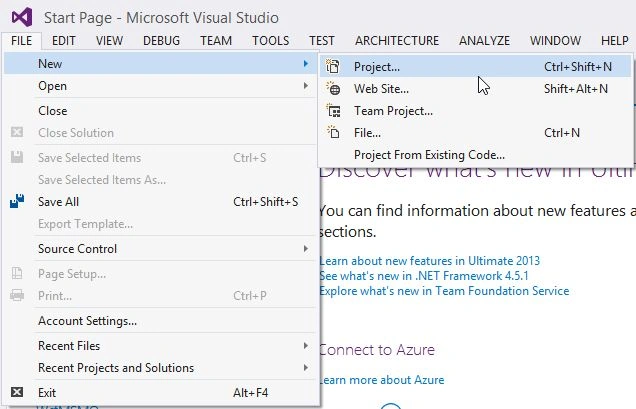
Step 3
Select "Web" from the left panel, then "ASP.NET Web Application".
Provide an appropriate application name and select the Location.
Press the "OK" button.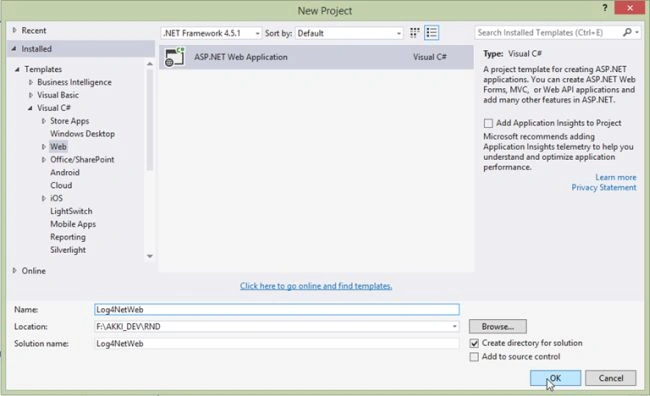
Step 4
Select "Empty" and check the "Web Forms" check box.
Press the "OK" button.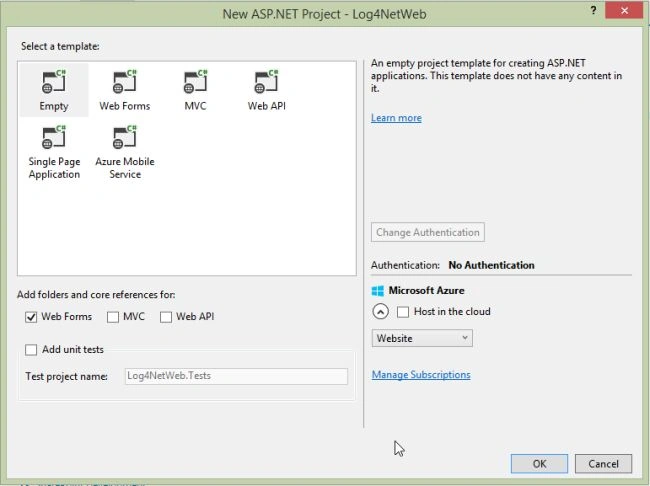
Step 5
Right-click on the project then select "Add" and click on "New Folder".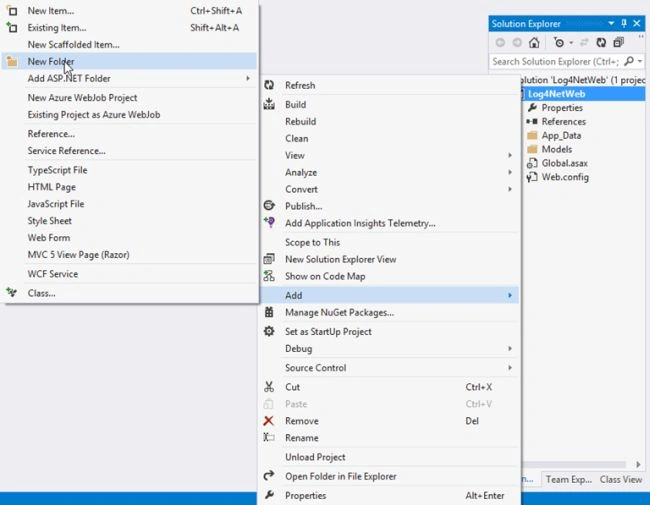
Step 6
Provide the folder name as "Lib". This folder is used to copy Log4Net.dll.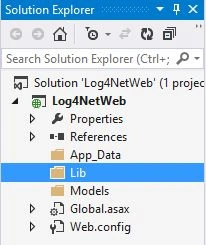
Step 7
Copy "log4net.dll" to the Lib folder. You can find this DLL in the downloads.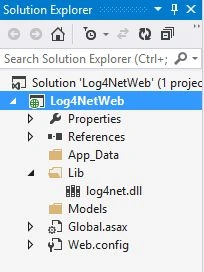
Step 8
In order to add a reference, right-click on "References" and select "Add Reference".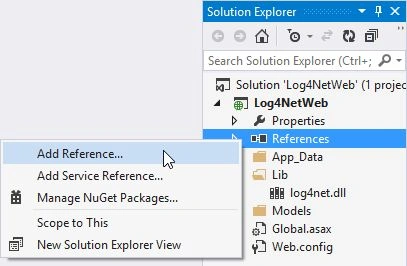
Step 9
Select "log4net.dll" from the Lib folder.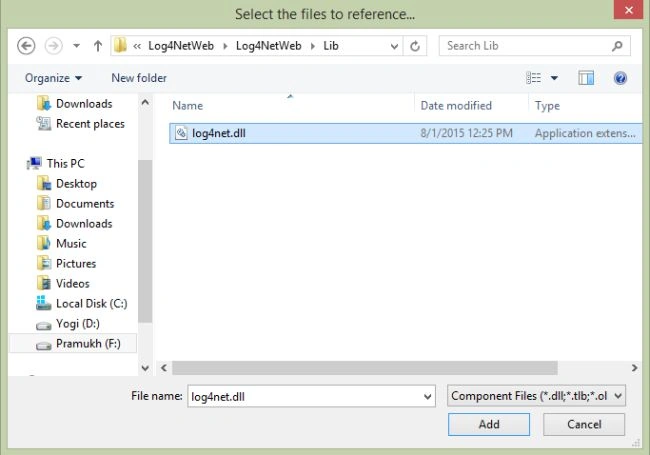
Step 10
The reference is added under "References".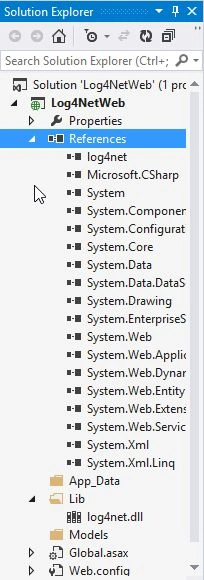
Step 11
Add the following code snippet to the web.config file.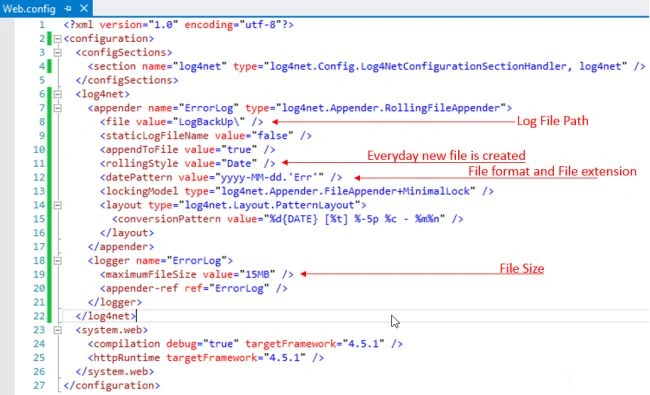
Step 12
In the web.config file, we set the file value as "LogBackUp". So create a folder with the same name in the root directory.
Right-click on the project, expand "Add" and click on "New Folder".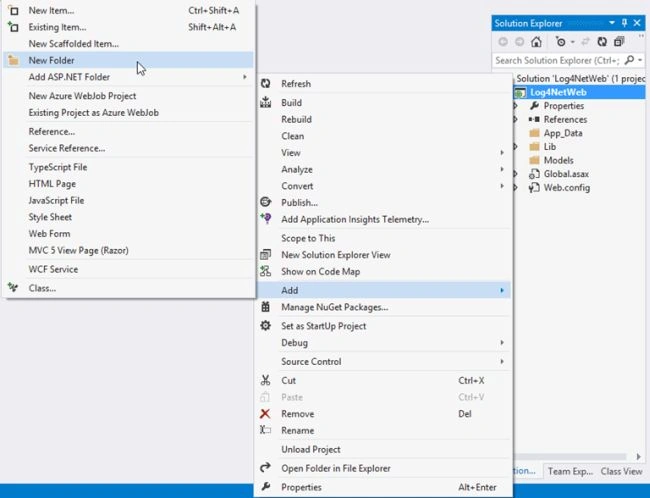
Step 13
Name it "LogBackUp".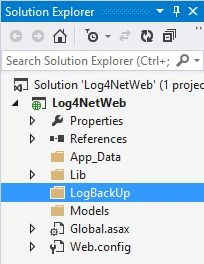
Step 14
Configure log4net in the Application_Start event.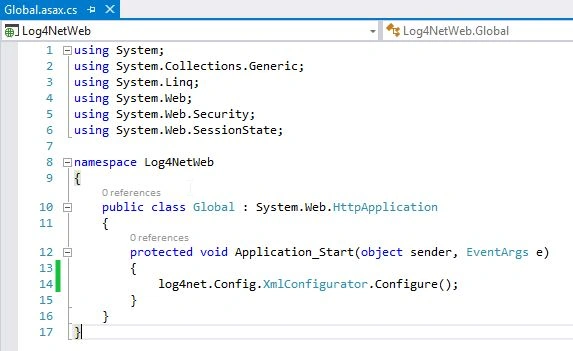
Step 15
Now right-click on the project, select "Add" and click on "New Item".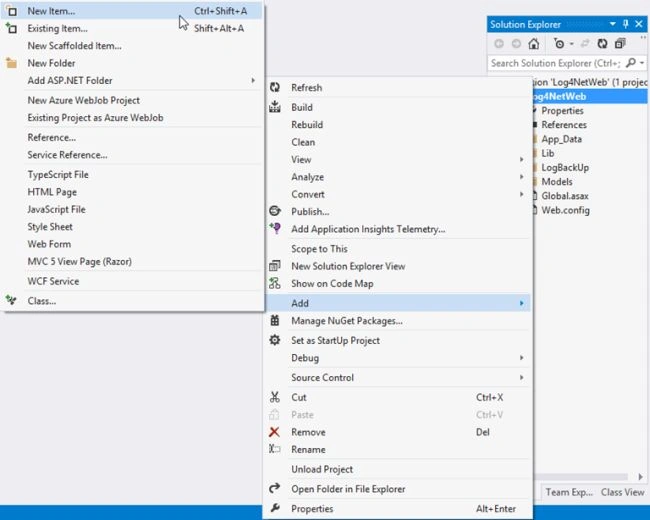
Step 16
Select "Web Form", provide an appropriate name and click on the "Add" button.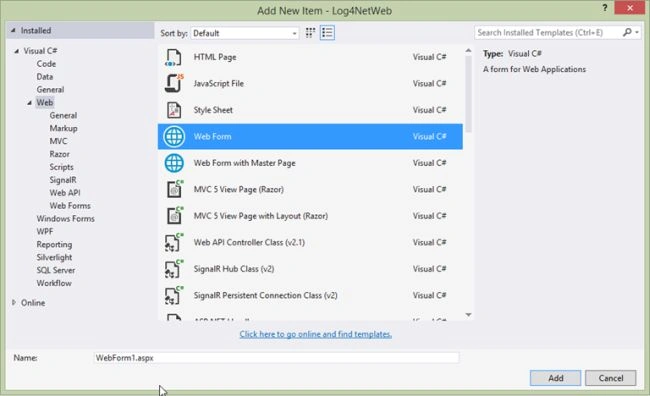
Step 17
Add the following code snippet to the "WebForm1.aspx.cs" file. Here we throw an exception intentionally to catch the exception and log it.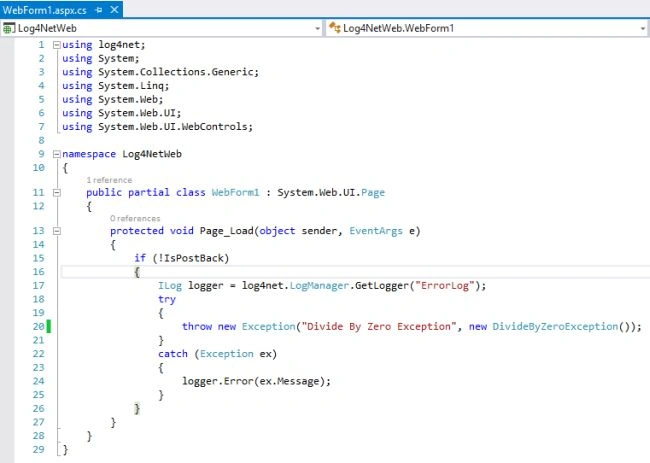
Step 18
Run the application and it creates a log file under "LogBackUp". 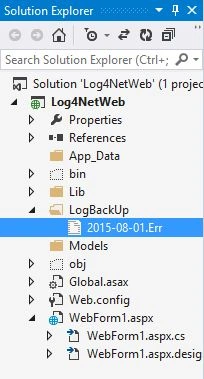
Step 19
Open the .Err file and you can see that the exception message is successfully logged.

Error Logging Using Log4Net in Web Application
Join the conversation! Your thoughts help the community grow.
Sign in to leave a comment
It is the same account you read, post and publish with — and you will come straight back to this page.
Sridhar YelagandhulaPosted Feb 15, 2023, 6:25 PM
Nice article
Remi AdebayoPosted Jun 19, 2019, 11:24 AM
Thank you, but how do I forward this log to my elasticsearch
Sourav MondalPosted Aug 21, 2018, 12:24 AM
Hello Akashay, It is very helpful to configure Log4net.
Anup KumarPosted Jul 30, 2018, 4:38 AM
Hello Akashay..is there any way we can handle error in n-tier application using log4net globally rather ..
ricardo vazPosted Jul 10, 2018, 4:38 PM
Tks. Congratulations for this article.
SubashPosted Jul 4, 2016, 5:00 AM
Good
Munesh SharmaPosted Jun 22, 2016, 5:26 AM
nice
Nilesh JadavPosted Aug 4, 2015, 12:24 AM
This is really nice article sir
Chervine BhiwooPosted Aug 3, 2015, 11:27 PM
Log4Net is simple and easy to use. But its also time to check the new Application Insights tools in Visual Studio and Azure!
Rakesh KalluriPosted Aug 3, 2015, 11:21 PM
Good in
Santhakumar MunuswamyPosted Aug 3, 2015, 2:37 PM
Nice article. Thanks for sharing
sreenivasa kPosted Aug 3, 2015, 2:36 PM
thx for sharing
RakeshPosted Aug 3, 2015, 11:26 AM
Good one sir
Neeraj KumarPosted Aug 3, 2015, 7:17 AM
Good
Gopi ChandPosted Aug 3, 2015, 6:11 AM
Nice work
Rajeesh MenothPosted Aug 3, 2015, 5:33 AM
Good One
Sibeesh VenuPosted Aug 3, 2015, 4:28 AM
Nice Share