

Data Cleansing Using Cloud Based Reference Data
Need for Data Quality Services:
For any business and organization high-quality data is critical for efficiency. An enterprise of any size can use Data Quality Services (DQS) in SQL Server 2012 to improve the value of its data and make it more suitable for use. Correct and accurate data can form the basis for Business Intelligence, Data Analytics and Data Warehouses. Decisions taken based on Quality Data will yield good results for the business.
Data Quality deals with the accuracy of data, completeness of data, timeliness of data, consistency of data and trust on data.
SQL Server Data Quality Services
SQL Server 2012 Data Quality Services (DQS) is the data quality product from Microsoft SQL Server 2012. DQS enables you to perform a variety of critical data quality tasks, including correction, enrichment, standardization and de-duplication of your data.
DQS provides the following features to resolve data quality issues.
- Data Cleansing
- Matching
- Reference Data Services
- Profiling and Monitoring
- Knowledge Base
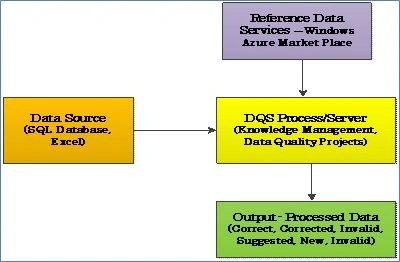
Data Quality Services consists of the following:
Data Quality Server
Data Quality Server is implemented as three SQL Server catalogs DQS_MAIN, DQS_PROJECTS, and DQS_STAGING_DATA.
DQS_MAIN includes DQS Stored Procedures, DQS engine, and published Knowledge Bases.
DQS_PROJECTS includes data that is required for Knowledge Base management and DQS project activities.
DQS_STAGING_DATA provides an intermediate staging database where you can copy your source data to perform DQS operations, and then export your processed data.
Data Quality Client
Data Quality Client is a standalone application that enables you to perform knowledge management, data quality projects and administration in one user interface. A Data Quality Client can be installed and run on the same computer as a Data Quality Server or remotely on a separate computer. Many operations in the Data Quality Client are wizard-driven.
Both are installed from within the SQL Server setup program.
The following details how Data Quality Services can be installed and used for Data Cleansing.
Step 1: Installing the Data Quality Services
Data Quality Services comes with SQL Server 2012 Setup, install it from the setup as in the following: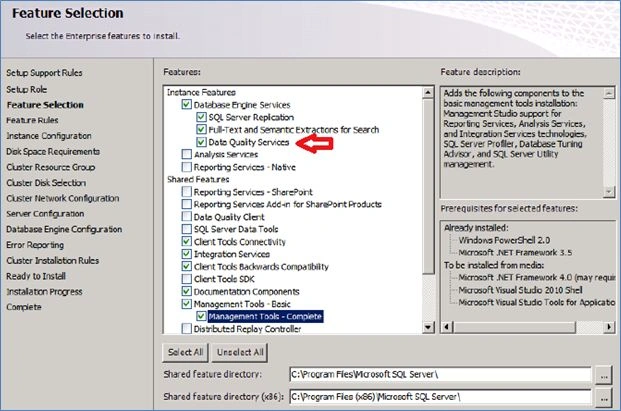
Once the Setup is completed, you can see the Data Quality Client and Server Installer under SQL Server in Programs and Features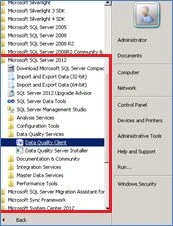
Step 2: Post Installation Tasks
After the completion of SQL Server installation wizard, you must perform additional steps to complete the Data Quality Server installation and configuration.
The DQSInstaller will be part of the Microsoft SQL Server in the Binn Folder, browse to this folder and run the DQSInstaller.exe as Administrator; this creates the required databases for DQS, log files and also installs the required .NET assemblies.
This completes the Data Quality Server installation.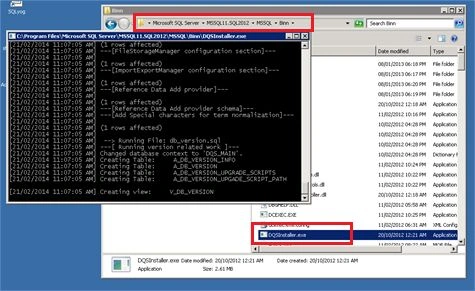
Next, grant DQS Roles to users and make your data available for DQS operations.
Step 3: Launch the Data Quality Client from "Start" – "SQL Server 2012" - "Data Quality Services" - "Data Quality Client"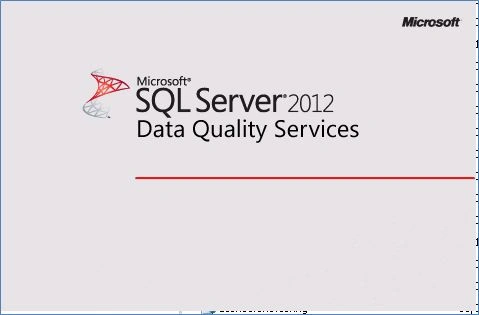
Step 4: Connect to the instance on which Data Quality Services is installed. (Click on the down arrow to View and select the server name.)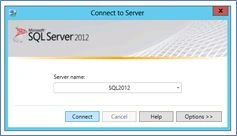
Step 5: Data Quality Services Client
After selecting the server and clicking on "Connect", the Data Quality Services Client opens as shown in the following figure.
The Client has sections for Knowledge Base Management, Data Quality Projects and Administration.
Knowledge Base Management: This has an option to create a new Knowledge Base, open an existing Knowledge Base and list the recent Knowledge Bases.
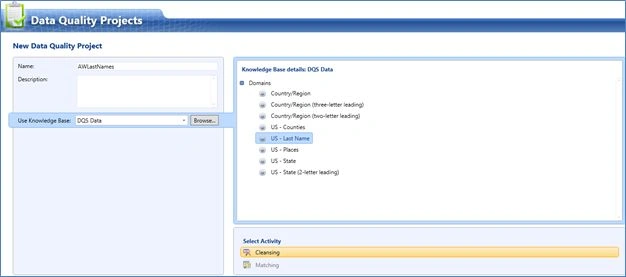
Data Quality Projects: This has an option to create a new Data Quality Project, open an existing project and list the recent Data Quality Projects.
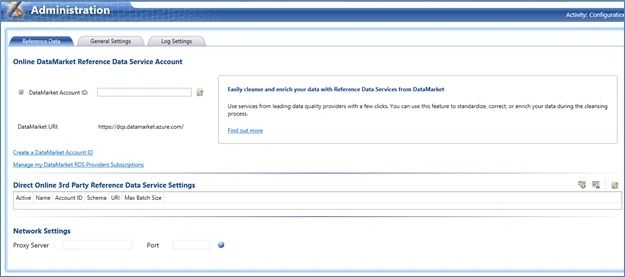
Administration: This is for Configuration and Activity Monitoring (data quality projects) of the Data Quality Services.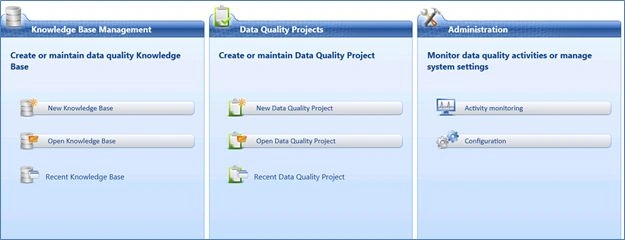
Step 6: Configuration and Data Market Account Id Setup using Azure Cloud Services
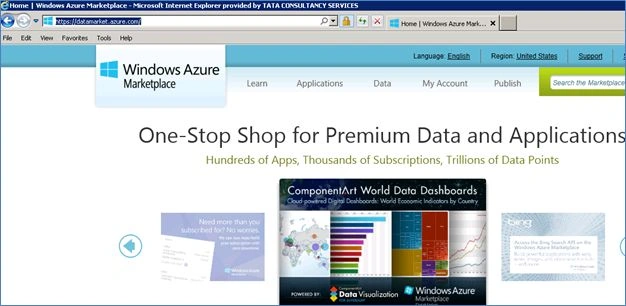
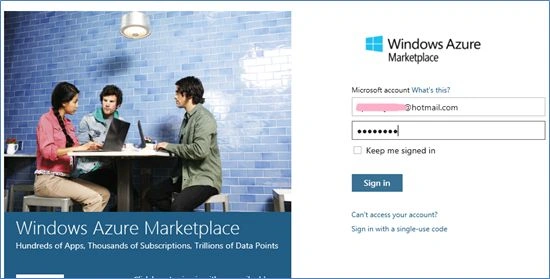
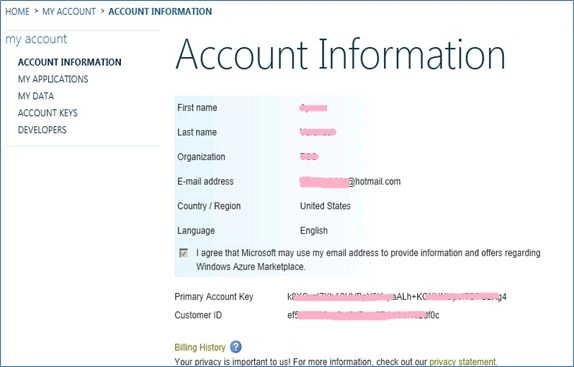
Open the Administration Section to configure the Data Market account Id. The Online Data Market reference Data Service Account Id must be specified here. The Data Market Account Id can be retrieved from Azure Data Cloud services.
Options to create a Data Market Account id are present in the same screen.
Use the following procedure to create a Data Market Account Id:

Jeetendra GundPosted Feb 27, 2014, 12:18 AM
Nice article...Thanks
Dinesh BeniwalPosted Feb 26, 2014, 11:21 AM
Good Start Aparna, Welcome to the C# Corner.