

I want to introduce the basics of the ASP.NET Development Server.
I collected the following contents from various web resources; The ASP.NET Development Server:
- runs automatically when you test a file system web site in Visual Studio.
- is included with Visual Web Developer, a web server that runs locally in the Windows operating systems.
- will serve pages to browser requests on the local computer. It will not serve pages to another computer.
- is installed as part of the following products from Microsoft.
- provides an efficient way to test pages locally before you publish the pages to a production server running IIS.
1. Opening the ASP.NET Development Server using Visual Studio
Click on the right-most icon at the top of Solution Explorer to open the ASP.NET Development Server on the browser.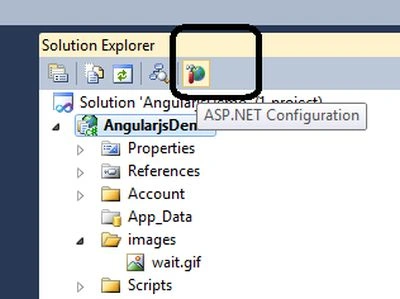
2. The following settings page would open after clicking on the icon above.
We can change the settings that are in the following tabs:
- Security
- Application
- Provider.
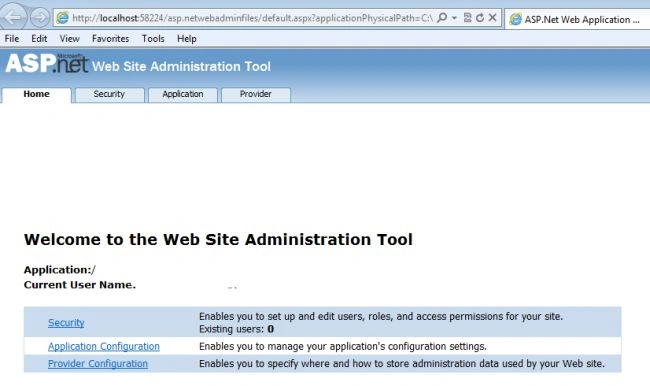
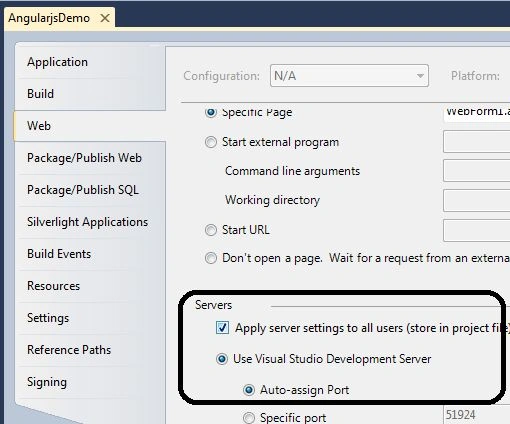
3. To set the ASP.NET Development Server as the startup server:
- Right-click on the project then select "Properties" -> "Web".
- The following screen will open.
- Choose the Radio Button as in the following screen.
4. After setting the settings as in point 3. if we run the application using F5 then the ASP.NET Development Server would launch.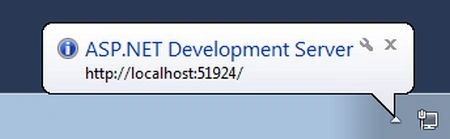
5. Exe for ASP.NET Development Server.
The following exe would launch the ASP.NET Development Server.
WebDev.WebServer.EXE
This exe could be found at various locations in the machine.
- C:\Windows\Microsoft.NET\Framework\v2.0.50727
- C:\Program Files\Microsoft Shared\DevServer\9.0
- C:\Program Files\Common Files\Microsoft Shared\DevServer\9.0
- C:\Program Files (x86)\Common Files\Microsoft Shared\DevServer\9.0
- C:\Program Files (x86)\Microsoft Shared\DevServer\9.0
6. Running the ASP.NET Development Server manually.
- Open CMD
- Go to C:\Program Files\Common Files\Microsoft Shared\DevServer\10.0
- Running WebDev.WebServer.EXE /Path:”code path” /port:”port-number”

After running the above command the ASP.NET Development Server would launch as in the following screen: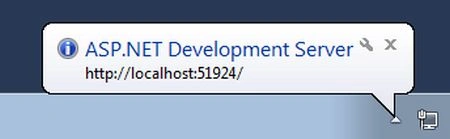
Conclusion
This article has explained the basics of the ASP.NET Development Server.
Join the conversation! Your thoughts help the community grow.