

This article will explain how to create and host your first provider-hosted app for SharePoint Online (Office 365 and SharePoint 2013 on premise).
Prerequisite
My Office 365 public site:
Office 365 site: just4sharing
Windows Azure Web site: myphapp.azurewebsites
Visual Studio 2012/2013
Step 1: Start a new Visual Studio Project, use the "App for SharePoint 2013" template as in the following: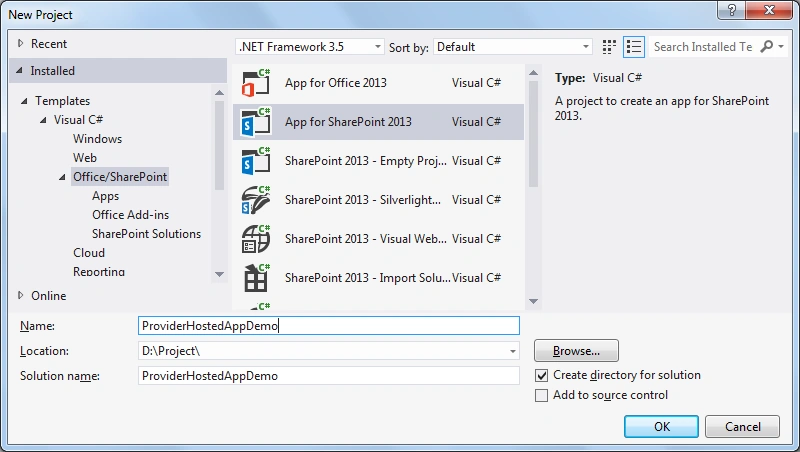
Step 2: Select the Provider-hosted option for this example. In a Provider-hosted app, application resources will be deployed in a server outside the SharePoint environment.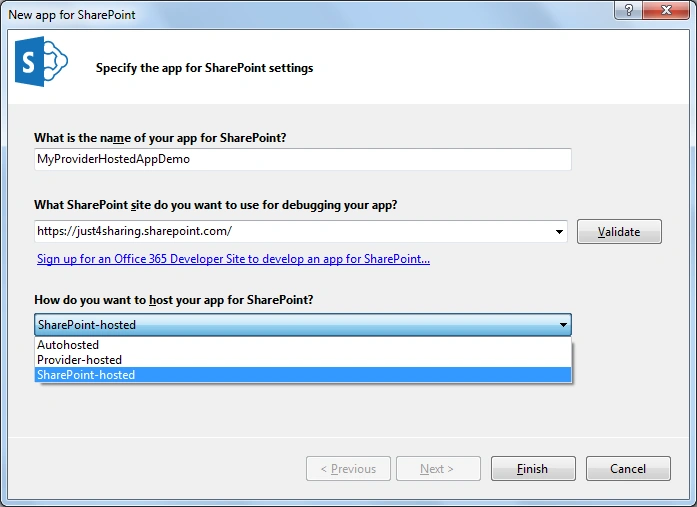
Step 3: In the next step, select “Use Client secret (requires a SharePoint farm connected to ACS)”. We will be using the Access Control Service (ACS) available with Windows Azure for this example.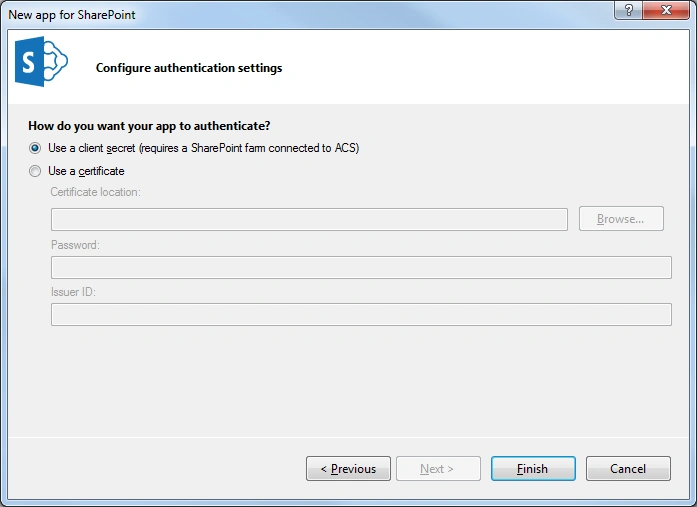
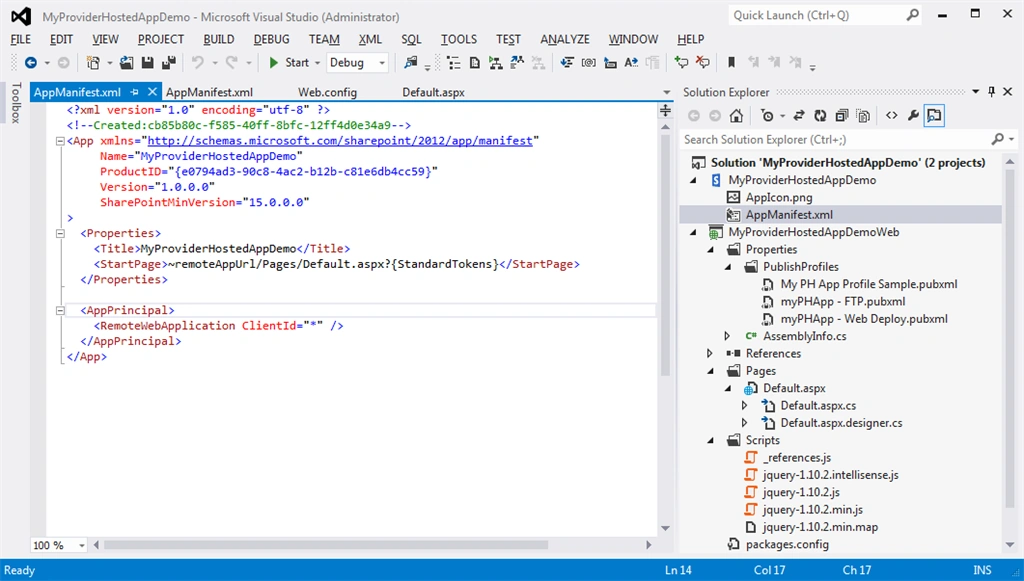
Step 4: Click "Finish" and the project is created for you by Visual Studio. You can see two projects created under the solution. The first project consists of just an app icon and AppManifest.xml that manages all the settings like start URL, permission, Query strings, Client ID, Tokens and so on.
Step 5: The next step is to register a new app using client Id and Client Secret.
- Go to the “/_layouts/15/appregnew.aspx” page of your SharePoint site (in my case, it is just4sharing-public.sharepoint.com) to generate the client Id and client secret id.
- Click on the generate buttons of Client Id and Client Secret to generate both.
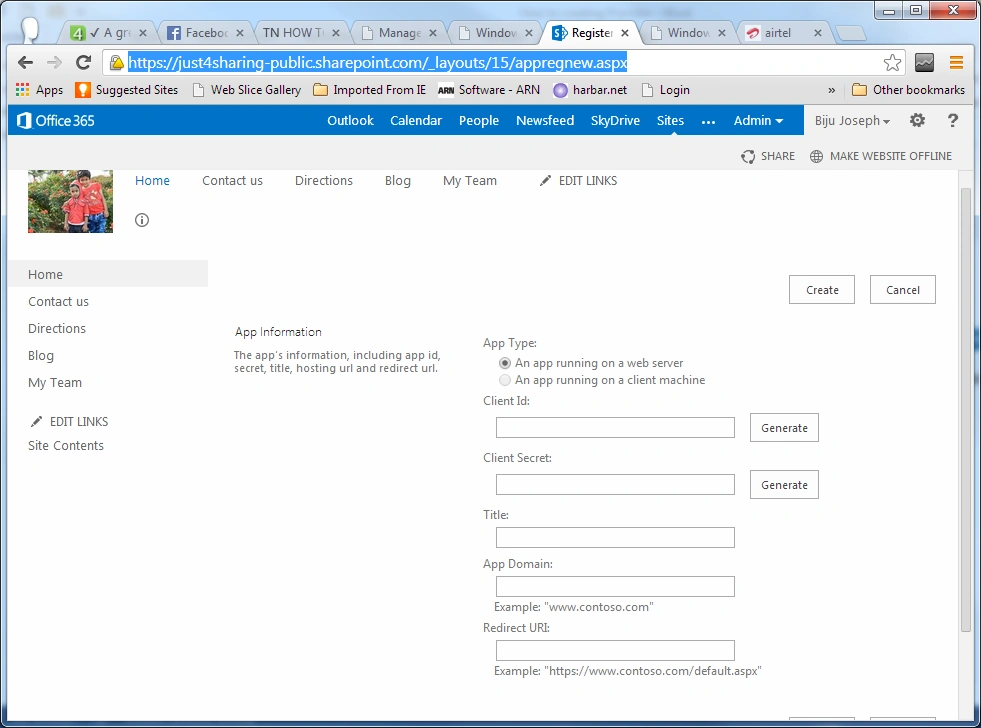
Step 6: We need to fill in “App Domain” and “Redirect URL”. In fact, this is the website where the app is hosted. I am using Windows Azure to host my app. Let us go to the Windows Azure Management Portal and create a web site to host your app. 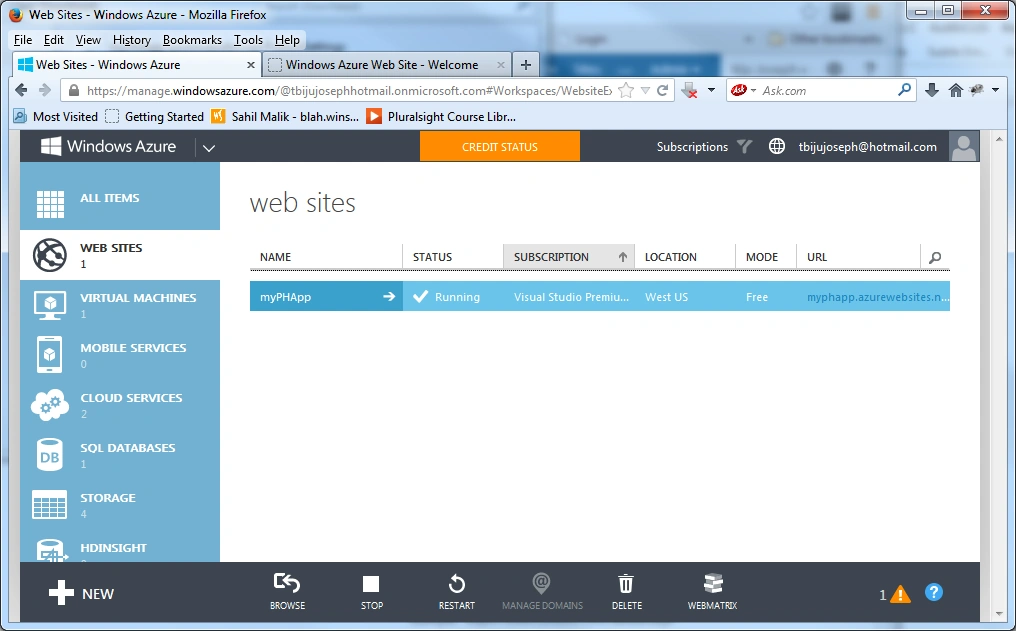
Step 7: I am done with my web site in Windows Azure. myphapp.azurewebsites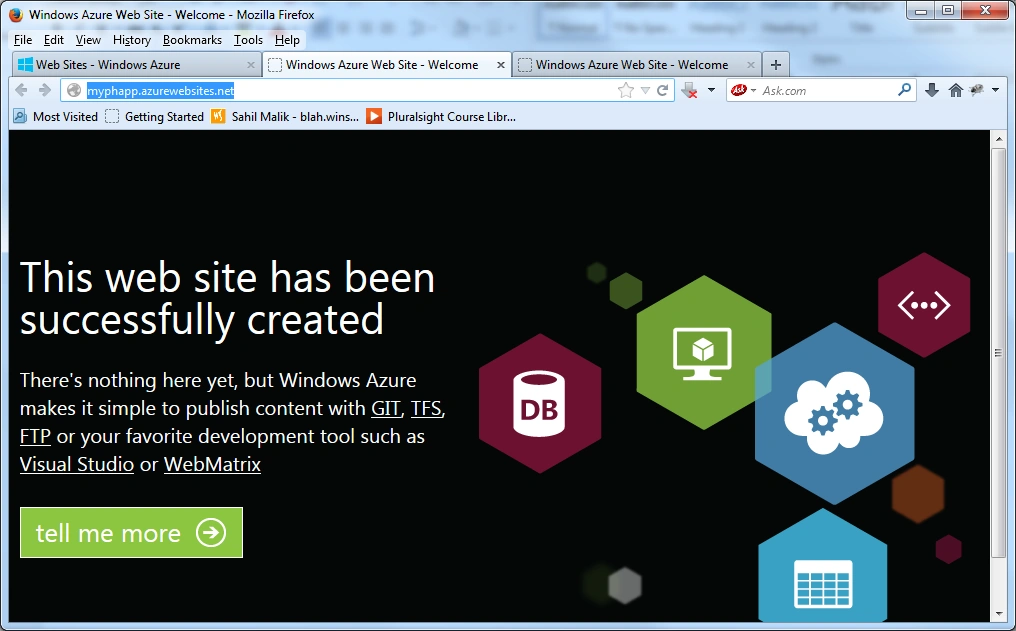
Step 8: As I said in the previous step, let us supply “Domain Name” and “Redirect URL” in the registration page.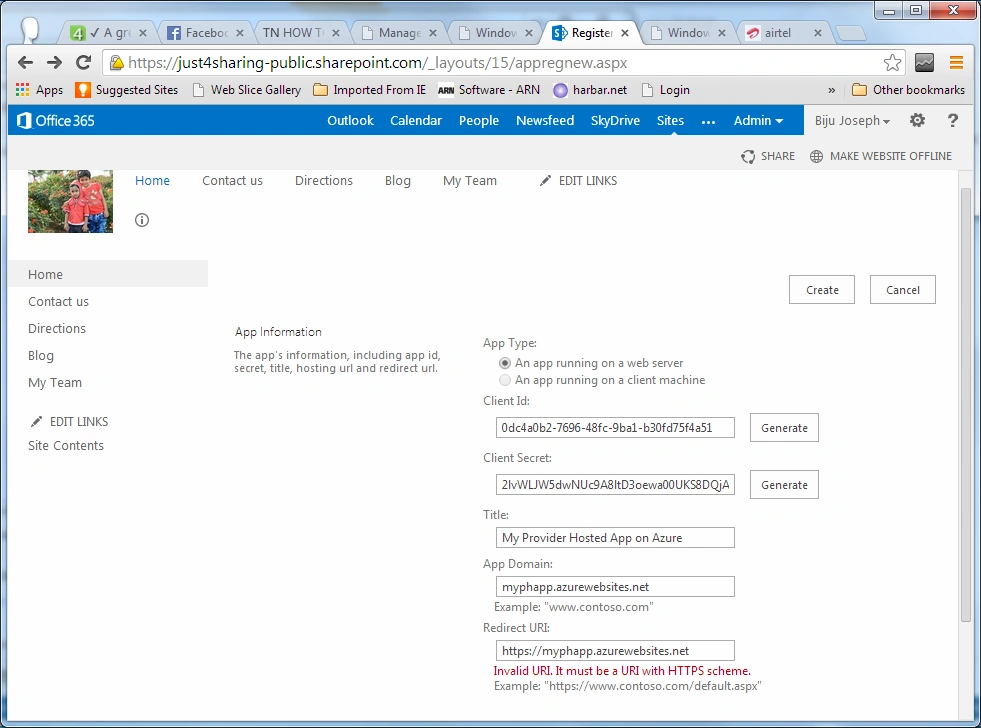
Step 9: We are done with the registration process. Copy the Client Id and Client Secret to a safe place. 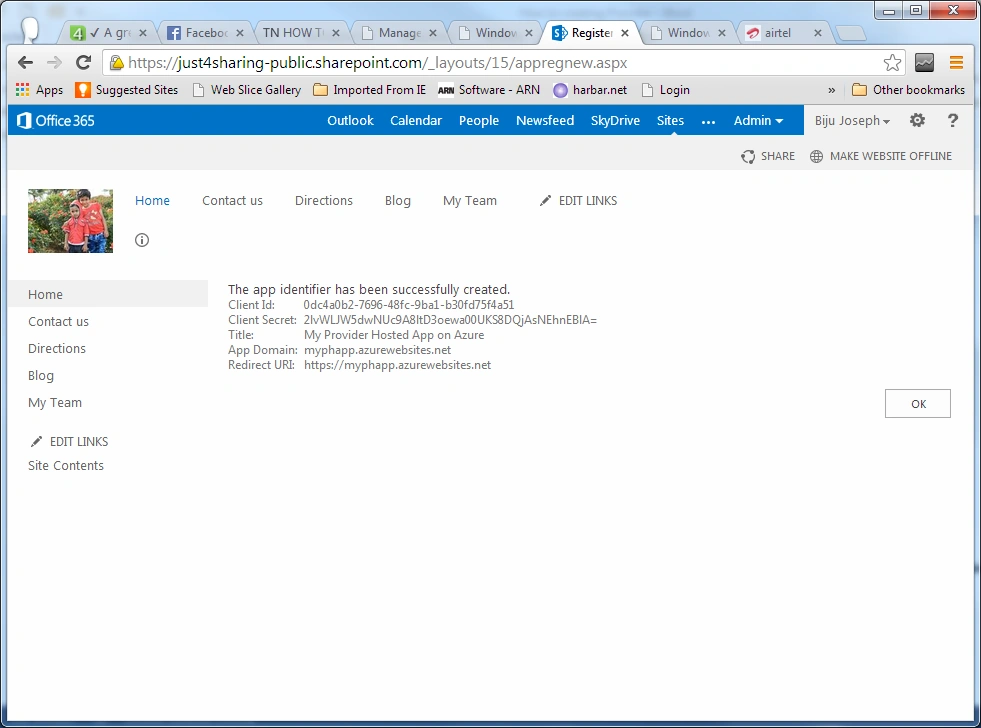
Step 10: The next step is to publish both projects separately. First, publish the app project as in the following: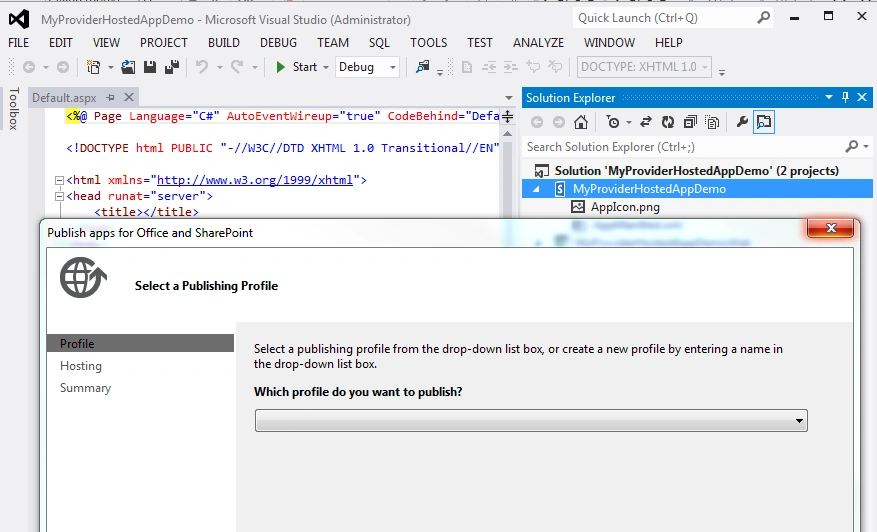
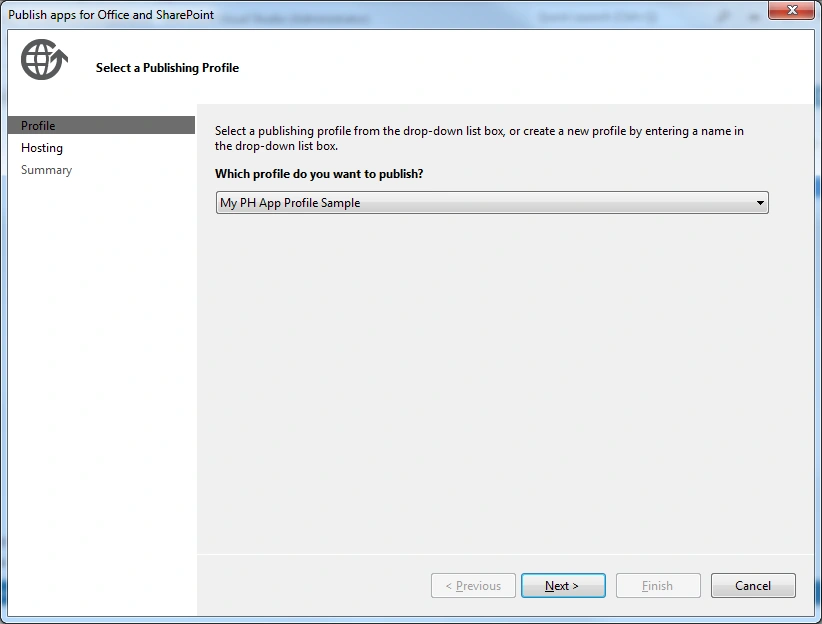
Step 11: Create the publishing profile providing the Azure site name, Client Id and Client Secret as in the following: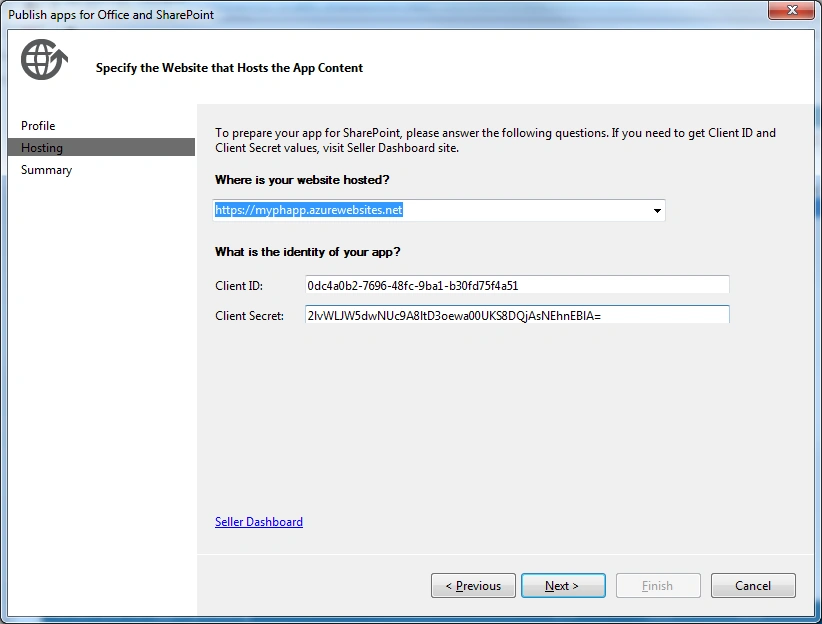
Step 12: Click “Finish” to see the summary page as in the following: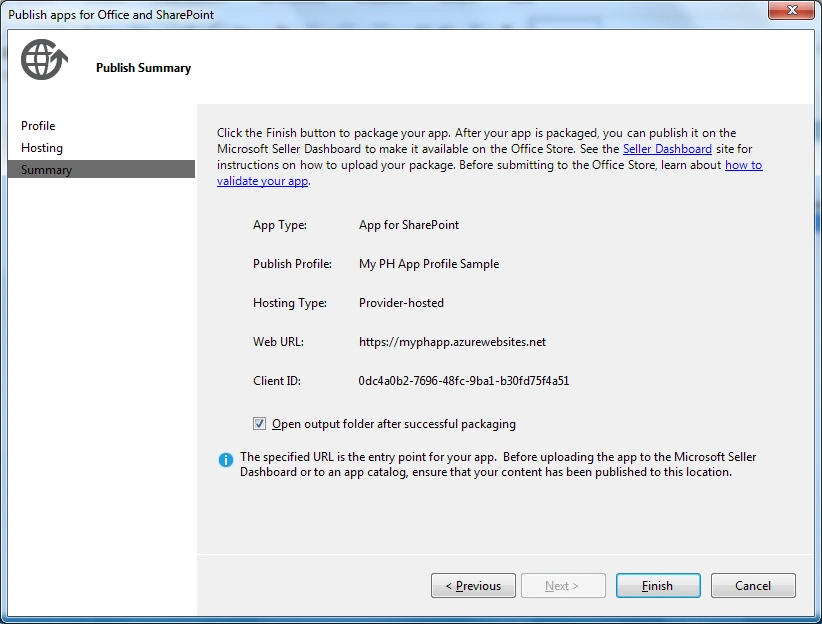
Step 13: The output is a package file as shown in the following screen shot.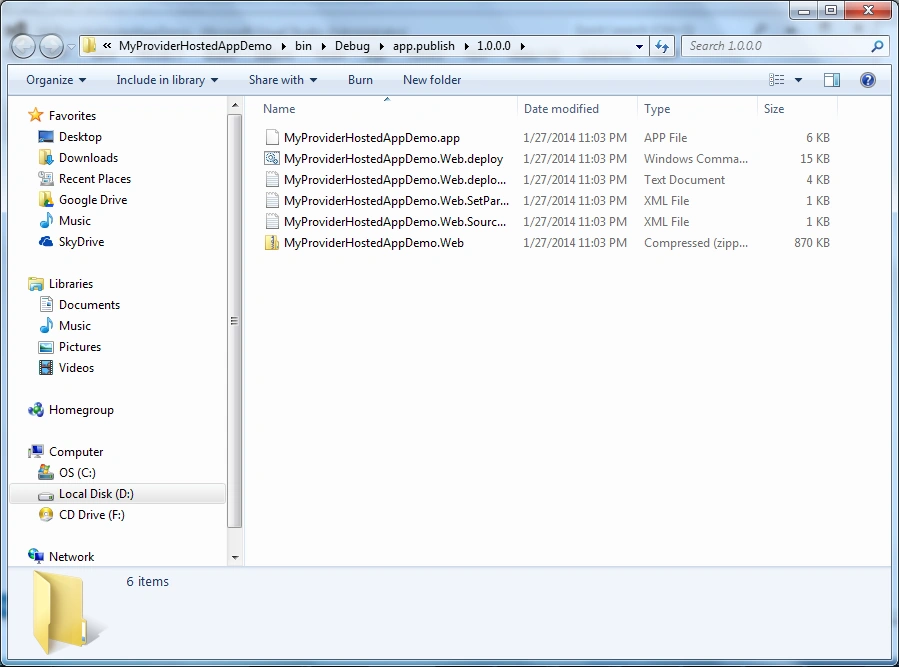
Step 14: Time to upload the package. Upload your custom package to the developer site. All steps are shown in the following screenshots.
just4sharing.sharepoint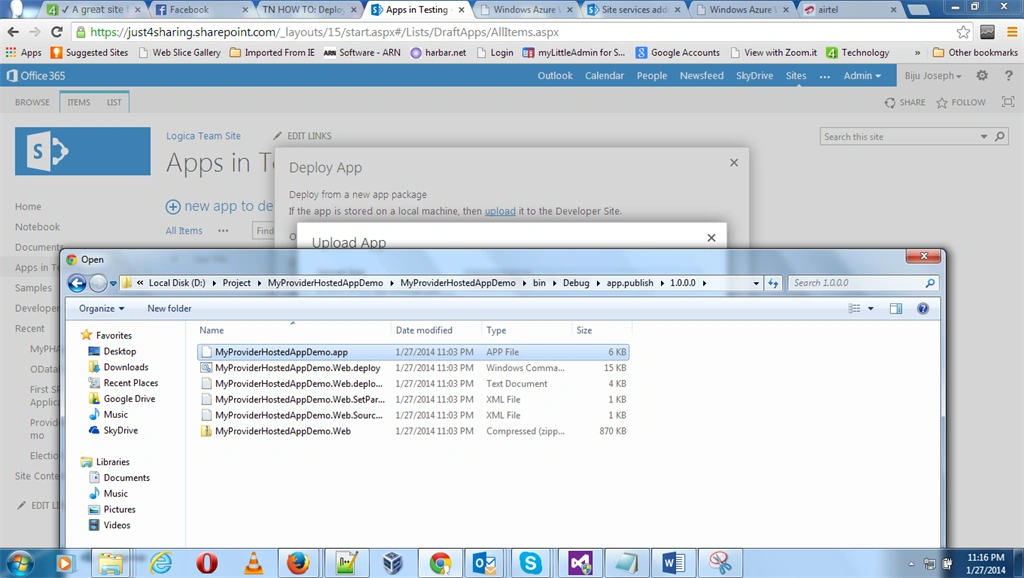
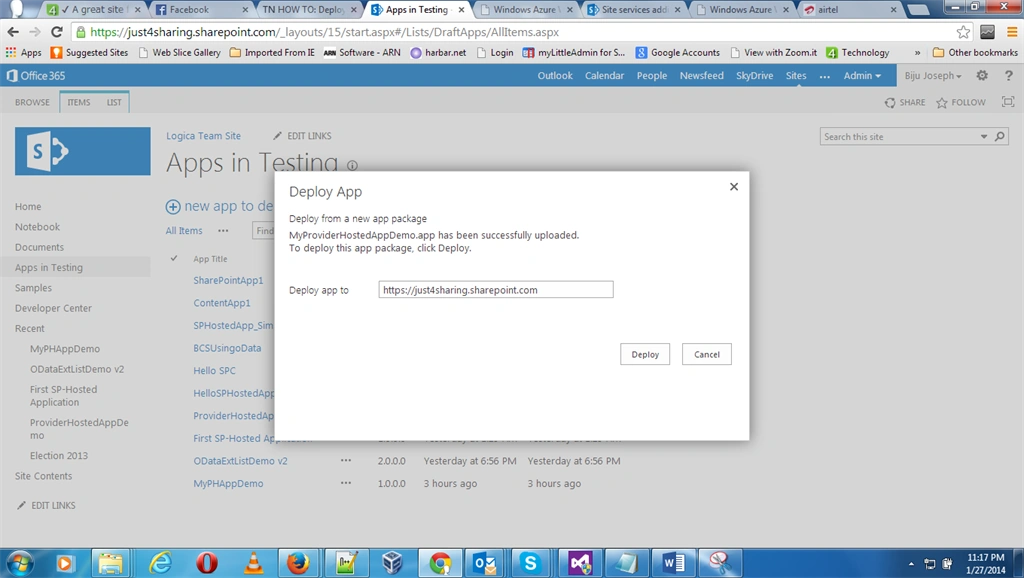
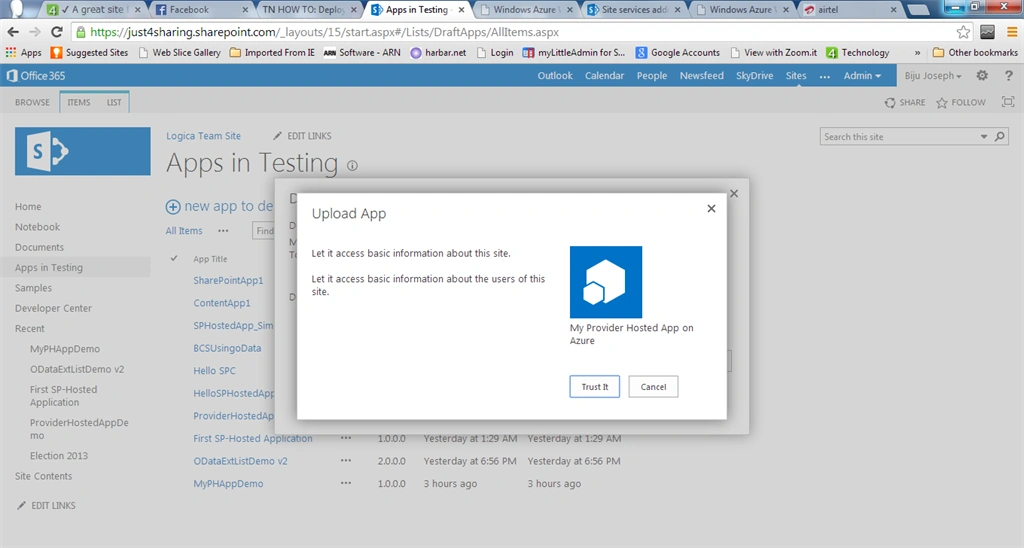
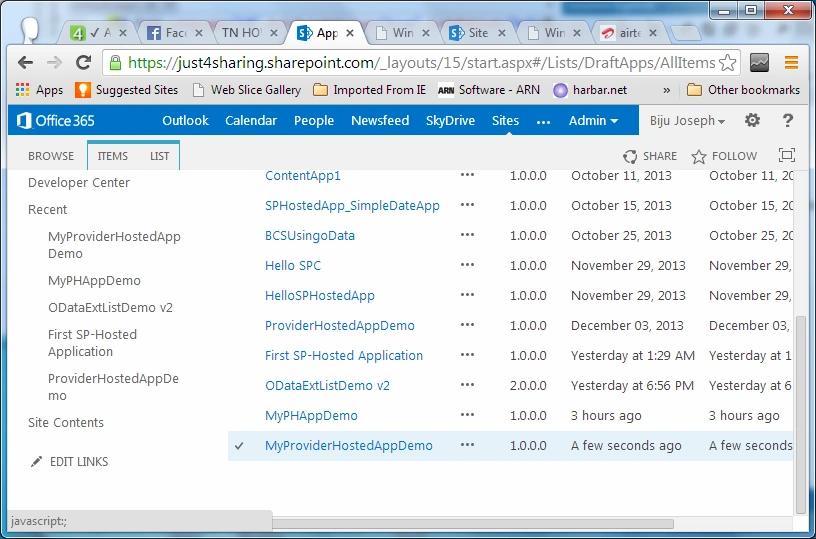
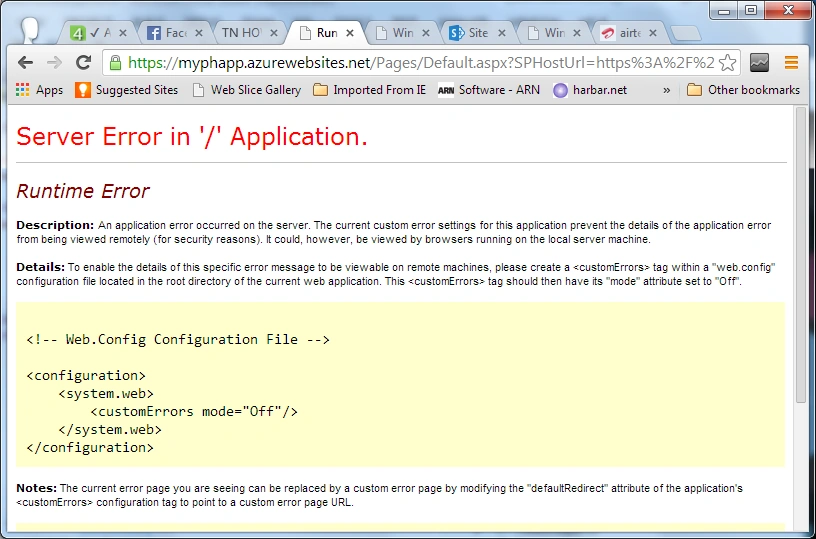
Clicking on the application link will throw a server error. That is because we haven't deployed the remote web to Windows Azure. The next step is to deploy the web app to Azure.
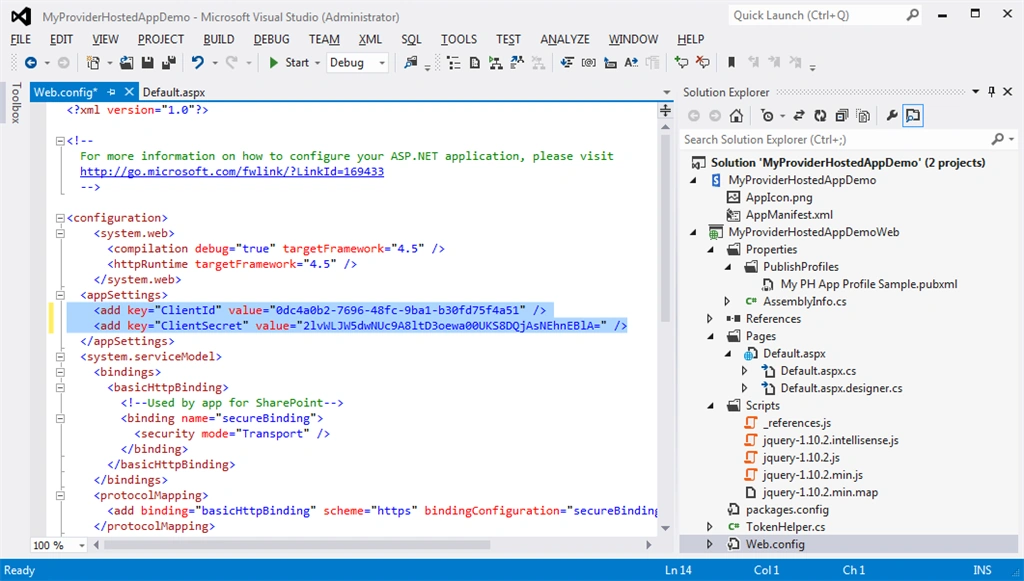
Step 15: Publish the application to Windows Azure. Open web.config and update the client ID and Client secret as in the following:
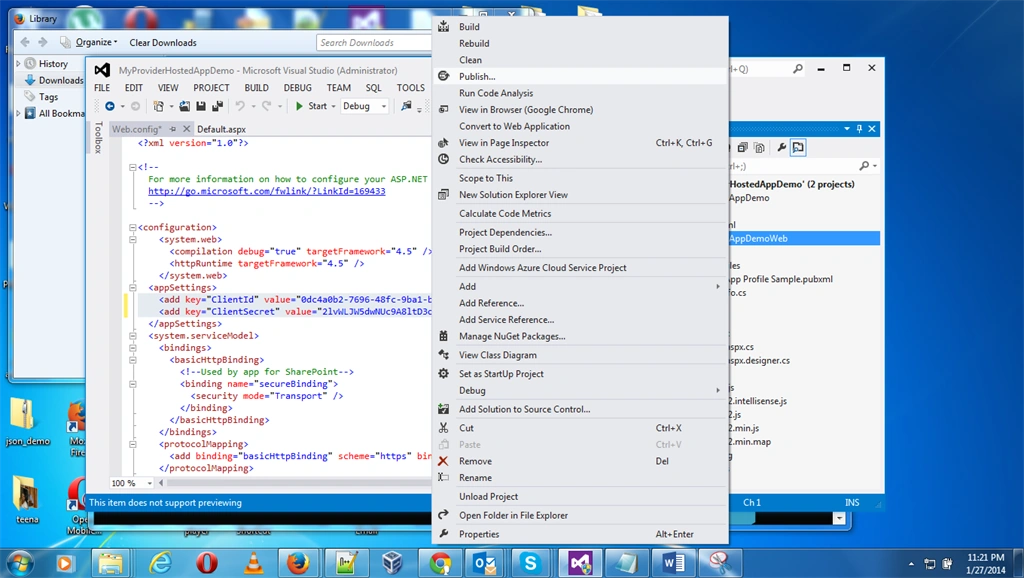
Step 16: Import the Azure profile and do a publish as in the following:

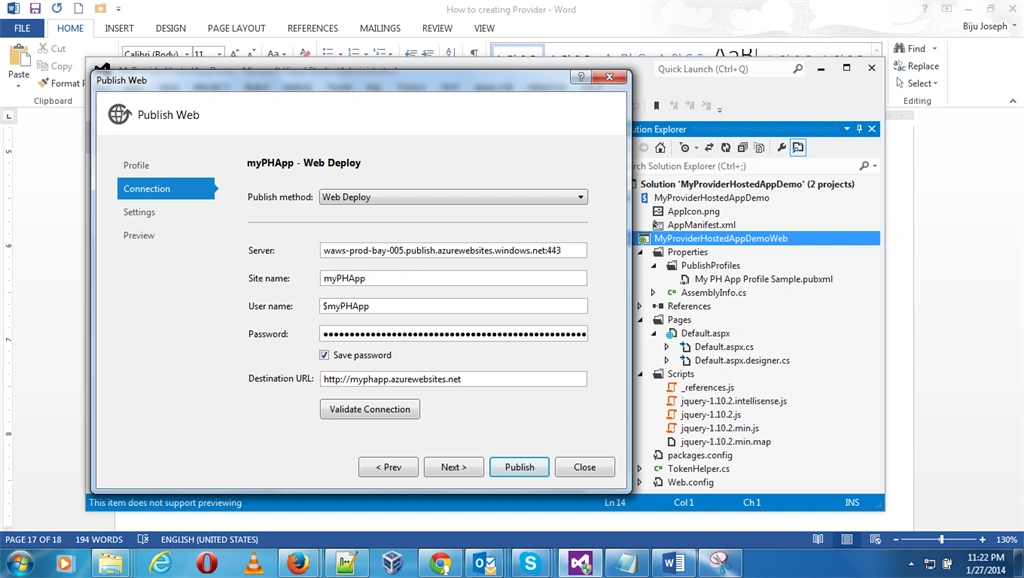
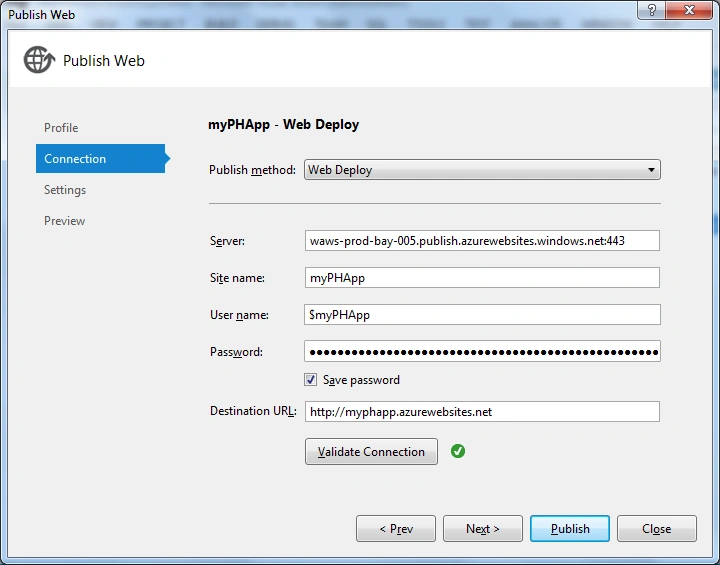
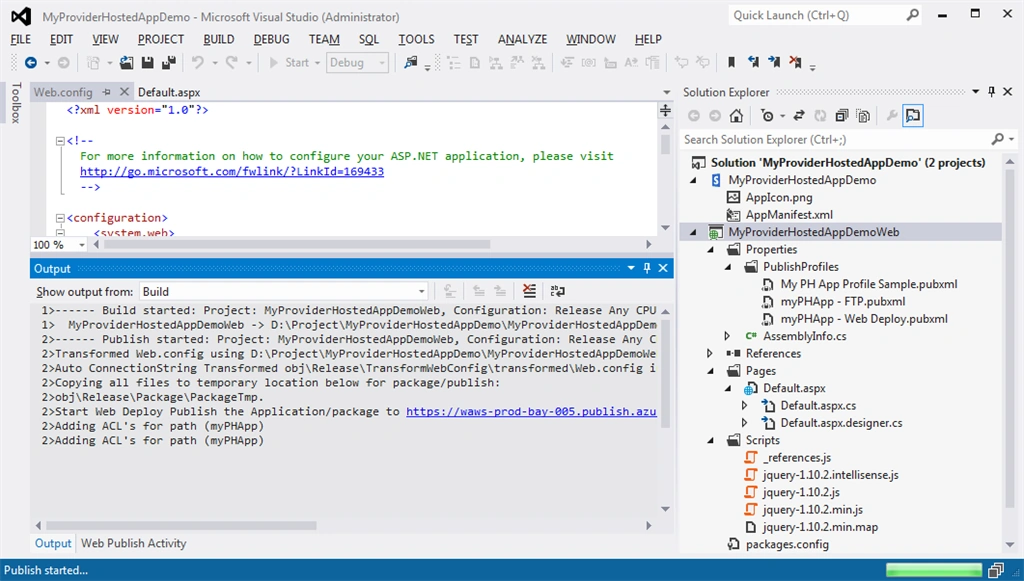
Step 17: We are done with publishing and deploying.
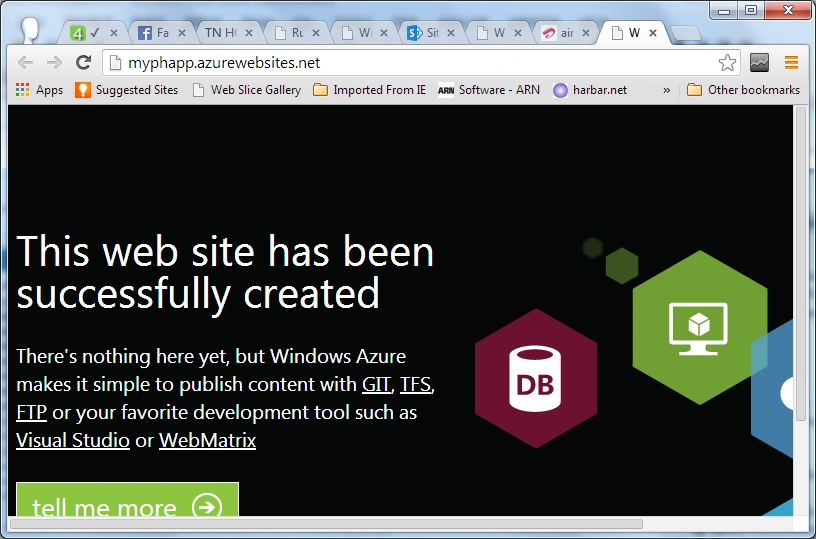
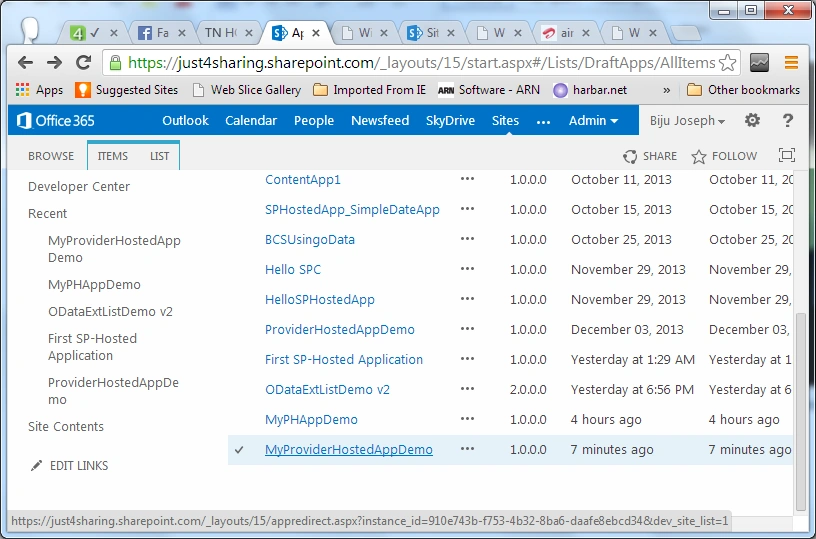
Step 18: It is time to click on the app link.
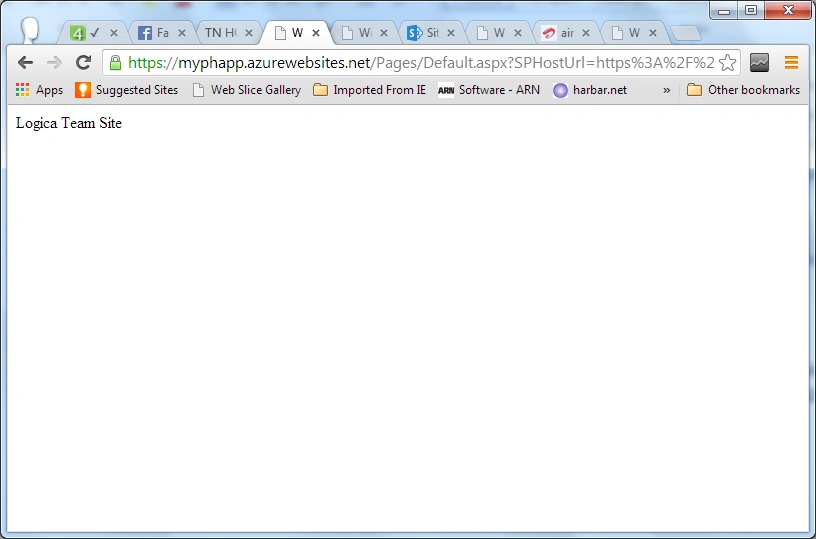
Step 19: You are done! You get the URL: https://myphapp.azurewebsites.net/Pages/Default.aspx?SPHostUrl=https%3A%2F%2Fjust4sharing%2Esharepoint%2Ecom&SPLanguage=en-US&SPClientTag=0&SPProductNumber=16%2E0%2E2510%2E1211
Step 21: Also this image would provide you some idea about AppManifest.xml as in the following:
I hope this helps, just leave a comment if it does.
just4sharing
Sumit KumarPosted Jul 8, 2020, 6:41 AM
Thanks for the Article Biju.
Deepak UpadhyaPosted Sep 24, 2018, 5:57 AM
How to Display Sharepoint list items on a non sharepoint site? Consider I have asp.net website called www.abc.com, so i need to display some announcements from my sharepoint o365 online site on abc.com . Please note that my sharepoint online has multi factor authenication as well.(username+password+pingID). so please share your thoughts.
Akash KumharPosted Sep 13, 2018, 7:12 AM
Nice article Biju sir.
BijuPosted Sep 23, 2016, 1:56 PM
Https://msdn.microsoft.com/en-us/library/office/jj163816.aspx
Venkatareddy AnnapareddyPosted Sep 23, 2016, 12:37 PM
Can you please let me know in above example, How can i find server name, what is the site name and user name , please help ASAP.
Venkatareddy AnnapareddyPosted Sep 23, 2016, 12:34 PM
Hi Biju,
Nisar MohammedPosted Jan 12, 2016, 4:16 AM
Hi, Nice Article BIJU, But What if i want to visit my application directly by through an Address bar by typing "myphapp.azurewebsites.com". Because user will not remember the query string or copy paste the full URL from some where.
Yashwanth MuthineniPosted Aug 22, 2015, 7:06 AM
Nice Explanation...
Gowtham RajamanickamPosted Apr 23, 2015, 10:59 PM
This is great
Gowtham RajamanickamPosted Mar 17, 2015, 7:09 AM
amazing one...
Bharanidharan MPosted Sep 19, 2014, 3:22 AM
after deploying the mvc provider hosted app when i click on the app, it does not navigate to mvc _layouts start page instead it takes me back to the sharepoint site's start.aspx page. pls help
Bharanidharan MPosted Sep 19, 2014, 3:21 AM
http://www.c-sharpcorner.com/UploadFile/ed56a0/how-to-creating-provider-hosted-apps-for-sharepoint-2013/
Raghavender ReddyPosted Jul 8, 2014, 9:57 AM
thank you , its very helpful
Mahesh ChandPosted Feb 20, 2014, 3:17 PM
Welcome to C# Corner, Biju. I like your step by step with screens writing style. Easier to follow and understand.
Dinesh BeniwalPosted Feb 20, 2014, 8:57 AM
Good Start, Welcome to the C# Corner Biju.
Lakshmanan Sethu SankaranarayanPosted Feb 20, 2014, 8:56 AM
Good one :)