
For a beautiful and attractive UI, customized SettingsFlyout is a good option. So the following is the procedure to use for that.
Open Visual Studio 2013 and create a new blank project and name it Customized SettingsFlyout.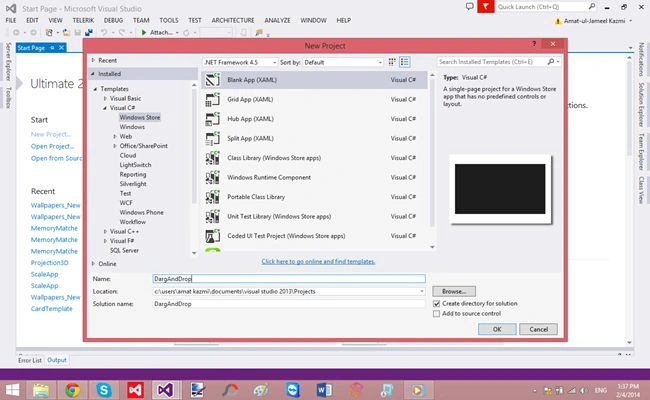
In the MainPage.xaml, add an image to the grid.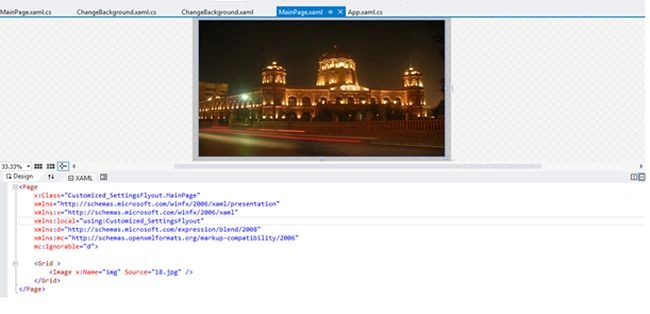
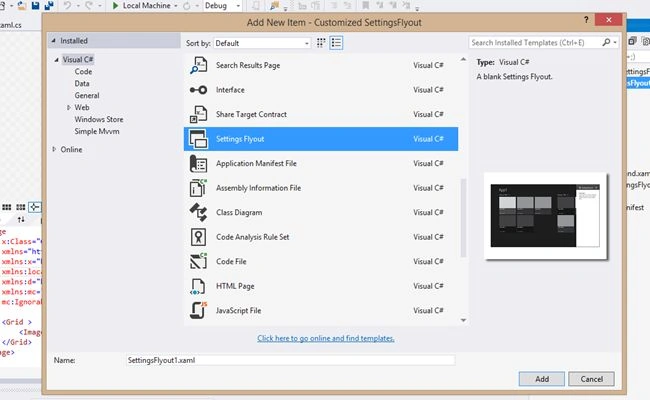
Then add a settings flyout and name it "Change background".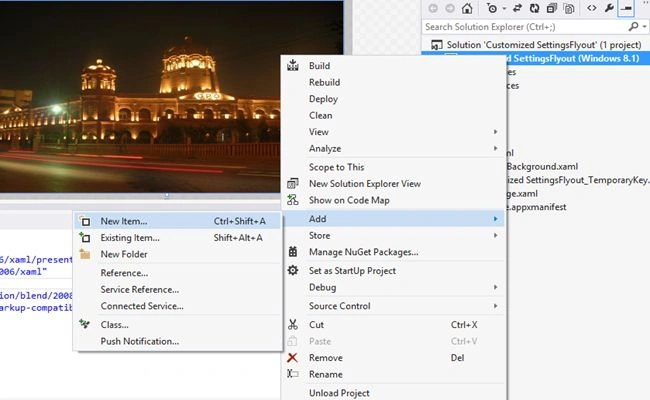
Then add two photos in a border in ChangeBackground.xaml.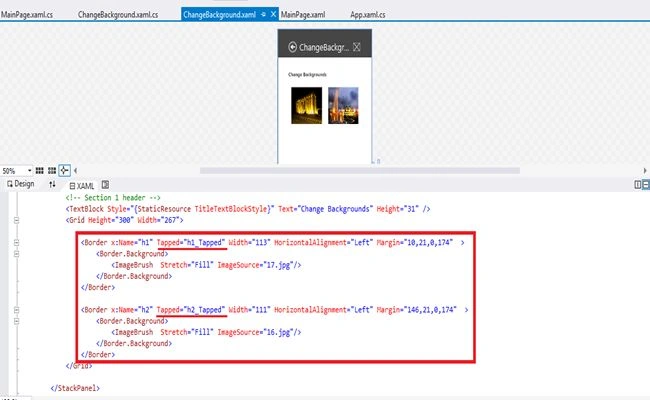
Then add this code to ChangeBackground.xaml.cs.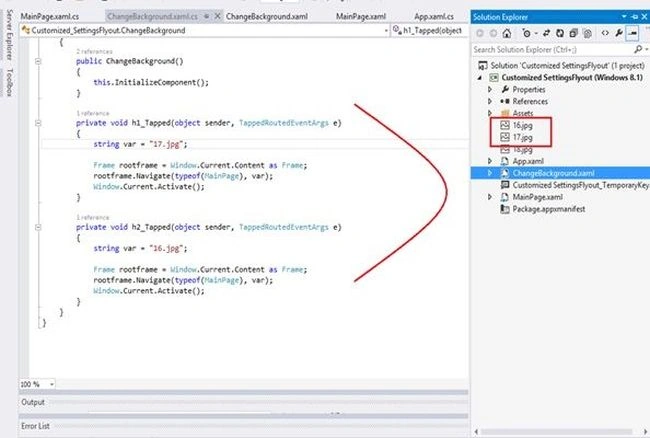
Now in MainPage.xaml.cs add this code to the OnNavigatedTo() method.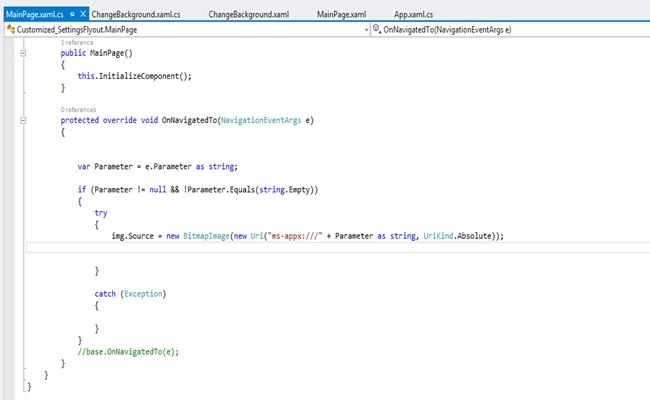
Now in App.xaml.cs add this code.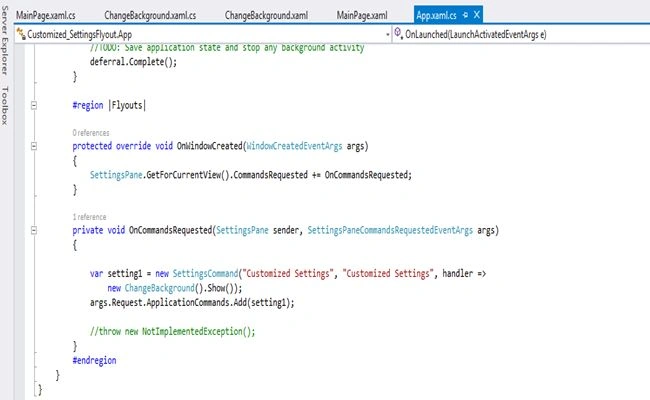
Now you have a customized settings flyout :)
Read the article at: TechNet Article.
Happy coding :)

Customized SettingsFlyout in Windows 8.1 Store Apps
Join the conversation! Your thoughts help the community grow.
Sign in to leave a comment
It is the same account you read, post and publish with — and you will come straight back to this page.
Vithal WadjePosted Feb 3, 2015, 9:45 AM
Nice article ,welcome to C# corner