

Ignore Route in MVC
While working on one of my recent projects, we had several controllers and in one of the controllers we found a big issue. We needed to solve the issue in a production environment; until then, we needed to ignore the request and response process until the issue was fixed.
Scenario:
We have two controllers in our project, Student and Employee, and we have some issue with the Employee controller. Until the issue is solved, we need to stop the user accessing the Employee controller using the RegisterRoutes method in Routeconfg.cs,
By adding
routes.IgnoreRoute("Employee/");
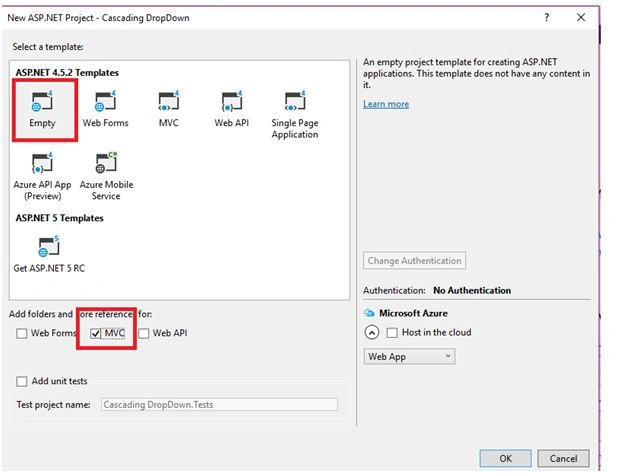
Create an MVC Project
Select Empty Template and Add MVC folder reference,
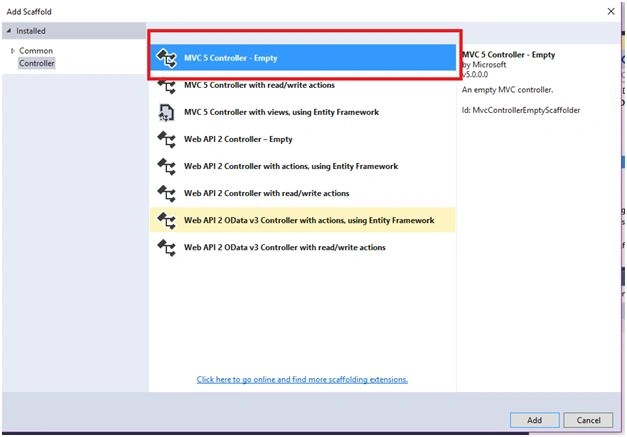
Add New Controller in Controller folder,

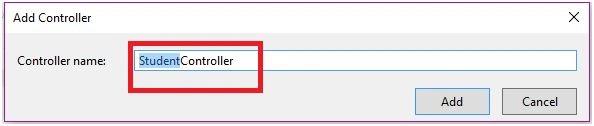
Add Student Controller,
Student Controller
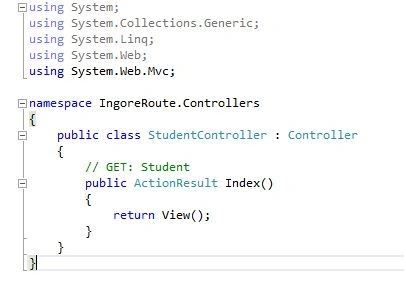
Controller Code
- using System;
- using System.Collections.Generic;
- using System.Linq;
- using System.Web;
- using System.Web.Mvc;
- namespace IngoreRoute.Controllers
- {
- public class StudentController: Controller
- {
- // GET: Student
- public ActionResult Index()
- {
- return View();
- }
- }
- }
Add View For Index Action
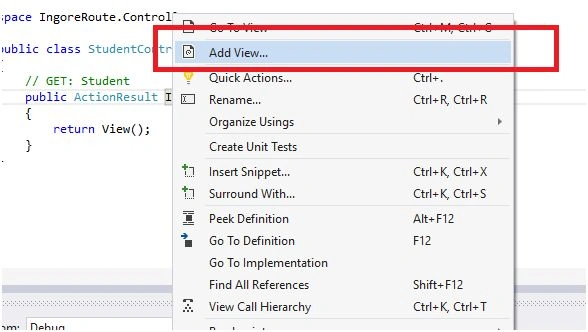
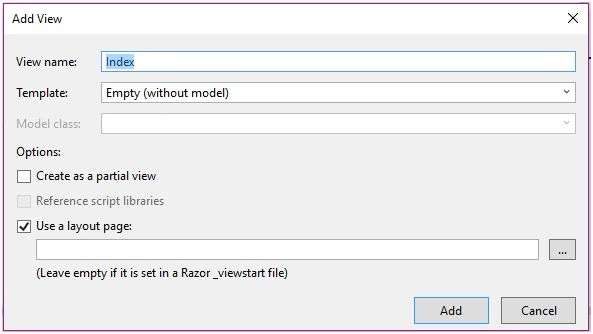
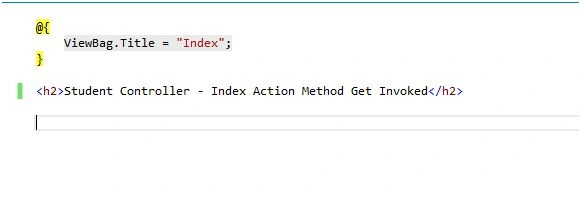
Index View Code
- @ {
- ViewBag.Title = "Index";
- }
- < h2 > Student Controller - Index Action Method Get Invoked < /h2>
Employee Controller
Followthe above process for how we added the Student Controller, just as we did the Employee Controller.
Run the Application
Before running the Application we need to set a startup controller as Student Controller and Index action in the Routeconfg.cs file.
- routes.MapRoute
- (
- name: "Default",
- url: "{controller}/{action}/{id}",
- defaults: new
- {
- controller = "Student", action = "Index", id = UrlParameter.Optional
- }
- );

Run the Application
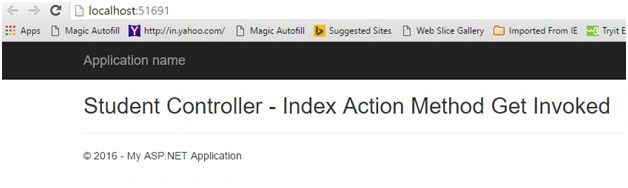
Change the Url to Employee Controller.
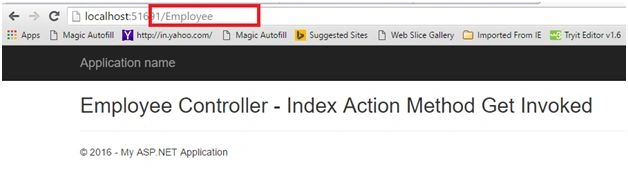
In above image, the Employee controller is invoked successfully, but our scenario does not want to access Employee controller. In this situation we need to change the routeconfig.cs file.
- using System;
- using System.Collections.Generic;
- using System.Linq;
- using System.Web;
- using System.Web.Mvc;
- using System.Web.Routing;
- namespace IngoreRoute
- {
- public class RouteConfig
- {
- public static void RegisterRoutes(RouteCollection routes)
- {
- routes.IgnoreRoute("{resource}.axd/{*pathInfo}");
- routes.IgnoreRoute("Employee/");
- routes.MapRoute(
- name: "Default",
- url: "{controller}/{action}/{id}",
- defaults: new
- {
- controller = "Student", action = "Index", id = UrlParameter.Optional
- }
- );
- }
- }
- }
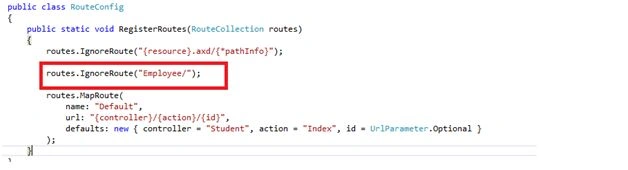
Run the Application and try to navigate to Employee Controller. Here's the output,
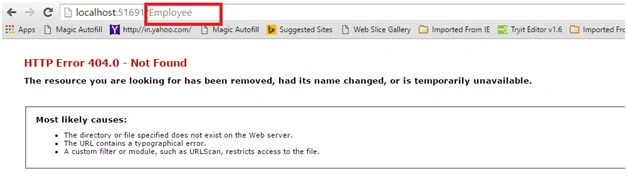
When we try to use Employee Controller, we get 404 error.
Thanks for reading the article.
Austin HummelPosted Dec 13, 2018, 1:30 PM
This will only work to block the Employee/Index page if visiting the page as localhost/Employee. Visiting the page as localhost/Employee/Index or visiting any other Employee view will still be allowed. To block all URLs controlled by the EmployeeController, you can use routes.IgnoreRoute("Employee/{*pathInfo}");
Ankit SharmaPosted Aug 9, 2017, 3:16 PM
Very good article on routes.IgnoreRoute...
Joginder BangerPosted Aug 4, 2017, 11:00 PM
Hi good article but i have one question for you, can we ignore route based on table data?
Pradeep YadavPosted May 25, 2017, 10:17 AM
Nice article on IgnoreRoute method !!!
Ramakrishna GaddePosted Feb 17, 2017, 8:33 AM
Nice article on IgnoreRoute method !!!
Akhilesh PanditPosted Jun 3, 2016, 12:17 PM
Very good explain
Santhakumar MunuswamyPosted Jan 9, 2016, 2:37 AM
Thanks for nice article.
Shridhar SharmaPosted Jan 8, 2016, 1:39 AM
nice share
Karthikeyan KPosted Jan 7, 2016, 11:28 AM
Thank you for sharing
Humayun Kabir MamunPosted Jan 7, 2016, 2:02 AM
Nice...
Debasis SahaPosted Jan 6, 2016, 11:53 PM
Good One..
Manoj KulkarniPosted Jan 6, 2016, 10:05 PM
Nice article. Thank you for sharing