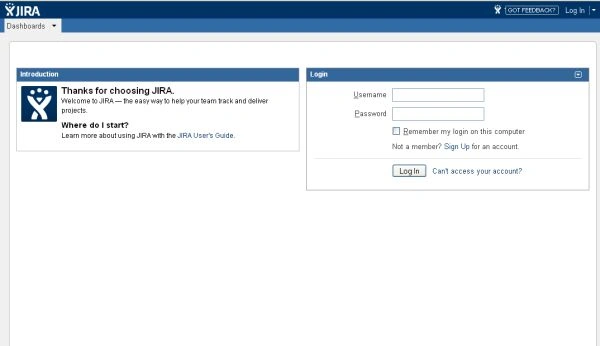
Creating a Permission Scheme To create a Permission Scheme we have to log in as an Admin User.
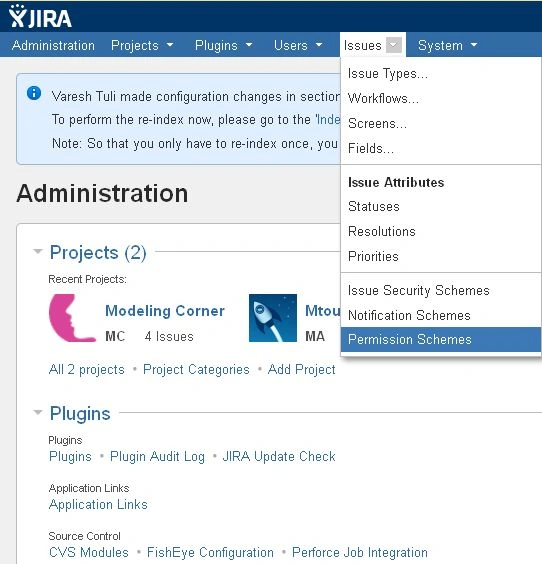
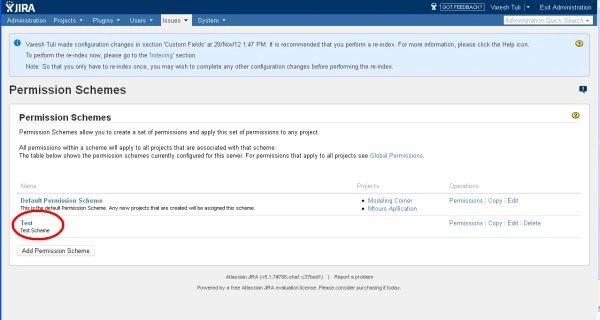
Select "Administration" > "Issues" > "Permission Schemes". It will display the "Permission Schemes" page.
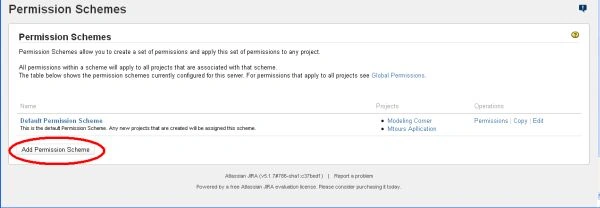
Click on the "Add Permission Scheme" link on the page. It will display the Add Permission Scheme page.
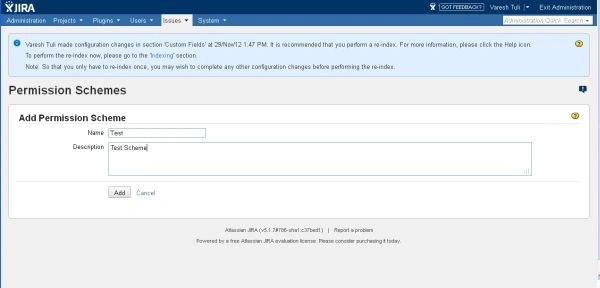
In the "Add Permission Scheme" page, provide a name and a short description of the scheme.
Click on the Add button. It will again display the "Permission Schemes" page in which now the new scheme will display.
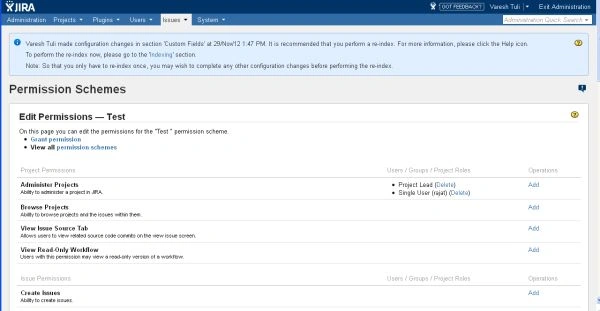
To add user/group to a Permission Scheme To Add a user to a Permission Scheme we have to log in as an Admin User. Select "Administration" > "Issues" > "Permission Schemes". Click on the Permission scheme that is being displayed on the page. It will display the Edit Permission page.
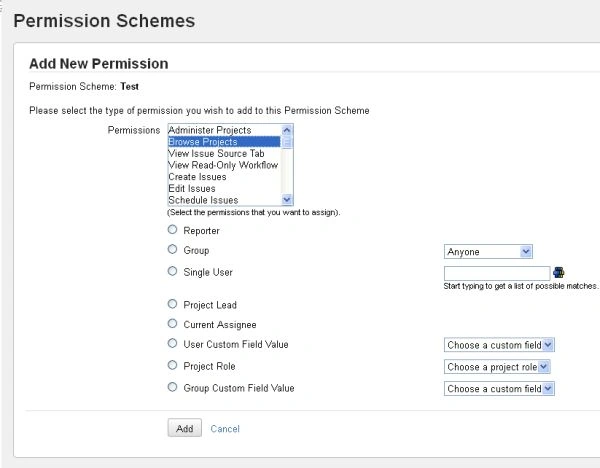
Click on the "Add" link under the "Operations" column. It will display the Add New Permission page:
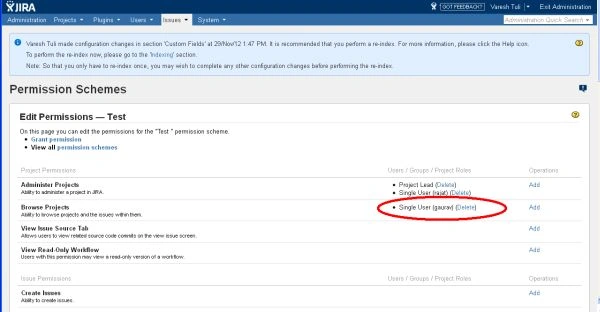
We can select one or more permissions and select the user group then click on the "Add" button. The users/groups/project roles will now display under the selected permissions.
We can repeat the last 2 steps until all users/groups/roles have been added to the permissions.


Join the conversation! Your thoughts help the community grow.