

Creating a site collection is something very basic in SharePoint. However in production scenarios the site collection size grows exponentially and issues will begin to creep up when there are two site collections with enormous sizes in a single Content DB . Though a Single Content DB support size up to 4 TB, if the multiple site collections within the DB grows above 200GB , Microsoft warns of possible back/restore failure.
Hence as part of Content DB capacity planning its recommended to keep in mind the data growth rate and partition site collections across Content DBs.
How can we create Site collection in a Specific Content DB using PowerShell
- Create new Content DB.
New-SPContentDatabase -Name WSS_Content_HR -WebApplication http://c2931069022:1500/

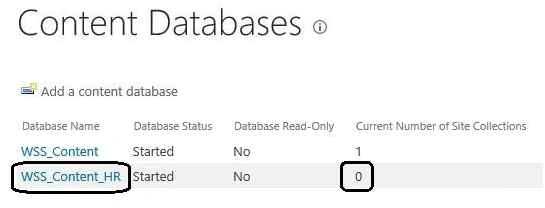
In the Central Admin we can see the new Content DB listed out.
- Create Site Collection in the previously created Content DB
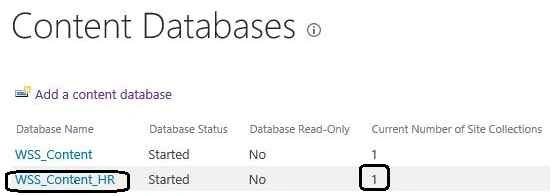
New-SPSite "http://c2931069022:1500/sites/HR" -OwnerAlias "AD2012\SPInstaller_Priyan" -ContentDatabase WSS_Content_HR -Name "HR Facility" -Description "HR Site Collection" -Template "STS#0"

How can we create Site Collection in a Specific Content DB using Central Admin
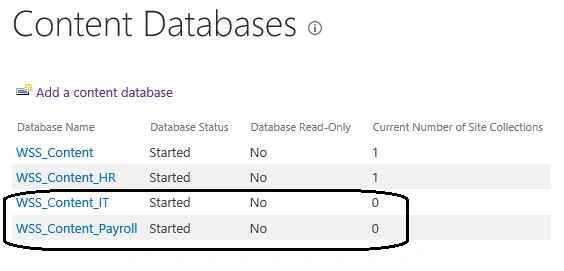
From Central Administration we normally don’t have the flexibility to choose the Content Database while creating a site collection. The site collection will be created by cyclically selecting the available content databases. As seen in the above screenshot the new site collection will either be added to WSS_Content_IT or WSS_Content_Payroll .
However we have a woraround for this situation. Let’s see how it is made possible.
Say I want to create a Payroll Site Collection within the Payroll Content DB. In this case make all other Content DB except Payroll as Offline/Stopped.
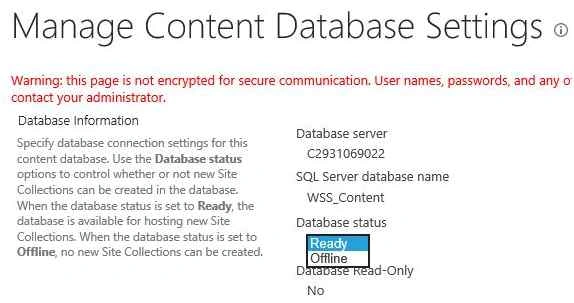
To do that, click on the Corresponding DB and choose Database Status as Offline.
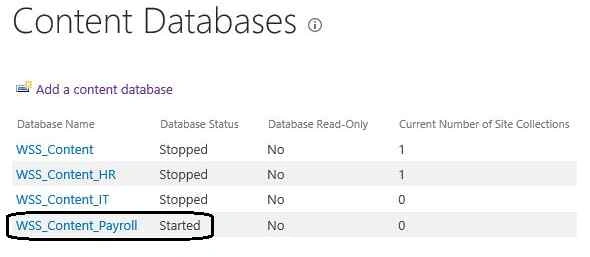
So now only Payroll DB is in started state.
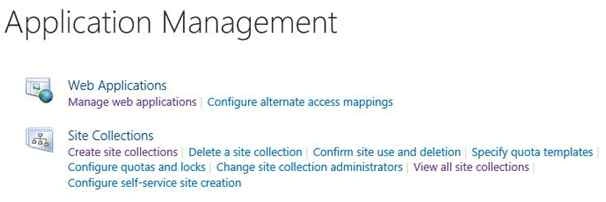
Go to Application Management and create the payroll site collection.
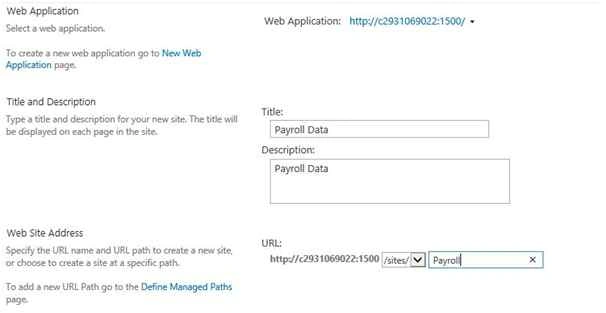
The site collection will automatically be created within the only active Content DB which is the Payroll DB.
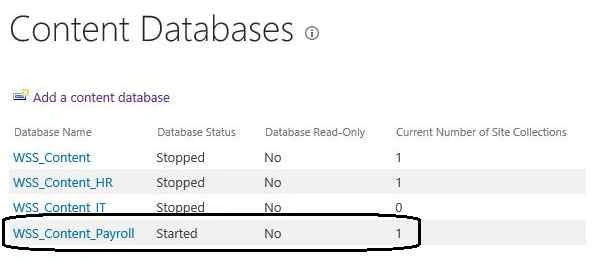
Now we have to click on each of the stopped content DBs and revert back the status to ready so that the DBs will be up and running. This is a hack by which we can force creating site collections in a particular Content DB.
Santhakumar MunuswamyPosted Oct 25, 2015, 11:51 AM
Good one
Nilesh JadavPosted Oct 21, 2015, 1:57 AM
Good Share sir !! Sharepoint Out of reach :P ! I should learn Sharepoint !!
Sibeesh VenuPosted Oct 21, 2015, 1:10 AM
Nice Share
Mukesh KumarPosted Oct 21, 2015, 12:35 AM
Thanks for sharing
Harshad PansuriyaPosted Oct 21, 2015, 12:00 AM
Nice one
Priyaranjan K SPosted Oct 20, 2015, 9:43 PM
Thanks N Vinodh
Vinodh NarayananPosted Oct 20, 2015, 3:02 PM
good one