

Updated 8/29/2018 - Formatted
In ASP.Net 4.5 there is a new feature called "Bundling". Now you might ask whad does it do?. Bundling bundles multiple files into a single file. For example if you want to use two CSS and five jQuery files in your page and all are in the styles and scripts folder. What you will do? , you provide the path for all CSS and jqery file in your page like:
For CSS file:
- <link href='<%= ResolveUrl("~/Styles/Test1.css")%>' rel="stylesheet" type="text/css" />
- <link href='<%= ResolveUrl("~/Styles/Test2.css")%>' rel="stylesheet" type="text/css" />
For jQuery file:
- <script src='<%= ResolveUrl("~/Scripts/Test1.js")%>' type="text/javascript"></script>
- <script src='<%= ResolveUrl("~/Scripts/Test2.js")%>' type="text/javascript"></script>
- <script src='<%= ResolveUrl("~/Scripts/Test3.js")%>' type="text/javascript"></script>
- <script src='<%= ResolveUrl("~/Scripts/Test4.js")%>' type="text/javascript"></script>
- <script src='<%= ResolveUrl("~/Scripts/Test5.js")%>' type="text/javascript"></script>
In this article I will tell you how to use Bundling in ASP.Net 4.0.
By the preceding description about Bundling you can easily understand that Bundling is used for performance optimization.
To use the Bundling feature in ASP.Net 4.0 you will need the following two DLLs:
- System.Web.Optimization.dll
- WebGrease.dll
Now add references for both DLLs in your web .
.
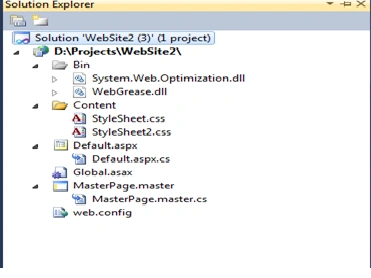
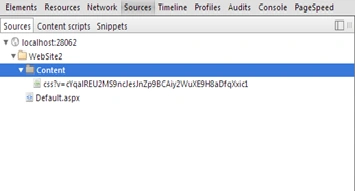
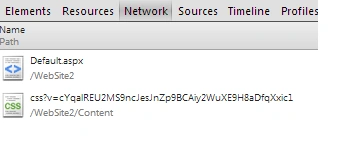
In the following sample code I am using two CSS files in the content folder so both files are bundled for the single request.
suja nagarajanPosted Dec 11, 2020, 2:15 AM
If i add this line @System.Web.Optimization.Scripts.Render("~/bundles/DatePickerToolkit") in View , It throws error Could not load file or assembly 'WebGrease, Version=1.5.1.25624, Culture=neutral, PublicKeyToken=31bf3856ad364e35' or one of its dependencies.
satish maddiliPosted Nov 24, 2016, 5:18 AM
Thanks.Isg Bandhu.~/Content/css is need to create folder in my project.
satish maddiliPosted Nov 24, 2016, 2:38 AM
If am using above code it shows the error RegisterBundles not in the context