

Introduction
Some time we require that application window should always stay on top like when we making download manager like thing we need to show progress of download even if our main application form is minimized in this case we need to show a small window form that will be always on top of every other application.
Language
C Sharp .net 2.0/3.5
Implementation
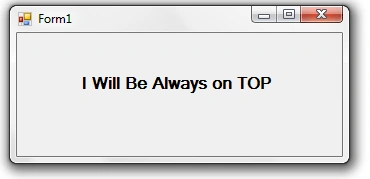
Now to implement this functionality we need to call some win32 Functions that are available in user32.dll that is SetWindowPos() that will position our window's Z order so that our window will be always on top .
So to call user32.dll's function we need to Import namespace
using System.Runtime.InteropServices;
First of all we need some constants that will be used In function in global portion of our form
static readonly IntPtr HWND_TOPMOST = new
IntPtr(-1);
const UInt32
SWP_NOSIZE = 0x0001;
const UInt32
SWP_NOMOVE = 0x0002;
const UInt32
TOPMOST_FLAGS = SWP_NOMOVE | SWP_NOSIZE;
and one function's prototype like below
[DllImport("user32.dll")]
[return: MarshalAs(UnmanagedType.Bool)]
public static extern bool SetWindowPos(IntPtr hWnd, IntPtr hWndInsertAfter, int X, int Y, int cx, int cy, uint
uFlags);
In on Load Event of Form Call that function like below
SetWindowPos(this.Handle, HWND_TOPMOST, 0, 0, 0, 0,
TOPMOST_FLAGS);
Now when we run our application our form will be top of every application..
Complete Source Code
namespace WindowsFormsApplication52
Gian torPosted Jun 23, 2022, 4:51 PM
I copy the exact code, but while the kirtan solution works, my don't. why?
Francis Saa-DittohPosted Jan 10, 2018, 9:53 PM
Exactly what I've been searching for!! Thanks so much. @Clark and @ David, this is to make the window on top of every other Application. "TopMost" only works for a form within you app. E.g. I'm using it to make my App's splash screen appear on top of every other application running
Clark KentPosted Feb 11, 2011, 10:06 AM
it could be done with just 1 code line: this.TopMost = true;
David BozjakeditedPosted Mar 29, 2010, 5:38 AMEdited Mar 29, 2010, 5:41 AM
How is this different from Form.TopMost = true; ? Here is a link from MSDN documentation: http://msdn.microsoft.com/en-us/library/system.windows.forms.form.topmost.aspx