Introduction
When we hear Microsoft Dataverse, the first things that usually come to mind are tables, columns, relationships, forms, views, and perhaps plug-ins.
But Dataverse is much more than a database behind Power Apps and Dynamics 365.
Over the years, Microsoft has added several powerful capabilities that can help developers build applications that are more scalable, maintainable, integration-friendly, and easier to govern. Some of these features can even eliminate custom code that we might otherwise build using C#, JavaScript, Power Automate, or external services.
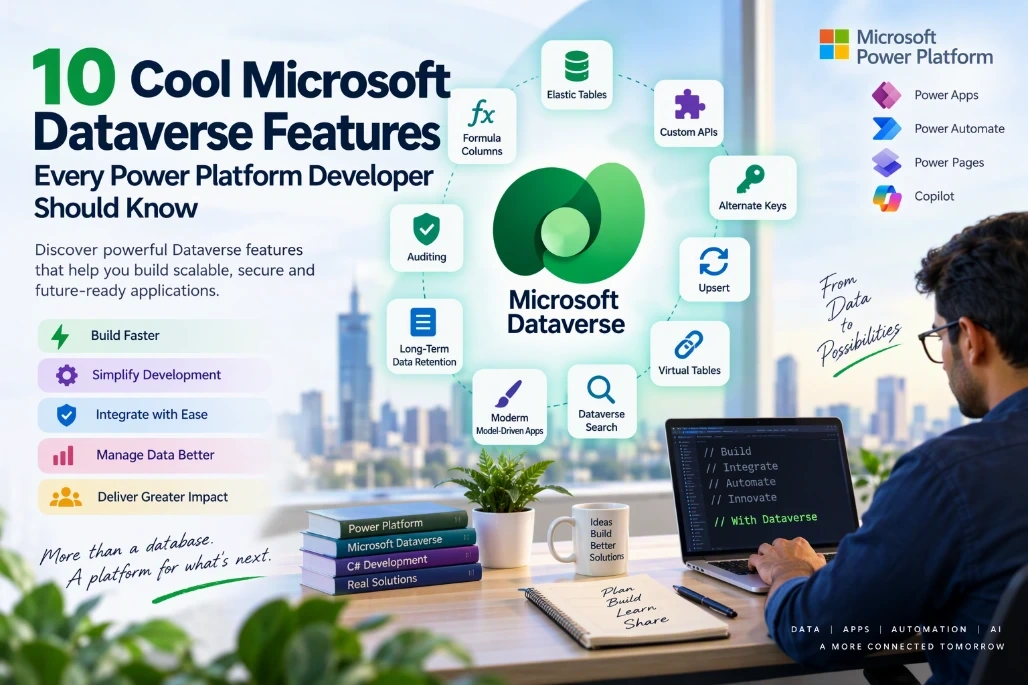
In this article, let's explore 10 cool and useful Microsoft Dataverse features that every Power Platform developer should know.
1. Elastic Tables
Let's start with one of the most interesting Dataverse capabilities: Elastic Tables.
Traditional Dataverse tables, commonly called standard tables, are designed for transactional business applications with relationships, business logic, security, plug-ins, and strong consistency requirements.
Elastic tables target a different kind of workload.
Microsoft describes elastic tables as suitable for applications that need to handle large volumes of data, high throughput, rapidly growing workloads, or unpredictable spikes in traffic. They use Azure Cosmos DB underneath and support horizontal scaling. Elastic Tables for Developers.
When are Elastic Tables useful?
Consider an IoT application where thousands of devices continuously send telemetry information.
You might receive millions of records containing:
Device ID
Timestamp
Temperature
Location
Sensor reading
Status
Storing every telemetry event in a traditional transactional table might not be the ideal architecture.
An Elastic Table can be a better choice for such a workload.
Partitioning
Elastic tables use a system-defined Partition Id column.
A good partitioning strategy is important because the partition determines how data is distributed. Microsoft specifically recommends choosing and consistently applying an appropriate partitioning strategy for the best performance. Elastic Tables for Developers.
For example:
DeviceId = DEV-10001
PartitionId = DEV-10001
Records belonging to that device can use the same partition.
Time to Live
Another interesting capability is Time to Live (TTL).
Suppose you only need telemetry information for 90 days. Instead of implementing your own scheduled deletion process, TTL can be used to automatically remove records after the configured period.
Microsoft specifically identifies automatic removal after a period of time as one of the capabilities of elastic tables. Create and edit elastic tables.
When should you consider Elastic Tables?
Consider them when:
Data volume is extremely high.
The application experiences bursty workloads.
You require large numbers of reads and writes.
The data is semi-structured or its model changes frequently.
Temporary data should automatically expire.
However, standard tables remain more appropriate for scenarios requiring strong consistency, complex relational modelling, or transactional behaviour across tables. Elastic Tables for Developers.
2. Formula Columns
Another useful Dataverse capability is Formula Columns.
A formula column allows us to calculate a value using Power Fx rather than writing custom plug-in or JavaScript code for simple calculations.
For example, imagine a Contact table containing:
First Name = Arun
Last Name = Potti
We might want another column called:
Full Name
Conceptually, we can calculate it using Power Fx:
'First Name' & " " & 'Last Name'
The result becomes:
Arun Potti
Why is this useful?
Historically, developers sometimes created unnecessary automation or code simply to calculate a value.
For example:
Record Created/Updated
↓
Power Automate / Plug-in
↓
Calculate Value
↓
Update Record
For calculations supported by formula columns, the approach can be much simpler:
Record Data
↓
Formula Column
↓
Calculated Result
Practical scenarios
Formula columns can be useful for:
Developer takeaway
Before writing a plug-in just to calculate a field, check whether a Formula Column can solve the requirement first.
Less custom code usually means less deployment, maintenance, testing, and troubleshooting.
3. Custom APIs
Custom APIs are one of my favourite Dataverse developer features.
They allow us to create reusable business operations that become part of the Dataverse API.
A Custom API can contain:
Input parameters
Output parameters
A plug-in implementation
Custom business logic
Security configuration
A typical architecture might look like:
Power Automate
↓
Dataverse Custom API
↓
C# Plug-in
↓
Business Logic
↓
Dataverse
Example
Imagine an application that needs to submit a controlled data-cleanup request.
Instead of putting all the logic inside Power Automate, we could create a Custom API such as:
ap_GetTableRecordsLiveCount
Input:
JSON
{
"TableName": "account",
}
The Custom API's plug-in could then:
Validate the input.
Check the caller.
Validate the target table.
Apply business rules.
Start the required operation.
Return an operation identifier.
Output might conceptually look like:
JSON
{
"TotalRecordsCount": 100,
}
Why use a Custom API?
Because your business operation becomes reusable.
It could potentially be called from:
Instead of duplicating the same business logic in several places, the logic can be centralized behind the API.
Developer takeaway
Think of a Custom API as a business operation, not simply another way of running a plug-in.
If you have reusable server-side Dataverse business logic that multiple applications need to invoke, a Custom API is worth considering.
4. Alternate Keys
Every Dataverse record has a unique GUID.
For example:
accountid = 7f64365a-57d4-ef11-8ee9-002248966121
That's perfect inside Dataverse, but external applications don't always know or store that GUID.
Suppose an external ERP system identifies customers like this:
CustomerNumber = CUST-10025
Instead of forcing the external application to know the Dataverse GUID, we can define Customer Number as an Alternate Key.
Alternate keys allow records to be uniquely identified using one or more business columns rather than only the Dataverse primary GUID. Work with alternate keys.
Example
Instead of:
/accounts(7f64365a-57d4-ef11-8ee9-002248966121)
an integration can reference a record using an alternate key conceptually like:
/accounts(accountnumber='CUST-10025')
The Dataverse Web API supports referencing records this way. Use an alternate key to reference a record
Why is this useful?
Alternate Keys are particularly useful for:
There are some limitations to know. Dataverse supports up to 10 alternate key definitions per table, and Microsoft documents restrictions around supported column types and total key size. Work with alternate keys.
Developer takeaway
If the external system already has a reliable unique business identifier, don't automatically build complicated GUID-mapping logic.
Check whether an Alternate Key provides a cleaner solution.
5. Upsert
Alternate Keys become even more useful when combined with another Dataverse capability: Upsert.
Consider an integration sending a customer record into Dataverse.
The traditional logic might be:
Search for Customer
↓
Does it exist?
↓
/ \
Yes No
↓ ↓
Update Create
That's additional logic and usually another operation against Dataverse.
With Upsert, the intent becomes:
Send Customer
↓
Upsert
↓
Create or Update
Microsoft specifically recommends Upsert for integration scenarios where the calling application doesn't know whether the record already exists. Use Upsert to Create or Update a Record in Dataverse
Example
An external system sends:
CustomerNumber = CUST-10025
Name = Contoso Australia
If CustomerNumber is configured as an Alternate Key, the integration can identify the record using that business key.
If the customer exists:
Update
If it doesn't exist:
Create
Important performance consideration
Upsert isn't automatically the right operation for every scenario.
Microsoft notes that there is a performance penalty compared with Create. If you know that a record doesn't exist, Create should be used instead. Use Upsert to Create or Update a Record in Dataverse
That's an important architecture consideration.
Developer takeaway
Use Upsert + Alternate Keys when your integration genuinely doesn't know whether the incoming record already exists.
Don't use Upsert simply because it's convenient when you already know the required operation is Create.
6. Virtual Tables
Sometimes an organization has useful data outside Dataverse.
It might be stored in:
The obvious solution is often:
"Let's copy everything into Dataverse."
But that isn't always necessary.
Virtual Tables provide another pattern where external data can be surfaced through Dataverse without following the traditional model of physically storing every external row as standard Dataverse data.
Conceptually:
External System
↓
Data Provider
↓
Virtual Table
↓
Dataverse
↓
Power Apps
Why is this interesting?
Imagine that another enterprise platform is already the authoritative source for a dataset.
Copying that data into Dataverse can introduce:
Where the scenario and provider capabilities fit, a Virtual Table can provide a cleaner architectural option.
When should you consider it?
Virtual Tables are worth investigating when:
The data should remain in the source system.
Dataverse doesn't need to become its master.
Users still need to interact with the external information from Power Platform.
Duplicating a large external dataset is undesirable.
Developer takeaway
Whenever a requirement says:
"We need this external data available in Power Apps."
don't immediately translate that to:
"We need to migrate the data into Dataverse."
First determine whether a Virtual Table is a better architecture.
7. Dataverse Auditing
Here is another capability that becomes extremely valuable when something goes wrong: Auditing.
Dataverse auditing can track user access and changes made to data. Microsoft exposes audit capabilities through Dataverse tables and APIs, including retrieving audit history and managing auditing configuration. Dataverse auditing overview for developers.
Consider a support ticket:
"The customer's status changed yesterday. Who changed it?"
Without appropriate auditing or telemetry, investigating that can become difficult.
When auditing has been configured for the relevant table and columns, the audit history can help answer these kinds of questions.
Audit information
Depending on the configuration and operation, auditing can help identify important change-history information around records.
Microsoft provides APIs such as:
RetrieveAuditDetails
and:
RetrieveAttributeChangeHistory
for retrieving audit information and the change history of individual columns. Dataverse auditing overview for developers.
Why is this useful?
Auditing can support:
Troubleshooting
Compliance
Security investigations
Governance
Record change history
Don't audit everything blindly
This is important.
Just because Dataverse supports auditing doesn't mean every column on every table should automatically be audited.
Define your auditing strategy based on:
Developer takeaway
Auditing shouldn't only be considered after an incident.
Treat it as part of the application's data governance and support architecture.
8. Long-Term Data Retention
Enterprise Dataverse environments can accumulate enormous amounts of historical data over time.
For example:
Transactions
Integration Logs
Historical Activities
Completed Business Records
System-generated Data
The common response is often:
"Let's create a bulk-delete job."
Sometimes that is exactly the right solution.
But deleting data isn't always acceptable.
An organization might be required to keep historical records while no longer needing that information as part of its normal operational workload.
That's where a long-term retention strategy becomes important.
Think about the data lifecycle
Instead of only thinking:
Create
↓
Use
↓
Delete
think in terms of:
Create
↓
Active Business Data
↓
Historical Data
↓
Retention / Cleanup
Practical example
Imagine a healthcare or financial application containing business records that are regularly accessed for the first year but rarely accessed afterwards.
Keeping years of historical information in the same operational pattern might not be ideal.
A proper data-lifecycle strategy can differentiate between:
Active data
Historical data
Retained data
Disposable data
Developer takeaway
Dataverse storage management isn't only an administrator's responsibility.
Data retention, bulk deletion, archiving, integration logging, and table selection are architecture decisions that developers should think about when designing a solution.
9. Dataverse Search
Developers naturally think in technical query mechanisms such as:
FetchXML
QueryExpression
Web API
OData
SQL-based tools
Users think differently.
A user generally doesn't care how a table is queried.
They just want to find:
"Arun Potti"
or:
"Patient John Smith"
or:
"Case 100245"
This is where Dataverse Search becomes useful.
Instead of navigating through several tables and views independently, users can search across searchable Dataverse information using a more natural discovery experience.
Why should developers care?
Search experience is part of application design.
If users can't quickly locate a record, the fact that the underlying relational data model is technically excellent doesn't help them very much.
When designing a solution, consider:
Which tables users realistically search?
Which information helps identify a record?
Which columns are useful to users?
Are unnecessary fields cluttering the experience?
Developer takeaway
Don't design only for data storage and retrieval through code.
Design for how actual users need to discover the data as well.
10. Modern Model-Driven App Experiences
Finally, let's look beyond the Dataverse database itself.
The Dataverse platform sits underneath model-driven Power Apps, and the application experience continues to evolve.
For example, Microsoft made modern custom theming for model-driven apps generally available in 2026. The capability supports customization such as colors, fonts, app header styling, and logos using Microsoft's Fluent 2 design system. What's new in Power Platform: April 2026 feature update.
That means enterprise applications don't necessarily have to look like generic out-of-the-box implementations.
Organizations can create a more consistent branded experience.
Microsoft is also expanding how model-driven Power Apps can participate in Microsoft 365 Copilot experiences, including app-specific tools and richer UI-driven interactions. What's new in Power Platform: May 2026 feature update.
Why does this matter to a Dataverse developer?
Because Dataverse architecture isn't isolated from user experience.
A good enterprise Power Platform solution brings several layers together:
Dataverse
↓
Business Logic
↓
APIs and Automation
↓
Model-Driven App
↓
User Experience
Understanding the entire stack helps developers make better decisions at the data layer.
How These Features Fit Together
The most interesting part is that these features don't have to be used independently.
A real enterprise solution might combine several of them.
Consider an integration scenario:
External System
↓
Alternate Key
↓
Upsert
↓
Dataverse
↓
Custom API
↓
Business Logic
↓
Auditing
↓
Model-Driven App
Or a high-volume scenario:
High-Volume Events
↓
Elastic Table
↓
Partitioning
↓
TTL
↓
Automatic Data Expiration
or an external-data scenario:
External Data
↓
Virtual Table
↓
Dataverse
↓
Model-Driven App
This is why knowing the capabilities of the platform is important.
Sometimes the best solution isn't writing more C# code or adding another Power Automate flow.
It is simply using the right Dataverse feature.
Quick Summary
Feature | Where I Would Consider It |
|---|
Elastic Tables | Very high-volume and high-throughput workloads |
|---|
Formula Columns | Calculations that don't justify custom code |
|---|
Custom APIs | Reusable Dataverse business operations |
|---|
Alternate Keys | Integrations using external business identifiers |
|---|
Upsert | Create-or-update integration workloads |
|---|
Virtual Tables | Surfacing external data without traditional replication |
|---|
Auditing | Change tracking, governance, troubleshooting and compliance |
|---|
Long-Term Retention | Managing historical enterprise data |
|---|
Dataverse Search | Helping users discover business records quickly |
|---|
Modern Model-Driven Experiences | Modern, branded, integrated business applications |
|---|
Conclusion
Microsoft Dataverse has evolved into much more than a place to store business data.
Features such as Elastic Tables, Formula Columns, Custom APIs, Alternate Keys, Upsert, Virtual Tables, Auditing, long-term retention, and Dataverse Search give developers different architectural choices for solving real enterprise problems.
The important part isn't using every feature. It is knowing when to use each one.
For example, a standard Dataverse table might be perfect for transactional business data, while an Elastic Table can make more sense for a high-volume workload. An Alternate Key combined with Upsert can simplify an external system integration, while a Custom API can prevent important business logic from being duplicated across Power Automate, JavaScript, and external applications.
As Power Platform developers, we should therefore ask one question before adding another plug-in, flow, custom table, or integration service:
Does Dataverse already provide a platform capability that can solve this problem more cleanly?
Very often, the answer is yes.


Join the conversation! Your thoughts help the community grow.