Introduction
Azure has provided 4 kinds of data storages blobs, tables, queues and SQL azure. In this section we will see how to insert a simple customer record with code and name property in Azure tables.
In case you are complete fresher and like me you can download my two azure basic videos which explain what azure is all about Azure FAQ Part 1 :- Video1 Azure FAQ Part 2 :- Video2.
Please feel free to download my free 500 question and answer eBook which covers .NET , ASP.NET , SQL Server , WCF , WPF , WWF , Silver light , Azure @ http://tinyurl.com/4nvp9t .
What will we do in this article?
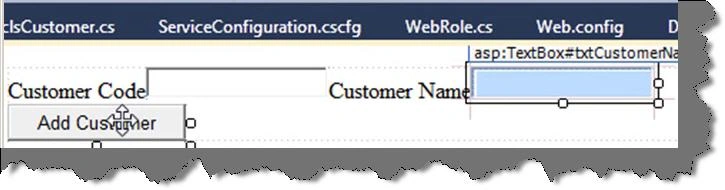
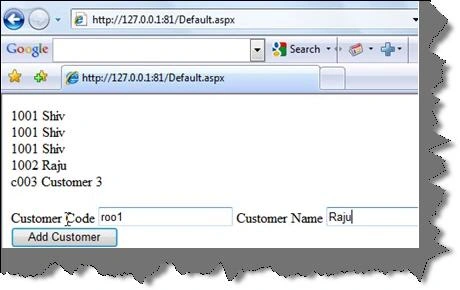
We will create a simple customer entity with customer code and customer name and add the same to Azure tables and display the same on a web role application.
Step 2:- Create a web role project
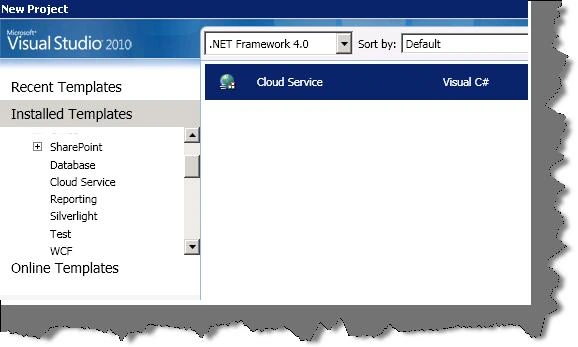
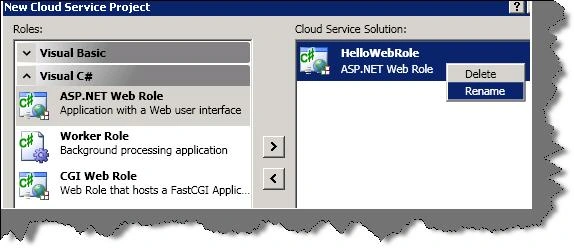
The next step is to select the cloud service template, add the web role project and create your solution.
Step 3:- Specify the connection string
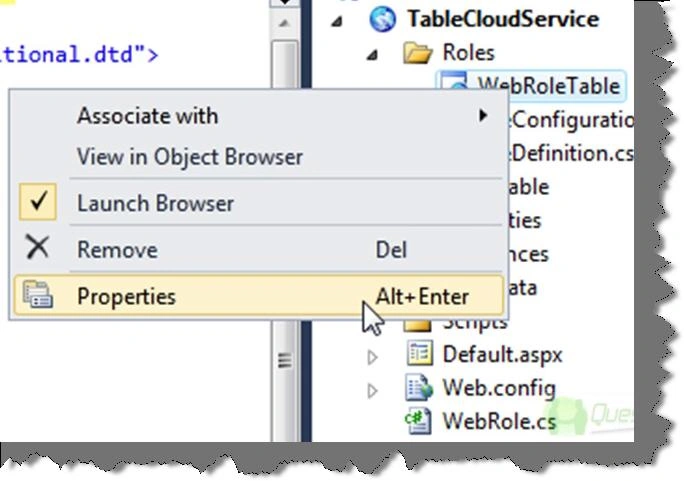
The 3rd step is to specify the connection string where your table source is currently. So expand the roles folder , right click on webroletable and select properties as shown in the below figure.
You will be then popped up with a setting tab. Select the settings section, add a new setting, give a name to your connection string and select type as 'connectionstring'.
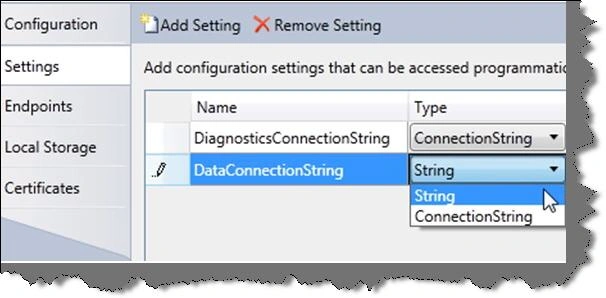
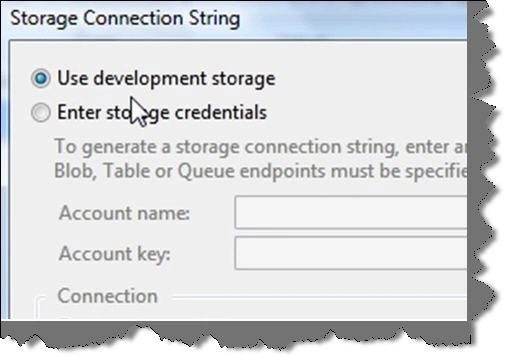
We also need to specify where the storage location is , so select the value and select 'Use development storage' as shown in the below figure. Development storage means your local PC currently where you Azure fabric is installed.
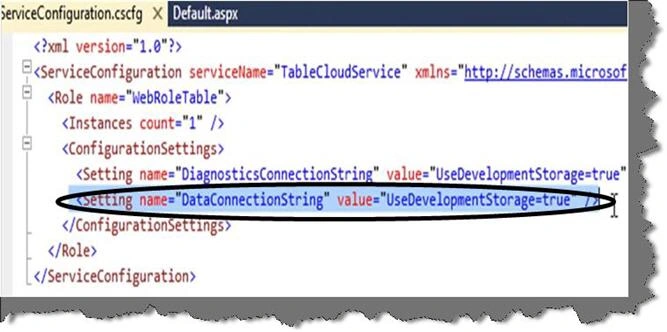
If you open the 'ServiceConfiguration.cscfg' file you can see the setting added to the file.
Step 4:- Reference namespaces and create classes
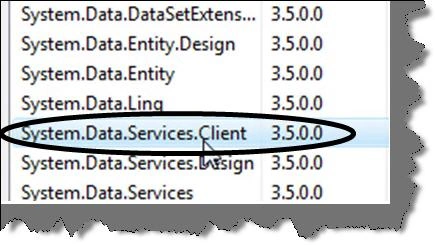
In order to do Azure storage operation we need to add reference to 'System.Data.Services.Client' dll.
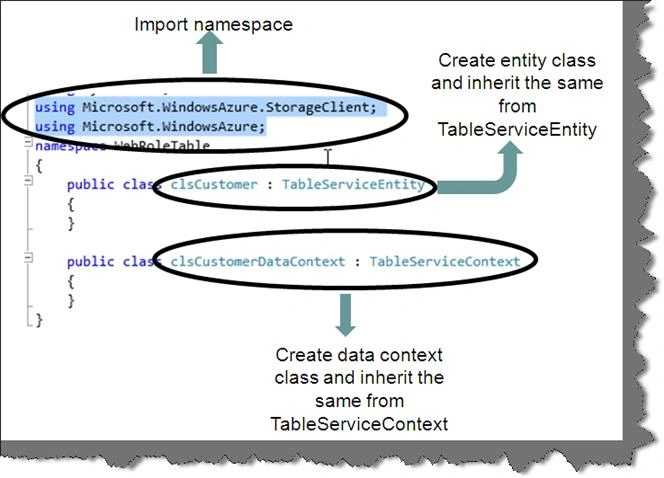
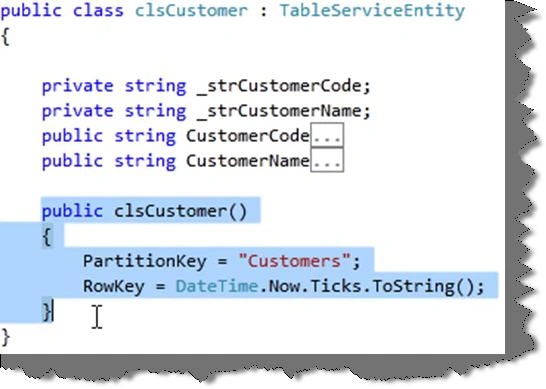
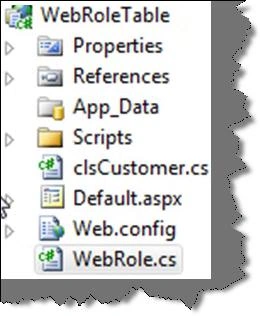
Once the dlls are referred, let's refer the namespaces in our code as shown below. Currently we will store a customer record with customer code and customer name in tables. So for that we need to define a simple customer class with 'clsCustomer'. This class needs to inherit from 'TableServiceEntity' class as shown in the below figure.
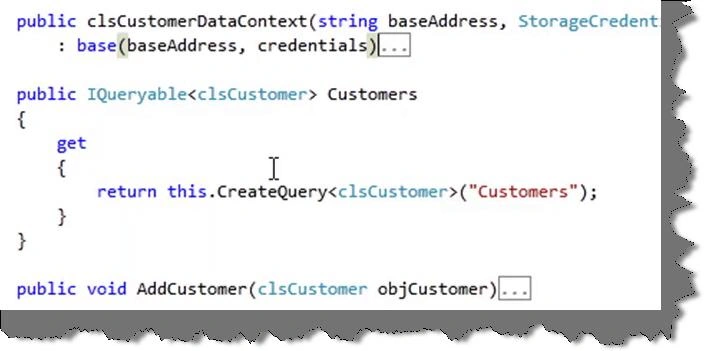
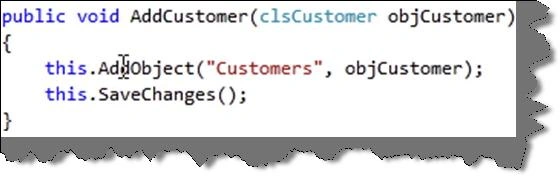
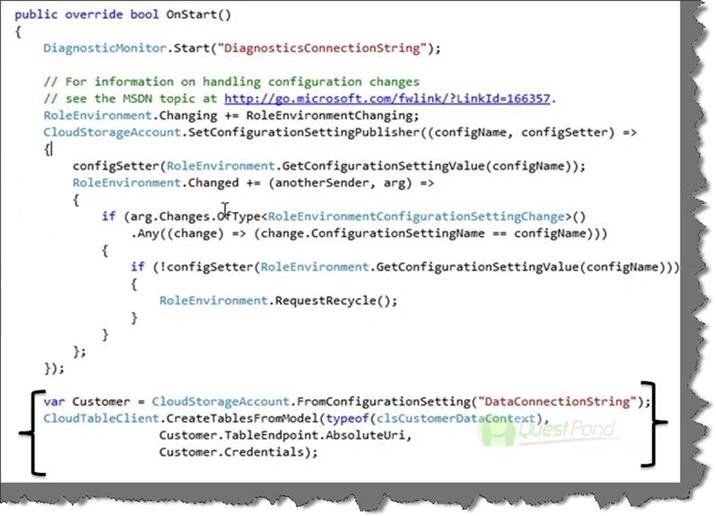
The second class which we need to create is the data context class. The data context class will take the entity class and enter the same in tables. You can see in the below figure we have created one more class 'clsCustomerDataContext'.


Gowtham RajamanickamPosted Apr 20, 2015, 3:24 PM
good one...
Shirsendu NandiPosted Oct 4, 2012, 9:55 AM
very good one.............good way