

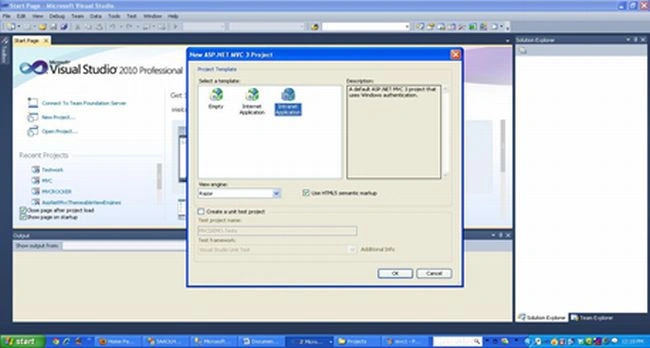
First open VS 2010 and create an ASP.Net project as in the following:

After this:
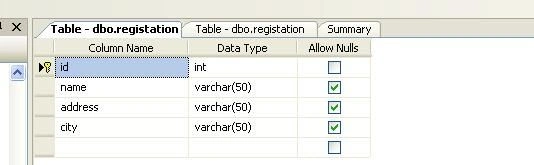
Database Structure? Create a registration table in the database.
Now add the new Entity Model, as in:

Next Step: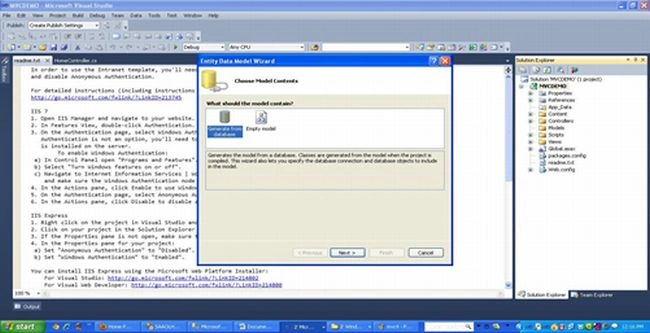
Next Step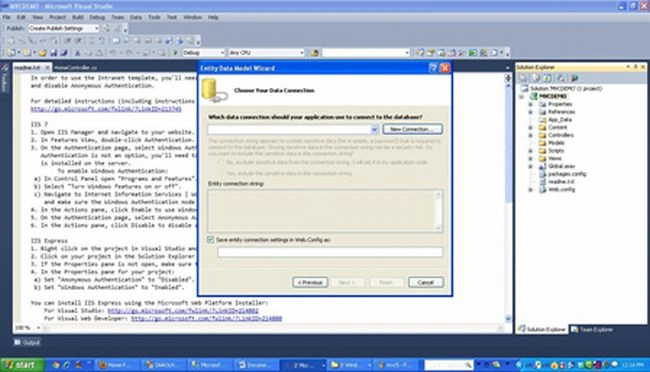
Now click on new connection; now choose Microsoft SQL Server.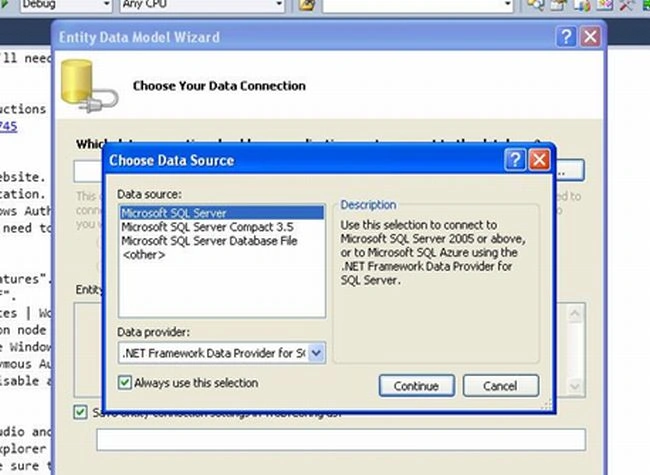
Continue. Select the database that you have created in Database.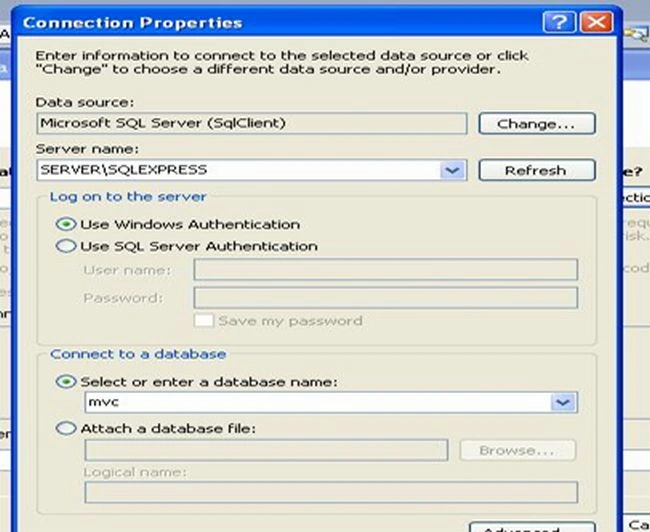
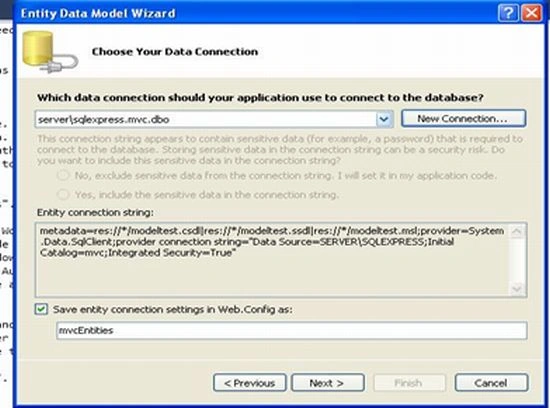
After this,
select the table name. 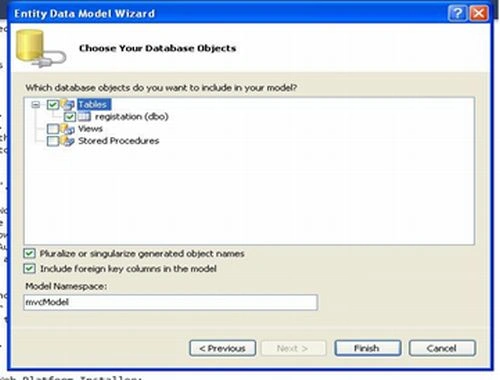
Now click on the Finish button.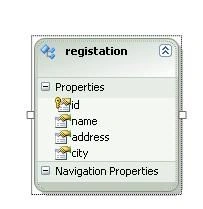
Now create the new controller. Right-click on controller and add a new controller and type the controller testcontroller. While creating the controller choose controllerwithempyt read/write mode.
[Note: If we create the test controller then the views test folder will be automatically generated.]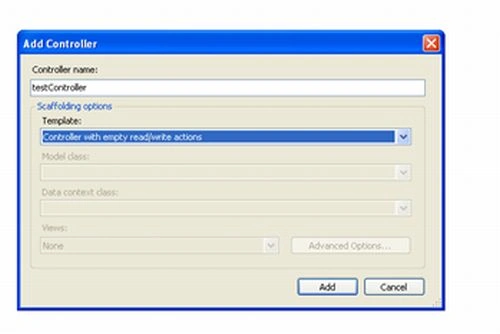
Now, first build the solution for refreshing the model.
Click on testcontroller looks like: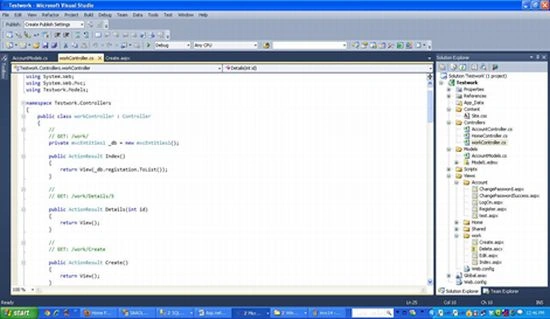
Right-click on index >>Add view >> choose strong type view >> Choose Model class >> LIST
Then in Views folder >> Test folder >> index.chtml will be created.
List
Coding
private mvcEntities _db = new mvcEntities();
public ActionResult Index()
{
return View(_db.registations.ToList());
}
Output
The same as for create new view, edit view and delete view.
Create new
// GET: /work/Create
public ActionResult Create()
{
return View();
}
//
// POST: /work/Create
[HttpPost]
public ActionResult Create(registation model)
{
try
{
if (!ModelState.IsValid)
return View();
_db.AddToregistation(model);
_db.SaveChanges();
return RedirectToAction("Index");
// TODO: Add insert logic here
}
catch
{
return View();
}
}
Output screen
Edit View: Right-click on edit View >> ADD View >> strong type >>Edit
public ActionResult Edit(int id)
{
var RecordToEdit = (from m in _db.registation
where m.id == id
select m).First();
return View(RecordToEdit);
}
//
// POST: /work/Edit/5
[HttpPost]
public ActionResult Edit(int id,registation regtoedit)
{
try
{
// TODO: Add update logic here
var originalMovie = (from m in _db.registation
where m.id == regtoedit.id
//select m).First();
select m).First();
if (!ModelState.IsValid)
return View(originalMovie);
_db.ApplyPropertyChanges(originalMovie.EntityKey.EntitySetName, regtoedit);
_db.SaveChanges();
return RedirectToAction("Index");
}
catch
{
return View();
}
}
//
Delete View: Right-click on edit View >> ADD View >> Partial View >>Delete
// GET: /work/Delete/5
public ActionResult Delete(int id)
{
var originalMovie = (from m in _db.registation
where m.id == id
select m).First();
_db.DeleteObject(originalMovie);
_db.SaveChanges();
return RedirectToAction("Index");
}
//
// POST: /work/Delete/5
[HttpPost]
public ActionResult Delete(int id,registation model)
{
try
{
var originalMovie = (from m in _db.registation
where m.id == id
select m).First();
_db.DeleteObject(originalMovie);
_db.SaveChanges();
return RedirectToAction("Index");
}
catch
{
return View();
}
}
}
Now build the solution.
Thanks Happy Coding.
Rewant ChoudharyPosted Apr 8, 2015, 6:52 AM
thanks kiran
Kiran PrajapatiPosted Mar 12, 2015, 2:14 PM
Thanks, sir This is usefull article
Isman SubarkahPosted Apr 29, 2013, 5:22 AM
Thanks Raman, this is a useful article
Rewant ChoudharyPosted Sep 11, 2012, 12:54 AM
Thanks Dinesh..
Dinesh BeniwalPosted Sep 10, 2012, 11:25 AM
Good start Raman.