

In a previous article how does C# code behind interact with an XAML interface within a Silverlight 2 context? - Data conversion: Part VII, we demonstrate how to implement conversion logic between two types within a Silverlight 2 application context and how the binding engine does behave in this situation of interaction between the two sides. In this article, we will dig a little bit into details and parse the different binding modes. In fact, there are five types of Binding mode at the contrast of what is supposed to be, I mean four modes. I explain: there are the four well known namely the TwoWay, the OneWay, the OneTime, and the OneWayToSource in addition to the Default mode which is supposed to be the fifth.
The TwoWay mode:
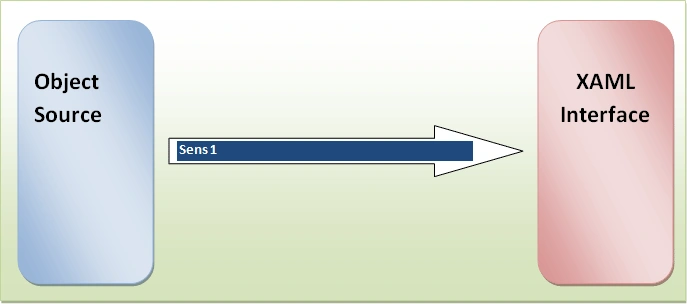
As it name says, it provides a way to cause updates in to the both senses, namely from the source object to the XAML side and from the XAML side to the source object side, it is very useful for example when binding a data consumer object to a source of data such as the DataGrid case because this type of binding is appropriate for editable controls
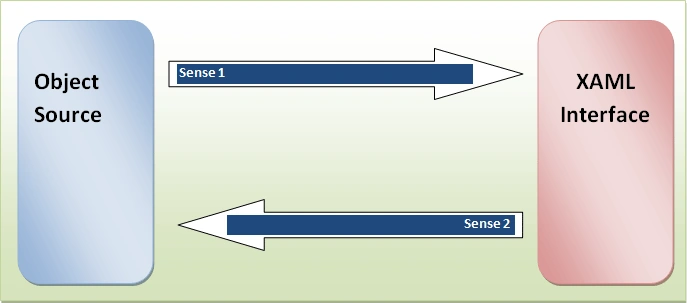
Figure 1
Let's consider this example, this is an XAML interface designed to be bound to an object type of Person and this is the Person class:
public class Person : INotifyPropertyChanged
{
public Person() { }
private string _FirstName;
public string FirstName
{
get { return _FirstName; }
set
{
_FirstName = value;
if (PropertyChanged != null)
{
PropertyChanged(this, new PropertyChangedEventArgs("FirstName"));
}
}
}
private string _LastName;
public string LastName
{
get { return _LastName; }
set
{
_LastName = value;
if (PropertyChanged != null)
{
PropertyChanged(this, new PropertyChangedEventArgs("LastName"));
}
}
}
private string _Gender;
public string Gender
{
get { return _Gender; }
set
{
_Gender = value;
if (PropertyChanged != null)
{
PropertyChanged(this, new PropertyChangedEventArgs("Gender"));
}
}
}
public override string ToString()
{
return string.Format("First name: {0},last name: {1},age: {2},gender: {3}", FirstName, LastName, Gender);
}
#region INotifyPropertyChanged Members
public event PropertyChangedEventHandler PropertyChanged;
#endregion
}
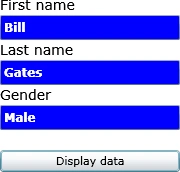
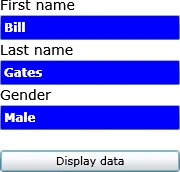
And then, this is the corresponding XAML implementation:
<UserControl xmlns:data="clr-namespace:System.Windows.Controls;assembly=System.Windows.Controls.Data" xmlns:basics="clr-namespace:System.Windows.Controls;assembly=System.Windows.Controls" x:Class="Silverlight.Page"
xmlns="http://schemas.microsoft.com/winfx/2006/xaml/presentation"
xmlns:x="http://schemas.microsoft.com/winfx/2006/xaml"
xmlns:code="clr-namespace:Silverlight"
Width="200" Height="400">
<StackPanel x:Name="LayoutRoot"
Margin="10"
Orientation="Vertical">
<StackPanel.Resources>
<code:Person x:Name="myPerson"
FirstName="Bill"
LastName="Gates"
Gender="Male"
/>
</StackPanel.Resources>
<TextBlock Text="First name"
FontSize="14"
/>
<TextBox x:Name="txtFirstName"
Background="Blue"
Foreground="White"
FontWeight="Bold"
FontSize="12"
Text="{Binding Source={StaticResource myPerson}, Mode=TwoWay,Path=FirstName}"
/>
<TextBlock Text="Last name"
FontSize="14"
/>
<TextBox x:Name="txtLastName"
Background="Blue"
Foreground="White"
FontWeight="Bold"
FontSize="12"
Text="{Binding Source={StaticResource myPerson},Mode=TwoWay,Path=LastName}"
/>
<TextBlock Text="Gender"
FontSize="14"
/>
<TextBox x:Name="txtGender"
Background="Blue"
Foreground="White"
FontWeight="Bold"
FontSize="12"
Text="{Binding Source={StaticResource myPerson}, Mode=TwoWay,Path=Gender}"
/>
<Button Margin="0,20"
Content="Display data"
Click="Button_Click"
></Button>

Gowtham RajamanickamPosted May 20, 2015, 12:56 AM
helpful...