

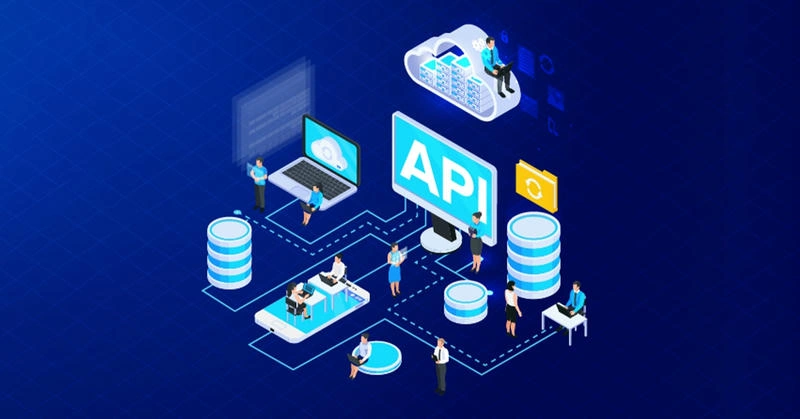
Image source: online
Welcome to this extensive guide on API development, deployment, security, best practices, architecture, and patterns, with a specific focus on the Microsoft technology stack, including ASP.NET (MVC and Core), IIS, and SQL Server.
This article is designed for developers, architects, and businesses seeking to create flexible, scalable, secure, and high-performing APIs while minimizing development time, cost, and dependencies. With over 16 years of experience as a software developer, I aim to provide a practical, real-world perspective enriched with theoretical knowledge, code examples, use cases, alternatives, pros and cons, and business cases.
This article is structured to take you from foundational concepts to advanced scenarios, ensuring you can build APIs that meet modern demands for performance, security, and user experience. Whether you're a beginner or an experienced developer, this blog will serve as a comprehensive resource for creating production-ready APIs.Table of Contents
- Introduction to APIs and Personal Branding
1.1 Why APIs Matter in Modern Software Development
1.2 Personal Branding as a Developer
1.3 Objectives of This Guide - Theoretical Foundations of API Development
2.1 What is an API?
2.2 Key API Terms and Definitions
2.3 REST vs. Other API Paradigms (SOAP, GraphQL, gRPC)
2.4 The Microsoft Stack: ASP.NET, IIS, and SQL Server - API Development Best Practices
3.1 Flexibility in API Design
3.2 Scalability Considerations
3.3 Security Best Practices
3.4 Optimizing for User Experience
3.5 Performance Optimization Techniques
3.6 Reducing Development Time and Costs
3.7 Minimizing Dependencies - API Architecture and Design Patterns
4.1 RESTful API Design Principles
4.2 Common API Design Patterns (MVC, Repository, CQRS, etc.)
4.3 Microservices vs. Monolithic Architectures
4.4 API Gateway and Service Orchestration - Development with ASP.NET Core
5.1 Setting Up an ASP.NET Core API Project
5.2 Implementing CRUD Operations
5.3 Pagination, Filtering, and Sorting
5.4 Handling Query Parameters and Payloads
5.5 Real-Life Example: Building an E-Commerce Product API - Security in API Development
6.1 Authentication (OAuth 2.0, JWT, OpenID Connect)
6.2 Authorization and Role-Based Access Control
6.3 Rate Limiting and Throttling
6.4 Securing Payloads and Preventing Injection Attacks
6.5 Real-Life Example: Securing a Healthcare API - Deployment with IIS and Azure
7.1 Deploying APIs on IIS
7.2 Cloud Deployment with Azure App Services
7.3 CI/CD Pipelines for API Deployment
7.4 Real-Life Example: Deploying a Financial API - Database Integration with SQL Server
8.1 Designing Efficient Database Schemas for APIs
8.2 Entity Framework Core for Data Access
8.3 Caching Strategies with SQL Server
8.4 Real-Life Example: Inventory Management API - Advanced Scenarios and Patterns
9.1 Implementing CQRS for Complex APIs
9.2 Event-Driven APIs with Event Sourcing
9.3 GraphQL as an Alternative to REST
9.4 Real-Life Example: Social Media Platform API - Testing and Monitoring APIs
10.1 Unit Testing and Integration Testing
10.2 API Monitoring and Logging
10.3 Performance Testing with Tools like Postman and JMeter - Business Cases and ROI
11.1 Why Invest in Robust APIs?
11.2 Cost-Benefit Analysis of API Development
11.3 Real-Life Example: API-Driven Business Transformation - Alternatives, Pros, and Cons
12.1 Comparing ASP.NET Core with Node.js, Spring Boot, and Django
12.2 REST vs. GraphQL vs. gRPC
12.3 Cloud vs. On-Premises Deployment - Conclusion: Building the Future with APIs
13.1 Key Takeaways
13.2 The Road Ahead for API Development
13.3 Call to Action
1. Introduction to APIs and Personal Branding
1.1 Why APIs Matter in Modern Software Development
APIs (Application Programming Interfaces) are the backbone of modern software ecosystems, enabling seamless communication between applications, services, and devices. From mobile apps to cloud platforms, APIs power integrations, data exchange, and automation, driving business value and innovation. In 2025, the API economy is thriving, with businesses leveraging APIs to enhance customer experiences, streamline operations, and create new revenue streams.
As a developer since 2009, I’ve witnessed the evolution of APIs from simple SOAP-based services to sophisticated RESTful and GraphQL APIs. The Microsoft stack, particularly ASP.NET Core, IIS, and SQL Server, offers a robust ecosystem for building high-performance APIs tailored to enterprise needs.
1.2 Seeking Feedback
This article is not just a technical guide, but also a reflection of my journey, showcasing expertise in API development and the Microsoft stack. I encourage you to share your own experiences and insights to build your brand and contribute to the developer community.
1.3 Objectives of This Guide. This guide aims to:
- Provide a comprehensive resource for building APIs using ASP.NET Core, IIS, and SQL Server.
- Cover development, deployment, security, and best practices with real-world examples.
- Address flexibility, scalability, security, performance, and cost-efficiency.
- Explore basic to advanced scenarios, including alternatives, pros, cons, and business cases.
- Empower developers to create APIs that meet modern demands and drive business success.
2. Theoretical Foundations of API Development
2.1 What is an API?
An API is a set of rules and tools that allows different software applications to communicate with each other. It acts as an intermediary between clients (e.g., web or mobile apps) and servers, enabling data retrieval, manipulation, or service execution.
2.2 Key API Terms and Definitions
The user-provided terms (e.g., Resource, Request, Response, etc.) are foundational to understanding APIs. Below, I expand on their significance with practical context:
- Resource: Represents a data entity (e.g., a product in an e-commerce API). Resources are typically nouns in RESTful APIs, identified by URIs (e.g., /api/products/123).
- Request/Response: A client sends a request (e.g., GET /api/users) and receives a response (e.g., JSON data with user details).
- Response Code: HTTP status codes (e.g., 200 OK, 404 Not Found) indicate the outcome of a request.
- Payload: The data sent in the request body (e.g., JSON in a POST request) or returned in the response.
- Pagination: Splits large datasets into pages (e.g., /api/orders?page=2&size=10) for better performance.
- Method: HTTP verbs like GET, POST, PUT, and DELETE define the action on a resource.
- Query Parameters: URL parameters (e.g., ?sort=desc&filter=active) refine requests.
- Authentication: Verifies client identity using tokens (e.g., JWT) or API keys.
- Rate Limiting: Caps the number of requests to prevent abuse (e.g., 100 calls/hour per user).
- API Gateway: Manages API traffic, routing, and security (e.g., Azure API Management).
- API Lifecycle: Encompasses design, development, testing, deployment, and retirement.
- CRUD: Create, Read, Update, Delete operations for data management.
- Cache: Stores frequently accessed data to reduce server load (e.g., Redis caching).
- Client: The application or user making the API request.
2.3 REST vs. Other API Paradigms
REST (Representational State Transfer) is the most popular API architecture due to its simplicity and scalability. However, alternatives like SOAP, GraphQL, and gRPC have unique use cases:
- REST: Stateless, resource-based, uses HTTP methods. Ideal for CRUD operations.
- Pros: Simple, widely adopted, scalable.
- Cons: Over-fetching/under-fetching data, verbose payloads.
- SOAP: XML-based, protocol-heavy, used in legacy enterprise systems.
- Pros: Strong typing, built-in security.
- Cons: Complex, slower due to XML parsing.
- GraphQL: Query-based, allows clients to request specific data.
- Pros: Flexible, reduces over-fetching.
- Cons: Complex implementation, caching challenges.
- gRPC: High-performance, uses Protocol Buffers, ideal for microservices.
- Pros: Fast, supports streaming.
- Cons: Steeper learning curve, less human-readable.
2.4 The Microsoft Stack: ASP.NET, IIS, and SQL Server
The Microsoft stack is a powerful choice for API development:
- ASP.NET Core: A cross-platform framework for building RESTful APIs with high performance and modularity.
- IIS (Internet Information Services): A robust web server for hosting APIs on Windows.
- SQL Server: A relational database optimized for enterprise-grade data storage and retrieval.
This stack supports flexibility, scalability, and security, making it ideal for businesses of all sizes.
3. API Development Best Practices
Building APIs requires balancing flexibility, scalability, security, performance, user experience, and cost. Below are best practices tailored to the Microsoft stack.
3.1 Flexibility in API Design
Flexible APIs adapt to changing requirements without breaking existing clients.
- Versioning: Use URI versioning (e.g., /api/v1/products) or header-based versioning to manage updates.
- Example: /api/v2/products introduces new fields without affecting /api/v1/products clients.
- HATEOAS (Hypermedia as the Engine of Application State): Include links in responses to guide clients.
- Code Example
{
  "id": 1,
  "name": "Laptop",
  "links": [
    { "rel": "self", "href": "/api/v1/products/1" },
    { "rel": "update", "href": "/api/v1/products/1", "method": "PUT" }
  ]
}
- Code Example
- Extensibility: Design payloads to support future fields (e.g., use JSON objects, not arrays, for top-level responses).
Real-Life Example: An e-commerce API initially supports product listings but later adds support for product reviews. Versioning ensures existing clients remain unaffected.
3.2 Scalability Considerations
Scalable APIs handle increased traffic and data volume.
- Horizontal Scaling: Deploy APIs across multiple servers using load balancers (e.g., Azure Load Balancer).
- Stateless Design: Ensure APIs are stateless to support distributed systems.
- Database Optimization: Use indexing and partitioning in SQL Server for faster queries.
- Caching: Implement caching with Redis or in-memory caching in ASP.NET Core.
- Code Example
services.AddMemoryCache();
// In controller
[HttpGet("products/{id}")]
public async Task<IActionResult> GetProduct(int id, [FromServices] IMemoryCache cache)
{
    if (!cache.TryGetValue($"product_{id}", out Product product))
    {
        product = await _dbContext.Products.FindAsync(id);
        cache.Set($"product_{id}", product, TimeSpan.FromMinutes(10));
    }
    return Ok(product);
}
- Code Example
Real-Life Example: A ride-sharing app scales its API to handle millions of ride requests by using a distributed cache and load-balanced API instances.3.3 Security Best PracticesSecurity is non-negotiable in API development.
- Authentication: Use OAuth 2.0 or JWT for secure client authentication.
- Code Example (JWT in ASP.NET Core)
services.AddAuthentication(JwtBearerDefaults.AuthenticationScheme)
    .AddJwtBearer(options =>
    {
        options.TokenValidationParameters = new TokenValidationParameters
        {
            ValidateIssuer = true,
            ValidateAudience = true,
            ValidateLifetime = true,
            ValidateIssuerSigningKey = true,
            ValidIssuer = "your_issuer",
            ValidAudience = "your_audience",
            IssuerSigningKey = new SymmetricSecurityKey(Encoding.UTF8.GetBytes("your_secret_key"))
        };
    });
- Code Example (JWT in ASP.NET Core)
- Authorization: Implement role-based access control (RBAC) or claims-based authorization.
- Input Validation: Validate all inputs to prevent injection attacks.
- HTTPS: Enforce HTTPS to encrypt data in transit.
- Rate Limiting: Use middleware to limit requests.
- Code Example
services.AddRateLimiter(options =>
{
    options.AddFixedWindowLimiter("Api", opt =>
    {
        opt.PermitLimit = 100;
        opt.Window = TimeSpan.FromMinutes(1);
    });
});
- Code Example
Real-Life Example: A banking API uses JWT for authentication, RBAC for role-specific access, and rate limiting to prevent abuse.
3.4 Optimizing for User Experience
APIs should be intuitive and developer-friendly.
- Consistent Endpoints: Use predictable naming (e.g., /api/users/{id}/orders).
- Clear Documentation: Use Swagger/OpenAPI for interactive documentation.
- Code Example (Swagger in ASP.NET Core)
services.AddSwaggerGen(c =>
{
    c.SwaggerDoc("v1", new OpenApiInfo { Title = "My API", Version = "v1" });
});
- Code Example (Swagger in ASP.NET Core)
- Error Handling: Return meaningful error messages.
- Code Example
{
  "status": 400,
  "error": "Invalid input",
  "details": "Product name cannot be empty."
}
- Code Example
Real-Life Example: A travel booking API provides clear error messages and Swagger documentation, reducing developer onboarding time.
3.5 Performance Optimization Techniques
High-performing APIs minimize latency and resource usage.
- Asynchronous Programming: Use async/await for I/O-bound operations.
- Code Example
[HttpGet("products")]
public async Task<IActionResult> GetProducts()
{
    var products = await _dbContext.Products.ToListAsync();
    return Ok(products);
}
- Code Example
- Response Compression: Enable Gzip or Brotli compression.
- Code Example
services.AddResponseCompression(options =>
{
    options.EnableForHttps = true;
    options.Providers.Add<BrotliCompressionProvider>();
});
- Code Example
- Database Indexing: Create indexes on frequently queried SQL Server columns.
- Output Caching: Cache responses for static data.
Real-Life Example: A news API reduces latency by caching frequently accessed articles and using async database queries.
3.6 Reducing Development Time and Costs
Efficient development practices save time and resources.
- Code Reusability: Use shared libraries and NuGet packages.
- Scaffolding Tools: Use ASP.NET Core CLI to generate boilerplate code.
- Command: dotnet new webapi -o MyApi
- ORMs: Use Entity Framework Core to simplify database interactions.
- Low-Code Platforms: For prototyping, consider Power Apps for rapid development.
Real-Life Example: A startup builds a customer management API in two weeks using ASP.NET Core templates and Entity Framework Core, saving months of development time.
3.7 Minimizing Dependencies
Reducing dependencies improves maintainability and reduces vulnerabilities.
- Minimal Frameworks: Use ASP.NET Core’s minimal APIs for simple endpoints.
- Code Example
var app = WebApplication.Create();
app.MapGet("/hello", () => "Hello, World!");
app.Run();
- Code Example
- Dependency Injection: Use ASP.NET Core’s built-in DI to manage dependencies.
- Avoid Over-Engineering: Choose lightweight libraries over heavy frameworks.
Real-Life Example: A small business builds a lightweight API with minimal APIs, avoiding external dependencies to simplify maintenance.
4. API Architecture and Design Patterns
4.1 RESTful API Design Principles
RESTful APIs follow principles like statelessness, client-server separation, and uniform interfaces.
- Resource-Based: Model resources (e.g., /api/orders) rather than actions.
- HTTP Methods: Use GET, POST, PUT, DELETE for CRUD operations.
- Status Codes: Return appropriate codes (e.g., 201 Created, 400 Bad Request).
- Idempotency: Ensure operations like PUT and DELETE are idempotent.
4.2 Common API Design Patterns
- MVC (Model-View-Controller): ASP.NET Core’s default pattern for organizing code.
- Repository Pattern: Abstracts data access logic.
- Code Example
public interface IProductRepository
{
    Task<Product> GetByIdAsync(int id);
    Task AddAsync(Product product);
}

public class ProductRepository : IProductRepository
{
    private readonly AppDbContext _context;
    public ProductRepository(AppDbContext context) => _context = context;

    public async Task<Product> GetByIdAsync(int id) => await _context.Products.FindAsync(id);
    public async Task AddAsync(Product product) => await _context.Products.AddAsync(product);
}
- Code Example
- CQRS (Command Query Responsibility Segregation): Separates read and write operations for scalability.
- Mediator Pattern: Simplifies communication between components using MediatR.
- Code Example
public class GetProductQuery : IRequest<Product>
{
    public int Id { get; set; }
}

public class GetProductHandler : IRequestHandler<GetProductQuery, Product>
{
    private readonly IProductRepository _repo;
    public GetProductHandler(IProductRepository repo) => _repo = repo;

    public async Task<Product> Handle(GetProductQuery request, CancellationToken ct)
    {
        return await _repo.GetByIdAsync(request.Id);
    }
}
- Code Example
4.3 Microservices vs. Monolithic Architectures
- Monolithic: Single codebase, easier to develop but harder to scale.
- Pros: Simpler deployment, easier debugging.
- Cons: Scalability bottlenecks, tight coupling.
- Microservices: Independent services, ideal for large-scale systems.
- Pros: Scalable, independent deployments.
- Cons: Complex coordination, higher operational overhead.
Real-Life Example: A retail company starts with a monolithic API for inventory but transitions to microservices as order volume grows.
4.4 API Gateway and Service Orchestration
An API Gateway (e.g., Azure API Management) routes requests, handles authentication, and provides analytics.
- Use Case: A company uses an API Gateway to route requests to microservices for orders, payments, and inventory.
- Pros: Centralized management, enhanced security.
- Cons: Single point of failure, added latency.
5. Development with ASP.NET Core
5.1 Setting Up an ASP.NET Core API Project
Create a new API project using the .NET CLI:
dotnet new webapi -o ECommerceApi
cd ECommerceApi
dotnet add package Microsoft.EntityFrameworkCore.SqlServer
dotnet add package Swashbuckle.AspNetCore
Configure Program.cs
var builder = WebApplication.CreateBuilder(args);
builder.Services.AddControllers();
builder.Services.AddDbContext<AppDbContext>(options =>
    options.UseSqlServer(builder.Configuration.GetConnectionString("DefaultConnection")));
builder.Services.AddSwaggerGen();
var app = builder.Build();
app.UseSwagger();
app.UseSwaggerUI();
app.UseAuthorization();
app.MapControllers();
app.Run();
5.2 Implementing CRUD Operations
Create a ProductController for CRUD operations:
[ApiController]
[Route("api/v1/products")]
public class ProductController : ControllerBase
{
    private readonly IProductRepository _repo;
    public ProductController(IProductRepository repo) => _repo = repo;

    [HttpGet("{id}")]
    public async Task<IActionResult> Get(int id)
    {
        var product = await _repo.GetByIdAsync(id);
        if (product == null) return NotFound();
        return Ok(product);
    }

    [HttpPost]
    public async Task<IActionResult> Create([FromBody] Product product)
    {
        await _repo.AddAsync(product);
        return CreatedAtAction(nameof(Get), new { id = product.Id }, product);
    }
}
5.3 Pagination, Filtering, and Sorting
Implement pagination and filtering:
[HttpGet]
public async Task<IActionResult> GetProducts([FromQuery] int page = 1, [FromQuery] int size = 10, [FromQuery] string filter = null)
{
    var query = _dbContext.Products.AsQueryable();
    if (!string.IsNullOrEmpty(filter))
        query = query.Where(p => p.Name.Contains(filter));
    var products = await query
        .Skip((page - 1) * size)
        .Take(size)
        .ToListAsync();
    return Ok(products);
}
5.4 Handling Query Parameters and Payloads
Validate payloads using data annotations:
public class Product
{
    public int Id { get; set; }
    [Required]
    public string Name { get; set; }
    [Range(0.01, double.MaxValue)]
    public decimal Price { get; set; }
}
5.5 Real-Life Example: Building an E-Commerce Product API
A retailer needs an API to manage products. The API supports:
- Listing products with pagination and filtering.
- Creating/Updating products with validation.
- Caching product details for performance.
Code Example
[HttpGet("cached/{id}")]
public async Task<IActionResult> GetCachedProduct(int id, [FromServices] IMemoryCache cache)
{
    if (!cache.TryGetValue($"product_{id}", out Product product))
    {
        product = await _dbContext.Products.FindAsync(id);
        if (product == null) return NotFound();
        cache.Set($"product_{id}", product, TimeSpan.FromMinutes(10));
    }
    return Ok(product);
}
Business Case: The API reduces server load by 30% through caching and improves customer experience with fast response times.
6. Security in API Development
6.1 Authentication
Use JWT for secure authentication:
[HttpPost("login")]
public IActionResult Login([FromBody] LoginModel model)
{
    // Validate credentials
    var token = GenerateJwtToken(model.Username);
    return Ok(new { Token = token });
}

private string GenerateJwtToken(string username)
{
    var key = new SymmetricSecurityKey(Encoding.UTF8.GetBytes("your_secret_key"));
    var creds = new SigningCredentials(key, SecurityAlgorithms.HmacSha256);
    var token = new JwtSecurityToken(
        issuer: "your_issuer",
        audience: "your_audience",
        claims: new[] { new Claim(ClaimTypes.Name, username) },
        expires: DateTime.Now.AddHours(1),
        signingCredentials: creds);
    return new JwtSecurityTokenHandler().WriteToken(token);
}
6.2 Authorization
Implement role-based authorization:
[Authorize(Roles = "Admin")]
[HttpPost("products")]
public async Task<IActionResult> CreateProduct([FromBody] Product product)
{
    await _repo.AddAsync(product);
    return CreatedAtAction(nameof(Get), new { id = product.Id }, product);
}
6.3 Rate Limiting
Configure rate limiting in the Program.cs:
builder.Services.AddRateLimiter(options =>
{
    options.AddFixedWindowLimiter("Api", opt =>
    {
        opt.PermitLimit = 100;
        opt.Window = TimeSpan.FromMinutes(1);
    });
});
app.UseRateLimiter();
6.4 Securing Payloads
Use HTTPS and validate inputs to prevent SQL injection and XSS attacks.
6.5 Real-Life Example: Securing a Healthcare API
A healthcare provider builds an API to access patient records, using:
- JWT for authentication.
- RBAC to restrict access to doctors and admins.
- Rate limiting to prevent abuse.
- Encrypted payloads to protect sensitive data.
Business Case: Compliance with HIPAA regulations ensures trust and avoids penalties.
7. Deployment with IIS and Azure
7.1 Deploying APIs on IIS
- Install the ASP.NET Core Hosting Module on IIS.
- Configure the application pool to use “No Managed Code.”
- Deploy the API using the dotnet publish command:
dotnet publish -c Release -o ./publish - Set up IIS to point to the published folder.
7.2 Cloud Deployment with Azure App Services
- Create an Azure App Service.
- Deploy using Visual Studio or Azure CLI:
az webapp up --name MyApi --resource-group MyResourceGroup --sku B1 - Configure scaling and monitoring in the Azure Portal.
7.3 CI/CD Pipelines
Set up a GitHub Actions pipeline:
name: Deploy API
on:
  push:
    branches: [ main ]
jobs:
  build-and-deploy:
    runs-on: windows-latest
    steps:
      - uses: actions/checkout@v3
      - name: Setup .NET
        uses: actions/setup-dotnet@v3
        with:
          dotnet-version: '8.0.x'
      - name: Build and Publish
        run: dotnet publish -c Release -o ./publish
      - name: Deploy to Azure
        uses: azure/webapps-deploy@v2
        with:
          app-name: MyApi
          slot-name: production
          publish-profile: ${{ secrets.AZURE_WEBAPP_PUBLISH_PROFILE }}
7.4 Real-Life Example: Deploying a Financial API
A fintech company deploys an API on Azure App Services with auto-scaling to handle peak transaction loads. CI/CD ensures rapid updates.
Business Case: Reduced downtime and 99.9% uptime improve customer trust.
8. Database Integration with SQL Server
8.1 Designing Efficient Database Schemas
- Use normalized tables for data integrity.
- Create indexes on frequently queried columns.
- Example Schema:
CREATE TABLE Products (
    Id INT PRIMARY KEY IDENTITY(1,1),
    Name NVARCHAR(100) NOT NULL,
    Price DECIMAL(18,2) NOT NULL,
    INDEX IX_Products_Name (Name)
);
8.2 Entity Framework Core
Configure EF Core for SQL Server:
public class AppDbContext : DbContext
{
    public DbSet<Product> Products { get; set; }
    public AppDbContext(DbContextOptions<AppDbContext> options) : base(options) { }
}
8.3 Caching Strategies
Use SQL Server’s in-memory tables or Redis for caching:
CREATE TABLE ProductsCache (
    Id INT PRIMARY KEY,
    Data NVARCHAR(MAX)
) WITH (MEMORY_OPTIMIZED = ON);
8.4 Real-Life Example: Inventory Management API
A warehouse API uses SQL Server for inventory tracking, EF Core for data access, and Redis for caching frequently accessed items.
Business Case: Real-time inventory updates reduce stock discrepancies by 20%.
9. Advanced Scenarios and Patterns
9.1 Implementing CQRS
Separate read and write operations:
public class CreateProductCommand : IRequest<int>
{
    public string Name { get; set; }
    public decimal Price { get; set; }
}

public class CreateProductHandler : IRequestHandler<CreateProductCommand, int>
{
    private readonly AppDbContext _context;
    public CreateProductHandler(AppDbContext context) => _context = context;

    public async Task<int> Handle(CreateProductCommand request, CancellationToken ct)
    {
        var product = new Product { Name = request.Name, Price = request.Price };
        await _context.Products.AddAsync(product);
        await _context.SaveChangesAsync();
        return product.Id;
    }
}
9.2 Event-Driven APIs
Use Event Sourcing with Azure Event Hubs:
public async Task PublishProductCreatedEvent(Product product)
{
    var eventData = new EventData(Encoding.UTF8.GetBytes(JsonSerializer.Serialize(product)));
    await _eventHubClient.SendAsync(eventData);
}
9.3 GraphQL as an Alternative
Implement GraphQL using HotChocolate:
public class Query
{
    public async Task<Product> GetProduct([Service] IProductRepository repo, int id)
    {
        return await repo.GetByIdAsync(id);
    }
}
9.4 Real-Life Example: Social Media Platform API
A social media API uses CQRS for post creation and retrieval, event sourcing for notifications, and GraphQL for flexible querying.
Business Case: Improved user engagement through real-time notifications.
10. Testing and Monitoring APIs
10.1 Unit Testing
Write unit tests using xUnit.
public class ProductControllerTests
{
    [Fact]
    public async Task GetProduct_ReturnsProduct()
    {
        var repo = new Mock<IProductRepository>();
        repo.Setup(r => r.GetByIdAsync(1)).ReturnsAsync(new Product { Id = 1, Name = "Test" });
        var controller = new ProductController(repo.Object);

        var result = await controller.Get(1);

        Assert.IsType<OkObjectResult>(result);
    }
}
10.2 API Monitoring
Use Application Insights for monitoring:
builder.Services.AddApplicationInsightsTelemetry();
10.3 Performance Testing
Test with Postman or JMeter to simulate high traffic.
11. Business Cases and ROI
11.1 Why Invest in Robust APIs?
APIs drive digital transformation, enabling faster innovation and integration.
11.2 Cost-Benefit Analysis
- Costs: Development, infrastructure, maintenance.
- Benefits: Increased revenue, improved efficiency, and customer satisfaction.
11.3 Real-Life Example: API-Driven Business Transformation
A logistics company builds an API to integrate with partners, reducing delivery times by 15% and increasing revenue by 10%.
12. Alternatives, Pros, and Cons
12.1 Comparing ASP.NET Core with Alternatives
- Node.js: Fast for I/O-bound tasks, but less robust for enterprise needs.
- Spring Boot: Strong for Java ecosystems, but steeper learning curve.
- Django: Python-based, great for rapid prototyping, but less performant.
12.2 REST vs. GraphQL vs. gRPC
- REST: Best for simple CRUD APIs.
- GraphQL: Ideal for flexible data queries.
- gRPC: Suited for high-performance microservices.
12.3 Cloud vs. On-Premises
- Cloud: Scalable, managed infrastructure (e.g., Azure).
- On-Premises: Greater control, but higher maintenance.
13. Conclusion: Building the Future with APIs
13.1 Key Takeaways
- Use ASP.NET Core, IIS, and SQL Server for robust APIs.
- Prioritize flexibility, scalability, security, and performance.
- Leverage patterns like CQRS and tools like Azure for advanced scenarios.
13.2 The Road Ahead
The API landscape will continue to evolve with AI-driven APIs, serverless architectures, and enhanced security standards.13.3 Call to ActionStart building your API today using the Microsoft stack. Share your experiences, contribute to open-source projects, and join the API economy!
Join the conversation! Your thoughts help the community grow.