

Introduction
The Entity Framework is an Object Relational Mapping (ORM) providing an automated mechanism for CRUD operations to a database.
Entity Framework provides various approaches.
- Database first
- Model First
- Code First
This article explains the Code First approach. This is mainly used for domain-driven development. Initially, we are not focusing on the database development, so we are creating classes instead of tables in the database. Based on these classes we can simply create our database.
A quick start
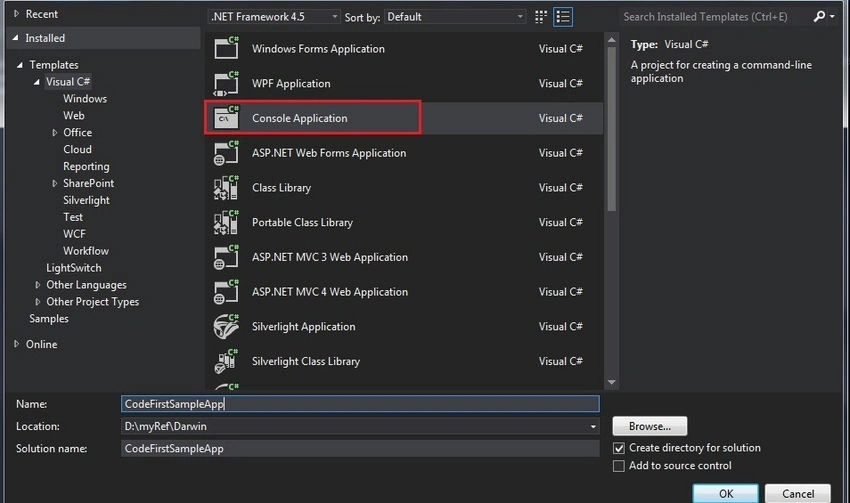
Step 1. Create a console application.
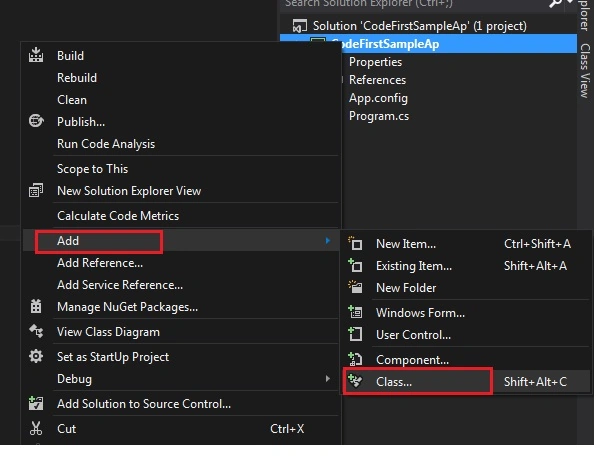
Step 2. Add a new class.
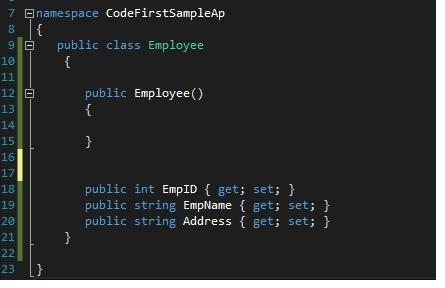
Step 3. Class name as Employee.

Step 4. Write the field names in the Employee table (consider this Employee class is your Employee Table).
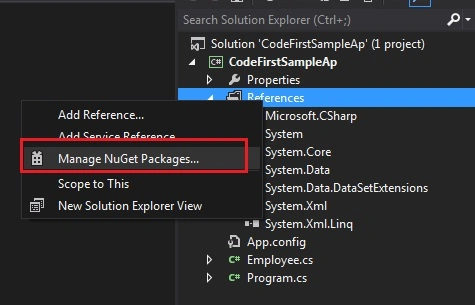
Step 5. Go to the project References => Manage NuGet Packages.
Step 6. Install EntityFramework.
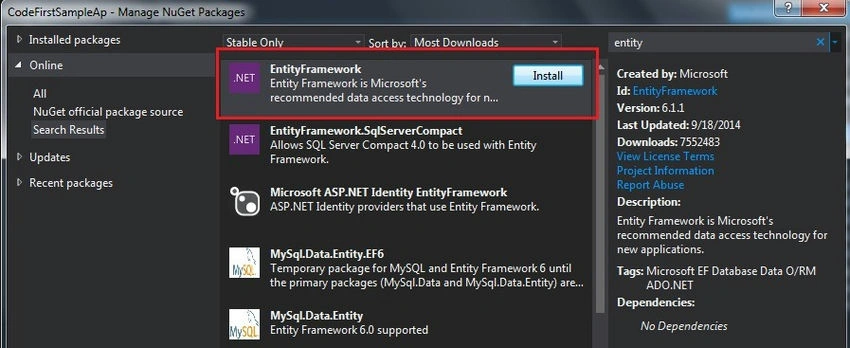
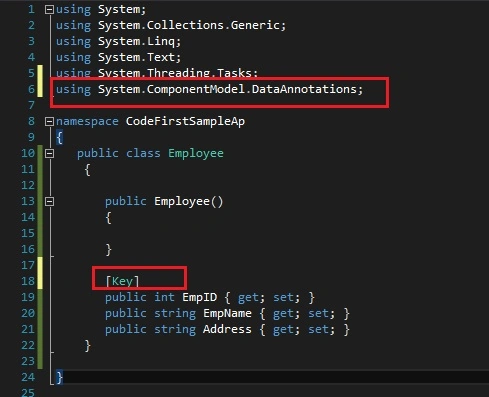
Step 7. Return to our Employee class and add the reference.
using System.ComponentModel.DataAnnotations;
ComponentModel.DataAnnotations
Provides attribute classes to define metadata for ASP.NET MVC and ASP.NET data controls.
System.ComponentModel.DataAnnotations Namespace.
Some examples
- Table
- Table Name
- Column
- Column name
- Key
- PK for the table
- ForeignKey
- FK Relation
- Required
- Required field validation
- MinLength
- Min length of the field
- MaxLength
- Max Length
using System;
using System.Collections.Generic;
using System.Linq;
using System.Text;
using System.Threading.Tasks;
using System.ComponentModel.DataAnnotations;

namespace CodeFirstSampleAp
{
    public class Employee
    {
        public Employee()
        {

        }

        [Key]
        public int EmpID { get; set; }
        public string EmpName { get; set; }
        public string Address { get; set; }
    }
}
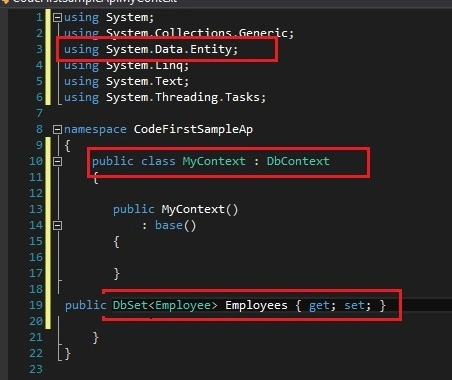
Add a new class MyContext and inherit the DbContext with a "using" for the reference as in the following.
using System.Data.Entity
Next, we need to plan where we need to create our database. So in the app config create our connection string.
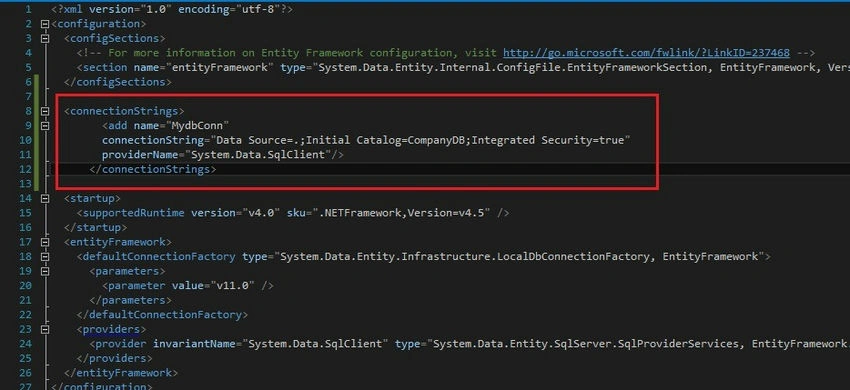
<connectionStrings>
    <add name="MydbConn"
         connectionString="Data Source=.;Initial Catalog=CompanyDB;Integrated Security=true"
         providerName="System.Data.SqlClient"/>
</connectionStrings>
Then return to our MyContext class and pass our connection details here.
Also, we can plan our database Initializer. That means all the time we don't want to create a new database. Based on our requirements we can plan this.
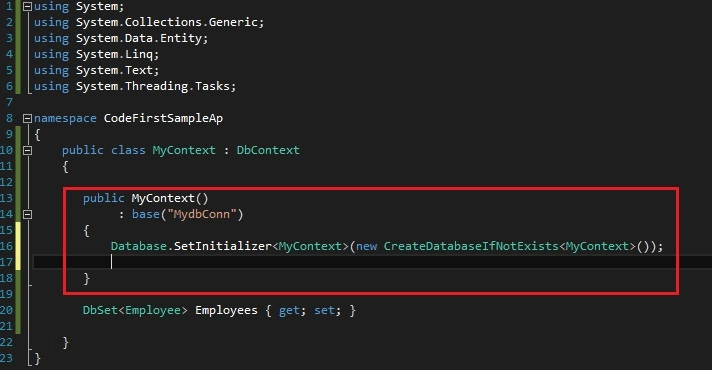
using System;
using System.Collections.Generic;
using System.Data.Entity;
using System.Linq;
using System.Text;
using System.Threading.Tasks;

namespace CodeFirstSampleAp
{
    public class MyContext : DbContext
    {
        public MyContext()
            : base("MydbConn")
        {
            Database.SetInitializer<MyContext>(new CreateDatabaseIfNotExists<MyContext>());
        }

        public DbSet<Employee> Employees { get; set; }
    }
}
More options for the database Initializer.
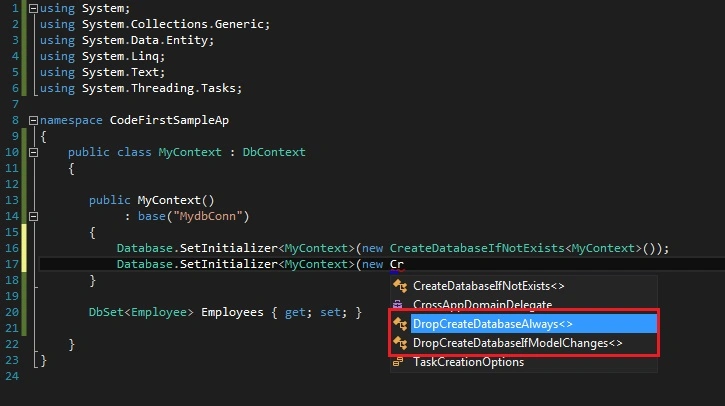
Suppose we are working with a production db, so we can prevent or turn off this feature.
Database.SetInitializer<MyContext>(null);
Next, go to the main and add a value to our new table.
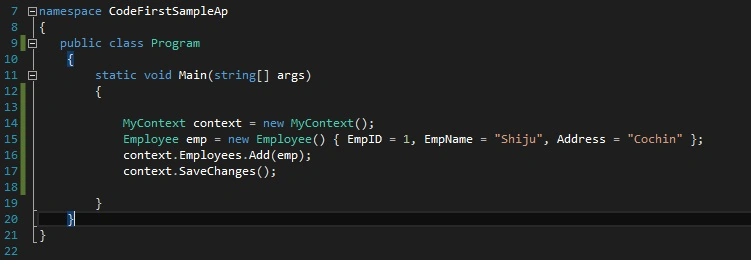
using System;
using System.Collections.Generic;
using System.Linq;
using System.Text;
using System.Threading.Tasks;

namespace CodeFirstSampleAp
{
    public class Program
    {
        static void Main(string[] args)
        {
            MyContext context = new MyContext();
            Employee emp = new Employee() { EmpID = 1, EmpName = "Shiju", Address = "Cochin" };
            context.Employees.Add(emp);
            context.SaveChanges();
        }
    }
}
Yes! Our Code First application is completed.
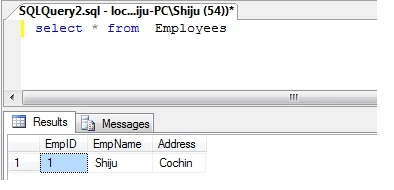
Go to our db. It automatically created the new db name CompanyDB that we specified in the AppConfig file.

Check whether the table has our inserted value.
Conclusion
In this article, we learned the basic details of the Code First approach of the Entity Framework.
Gurdeep SinghPosted May 2, 2017, 3:30 AM
Database is created but i have to do insert,update,delete,display from this code
ali ghafooriPosted Feb 11, 2015, 10:28 AM
Hi.thanks.I try your code but not create database in sql server.whats my problem????
Shiju JosephPosted Jan 2, 2015, 1:43 AM
Thanks Saineshwar
Saineshwar BageriPosted Jan 1, 2015, 11:22 PM
nice one sir
Shiju JosephPosted Dec 15, 2014, 9:04 AM
Edit the connectionStrings as <connectionStrings> <add name="MydbConn" connectionString="Data Source=.;Initial Catalog=CompanyDB;Integrated Security=true" providerName="Oracle.ManagedDataAccess.Client"/> </connectionStrings>
Chao HuPosted Dec 15, 2014, 5:01 AM
If I use orcle,how to set the connectionString ?
Ravi PatelPosted Dec 2, 2014, 9:22 AM
Very nicely article Please Tell me which approach is best ?
Ivin Raj SPosted Dec 2, 2014, 5:14 AM
super