

Introduction
In the previous articles we learned about the Code First Approach and Database First Approach of Entity Framework.
- A Simple Step to Entity Framework: Code First Approach
- A Simple Step to Entity Framework Database First Approach
The Model First Approach provides the option to create entities and relationships directly on the design interface of the EDMX and then we can execute it.
A quick start
Create an application.
Add new item.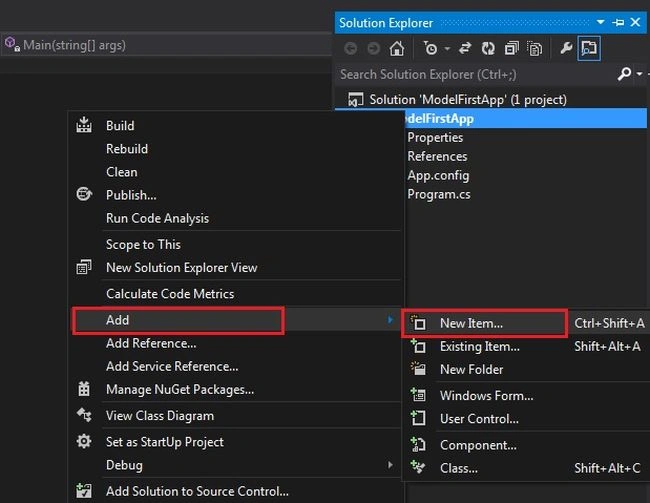
Add ADO.NET Entity Data Model.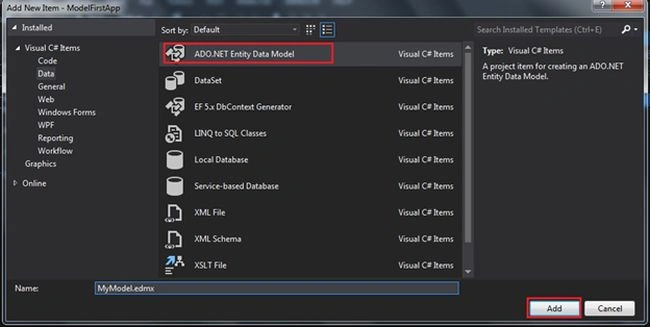
Select Empty Model.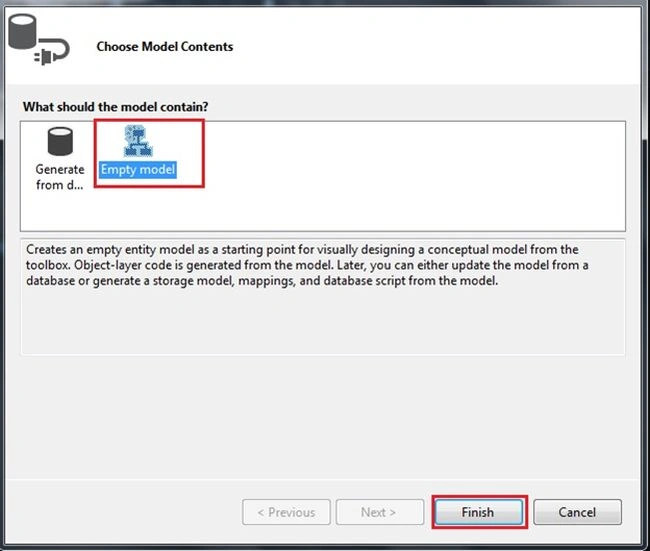
Right-click on the designer then select Add New => Entity.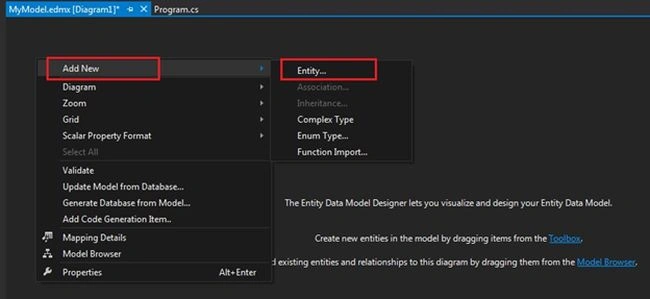
Enter the entity name in this Wzard.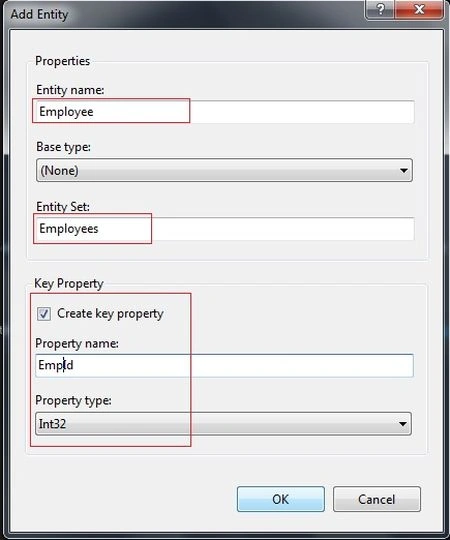
Right-click and add the new scalar property.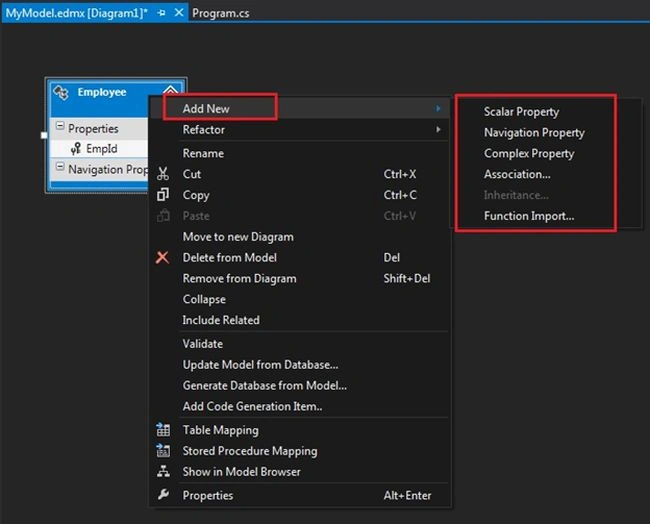
Then click on the option Generate Database from Model.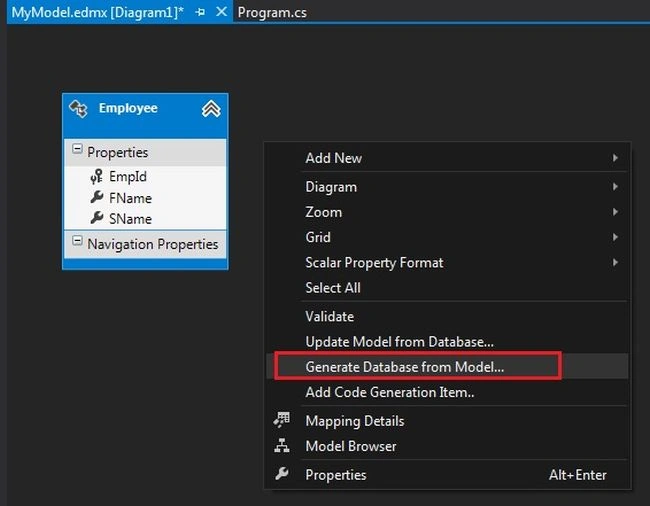
Enter the Sever details and DB Name.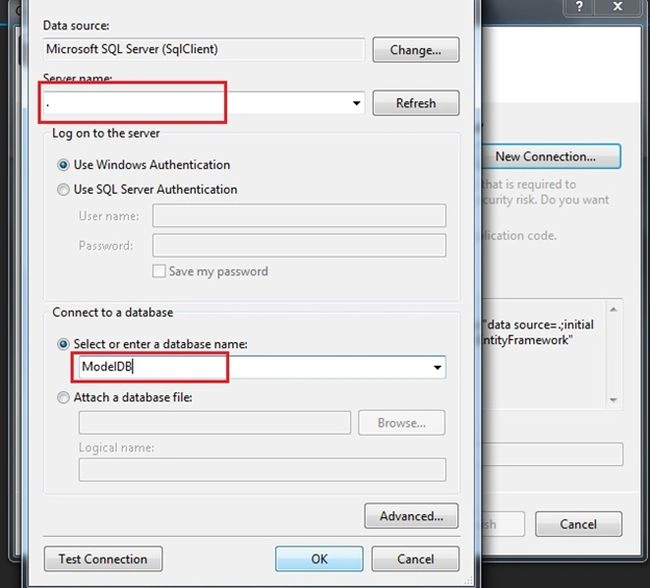
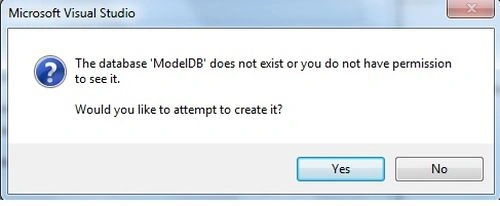
Our connection details are here.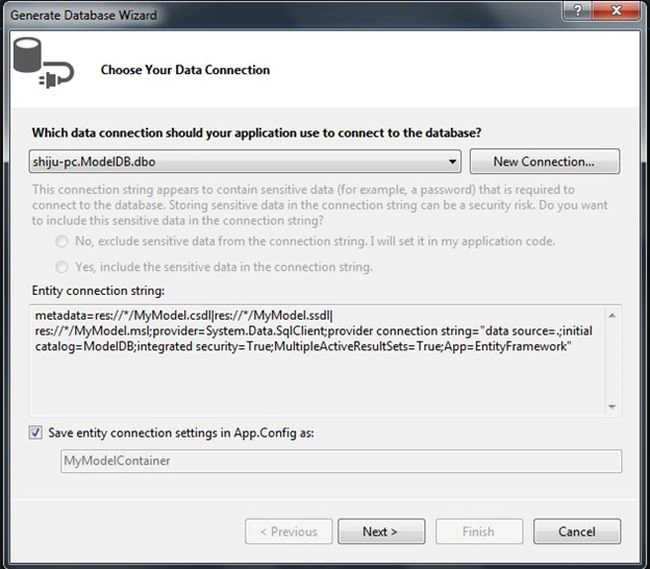
In the Summary and Settings, click on Finish.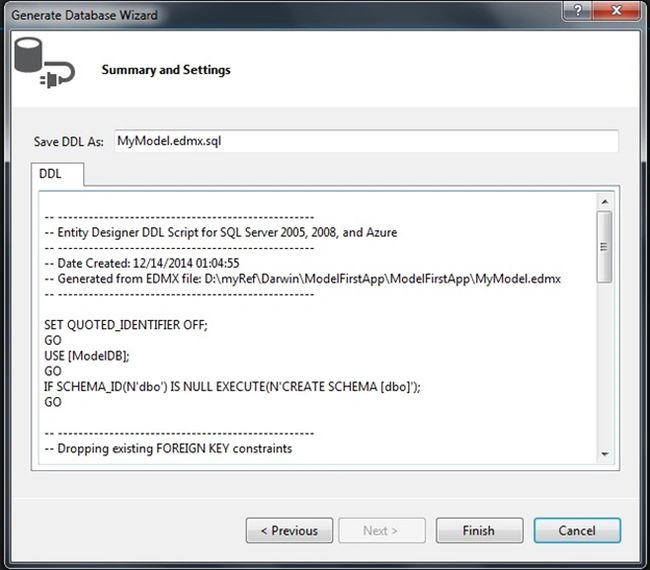
Now our MyModel.edmx.sql file has been created.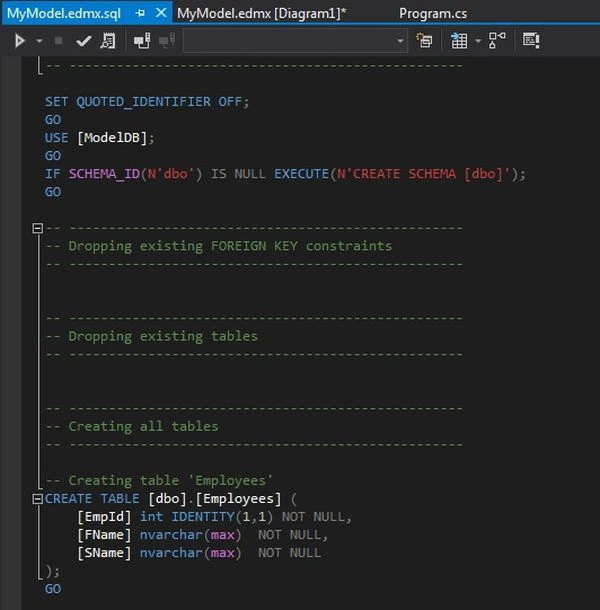
Right-click on the file then select Execute.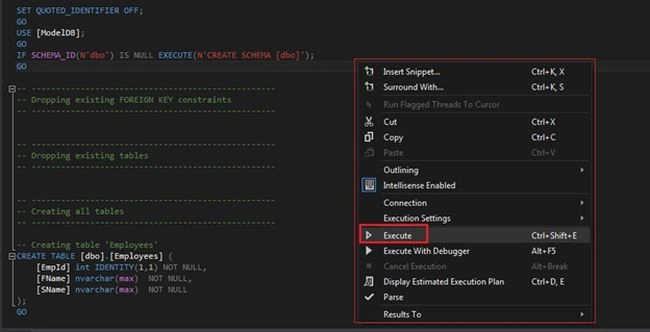
Add a Code Generation item.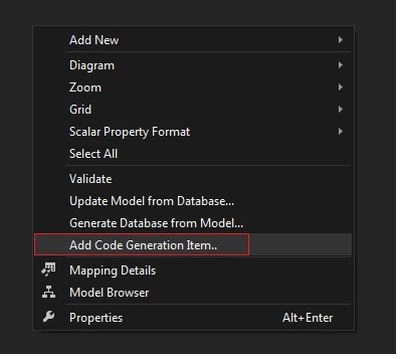
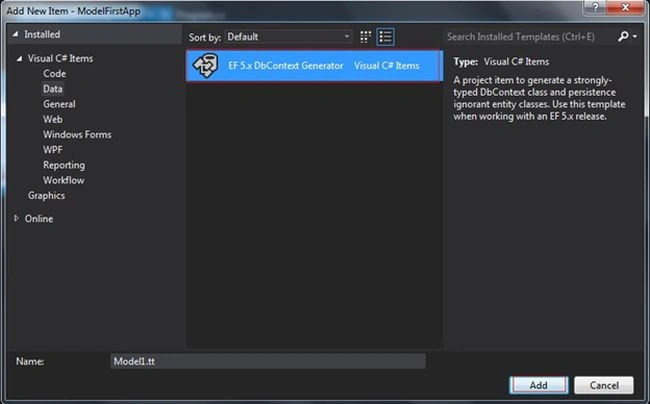
All the files are created in the solution.
Check with the DB server, the database and tables are created.
If we need to update/add new items in/to the model, add the item in the model and generate the db then our .sql file will update and execute the file again.
Conclusion
In this article we learned the basic details of the Model First Approach of the Entity Framework.
Shobana JPosted Jul 12, 2016, 3:25 AM
Nice one
dipak patelPosted Apr 22, 2015, 6:53 PM
It worked! :-) Sorry it was my error. If anyone follows this tutorial and in the MyModel.edmx.sql file if script font colour is white, then you need to uninstaill your Visual Studio and reinstall it. Now I have the "execute" feature. This tutorial works....Thank you
dipak patelPosted Apr 22, 2015, 1:34 PM
I am using Visual Studio 2013 with MS SQL Management Studio 2012. This step does not work Right-click on the file then select Execute. There is no "execute" option when I right click in the MyModel.edmx.sql file , no matter where I try inside the code window, or on the file I do not have "execute" option. Please review and let me know how to fix this. Thanks
Manish Kumar ChoudharyPosted Dec 14, 2014, 11:06 PM
Nice one..