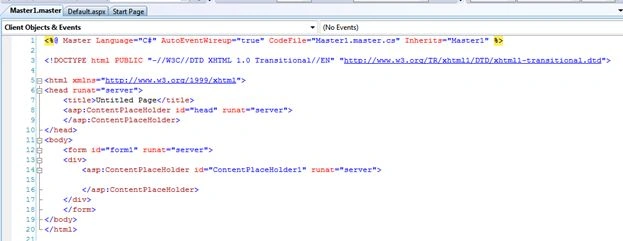
- The code will be as in the following:
- <body>
- <form id="form1" runat="server">
- <div style="background-color:Blue; color:White; font-size:large">
- Master Page
- </div>
- <div>
- <table class="style1">
- <tr>
- <td class="style2">
- </td>
- <td>
- </td>
- </tr>
- <tr>
- <td class="style2">
- <asp:Label ID="Label1" runat="server" Text="Label"></asp:Label>
- </td>
- <td>
- <asp:TextBox ID="TextBox1" runat="server"></asp:TextBox>
- </td>
- </tr>
- <tr>
- <td class="style2">
- </td>
- <td>
- </td>
- </tr>
- <tr>
- <td class="style2">
- <asp:Label ID="Label2" runat="server" Text="Label"></asp:Label>
- </td>
- <td>
- <asp:TextBox ID="TextBox2" runat="server"></asp:TextBox>
- </td>
- </tr>
- <tr>
- <td class="style2">
- </td>
- <td>
- </td>
- </tr>
- </table>
- </div>
- <div>
- <asp:ContentPlaceHolder id="ContentPlaceHolder1" runat="server">
- </asp:ContentPlaceHolder>
- </div>
- </form>
- </body>
- The design view will look like this:
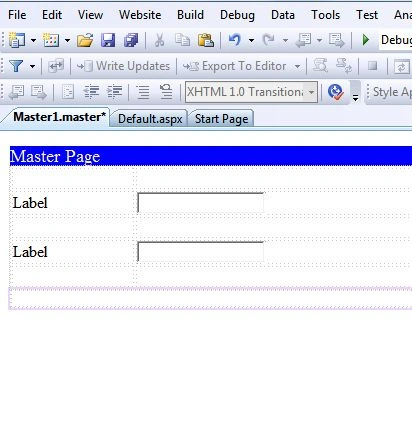
Step 5
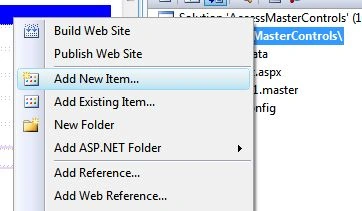
- Now add a content page to your application.
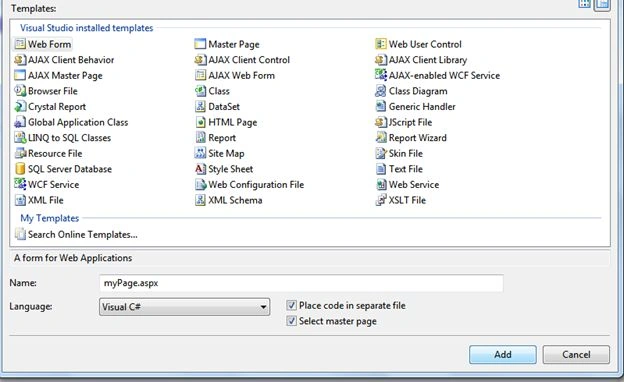
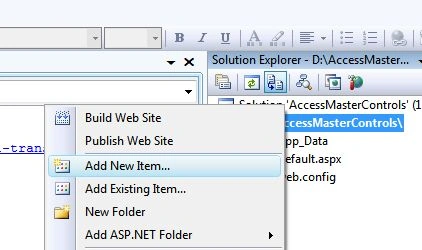
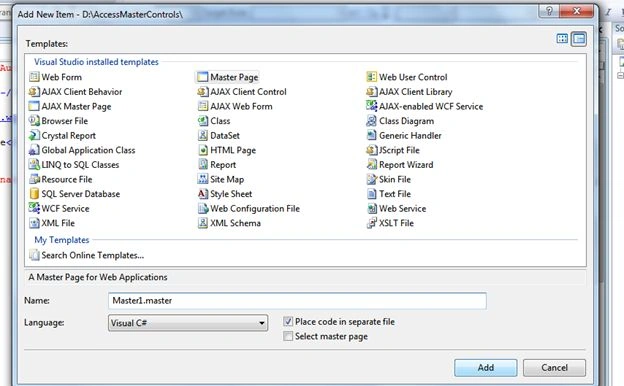
For this go to the Solution Explorer and "Add new item" then select "webform" and give a name to the web page. In this case I have named it "myPage.aspx".
Check the checkbox "select master page" and click the "Add" button.
-
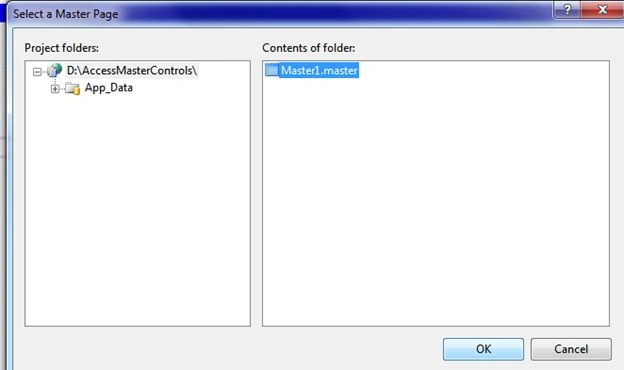
Now you will be prompted to select a master page for your content page from all the master pages available in your application. In this case we have only one master page, namely Master1.master. So, select it and click the Ok button.
-
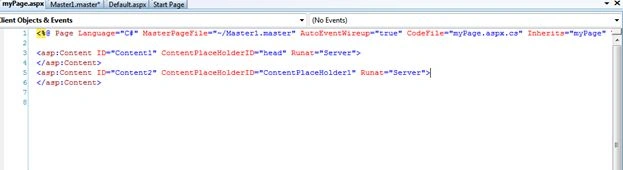
Now see your myPage.aspx page will look like this:
-
Now in the myPage.aspx page write some text and take a button.
-
Now go to the myPage.aspx.cs page and write some code on the click event of the button.
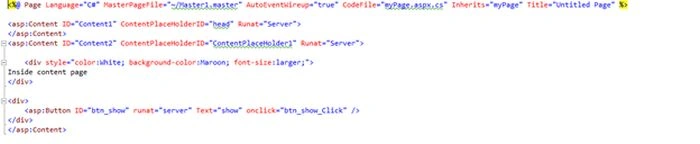
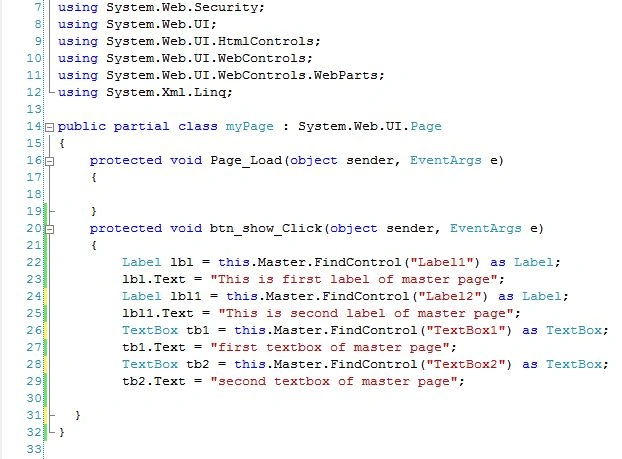
Here I will access the labels and textboxes of the master page on the click event of the button.
Here I am finding the label and textbox controls of the master page and changing the text of these controls. The code is as in the following.
Step 6
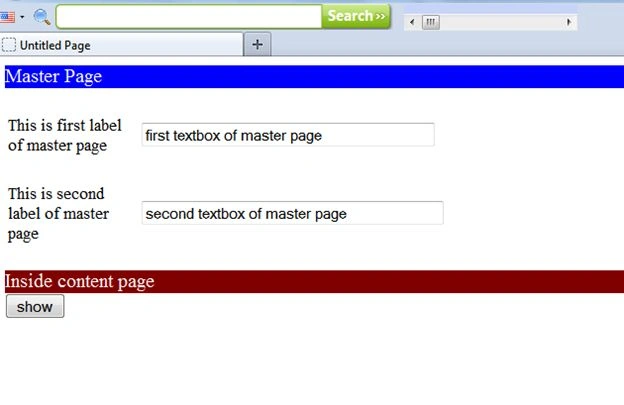
Now run your myPage.aspx page in the browser and see the result.
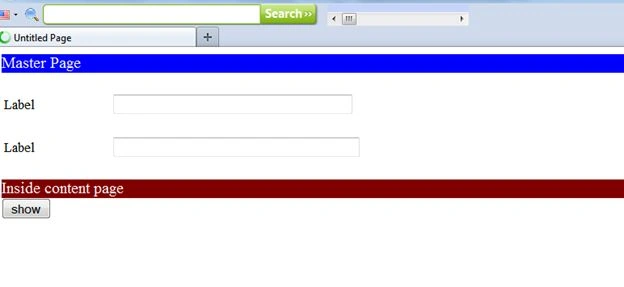
Just click the show button and see the magic.
Conclusion
Here we have seen how to access the controls of the master page from the content page.
In this way we can access any control of the master page from the content page.


Santosh KumarPosted Jun 15, 2016, 6:11 AM
Hi it is very helpful for interview.every interviewer asked this question nice question.
Basuraj KumbharPosted Dec 11, 2014, 1:09 AM
hi, nice article.. But I want to access the Child Page control on Master page how cant do this?
vinod mishraPosted Sep 6, 2013, 4:40 AM
how do hide textbox
sharada jadhavPosted Jul 2, 2013, 3:07 AM
i am trying to do this since many days but i am not able to change text .i really don't know what issue is there
Rishikesh Kumar SinghPosted Feb 27, 2013, 1:15 AM
Thank you santosh..!!
Santosh YadavPosted Feb 27, 2013, 1:07 AM
Very nice article...Thanks !!