
Most of you have been getting mad when accessing the Isolated Storage folder of your app by typing commands into the command prompt like this by giving your App product id.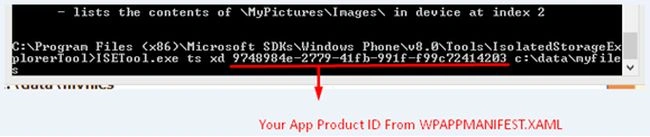
Figure 1: Product id
So to make the accessing easy now we have a new tool called "IsoStoreSpy" that is a very helpful tool for access using a GUI interface. So first download the software from the following Link.
Be sure to download the version that suits your environment as said in that page.
Now open the tool.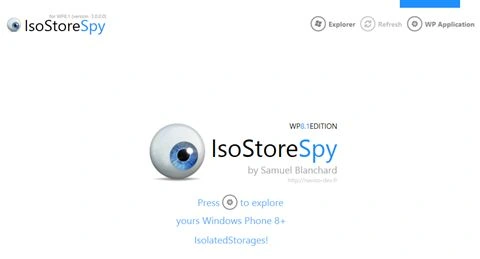
Figure 2: IsoStoreSpy
Click on the Settings icon in the middle or the top-left side of the tool.
Now you need to select the device.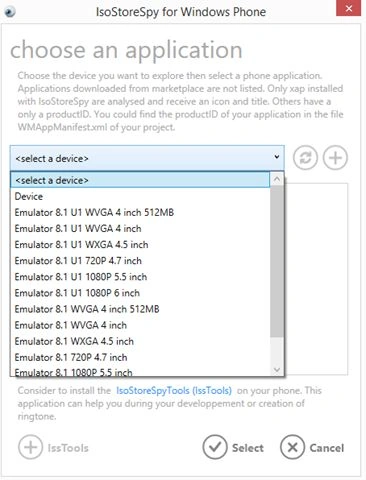
Figure 3: Select a device
If you are running on the device then select Device or else Emulator. If you are running on an emulator then please install the app in the emulator and be sure the App is Not Running. So that this tool can access your app's settings file or correspondingly in the phone just install the app and be sure the app is not running.
In my case I am running in an emulator so I'm selecting the emulator.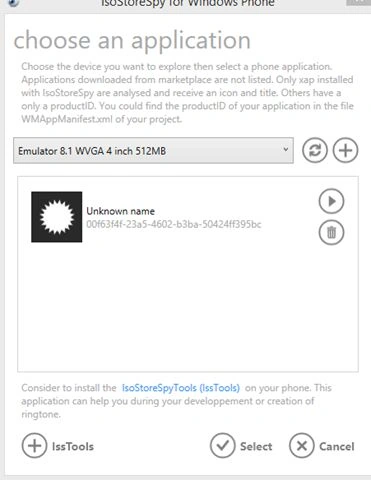
Figure 4: Running in emulator
Now hit Select and by default it will show the app settings like this: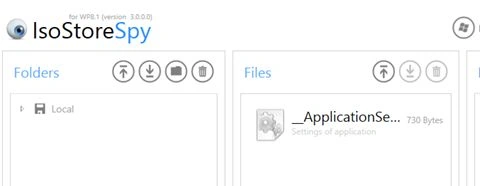
Figure 5: App settings
If you expand the Visual Tree of Local you will get a SQLite DB file like this: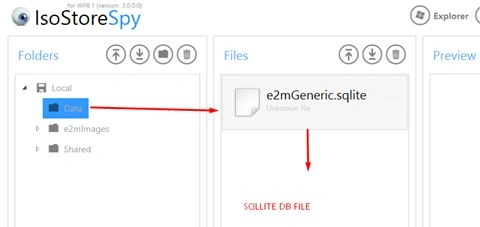
Figure 6: SQLite database file
Now you can export or import this SQLite DB to your PC like this: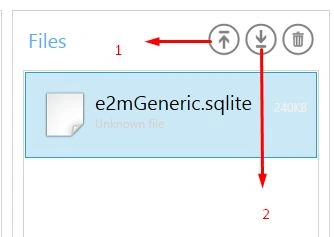
Figure 7: Export or Import this SQLite DB
Select 2 for downloading SQLite file to your PC.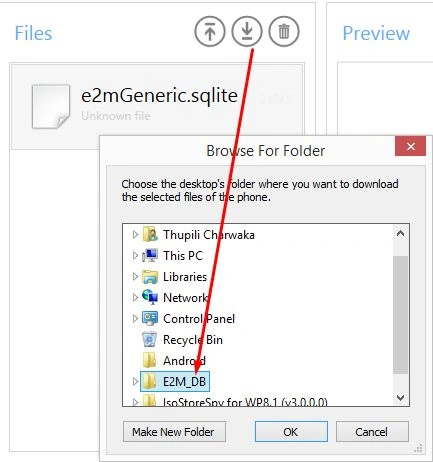
Figure 8: Download SQLite file to your pc
Now you have successfully exported your SQLite file of your app to the selected folder.
So now to open this SQLite file you need SQLite Studio. You can get it from Link.
Like this: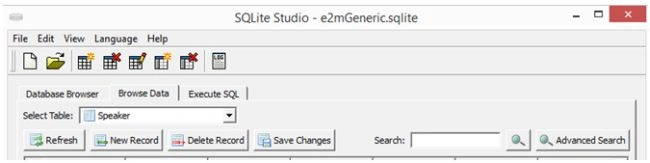
Figure 8: SQLite Studio
Where you do several actions as you need on your data.
If you have any doubt then please comment below.
Thanks.

Accessing Isolated Storage Data of Windows Phone 8/7 Applications
Join the conversation! Your thoughts help the community grow.
Sign in to leave a comment
It is the same account you read, post and publish with — and you will come straight back to this page.
Shaikh FMPosted Apr 21, 2018, 2:54 PM
Codeplex is providing the source of IsoStoreSpy. How to install it from the source.
Charwaka ThupiliPosted Jul 9, 2015, 12:12 AM
Thank you Munuswamy Sir :)
Santhakumar MunuswamyPosted Jul 8, 2015, 3:09 PM
Thanks for nice article. keep it up
Charwaka ThupiliPosted Jul 8, 2015, 1:47 PM
Thanks every One
Gowtham RajamanickamPosted Jul 8, 2015, 1:13 PM
good one...
SharadPosted Jul 8, 2015, 7:56 AM
nice one...
Sibeesh VenuPosted Jul 8, 2015, 12:42 AM
Good One! Thanks for sharing
Nilesh JadavPosted Jul 8, 2015, 12:21 AM
Nice work !
Gopi ChandPosted Jul 7, 2015, 11:02 PM
Good one