

Introduction
This article explains actions in the ASP.NET Web API. Action methods returns the response of the user input and it also returns an action result.
ActionResult
ActionResult is a class, all the action methods depend on the ActionResult class, so it is called the base of the action method. An ActionResult redirects to the other controller's method. There are various types of action results that depend on the task to be performed by the action method. The common method called by the action is the "View method".
The following are the various types derived from the ActionResult:
- ViewResult: It returns a view as a web page.
- PartialViewResult: It returns a partial view. The PartialView defines the fragment of the view that this view gives inside another view.
- RedirectToActionResult: It redirects to another action method of the other controller.
- ContentResult: It returns the user defined content.
- FileResult: It returns the binary file content for writing the response.
- EmptyResult: It represents the return value used for the action method that does nothing.
- JSONReturn: It returns the object of the serialized JSON.
- RedirectResult: It redirects to another action method using a URL.
Let's see an example of ActionResult
First create an application as in the following:
- Start Visual Studio 2012.
-
From the start window select "New Project".
-
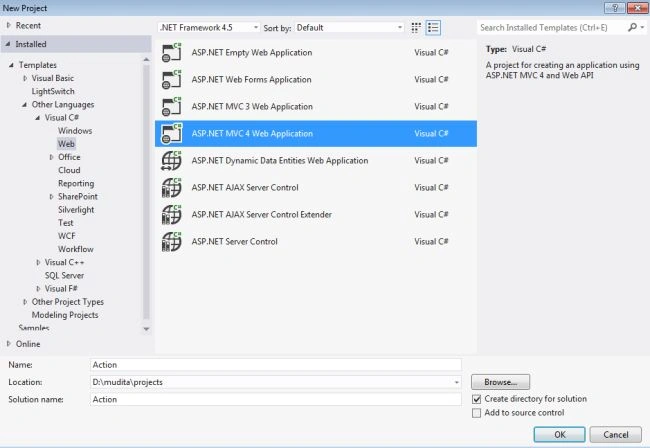
In the Template Window select "Installed" -> "Visual C#" -> "Web".
-
Select "ASP.NET MVC 4 Web Application" and click on "OK".
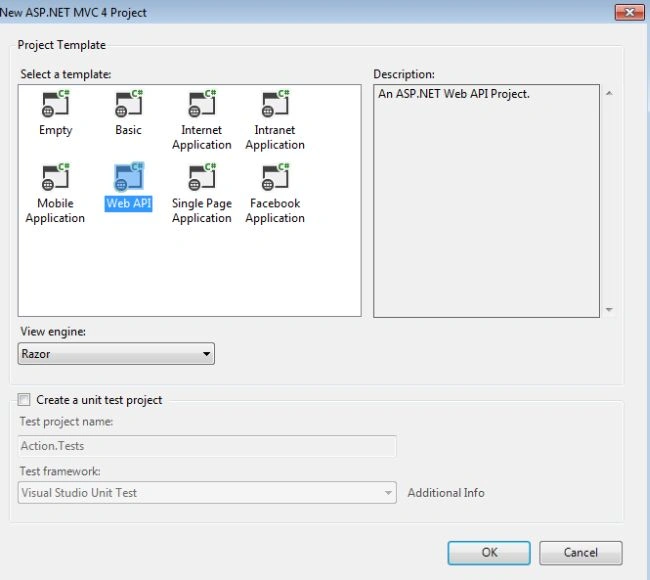
From the "MVC4 Project" window select "Web API".
redirect to action method is used for redirecting to the method of the other controller. Here we create two controllers, the first one is "HomeController" and the second is "DemoController".
The "HomeController.cs" exists:
- In the Solution Explorer
- Select "Controller folder" -> "HomeController"
HomeController code:
- using System;
- using System.Collections.Generic;
- using System.Linq;
- using System.Web;
- using System.Web.Mvc;
- namespace Action.Controllers
- {
- public class HomeController : Controller
- {
- public ActionResult Index()
- {
- ViewBag.Message = "ASP.NET Web API";
- return View();
- }
- public ActionResult Clearify()
- {
- return RedirectToAction("Clearify", "Demo");
- }
- }
- }
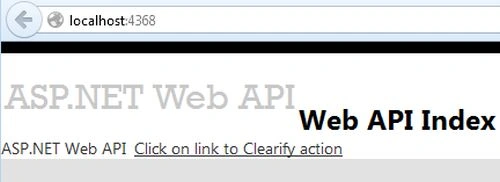
In the code above the "RedirectToACtion" metod redirects the "Clearify" method of the "DemoController".
The "DemoController.cs" is created:
-
In the Solution Explorer.
-
Right-click on the "Controller folder" -> "Add" -> "Controller".
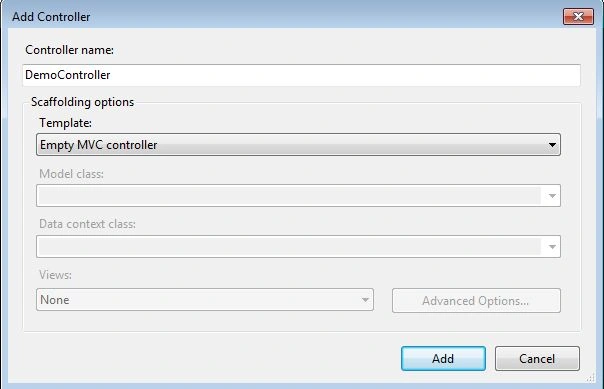
Name it "DemoController" and click on the "Ok" button.
The "DemoController" code:
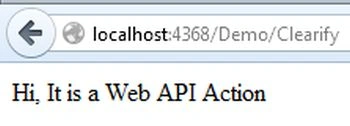
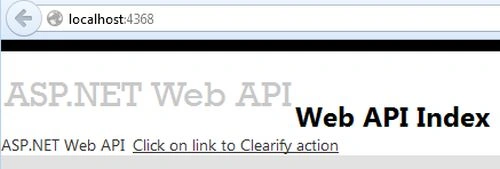
Pergin SheniPosted May 8, 2019, 1:18 AM
This is not Web API Controller Actions. It is MVC Controller.