For managed disks in Azure Disk Storage, server-side encryption (SSE) enables you to maintain your keys for a conceptual explanation of various managed disk encryption options, including SSE with customer-controlled keys.
Customer-managed keys
You have the option to use your keys to control encryption at the level of each managed disk. The key you designate as customer-managed is used to safeguard and manage access to the key that encrypts your data. Access control management is more flexible with customer-managed keys.
To store your customer-managed keys, you must utilize one of the following Azure key stores.
- Azure Key Vault
- Azure Key Vault Managed Hardware Security Module (HSM)
Customer-managed keys are currently subject to the following limitations.
- It is not possible to disable this functionality on a disk or its snapshots if it is enabled for a disk with incremental snapshots. Copy all of the data to a completely new managed disk that doesn't use customer-controlled keys to get around this. The Azure PowerShell module or the Azure CLI can be used for that.
- No alternative keys or sizes are supported; only software and HSM RSA keys with 2,048-bit, 3,072-bit, and 4,096-bit are available.
- Only for Premium SSD v2 and Ultra Disks.
- Only when the virtual machine (VM) to which a disk encrypted with customer-managed keys is associated is the disk deallocated may the disk be moved to a new resource group.
- It is impossible to transfer disks, snapshots, or images encrypted using customer-managed keys between subscriptions.
- Customer-managed keys cannot be used to encrypt managed disks that are encrypted using Azure Disk Encryption, either now or in the past.
- 5000 disk encryption sets maximum per area per subscription.
Configure the Azure Key Vault
- Open the Azure portal and log in.
- Look for and choose Key Vaults.

- To build a new Key Vault, select +build.
- Form a fresh resource group.
- Name the key vault, choose a region, and set a price tier.

- Click Review + Create, confirm your selections, and then click Create.
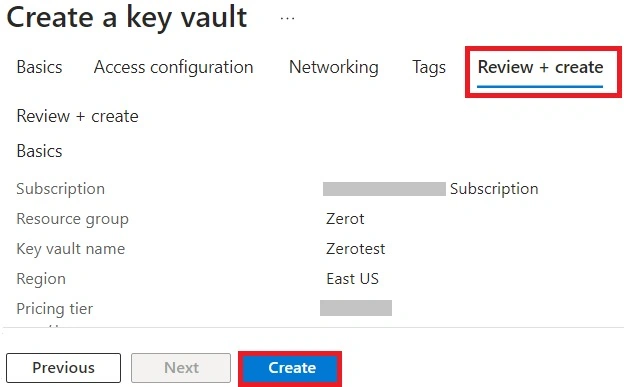
- Choose your key vault once it has completed deploying.
- Click Objects and select Keys.
- Click on Generate or Import.

- Keep the RSA Key Size at 2048 and the RSA Key Type at RSA.
- After making your desired selections in the remaining fields, click Create.

Set a role for Azure RBAC
You need to install an Azure RBAC role in order to use your Azure key vault with your disk encryption set after creating the Azure key vault and a key.
- Add a role by selecting Access Control (IAM).
- You can add the Owner, Contributor, or Key Vault Administrator roles.
Configure your disk encryption configuration
- Search for and choose Disk Encryption Sets.
- Choose +Create from the Disk Encryption Sets tab.
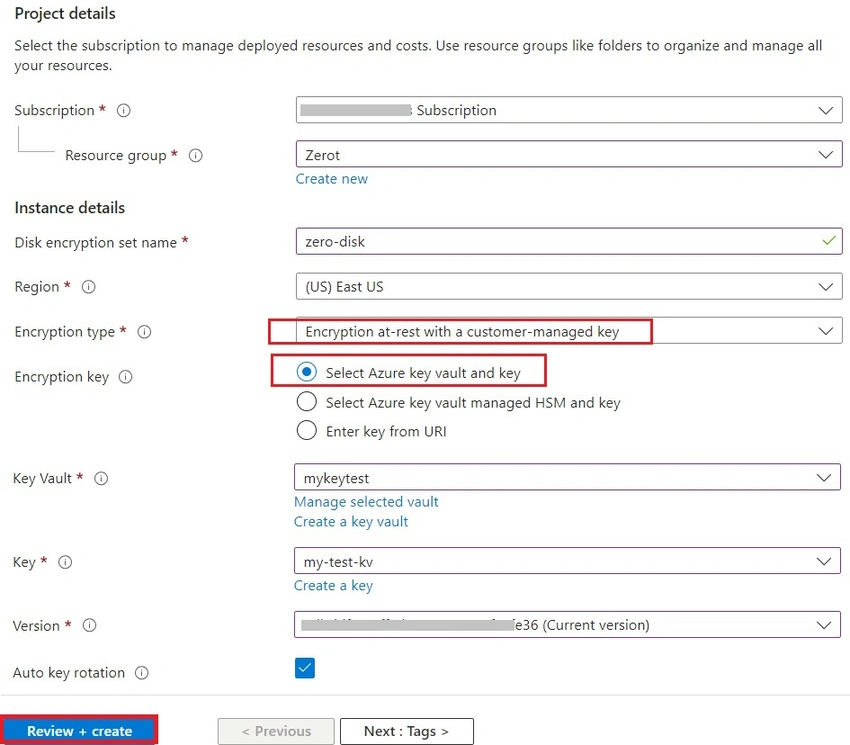
- Choose the same location as your key vault, name your encryption set, and select your resource group.
- Choose Encryption at rest with a customer-managed key under Encryption type.
- Verify that the Azure key vault and key are chosen.
- Choose the version, the key vault, and the key you generated before.
- Choose Auto key rotation if you would like to allow the customer-managed keys to rotate automatically.
- After choosing Review + Create, click Create.
- Once it's deployed, navigate to the disk encryption set and pick the alert that displays.

- This will enable you to access the disk encryption set with your key vault.
Install a virtual machine
You can use the encryption to launch a virtual machine (VM) after creating and configuring your key vault and disk encryption. The only two things that set the VM deployment procedure apart from the usual deployment process are the requirement to install the VM in the same region as your other resources and the choice to utilize a customer-controlled key.
- To set up a virtual machine, search for Virtual Machines and choose + create.
- Choose the same region for your Azure Key Vault and disk encryption on the Basic pane.
- As you would like, enter the remaining settings in the Basic pane.
- Choose your disk encryption set, key vault, and key from the drop-down menu under the Disks pane's Key Management section.
- Select the remaining options as you see proper.

Turn on a pre-existing disk
- Select a virtual machine located in the same region as one of your disk encryption configurations.
- Click on the VM and choose Stop.
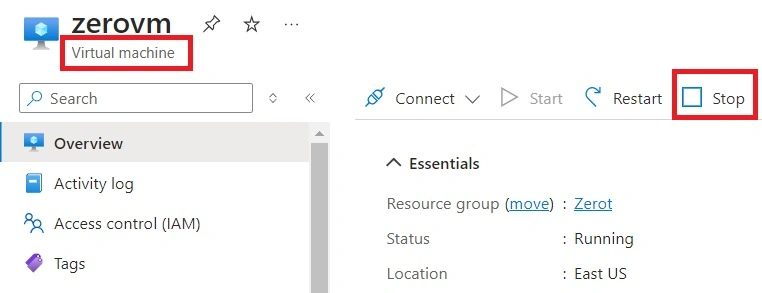
- When the virtual machine has completed shutting down, choose Disks and then the drive you wish to encrypt.
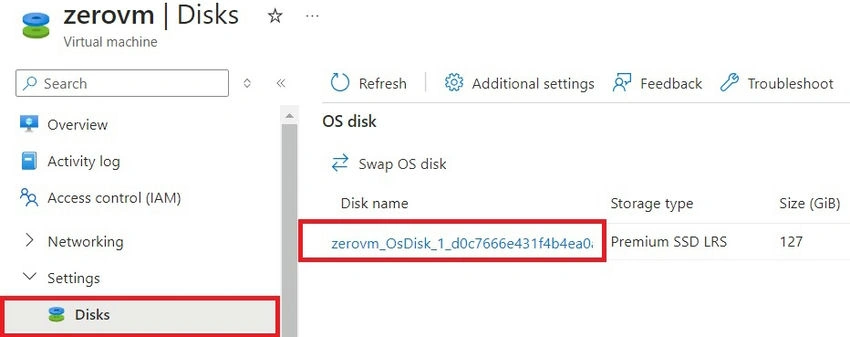
- Choose Encryption. Then, under Customer-managed key, under Key management, select your key vault and key from the drop-down list.
- Click Save.

- To encrypt any additional drives connected to the virtual machine, follow these steps again.
- Start your virtual machine (VM) if there are no more associated disks you wish to encrypt after your disks have finished moving over to customer-managed keys.
Summary
This article describes how to apply server-side encryption for managed disks using customer-controlled keys using the Azure portal. Restrict managed disks will be covered in the upcoming post.


Join the conversation! Your thoughts help the community grow.