

Introduction
I think that adding a splash form to a windows application is good decision in terms of design but also those kinds of windows forms are used for commercial, ergonomics and psychological purposes. Splash screens are often used to display information to the final user while an application is loading. So that it can give him a glance about what he is going to bring into play and this short moment can affect deeply the user either positively or negatively.
In this tutorial, I propose a method of how to do this programmatically.
Within VS2005-VB.NET IDE the problem is solved because we can add a splash screen as an item proposed by the IDE as is mentioned in the figure 1 below: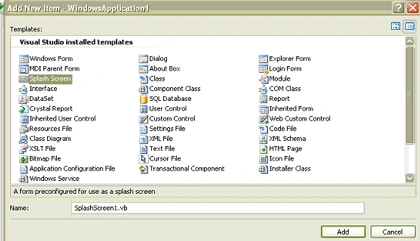
Figure 1
But within C# IDE this kind of items are not provided as the figure 2 shows: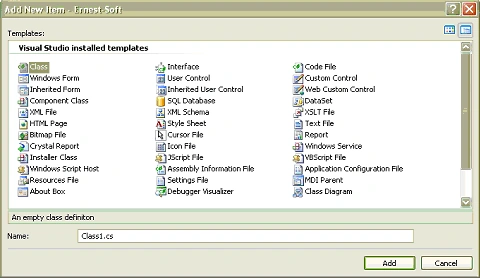
Figure 2
To resolve the problem I invite you to follow those steps:
First of all we create new windows application within C# IDE, in this case we can use either Visual Studio 2005, VS C# express edition that you can download form Microsoft official web site or Sharp Develop 2.0 witch is an open source IDE for developing DOT Net applications that you can download for free.
Add a new project by clicking File --> New project
- The form showed below appears
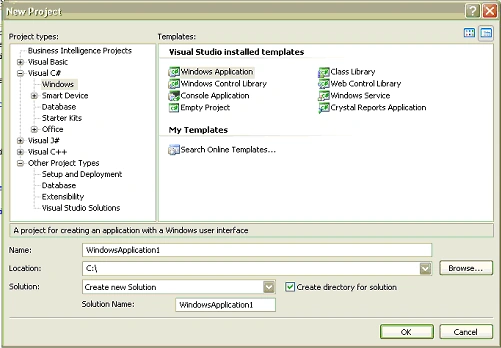
Figure 3
- You can select Windows application after expanding the tree view at left and selecting Windows as shown in the figure 3 above
- After clicking Ok we add a form to the project, namely Form2, Form1 is already exists.
- We configure the Form2 so that it appears as a splash form and this is a sample that I configured only for a demonstration purposes relating to this tutorial.

Figure 4
So now we go to the important stage in this tutorial. In the solution explorer as shown below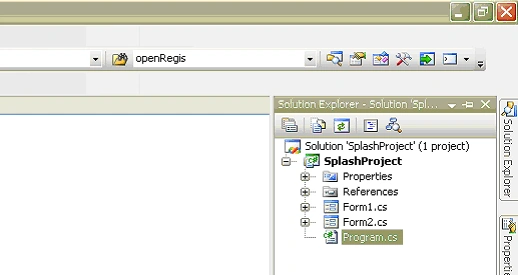
Figure 5
Select 'Program.cs' and open it so that the code appears. It is from this point that the application will be started. The following code will be displayed in the editor: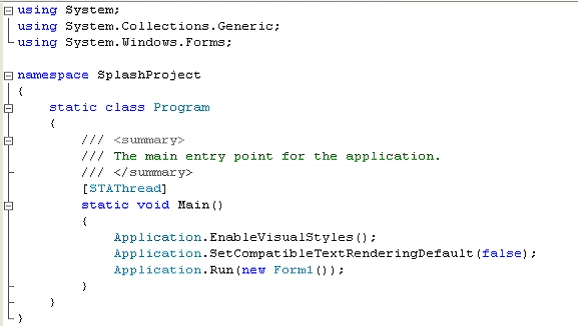
Figure 6
When we fire up the program, Form1 appears due to this fragment of code:
Application.Run (new Form1 ());
In order to display the Form2, witch is the Splash-From in your case, for a few moments before showing the Form1, you have to implement the following code instead of this one above (See figure 6)
using System;
using System.Collections.Generic;
using System.Windows.Forms;
namespace SplashProject
{
static class Program
{
/// <summary>
/// The main entry point for the application.
/// </summary>
/* a new static timer instance, it's important for starting and handeling the time during it the splash form is displayed*/
static System.Windows.Forms.Timer myTimer = new System.Windows.Forms.Timer();
// Counter is an integer that help us to fix the number of seconds during them the Splash form is displayed
static int counter = 0;
// b is a boolean related to the event if the Spalsh form will be disposed or not
static bool b = false;
[STAThread]
static void Main()
{
Application.EnableVisualStyles();
Application.SetCompatibleTextRenderingDefault(false);
/*-----------------The modification of the void Main method behavior----------------*/
// New instance of Form2
Form2 oForm2 = new Form2();
//Add event handler to myTimer.Tick event
myTimer.Tick+=new EventHandler(myTimer_Tick);
Claudio MussoPosted Sep 2, 2011, 4:52 AM
The is an error in: //The second way private void Form2_Load(object sender, EventArgs e) { this.Top = 200; this.Left = 200; this.Width = 300; this.Left = 300; <----- Repeated. }
Raymon AhmedPosted Feb 13, 2008, 1:55 AM
i face a problem during conversion from vs version to version