

Introduction
We demonstrate in the Part I how to add connection strings using the IDE tools, add connection string using the configuration file it self and add a connection string programmatically using the Configuration and the ConfigurationManager classes. Finally, we have seen how to retrieve the connection parameters from the configuration file.
In this article, we will see how to add application settings using the IDE tools, add application settings using the configuration file it self and add application settings programmatically using the Configuration and the ConfigurationManager classes. Finally, we will see how to retrieve the application settings from the configuration file.
The application settings are used to restore application settings, such as file paths, XML Web service URL, application properties values and others. This object is composed by the following elements:
| Element | Description |
| "add" | Adds an application settings to the collection |
| "clear" | Removes all references to inherited application settings, allowing only the application settings that are added by the current add element. |
| "remove" | Removes a reference to inherited application settings from the elements collection. |
Add application settings
Add application settings using the IDE
- Open the project menu and click on the project properties:
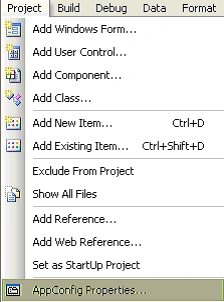
Figure 1
The followed window will be opened: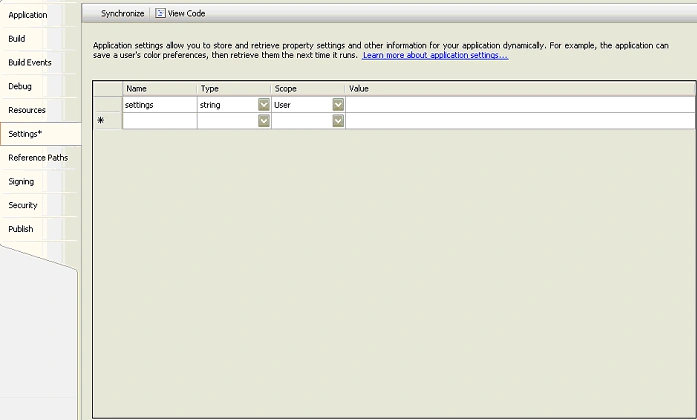
Figure 2
- Add an application settings name, and set the type by choosing it from the combo box, set the scope witch can be either user or application scope.
- Save the application settings by right clicking the first tab and choosing save file
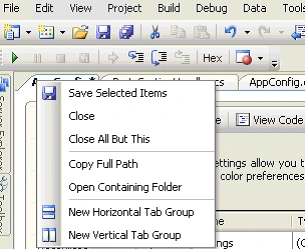
Figure 3
Add application settings directly in the configuration file:
The configuration file is located at the same directory as the application one with ".exe.config" as extension and as icon.
- 1. Open it and add directly application settings, the "intellisense" will help you to do that.
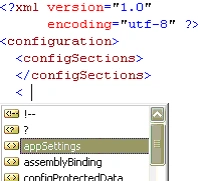
After adding a couple of application settings the configuration file looks like bellow:
<?xml version="1.0" encoding="utf-8" ?><?xml:namespace prefix = o ns = "urn:schemas-microsoft-com:office:office" />
<configuration>
<configSections>
</configSections>
<appSettings>
<add key="setting1" value="value1"/>
<add key="setting2" value="value2"/>
<add key="setting3" value="value3"/>
</appSettings>
</configuration>
Add the application settings programmatically
Join the conversation! Your thoughts help the community grow.