SharePoint lists provide OOTB New, Edit and Display forms. However if we have specific requirements to create and attach a new form we can either create a new form via designer and make it the default form or else we can custom code and deploy aspx forms to the list.
In one of the requirements I had to create a SharePoint Hosted App, create a custom form and attach it to the list. This is fairly straightforward and involves editing the list schema.xml. Let’s see the steps involved.
Default New Form would look plain like below.
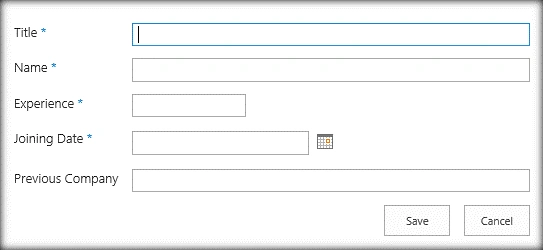
Let’s create a new custom form,
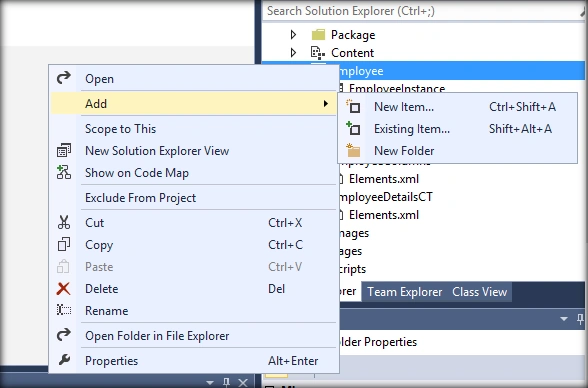
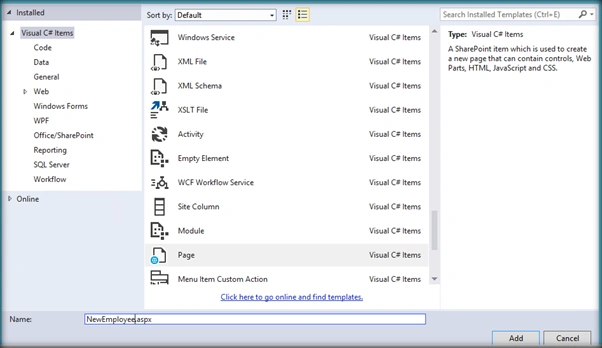
Add a new aspx page to the list.
Open the newly added page. It would be as below,
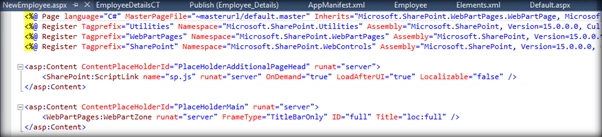
Remove <WebPartPages:WebPartZone runat="server" FrameType="TitleBarOnly" ID="full" Title="loc:full"/> from Placeholder Main section and add Field label, Field description and Form field as per need. The Field Name is the internal name of the column. Control Mode specifies whether the form Mode is New/Edit/Display.
I will be placing the fields within a div inside a table to give a tabular look and feel.
<div>
    <SharePoint:FieldLabel runat="server" FieldName="EmployeeName" ControlMode="New" />
    <SharePoint:FieldDescription runat="server" FieldName="EmployeeName" ControlMode="New" />
    <SharePoint:FormField runat="server" FieldName="EmployeeName" ControlMode="New" />
</div>
The updated custom new form will look as below,
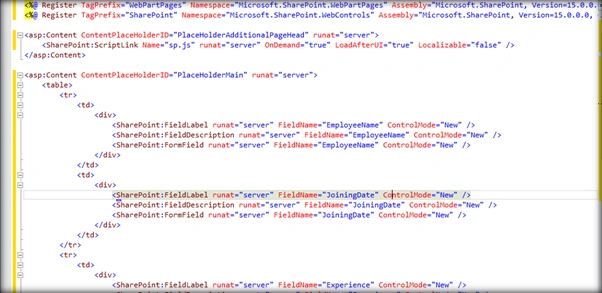
As you can see the ControlMode attribute is set to New. This is because it is a new form we are creating. For editing and displaying forms the control mode value will be Edit and Display respectively.
Now let’s attach the new form to the SharePoint list. Go to the schema.xml of the list figure out the content within the <Forms></Forms> tag which will be usually towards the end of the file.

Replace the NewForm tag with the below line.
<Form Type="NewForm" Url="NewEmployee.aspx" Path="NewEmployee.aspx" WebPartZoneID="Main"Template="NewEmployee.aspx" />
The updated schema looks like below:

If we are attaching custom edit and display forms change the corresponding Form Tags accordingly.
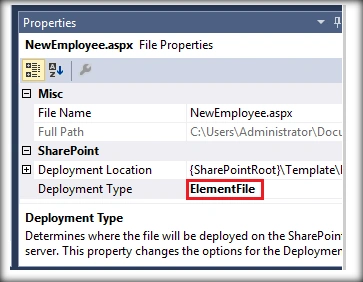
Now once the customization is done, let go to the custom page’s properties (Press F4) and change the deployment type to Element File.
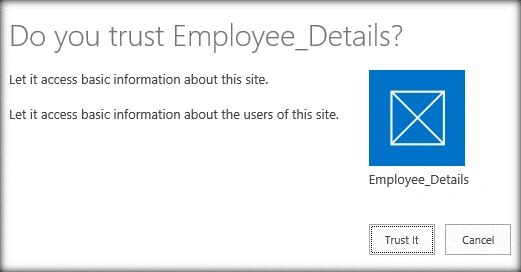
Deploy the app and click on Trust It.
Click on new Item to create an item with the custom form.
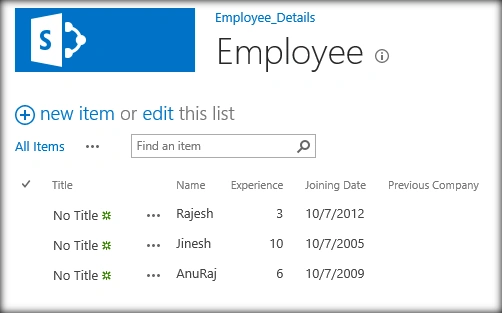
Now you can see that the custom form has been successfully deployed along with the app. On clicking New it picks up the Custom Form and not the OOTB one,
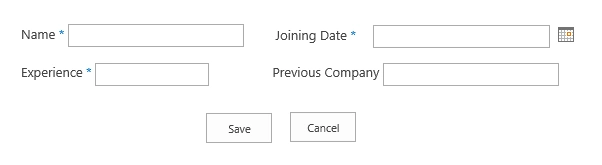
Currently no CSS has been applied. If any CSS or javascript needs to be added to this custom form we can add it within the custom aspx markup inside the PlaceHolderAdditionalPageHead section.
The CSS can be referred as:
<link rel="Stylesheet"type="text/css"href="../../Content/App.css"/>
The JS can be referred as:
<script type="text/javascript" src="../../Content/CustomJS.js"></script>
Thus we saw how to create a new custom New/ Edit/ Display form and attach it to the List within a SharePoint Hosted App.


bhavneet singhPosted Jul 30, 2019, 9:31 AM
When I add the SharePoint:FormFields they are not rendering on the page. There is no error either
Alriyan RajamohamedPosted Feb 18, 2018, 11:01 PM
Hi, this method used for SharePoint online..?
Nderon HyseniPosted Dec 16, 2017, 3:08 AM
Can I put fields control inside asp:Repeater ?
Riaheen AliPosted Apr 27, 2017, 6:51 AM
Is there any way to add the same app in edit view and also when any item from list is clicked to edit?? Kindly reply.
Marian MeriacPosted Apr 5, 2017, 3:24 AM
@john adams - Same problem for me. Please follow this link for solution: http://www.dotnetmafia.com/blogs/dotnettipoftheday/archive/2014/12/15/troubleshooting-there-was-an-error-during-the-operation-when-deploying-sharepoint-apps-with-visual-studio.aspx
john adamsPosted Apr 4, 2017, 7:59 PM
Hi , It is great article but I can't get it working with SharePoint online. It does not compile when I add the line <Form Type="NewForm" Url="NewEmployee.aspx" Path="NewEmployee.aspx" WebPartZoneID="Main"Template> . Can you share the project solution.
Greg SmithPosted Jan 25, 2017, 3:27 PM
Hi, did you have to create the list in Visual Studio or is there a way to create in SP and then import into VS?
AnuragPosted Jul 27, 2016, 2:22 AM
Hello Sir I am not be able to find the schema.xml file while opening the SharePoint Online sitecollection URL.Can you please help.Its very urgent
AnuragPosted Jul 27, 2016, 2:21 AM
Hello Sir
Humayun Kabir MamunPosted May 22, 2016, 7:37 AM
Nice...
Kuppurasu NagarajPosted May 22, 2016, 5:34 AM
Nice Sharing..
Vignesh ManiPosted May 21, 2016, 4:34 PM
nice