

In this article, you will see how to add a report using the report viewer web parts in SharePoint Foundation.
Step 1: First off all install the Report web parts in SharePoint, using:
- Copy the RSWebParts.cab to a folder on the SharePoint server.
- C:\Program Files (x86)\Microsoft SQL Server\100\Tools\Reporting Services\SharePoint
- Run Stsadm.exe on the .cab, using the following syntax:
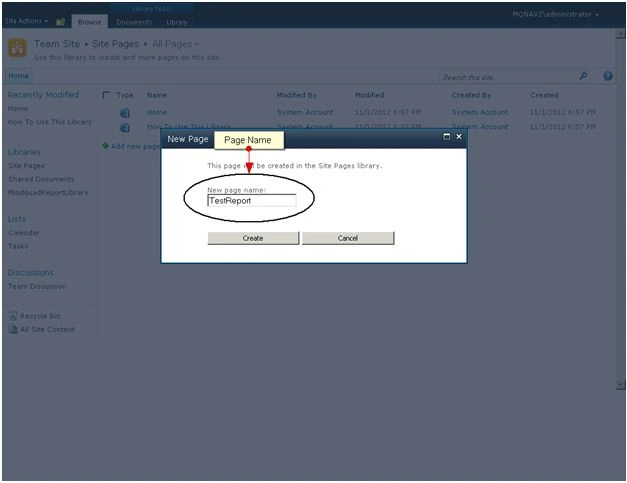
Step 2: Add a webpage in a SharePoint site.
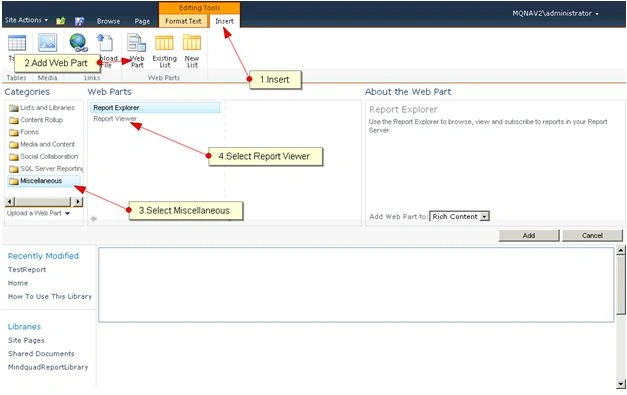
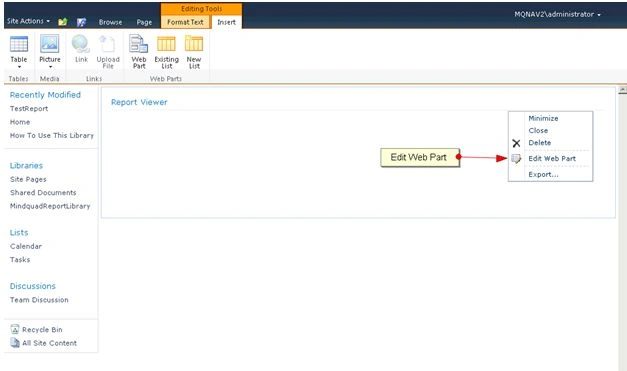
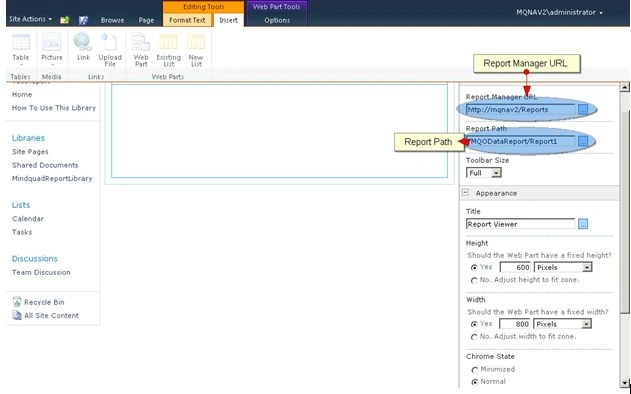
Step 3: Now Edit in your Web Part.
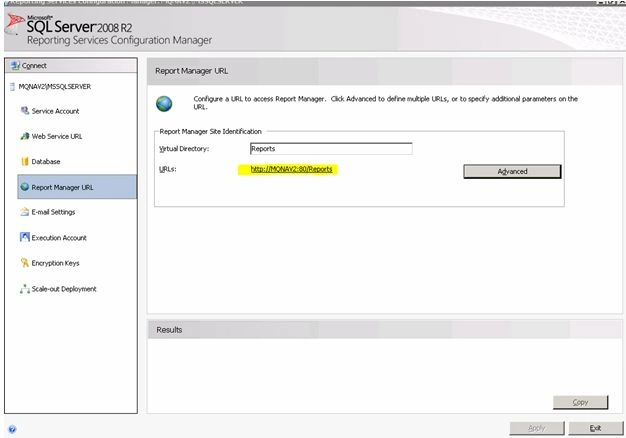
Step 4: Add Report Manager and Report Path from your report server.
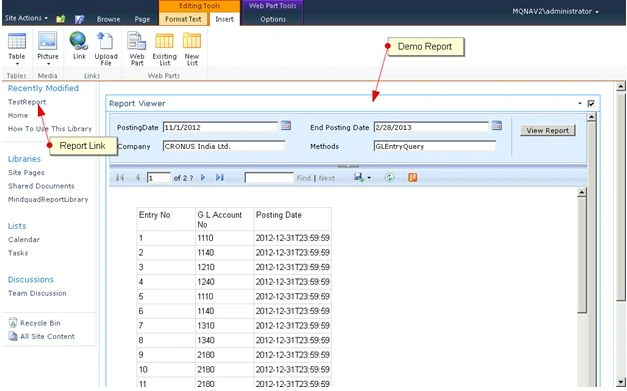
Step 5: Save the page.
Join the conversation! Your thoughts help the community grow.