
In this article I would like to share the procedure to add the tags and notes on SharePoint Site pages.
What is tags and notes?
Notes and tags about content can make it easier for people to find and share relevant content and find knowledgeable people. Notes to other people can help encourage informal dialogs and enable people to easily connect.
Procedure to add the tags and notes
Use the following procedure to add the tags and notes on the Site page.
Step 1
Go to your site and open the site page as in the following: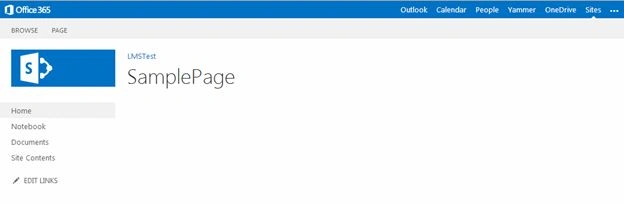
Step 2
Then click on the “PAGE” from your ribbon container as shown below: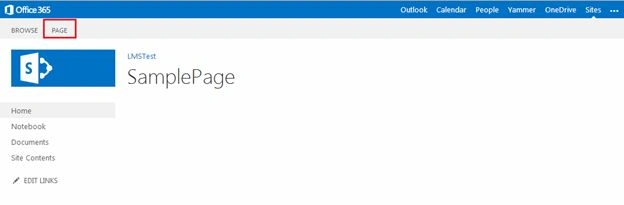
Step 3
When you click on the page, you will get the ribbon bar as shown below: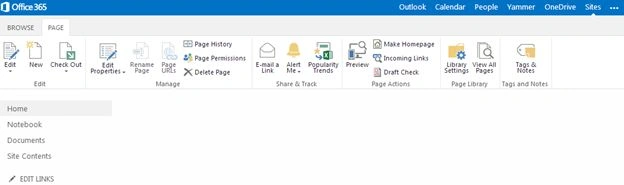
Step 4
On the Ribbon select “Tags and Notes” in the tags and notes section to add the tags as shown below: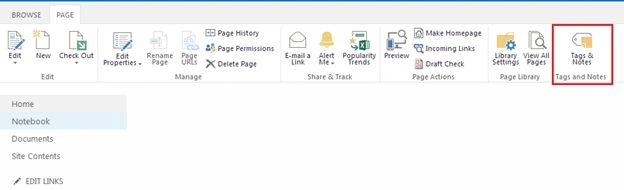
Step 5
Then you will get the Pop-up to add the tags and notes as in the following: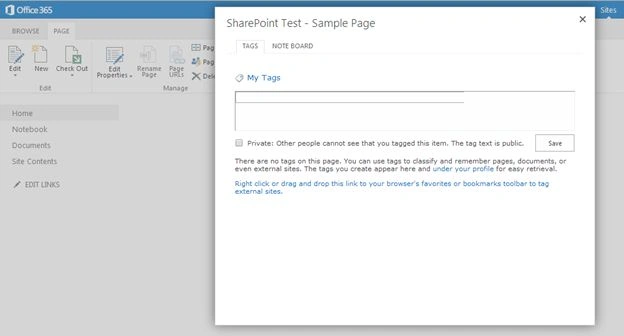
Step 6
Provide the keywords on the text box and click Save to store the tags as in the following: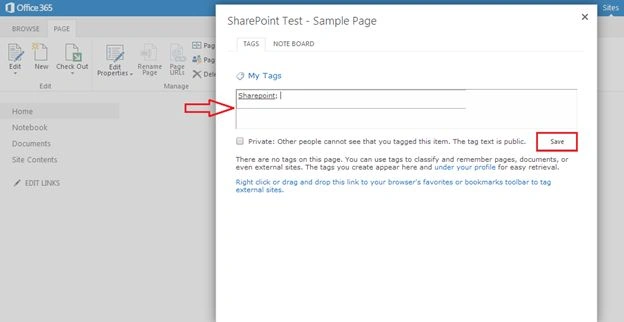
Finally the tags will be added to your site.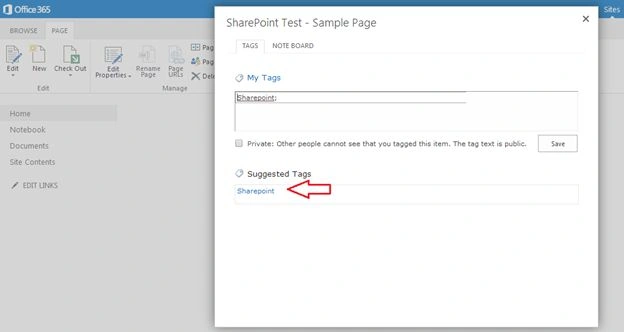
Step 7
Then click on the “Note Board” tab to add the notes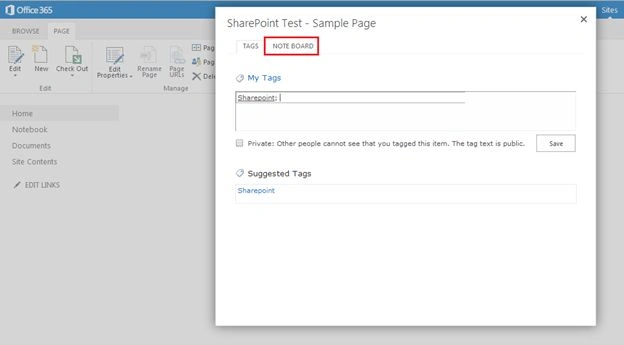
Step 8
Provide your notes in the text box and click “Post” to save the post as shown below: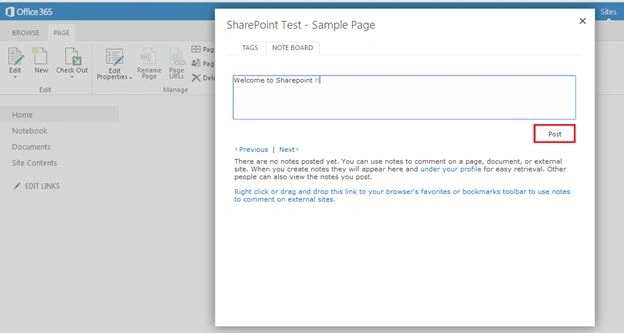
Finally your notes will be posted.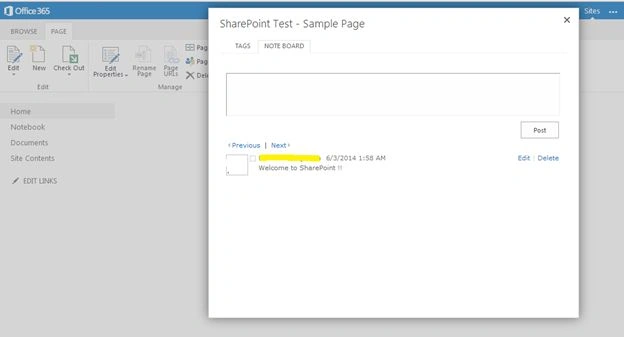
Summary
In this article we explored how to add the tags and notes on SharePoint site pages. Happy learning.

Add Tags and Notes in SharePoint Site Page
Join the conversation! Your thoughts help the community grow.
Sign in to leave a comment
It is the same account you read, post and publish with — and you will come straight back to this page.
Gowtham RajamanickamPosted Apr 5, 2015, 11:04 PM
somple and cool articel
Gowtham RajamanickamPosted Apr 5, 2015, 11:04 PM
Good ne..