

Content: I will explain how to add an image into a runtime generated PDF from a database functionality with the help of Visual Studio Ultimate 2015 Preview using Windows Form Application but you can also do this into the Website.
Briefly, I will do something like:
- Create a table for stored images in binary format on the basis of roll numbers.
- Get the image from the database on the basis of a specific roll number.
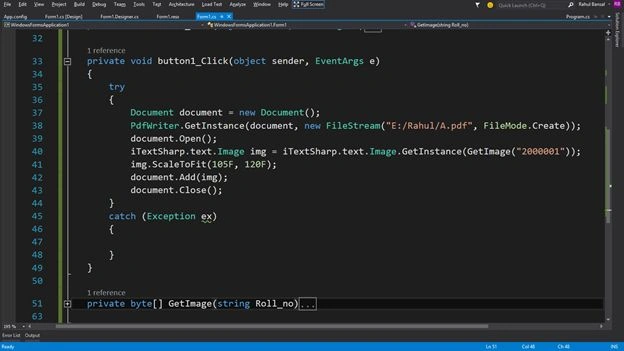
- Generate the runtime PDF using ITextSharp.
Note: I will use the "iTextSharp.dll" as a PDF generator library. You can download it from:
Links:You can find it in the attached file in the "bin\Debug" folder of this article.
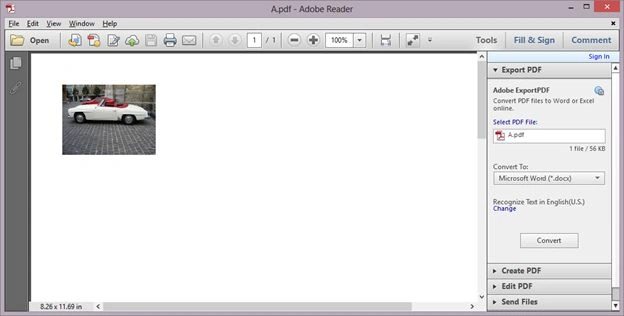
- Add the image into the PDF.
To learn more about Point 1, Click here.
I am assuming I have a table named "TestImage" that stores the data like: 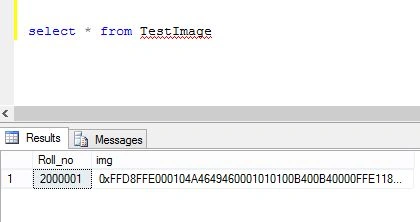
Now I will start the article from Point 2.
Step 1
Create a Windows Forms application named "WindowsFormsApplication1".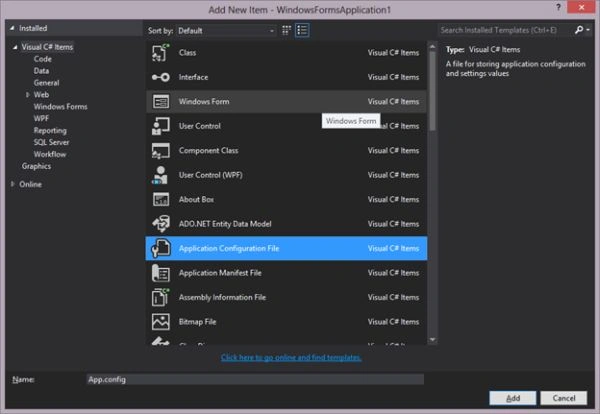
Right-click on "References" in the Solution Explorer and click on "Add Reference".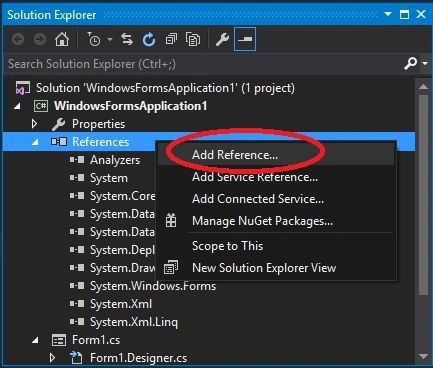
Use the following sub-steps in the "Reference Manager".
- Click on the Browse tab on the left side.
- Click on the Browse button at the bottom.
- Select the "iTextSharp.dll" from the system.
- Click on the Add button.
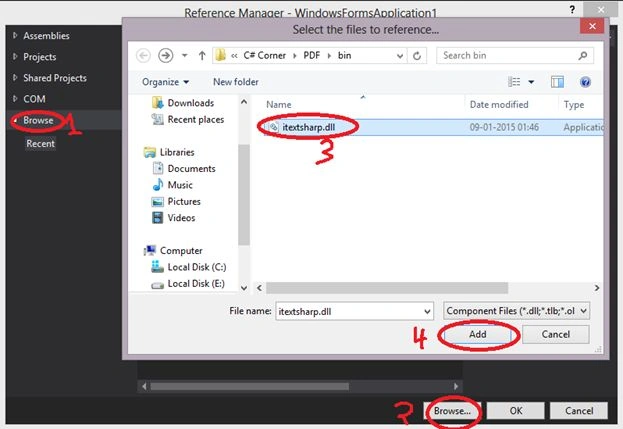
Finally it will look like: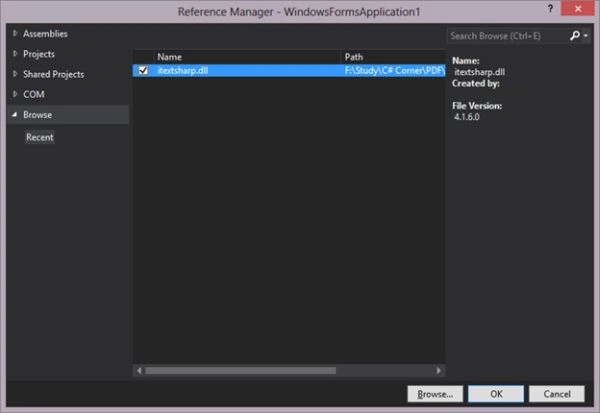
Now click on the "OK" button and see the "Solution Explorer" where the "iTextSharp.dll" reference has been added.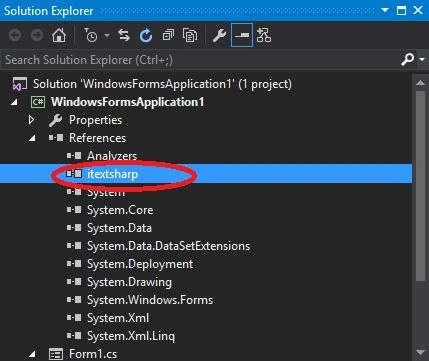
Step 2
- Add the following 2 namespaces to the top of the ".cs" file:
- using System.Data.SqlClient;
- using System.Data.SqlClient;
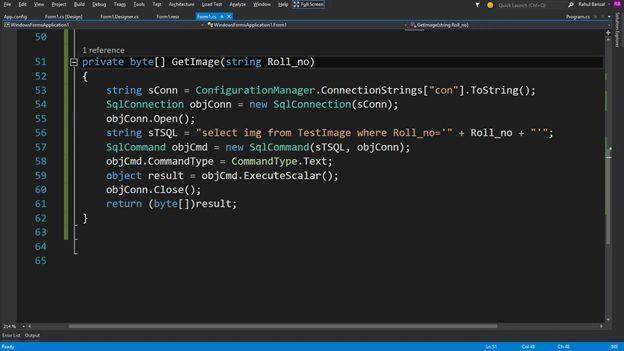
- Create a method in ".cs" file that will return the image in the format of a byte array.
- private byte[] GetImage(string Roll_no)
- {
- string sConn = ConfigurationManager.ConnectionStrings["con"].ToString();
- SqlConnection objConn = new SqlConnection(sConn);
- objConn.Open();
- string sTSQL = "select img from TestImage where Roll_no='" + Roll_no + "'";
- SqlCommand objCmd = new SqlCommand(sTSQL, objConn);
- objCmd.CommandType = CommandType.Text;
- object result = objCmd.ExecuteScalar();
- objConn.Close();
- return (byte[])result;
- }



Priya PatilPosted Oct 29, 2018, 10:01 PM
Not showing marathi language words in pdf
Tejas PatelPosted Aug 8, 2018, 5:20 AM
Thank work this code
Rajkumar palavePosted Aug 29, 2017, 3:54 AM
How to convert base64 to image??