

Here we will see how to display a default value in a LightSwitch Application (Visual C#) in Visual Studio 2012.
The following is the procedure of displaying a default value.
Step 1
Open the Solution Explorer.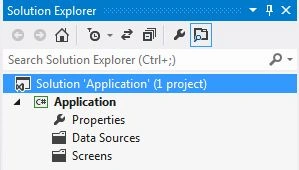
Step 2
In the Solution Explorer, right-click on the Server and choose "Add Table".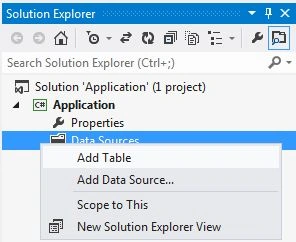
Step 3
The table appears.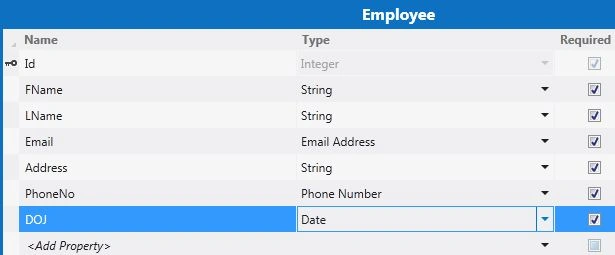
Here in the table select the DOJ (Date Of Joining) field and go to the property window. Uncheck the "Display by default" checkbox.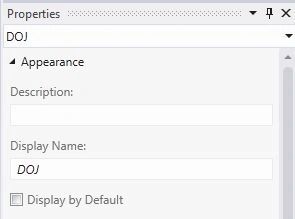
Step 4
To add a default value, click on the "Write code" option and select the Employee_Created.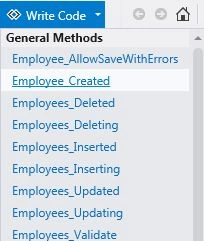
In the code designer, do the following coding:
using System;
using System.Collections.Generic;
using System.Linq;
using System.Text;
using Microsoft.LightSwitch;
namespace LightSwitchApplication
{
public partial class Employee
{
partial void Employee_Created()
{
this.DOJ = DateTime.Now;
}
}
}
Step 5
In the Solution Explorer, right-click on the Screens and choose "Add Screen".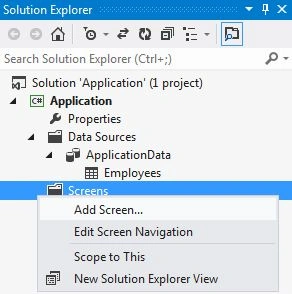
Step 6
The Add New Screen dialog box appears. Select the "New Data Screen" from the Screen Template, under screen information, choose "Employee" under screen data and provide some name to the Screen, uncheck the Employee Detail option and click the "OK" button.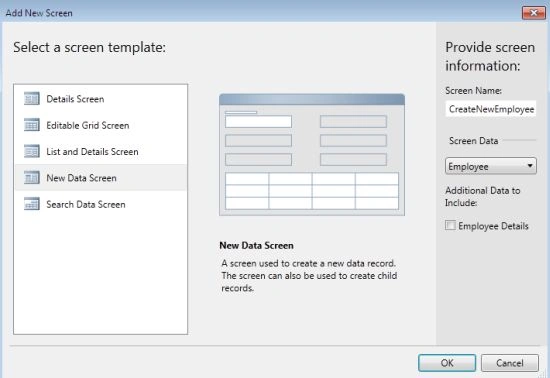
Step 7
The Screen Designer appears for the New Data Screen.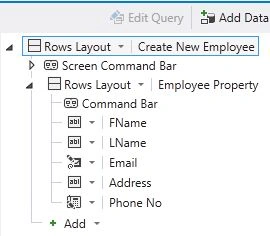
Step 8
This time we will add a Search Data Screen as screen type, provide the screen name and data and click the "OK" button.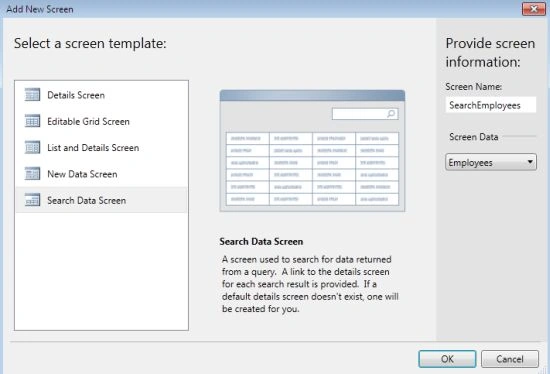
Step 9
The Screen Designer for the Search Data Screen appears. Note that there is no DOJ field in the screen designer.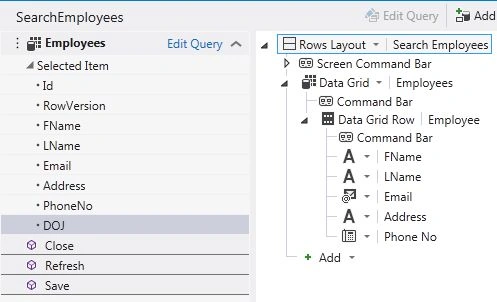
In order to add the field, drag it onto the command bar.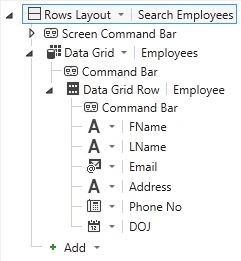
Change its control type to label.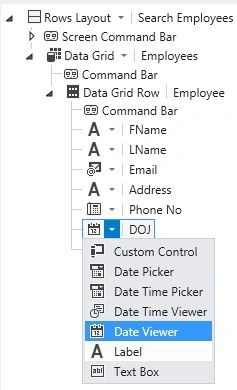
Step 10
Press F5 to run the application. Provide the data for the new data screen and click on the "Save" button. Here we will see that there is no DOJ field.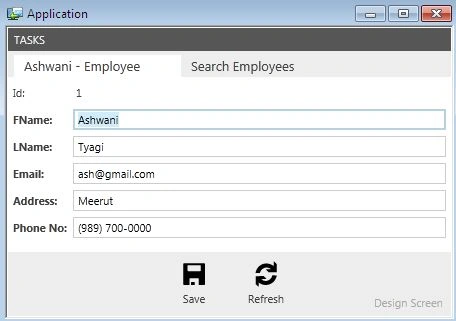
Now go to the Taskbar and click on the "Search Employees Screen". Note that today's date will be successfully entered.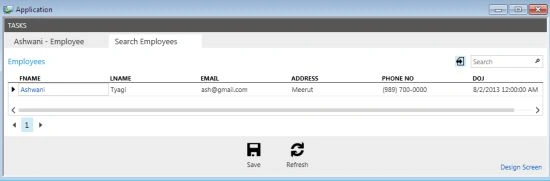
Peter WalterPosted Aug 26, 2015, 11:19 AM
Thanks for the above solution. I have implemented this and now the sort order on the datetime column does not work. Do you know how to restore the sort order now ? I am using lightswitch 2011. Many thanks