
The Highlighted Content Web Part in SharePoint Online allows dynamic display of content from various sources, including document libraries and SharePoint sites. It supports multiple content types like documents, images, pages, videos, news, events, tasks, contacts, and links. By default, it shows the most recent documents and can display a maximum of 200 images or items for effective content presentation.
Adding Highlighted Content Web part in SharePoint Online Page
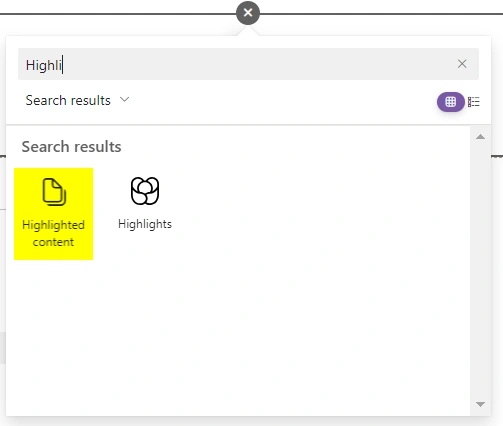
Adding a Highlighted Content web part in SharePoint Online involves entering edit mode on the desired page, selecting the desired section for placement, click on "+" button to open the web part gallery and selecting the Highlighted Content web part from the available options, and then save the changes to have the web part displayed on the page.
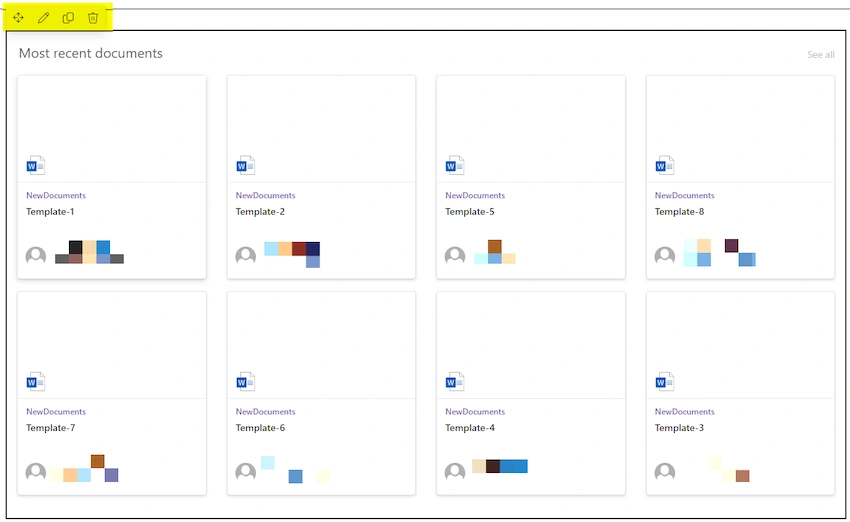
- Upon adding the Highlighted Content Web Part, it will conveniently display the eight most recently accessed documents from the current SharePoint site page, offering options for moving, editing, duplicating, or deleting the web part to customize its presentation and content.
- Upon clicking the "Edit web part" option for the Highlighted Content web part, two choices become available in its properties pane: "Filter" and "Custom query."
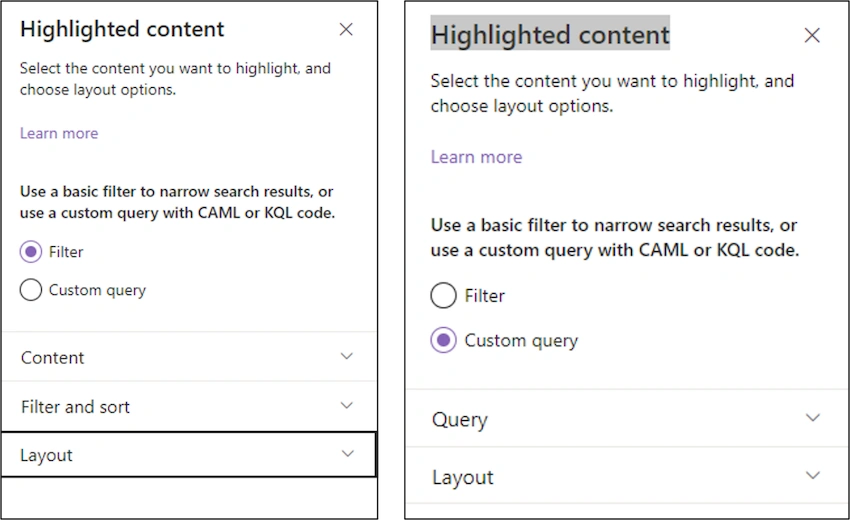
- By selecting the "Filter" option, three additional options appear: "Content," "Filter and Sort," and "Layout."
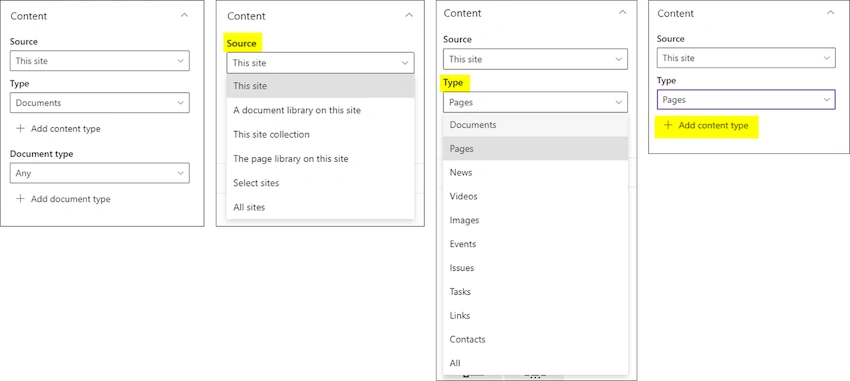
- "Content": Allows you to select specific content types or sources to include in the web part
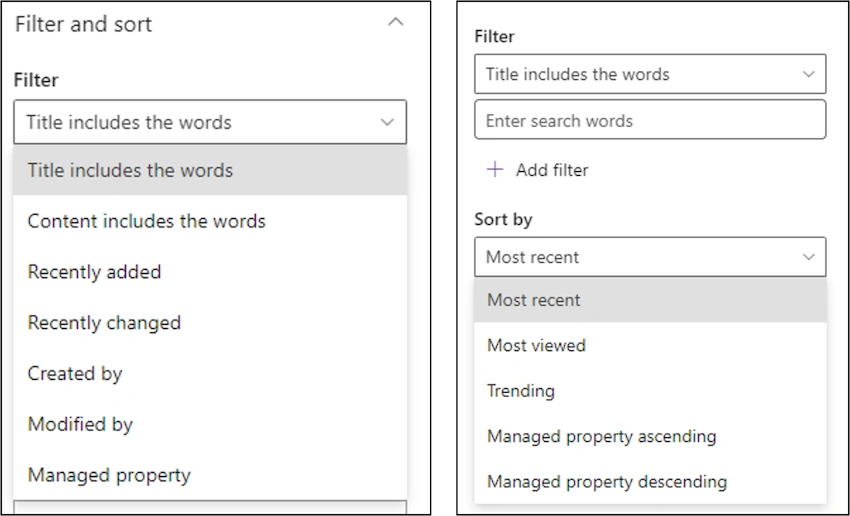
- "Filter and Sort": This enables the user to set specific criteria to filter and sort the content based on metadata or other attributes.
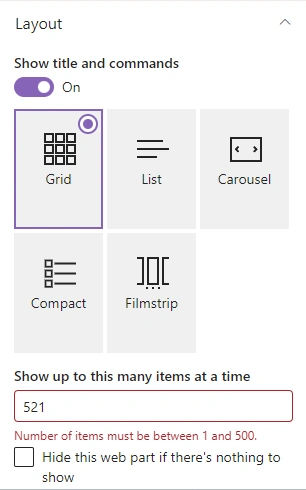
- "Layout": Users can choose Grid, List, Carousel, or Filmstrip layouts, toggle the title display, and set the number of items (max 500) to show in SharePoint highlighted content web part, with an option to hide the web part if there are no items.
- "Content": Allows you to select specific content types or sources to include in the web part
- If you opt for the "Custom query" option, the user will find two more choices: "Query" and "Layout.
- "Query":
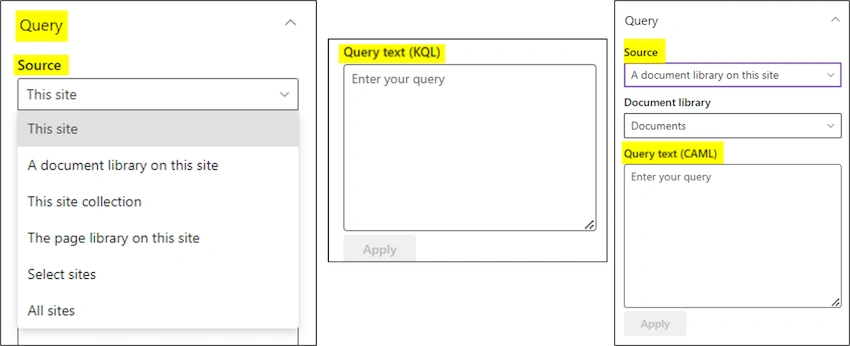
KQL query: To filter records in the Modern SharePoint highlighted content web part, choose the Custom Query option, and then select the Source as This site, This site collection, or Select sites. Next, enter the KQL syntax query into the Query box and click the Apply button.
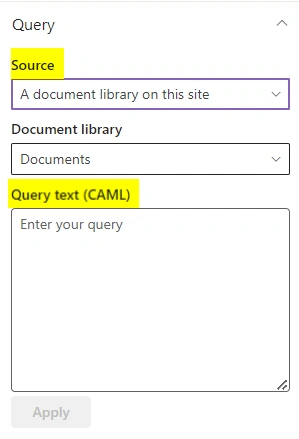
CAML query: To utilize the CAML query, select the Source as either the Document library or the Page library on this site within the highlighted content web part settings. Once you've crafted the CAML query in the Query box, click on the Apply button to implement the filter.
- "Layout": Like the previous option, it lets you select how the content should be displayed.
The Highlighted Content Web Part in SharePoint Online allows dynamic display of content from various sources. Users can customize its presentation, filter and sort content, and use KQL or CAML queries to refine results. It enhances content presentation on SharePoint Online pages.
Gurpreet AroraPosted Jul 27, 2023, 9:34 AM
Informative Thanks For Sharing !!!!