

As the number of data assets in Microsoft Fabric grows—workspaces, Lakehouses, Warehouses, notebooks, reports, dashboards—it can quickly become difficult to find the items you use most often. This is where Favourites in Microsoft Fabric become extremely useful.
In this article, we’ll explore how to add Fabric items to Favourites, how to remove them (Unfavourite), and best practices for using favourites efficiently in day-to-day work.
What Are Favourites in Microsoft Fabric?
Favourites in Microsoft Fabric allow you to:
Quickly access frequently used items
Reduce time spent navigating multiple workspaces
Personalize your Fabric experience
Favouriting an item does not:
Change permissions
Share the item with others
Affect governance or security
It’s a personal productivity feature.
Fabric Items You Can Add to Favourites
You can favourite most Fabric artifacts, including:
Workspaces
Lakehouses
Warehouses
Notebooks
Data pipelines
Semantic models
Power BI reports
Dashboards
If you have access to an item, you can favourite it.
How to Add a Fabric Item to Favourites
Method 1: Adding from a Workspace
Open Microsoft Fabric
Navigate to the workspace
Locate the item you want to favourite
Select the ⭐ star icon next to the item name
Once selected, the star turns solid, indicating the item is now a favourite.
Method 2: Adding from the Item Itself
Open the Fabric item (for example, a Lakehouse or dashboard)
Select the Favourite (⭐) option at the top as seen in the screenshot below
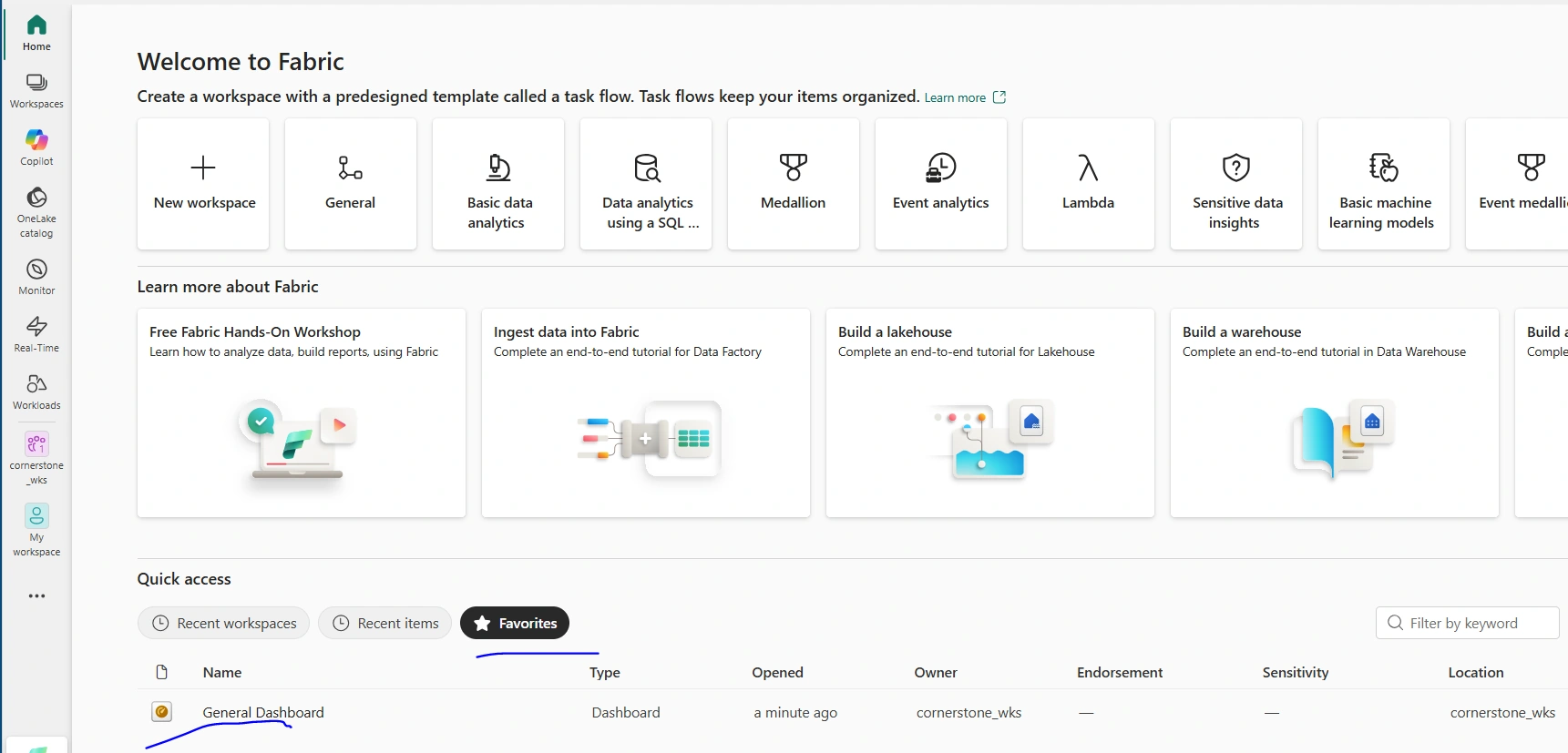
The item is immediately added to your favourites list
Where to Find Your Favourites
After favouriting items, you can access them easily:
Go to the Fabric Home page
Select Favourites
View all your starred items in one place
This works across all workspaces you have access to.
How to Remove (Unfavourite) a Fabric Item
Unfavouriting is just as simple.
Method 1: From the Favourites List
Go to Home → Favourites
Locate the item
Select the ⭐ star icon again
The item is instantly removed from your favourites.
Method 2: From the Workspace or Item
Navigate to the workspace or open the item
Select the ⭐ star icon
The star becomes empty, indicating it’s no longer a favourite
What Happens When You Unfavourite an Item?
Unfavouriting:
Does not delete the item
Does not remove your access
Does not affect other users
It only removes the shortcut from your personal favourites list.
Final Thoughts
Adding and removing items from Favourites in Microsoft Fabric is a small feature with a big productivity impact. It helps users navigate complex workspaces, focus on what matters most, and work more efficiently—without compromising security or governance.
As Fabric environments grow, using favourites thoughtfully can significantly improve the daily experience for data engineers, BI developers, and business users alike.
Join the conversation! Your thoughts help the community grow.