

Introduction
This article shows how to use the Checkbox Control in the ASP.NET Web API. The checkbox control is used for selecting one or more items. Here I provide an example of adding the checkbox control.
Checkbox Control
We can add the two types of properties with this control, either integer or string. We can say that it is a two-state Checkbox. We create a control table that has a property column in which we insert the property name. When we select any state from the checkbox then it sets the property either as a value in the value column of this Checkbox table or specified as an initial value of the property in the property table. If there is no initial value of the selected property then it uses 1 and the unselected states are set to null.
Now for the procedure for adding the Checkbox control in the Web API.
Step 1
Create a Web API application:
- Start Visual Studio 2012.
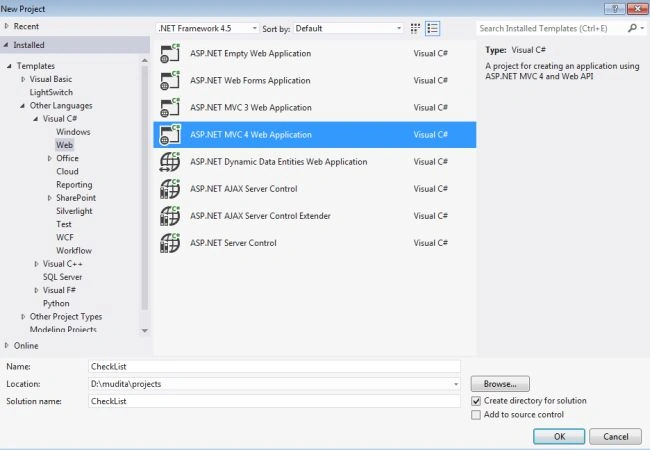
- From the start Window select "New Project".
- In the Template Window select "Installed" -> "Visual C#" -> "Web".
- Select "ASP.NET MVC4 Web application" and click the "OK" button.
- From the MVC4 Project window select "Web API".
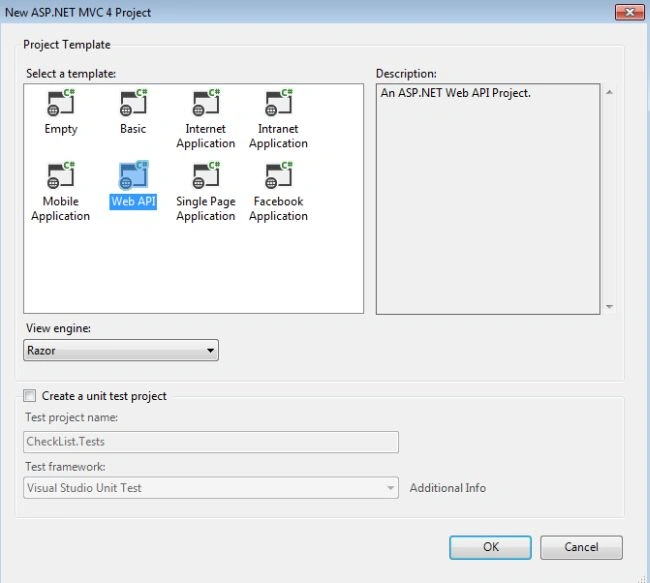
- Click the "Ok" button.
Step 2
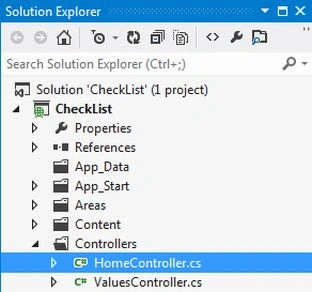
In the "HomeController" we specified the list of the items. This controller exists in:
- In the "Solution Explorer".
- Select "Controller" -> "HomeController".
Write the following code:
- using System;
- using System.Collections.Generic;
- using System.Linq;
- using System.Web;
- using System.Web.Mvc;
- namespace CheckList.Controllers
- {
- public class HomeController : Controller
- {
- public ActionResult Index()
- {
- Dictionary<int, string> StateList = new Dictionary<int, string>();
- StateList.Add(1, "Utter Pradesh");
- StateList.Add(2, "Delhi");
- StateList.Add(3, "Assam");
- StateList.Add(4, "Rajasthan");
- StateList.Add(5, "Andra Pradesh");
- StateList.Add(6, "Kerala");
- StateList.Add(7, "Madhya Pradesh");
- StateList.Add(8, "chhattisgarh");
- StateList.Add(9, "Orissa");
- ViewBag.DataSource = StateList;
- return View();
- }
- }
- }
Step 3
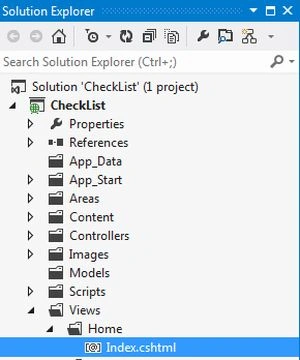
In the view "index.cshtml", write the function for selecting the items and add the table for the checkbox items. This view exists in the:
- In the "Solution Explorer".
- Select "View" -> "Home" -> "index.cshtml".
Use the following code:
- <h2>CheckLIst in Web API</h2>
- <script>
- //Get value of selected items
- function Selectstate() {
- var Itemselected = [];
- $("[id*=CheckBoxList1] input:checked").each(function () {
- Itemselected.push($(this).val());
- });
- if (Itemselected.length > 0) {
- alert("Selected States: " + Itemselected);
- } else {
- alert("No One state selected:");
- }
- }
- </script>
- <table id="CheckBoxList1">
- @foreach (var item in ViewBag.DataSource)
- {
- string controlId = "CheckBoxList1_" + @item.Key;
- <tr>
- <td>
- <input id="@controlId" type="checkbox" value="@item.Key" />@item.Value
- </td>
- </tr>
- }
- </table>
- <input type="button" value="submit" id="demo" onclick="javascript: Selectstate();" />
In the code above the function "Selectstate" is for selecting the items from the checkbox list and storing them in the variable "Itemselected". Now move to the "if" statement in which the length of the variable "Itemselected" is checked; if the length is greater than 0 (Zero) then display the selected states otherwise display No one state selected.
Step 4
Now execute the application. Press "F5". The output window looks like this:
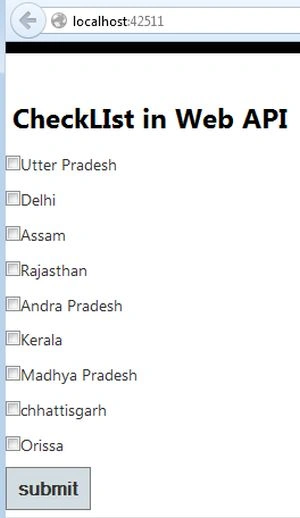
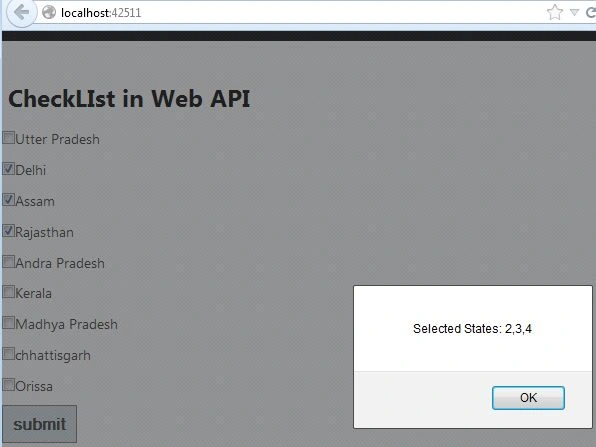
Now select the items and click on the "Submit" button, it displays a message with the id of the selected item.
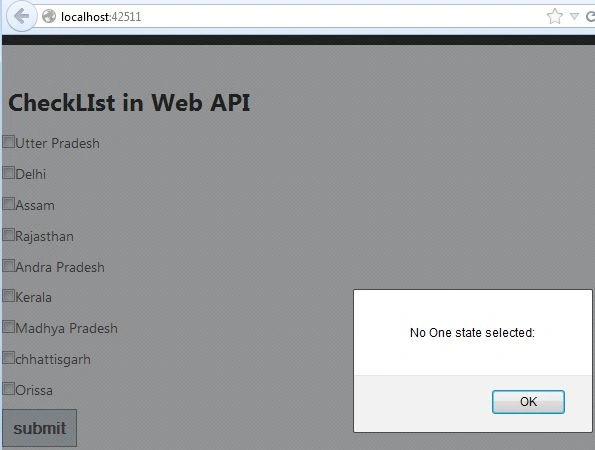
If no items are selected then it displays another message.
Priti SortePosted Jul 24, 2018, 2:14 AM
Can we do checkbox functionality using dot net api core