

Introduction
Here, we will be working with adding Windows Forms in Windows Presentation Foundation (WPF)
What is Winform?
Windows Form is a segment of Microsoft .NET framework. It is a GUI (Graphical User Interface) class library, which allows us to write the rich looking Client Applications for tablets, laptops and Desktops.
Development Requirements
Follow the following steps to add Winforms in WPF:
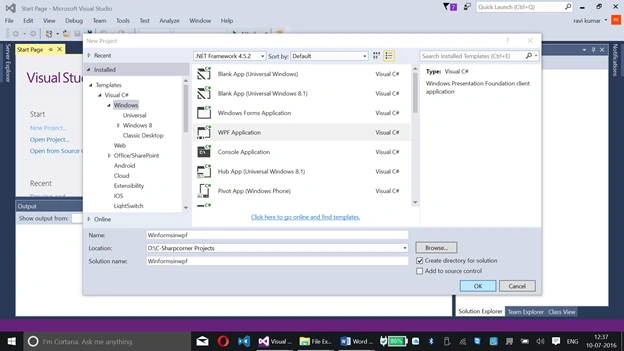
Step 1: Run Visual Studio 2015 -> Visual C# -> Windows -> WPF Application
Step 2: Right click on the references and add the following reference files:
- WindowsFormsIntegration
- System.Windows.Forms
WindowsFormsIntegeration:
Click here to know about WindowsFormsIntegeration Namespace.
System.Windows.Forms:
Click here to know about System.Windows.Forms Namespace
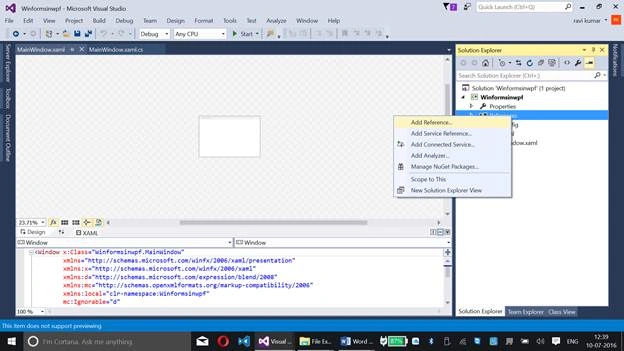
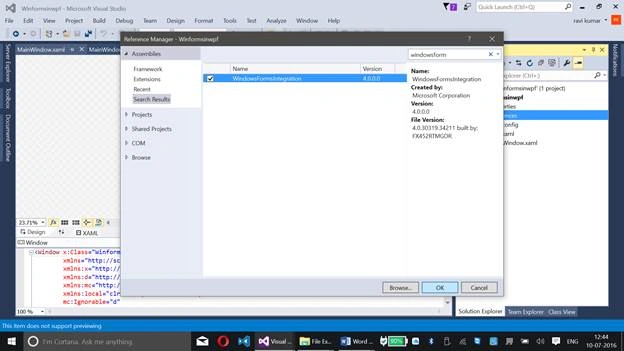
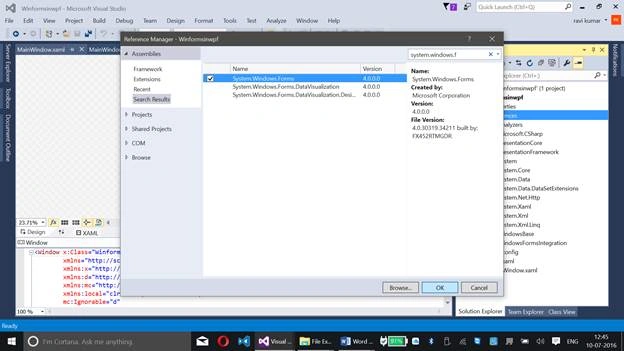
Here, you can find both the reference files that are added under references.
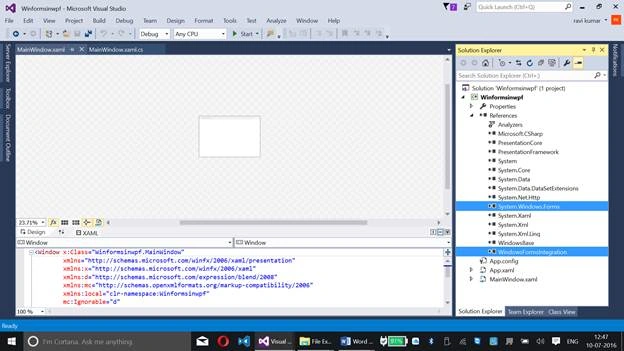
Step 3: Add the following namespacing too,
xmlns:wf="clr-namespace:System.Windows.Forms;assembly=System.Windows.Forms"
Now, paste the code, given below, at MainWindow.xaml under Grid or drag and drop the WindowsFormHost tool.
- <WindowsFormsHost>
- <wf:MaskedTextBox x:Name="mtbDate" Mask="00/00/0000" />
- </WindowsFormsHost>
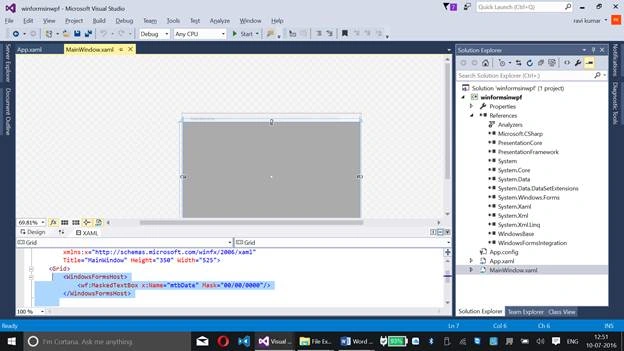
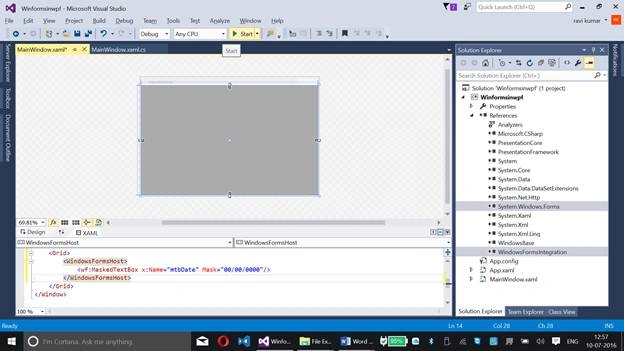
Step 4: Now, run the code by clicking Start at the top pane of Visual Studio 2015.
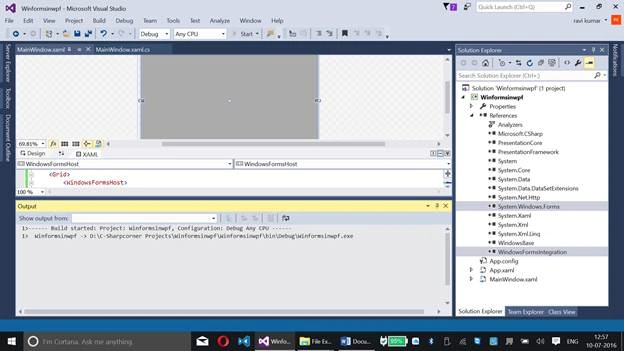
You will be getting the following Window:

This Application will allow you to enter the date in Windows Form at WPF Application.

Summary
This is a basic example to work with Windows Forms on WPF (Windows Presentation Foundation). WPF is a new technology compared to Winforms.
Asad AliPosted Jul 13, 2016, 4:56 AM
Good one
Shobana JPosted Jul 13, 2016, 2:53 AM
Nice
kalu singh raoPosted Jul 12, 2016, 10:06 PM
Nice...
Vignesh ManiPosted Jul 12, 2016, 4:19 PM
Nice