

Introduction
Welcome to the "Advanced JavaScript" article series. In this article series we have covered many topics in JavaScript. You can read the complete series by navigating the following links.
- Advance JavaScript: History and role of JavaScript behind modern web
- Advance JavaScript: play with object in JavaScript
- Advance JavaScript: Function Definition Style in JavaScript
- Advance JavaScript: Understand undefined in JavaScript
- Advance JavaScript: Understand "class"-ical concept of JavaScript
- Advance JavaScript: Implement inheritance in JavaScript
- Advance JavaScript: Callback design pattern and callback function in JavaScript
- Advance JavaScript : Exception handling in JavaScript
- Advance JavaScript: Scope of Variable in JavaScript
- Advance JavaScript: closure in JavaScript
- Advance JavaScript: Immediate invoke function in JavaScript
- Advance JavaScript: Namespace in JavaScript
- Advance JavaScript: call by value and call by reference
This is the article where we will try to understand the "this" keyword and we will try to be a master of it. So, let's try to explore the "this" keyword.
I will expect that you have experience in some other programming language (like C++, C# and so on) and from there you get the basic idea of the "this" keyword. Anyway, if you don't then don't worry. The purpose of this article is to explain the "this" keyword from scratch. Let's read a few sentences in English.
"Sourav is writing 'this' article. 'This' is the language that I like most." So, what have we learned here? In the first sentence "this" refers to the current article and in the second sentence "this" refers to the current programming language.
Language developers are too wise. Ha Ha. They don't want to confuse us at all. Yes, the "this" keyword always points to the current object. So, the concept is that when we specify the "this" keyword it will always point to the current working object. Now to understand this with an example.
The "this" keyword within a class/object
In this example, we will create one class (don't be confused, if you are new to this series then please go through the class section of this series) with a name and surname property. The beauty of the class is that the argument allies and class property allies are the same and to distinguish them we have used the "this" keyword. In this scenario "this" is pointing to the class property. Have a look at the following example.
- <!DOCTYPE html>
- <html xmlns="http://www.w3.org/1999/xhtml">
- <head>
- <title></title>
- </head>
- <body>
- <script>
- var person = {
- name: '',
- surname: '',
- print: function (name, surname) {
- this.name = name;
- this.surname = surname;
- console.log(this.name + " " + this.surname);
- }
- }
- person.print('sourav', 'Kayal');
- </script>
- </body>
- </html>
Here is the output from the code above.
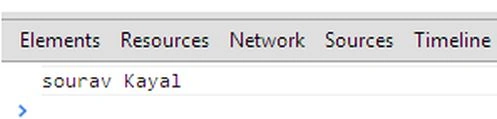
The "this" keyword to point to the class property
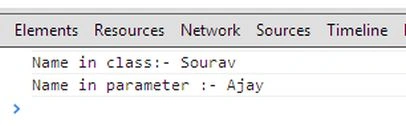
Though this example is very similar to the previous one, it will help to clarify your confusion, if you have any. In this example we are setting the property value of the class and in the case of the function call we are sending another value. Have a look, when we are printing the value of a variable using the "this" keyword , it's always taking the property value that we set by default.


Join the conversation! Your thoughts help the community grow.