

Introduction
This is the Advanced JavaScript article series; in this series, we are learning various important concepts of the JavaScript language. We have already covered the following topics, you can visit them.
- Advance JavaScript: History and role of JavaScript behind modern web
- Advance JavaScript: play with object in JavaScript
- Advance JavaScript: Function Definition Style in JavaScript
- Advance JavaScript: Understand undefined in JavaScript
- Advance JavaScript: Understand "class"-ical concept of JavaScript
- Advance JavaScript: Implement inheritance in JavaScript
- Advance JavaScript: Callback design pattern and callback function in JavaScript
- Advance JavaScript: Exception handling in JavaScript
- Advance JavaScript: Scope of Variable in JavaScript
- Advance JavaScript: closure in JavaScript
In this article, we will cover one of the most interesting features of JavaScript called "closure". The feature might be a little confusing to developers but when we try to develop a JavaScript library, this feature might help us.
The fundamental idea behind "closure" is, the function will return another function rather than returning any other primitive or user-defined data type. So, try to understand it.
So, when we are talking about a function that returns another function, that sounds like a nested function. The outer-most function that returns another function is called the outer function and the function that will be returned is called the inner function. Have a look at the following example.
In this example, at first, we are defining fun1() that is an anonymous function and the function returns another function.
Understand Outer and inner function
Implement simple closure
- <%@ Page Language="C#" AutoEventWireup="true" CodeBehind="JavaScript.aspx.cs" Inherits="JavaScript.JavaScript" %>
- <!DOCTYPE html>
- <html xmlns="http://www.w3.org/1999/xhtml">
- <head runat="server">
- </head>
- <body>
- <form id="form1" runat="server">
- <script>
- var fun1 = function (value) {
- return function () {
- return value;
- };
- };
- var val = fun1(100);
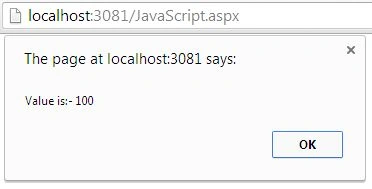
- alert("Value is:- " + val());
- </script>
- </form>
- </body>
- </html>
Join the conversation! Your thoughts help the community grow.