

Introduction
Welcome to the "Advanced JavaScript" article series. Here we are explaining somewhat conceptual and advanced topics of JavaScript. In our previous two articles, we learned the history of JavaScript and also explained objects in JavaScript. You can read them here:
- Advance JavaScript: History and role of JavaScript behind modern web
- Advance JavaScript: play with object in JavaScript
- Advance JavaScript: Function Definition Style in JavaScript
- Advance JavaScript: Understand undefined in JavaScript
- Advance JavaScript: Understand "class"-ical concept of JavaScript
- Advance JavaScript: Implement inheritance in JavaScript
- Advance JavaScript: Callback design pattern and callback function in JavaScript
- Advance JavaScript: Exception handling in JavaScript
- Advance JavaScript: Scope of Variable in JavaScript
- Advance JavaScript: closure in JavaScript
Let's understand the basics of function definitions. In JavaScript, we can define functions in two ways. The first approach is the traditional function definition, like other languages and the other one is JavaScript's own style. Let's understand them one by one.
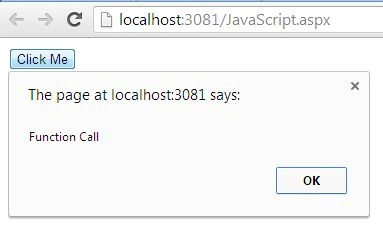
In this section we will see the traditional approach to define function. Nothing special in this, have a look at the following code.
The traditional approach to defining a function
- <%@ Page Language="C#" AutoEventWireup="true" CodeBehind="JavaScript.aspx.cs" Inherits="JavaScript.JavaScript" %>
- <!DOCTYPE html>
- <html xmlns="http://www.w3.org/1999/xhtml">
- <head id="Head1" runat="server">
- <title></title>
- <script>
- function fun() {
- alert("Function Call");
- }
- </script>
- </head>
- <body>
- <form id="form1" runat="server">
- <input type="button" name="Click Me" value="Click Me" onclick="fun();" />
- </form>
- </body>
- </html>
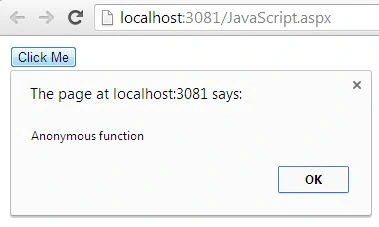
Define function on the fly
- <html xmlns="http://www.w3.org/1999/xhtml">
- <head id="Head1" runat="server">
- <title></title>
- <script>
- //Anonymous function
- var fun = function () {
- alert("Anonymous function");
- }
- </script>
- </head>
- <body>
- <form id="form1" runat="server">
- <input type="button" name="Click Me" value="Click Me" onclick="fun();" />
- </form>
- </body>
- </html>
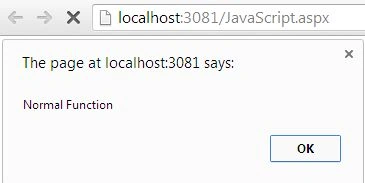
- <body>
- <form id="form1" runat="server">
- <script>
- //Normal function
- fun();
- function fun() {
- alert("Normal Function");
- }
- </script>
- </form>
- </body>
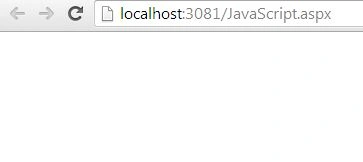
- <body>
- <form id="form1" runat="server">
- <script>
- fun();
- var fun = function () {
- alert("Anonymous function");
- }
- </script>
- </form>
- </body>
- fun()
- function fun(){
- alert("Normal function");
- }
- <body>
- <form id="form1" runat="server">
- <script>
- alert(fun);
- function fun() {
- }
- </script>
- </form>
- </body>
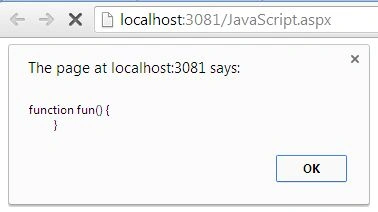
The output shows that the function is defined, Yes. Keep in mind that before declaration/definition we are calling. Ok , we need to prove one more concept. I previously said that it creates (function) in the window object. Let's prove it. Here is sample code to prove that:
- <body>
- <form id="form1" runat="server">
- <script>
- alert(window.fun);
- function fun() {
- }
- </script>
- </form>
- </body>
- <body>
- <form id="form1" runat="server">
- <script>
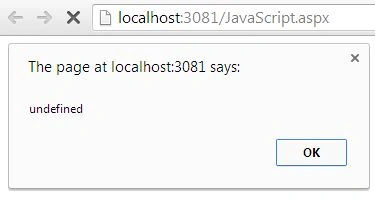
- alert(fun);
- var fun = function () {
- }
- </script>
- </form>
- </body>
- <body>
- <form id="form1" runat="server">
- <script>
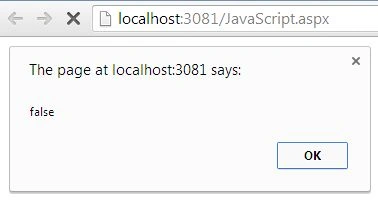
- alert(window.fun);
- var fun = function () {
- } </script>
- </form>
- </body>
Conclusion
Previous article: Advance JavaScript: play with object in JavaScript
Mahesh AllePosted Nov 7, 2013, 1:20 AM
Thanks for this article, I have question, the performance point of view can tell me which one best to use?