Introduction
This is the second presentation of the Advanced JavaScript article series. As the name indicates, this series provides somewhat deeper concepts of JavaScript. The previous article provided the history of JavaScript and the importance of JavaScript in modern web applications. You can read it
here.
Advance JavaScript
In this article, we will understand the concept of objects in JavaScript. The first concept is that JavaScript is an interpreted language and executes in the user's browser. In each and every browser (that is compatible with JavaScript) the parser is available and it's executing the code. If there is any confusion in that, I suggest you run the Date() function in JavaScript and it will always show the system date, even if it is wrong.
Objects in JavaScript
Nearly everything in JavaScript is an object. Even primitive datatypes (except null and undefined) can be treated as an object. Here are some examples:
- Dates are objects in JavaScript
- Arrays and strings are always objects
- Math and regular expressions are always objects
- The most interesting fact is that functions are also objects in JavaScript
Ok, so the concept is that everything (almost) in JavaScript is an object or at least they behave like an object. We all now have the concept of objects in Object-Oriented Programming. They have properties and methods. The syntax to access a property of an object is:
objectName.propertyName
The string is an object.
Let's create a simple object. As we have explained earlier, a string is also an object in JavaScript. We will use one example of a string.
- <head id="Head1" runat="server">
- <title></title>
- <script>
- function TestScript() {
- var val = "JavaScript";
- alert("Length of String is:- " + val.length);
- }
- </script>
- </head>
- <body onload="TestScript();">
- <form id="form1" runat="server">
- <div>
- </div>
- </form>
- </body>
- </html>
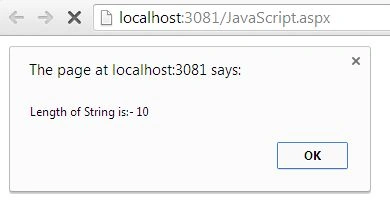
In this example, we are declaring a string (that is an object) and accessing the length property of the string object. It shows the number of characters in a string.
Few more objects in JavaScript
Here is a few more examples of JavaScript. As we said, in JavaScript, Date, Array and Math are all objects.
- <script>
- function TestScript() {
-
- var date = new Date();
-
- var array = new Array("Sourav", "Kayal");
-
- var data = Math.random();
- }
- </script>
Create object and set property on the fly
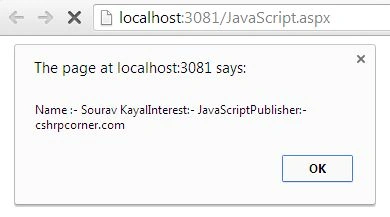
In this example we will create an object on the fly and we will set few properties on that. This object creation is very similar to object creation in high-level programming languages. The difference is that it does not require a class definition.
- <%@ Page Language="C#" AutoEventWireup="true" CodeBehind="JavaScript.aspx.cs" Inherits="JavaScript.JavaScript" %>
- <!DOCTYPE html>
- <html xmlns="http://www.w3.org/1999/xhtml">
- <head id="Head1" runat="server">
- <title></title>
- <script>
- function TestScript() {
- var author = new Object();
- author.name = "Sourav Kayal";
- author.interest = "JavaScript";
- author.publisher = "cshrpcorner.com";
- alert("Name :- " + author.name + "Interest:- " + author.interest + "Publisher:- " + author.publisher);
- }
- </script>
- </head>
- <body onload="TestScript();">
- <form id="form1" runat="server">
- <div>
- </div>
- </form>
- </body>
- </html>
Set property of object using the constrictor
In the example above we saw that, to create an object on the fly, if we want to set a property of the object when it's created then we need to implement a constructor. Try to understand the following example.
- <%@ Page Language="C#" AutoEventWireup="true" CodeBehind="JavaScript.aspx.cs" Inherits="JavaScript.JavaScript" %>
- <!DOCTYPE html>
- <html xmlns="http://www.w3.org/1999/xhtml">
- <head id="Head1" runat="server">
- <title></title>
- <script>
- function person(name, surname) {
- this.name = name;
- this.surname = surname;
- }
- function TestScript() {
- var p = new person("Sourav", "Kayal");
- alert("Name:- " + p.name + " Surname:- " + p.surname);
- }
- </script>
- </head>
- <body onload="TestScript();">
- <form id="form1" runat="server">
- <div>
- </div>
- </form>
- </body>
- </html>
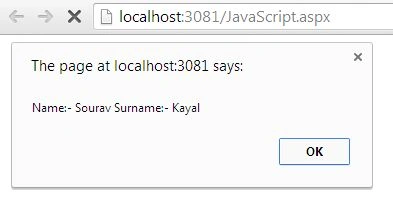
Here the person function behaves like a constructor and it takes the name and surname as an argument. We can even implement constructor overloading in this context. We are using the "this" operator to identify the current object. This is the output.
A function is an object.
As we said earlier, even a function in JavaScript is an object and it's called a function object. The following function definition is very similar with a function definition in the C family of languages.
- <html xmlns="http://www.w3.org/1999/xhtml">
- <head id="Head1" runat="server">
- <title></title>
- <script>
- function Addition(num1, num2) {
- this.num1 = num1;
- this.num2 = num2;
- alert(num1 + num2);
- }
- function TestScript() {
- var value = new Addition(10, 20);
- }
- </script>
- </head>
- <body onload="TestScript();">
- <form id="form1" runat="server">
- <div>
- </div>
- </form>
- </body>
- </html>
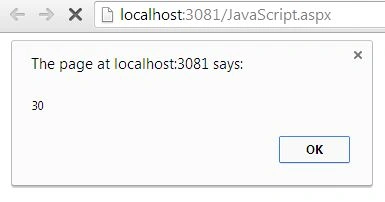
Output
Another style to define a function.
This is another style to define a function and the result is absolutely the same in both (the above style and this style).
- <script>
- var Addition = function (num1, num2) {
- this.num1 = num1;
- this.num2 = num2;
- alert(eval(num1) + eval(num2));
- }
- function TestScript() {
- var value = new Addition(10, 20);
- }
- </script>
An obvious question in people's minds is, what is the difference between the two syntaxes? Let's try to understand them.
- function hello() {
- }
- var hello = function () {
- }
The first one is a regularly named function and the second one is a normal variable declaration with an anonymous function attached to it. Since this article is all about objects, we will not delve deeper into this topic. I am planning to present one dedicated article on this with a detailed explanation including an example.
Property of the object is also an object
Let's see how to attach a function object to the property of another object. Here a person is one object and in the next line, we are assigning an anonymous function to the name property of the person object. Hence the name property of the person object is behaving as a function object.
- <%@ Page Language="C#" AutoEventWireup="true" CodeBehind="JavaScript.aspx.cs" Inherits="JavaScript.JavaScript" %>
- <!DOCTYPE html>
- <html xmlns="http://www.w3.org/1999/xhtml">
- <head id="Head1" runat="server">
- <title></title>
- <script>
- var person = {};
- person.name = function (name1) {
- alert("I am " + name1);
- }
- function TestScript() {
- person.name("sourav kayal");
- }
- </script>
- </head>
- <body onload="TestScript();">
- <form id="form1" runat="server">
- <div>
- </div>
- </form>
- </body>
- </html>
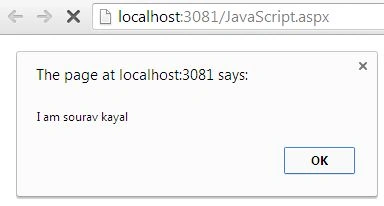
Here is the output of the code above.
Conclusion
In this article, we have understood the concept of objects in JavaScript. I hope you have understood them. In a future series, we will explain various interesting topics of JavaScript.


Mahesh AllePosted Nov 7, 2013, 1:09 AM
Nice explanation and good job. Thanks for posting this one. I have one question, in you code alert(eval(num1) eval(num2)); what is mean by eval and how this will work. Can you tell,