

Introduction
In this article, I will explain advanced operators in Python.
Definition
In Python, advanced operators use symbols that represent some operations that can be performed on data. They are different types of operators in Python. There are:
-
Unary operators
-
Boolean operators
-
Identity operators
-
Membership operator
-
Bitwise operator
Unary operators
-
+ Increment operator
-
- Decrement operator
These operators use only one operand.so it is called the unary operator. We use keywords (+,-) to increase and decrease the value.
|
operators
|
operations
|
|
++x
|
Pre-Increment
|
|
--x
|
Pre-Decrement
|
|
x++
|
Post Increment
|
|
x--
|
Post Decrement
|
Syntax
Variable Unary operators
Example
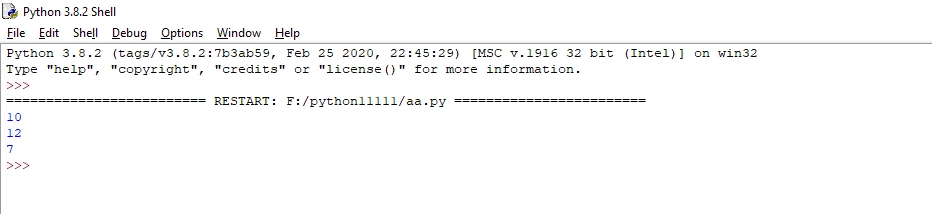
- #Unary operators
- a=10
- print(a)
- a+=2#Increment operator
- print(a)
- a-=5#Decrement operator
- print(a)
Output
Boolean operators
In Python, to find a given statement is true (or) false to this keyword and, or, not are Boolean operators.
There are two types of Boolean operators:
-
True
-
False
Syntax
Variable 1 any operators variable 2
Example
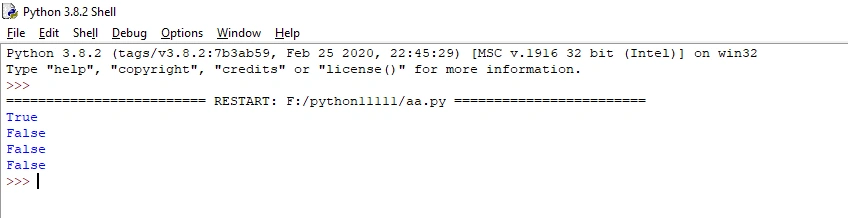
- #Boolean operators
- print (True and True)
- print (True and False)
- print (False and True)
- print (False and False)
Output
Identity operators
In Python, identity operators are used to compare and see if two objects are the same object (or) a different object with the same memory. The using keywords (is, is not) are used to compare two objects.
|
operators
|
operations
|
|
is
|
Same object
|
|
is not
|
Not object is different
|
Syntax
Variable 1 identity operators variable 2
Example
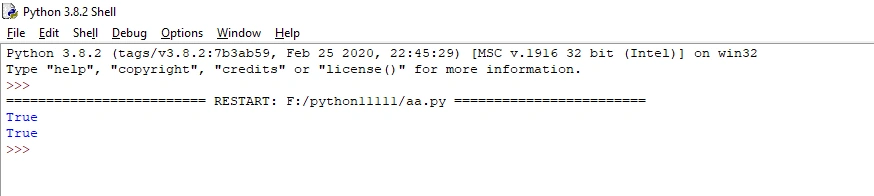
- #Identity operators
- x = ["red", "black"]
- y = ["red", "blue"]
- z = x
- print(x is z)
- # z is the same object as x
- print(x is not y)
- #x is not the same object as y
Output
Membership operator
In Python, membership operators are used to give a statement that is present in the object (or) not. We use the keywords (in, in not) to verify the statement.
|
operators
|
operations
|
|
in
|
Value is present in the object
|
|
in not
|
Value is not present in the object
|
Syntax
variable 1 membership operator variable 2
Example
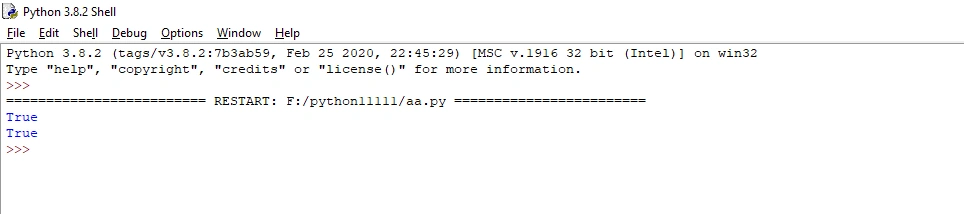
- #Membership operator
- x = ["red", "blue"]
- print("red" in x)
- print("green" not in x)
- #The value "red" is in the list
- #The value "green" is not in the list
Output
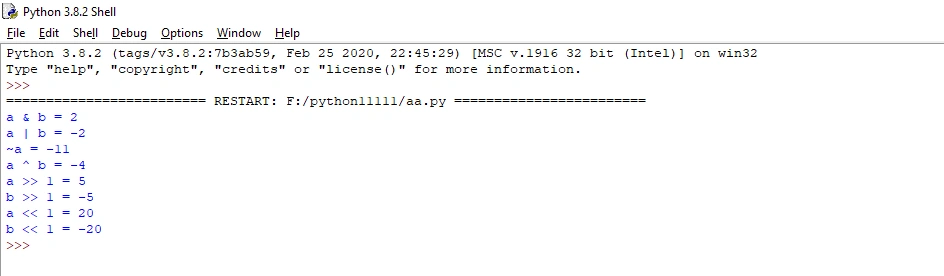
Bitwise operator
In Python, bitwise operators are used to compare binary numbers.
|
operators
|
operations
|
|
&
|
AND
|
|
|
|
OR
|
|
^ |
XOR
|
|
~
|
NOT
|
|
<<
|
Zero fill left shift
|
|
>>
|
Signed right shift
|
Syntax
Variable 1 membership operator variable 2
Example
- #bitwise operator
- a = 10
- b = -10
- #bitwise AND operation
- print("a & b =", a & b)
- #bitwise OR operation
- print("a | b =", a | b)
- #bitwise NOT operation
- print("~a =", ~a)
- #bitwise XOR operation
- print("a ^ b =", a ^ b)
- #bitwise right shift operator
- print("a >> 1 =", a >> 1)
- print("b >> 1 =", b >> 1)
- #bitwise left shift operator
- print("a << 1 =", a << 1)
- print("b << 1 =", b << 1)
Output
Conclusion
In this article, we have seen advanced operators in Python. I hope this article was useful to you. Thanks for reading!
Koshila SenadhiraPosted Dec 1, 2022, 11:22 AM
Interesting Article!