

In a previous article, I have explained some table manipulation functions. Here in this article you will learn the rest of the table manipulation functions.
Below is the list of some advanced functions that are used to manipulate the table and its columns.
Functions and Their Description
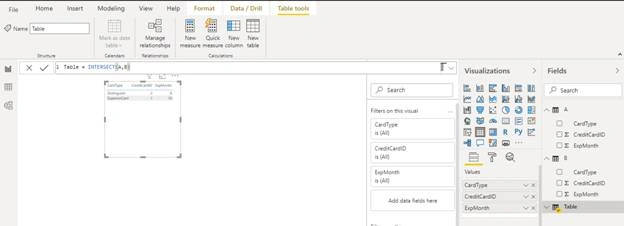
INTERSECT
Returns the rows of left-side table which appear in right side table.
Syntax – INTERSECT (LeftTable, RightTable)
Tables –Any expression that returns table.
NATURALINNERJOIN
Joins the left table with right table using the inner join semantics.
Syntax – NATURALINNERJOIN (LeftTable, RightTable)
Tables –Any expression that returns table.
Note -This function is not supported for use in DirectQuery mode when used in calculated columns or row-level security (RLS) rules.
NATURALLEFTOUTERJOIN
Joins the left table with right table using the left inner join semantics.
Syntax – NATURALOUTERJOIN (LeftTable, RightTable)
Tables – Any expression that returns table.
Note -This function is not supported for use in DirectQuery mode when used in calculated columns or row-level security (RLS) rules.
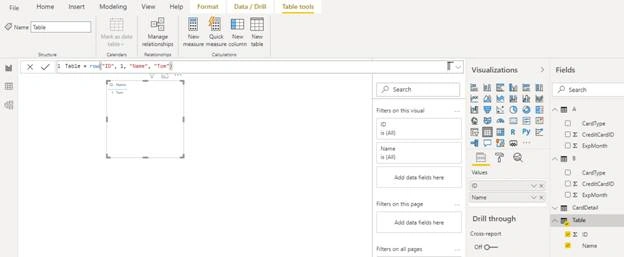
ROW
Returns a single row table with new column specified by the DAX expressions.
Syntax – ROW (Name1, Expression1, …)
Name1 – Column name in double quotes
Expression – Any expression that returns a scalar value.
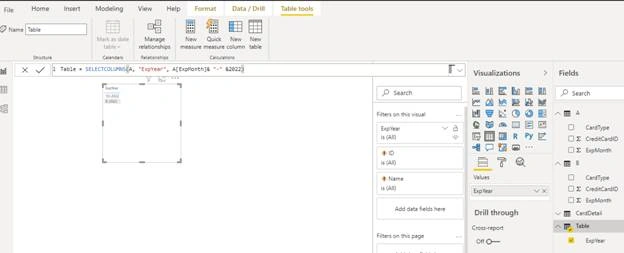
SELECTCOLUMNS
Returns a table with selected columns from the table and new columns specified by the DAX expression.
Syntax –SELECTCOLUMNS (Table, Name1, Expression1, …)
Table – Any expression that returns a table.
Name1 – Name of column in double quote.
Expression1 – Any expression that returns scalar value.
TOPN
Returns a given number of top rows according to a specified expression.
Syntax – TOPN (N_Value, Table, [Orderby_Expression1], [order1], …)
N_Value– The number of rows to return
Table – Any DAX expression that returns a table of data from where to extract the top 'n' rows.
Orderby_Expression1 – Any DAX expression where the result value is used to sort the table and it is evaluated for each row of table.
order1 – It is optional. It can 0 or 1. 0 means false or sorts in descending order. 1 means true or ranks in ascending order.
TREATAS
Treats the columns of the input table as columns from other tables. For each column, filters out any value that are not present in its respective output column.
Syntax – TREATAS (Expression, ColumnName1, …)
Expression –An expression that results in a table.
ColumnName - One or more existing columns.
Introduction of Other Functions
These functions perform UNIQUE actions that cannot be defined in any of DAX functions categories.
Functions and Their Description
BLANK
Returns a blank.
Syntax – BLANK()
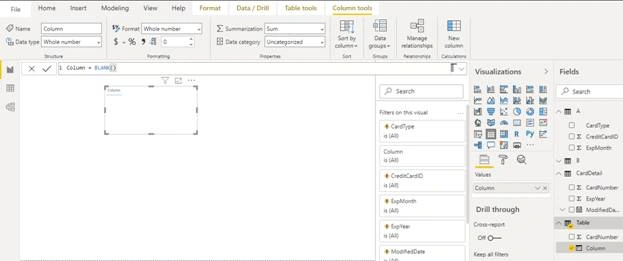
Note -Blanks are not equivalent to nulls. Blanks and empty strings ("") are not always equivalent
ERROR
Raises a user specified error.
Syntax – ERROR (ErrorText)
ErrorText–A text string containing an error message.
Note
- The ERROR function can be placed in a DAX expression anywhere a scalar value is expected.
- This function is not supported for use in DirectQuery mode when used in calculated columns or row-level security (RLS) rules.
Join the conversation! Your thoughts help the community grow.