
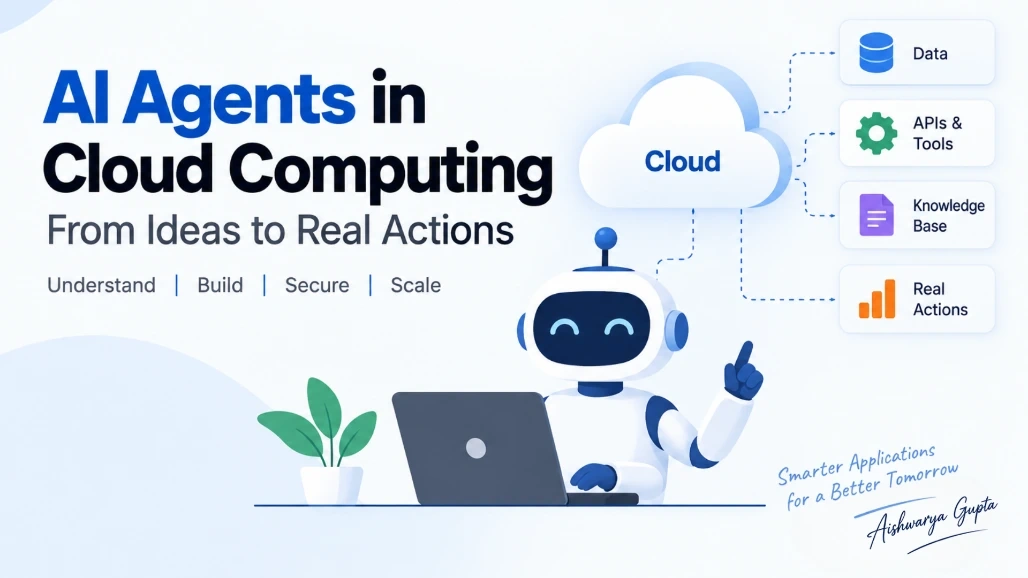
Artificial intelligence is changing the way applications are built. Earlier, most cloud applications followed predefined instructions: a user sent a request, the application processed it using fixed business logic, and the system returned a result.

AI agents introduce a different approach.

An AI agent can understand a goal, reason about the task, use available tools, retrieve information, and take actions to complete the task. When these capabilities are combined with cloud computing, developers can build applications that are more flexible and capable of handling complex workflows.

For example, instead of building a customer-support application that only responds to predefined questions, a cloud-based AI agent could understand a customer's problem, search the knowledge base, check an order, determine the appropriate action, and create a support ticket when necessary.

This article explains what AI agents are, how they work in cloud environments, how single-agent and multi-agent architectures differ, where cloud services fit into the architecture, and what developers should consider when building AI-agent applications.

What Is an AI Agent?

An AI agent is a software system that can work toward a specific goal by understanding information, making decisions, using tools, and taking actions.

A traditional application generally follows predefined instructions:

User Input
    ↓
Application Logic
    ↓
Database
    ↓
Response

An AI agent can work more dynamically:

User Goal
    ↓
AI Agent
    ↓
Understand the task
    ↓
Plan the steps
    ↓
Use tools
    ↓
Check the results
    ↓
Take action
    ↓
Return the result

The important difference is that an agent is not limited to producing text.

It can potentially interact with other systems through APIs and tools.

For example, a travel-planning agent could:

  1. Understand the user's destination and preferences.

  2. Search available flights.

  3. Check hotel options.

  4. Compare prices.

  5. Create an itinerary.

  6. Ask for confirmation before making a booking.

The agent is essentially acting as a layer of intelligence between the user and the underlying cloud services.

AI Agent vs Traditional Chatbot

AI agents and chatbots are related, but they are not the same thing.

A traditional chatbot might work like this:

User:
"What is your return policy?"

Chatbot:
"Our return period is 30 days."

The response may come directly from a predefined answer or a knowledge base.

An AI agent can go further.

Suppose a customer asks:

"I ordered a laptop last week. Can I return it, and when will I get my refund?"

An AI agent could:

Customer Message
       ↓
Understand request
       ↓
Check order system
       ↓
Find purchase date
       ↓
Check return policy
       ↓
Determine eligibility
       ↓
Check refund status
       ↓
Generate response

The agent is not simply answering a question. It is using multiple sources and tools to complete a task.

This is one reason AI agents are becoming useful for enterprise applications.

How AI Agents Work in the Cloud

Cloud platforms provide the infrastructure and services required to run AI agents.

A typical architecture can look like this:

                    User
                     |
                     ↓
              Web / Mobile App
                     |
                     ↓
                  API Layer
                     |
                     ↓
                AI Agent
          /          |          \
         /           |           \
        ↓            ↓            ↓
   AI Model      Knowledge      Tools
                 Base           / APIs
        |            |             |
        ↓            ↓             ↓
   Reasoning     Documents     Business Systems
                                  |
                                  ↓
                              Database

Each component has a different responsibility.

AI Model

The AI model provides the reasoning and language capabilities.

It helps the agent understand:

  • User requests

  • Documents

  • Instructions

  • Tool results

  • Previous conversation context

Knowledge Base

The agent may need information that is not contained in its model.

For example:

  • Company policies

  • Product documentation

  • Customer records

  • Technical manuals

  • Internal procedures

This information can be retrieved from databases, object storage, search systems, or vector databases.

Tools

Tools allow an agent to interact with external systems.

Examples include:

  • REST APIs

  • Databases

  • Search engines

  • Email systems

  • Payment systems

  • CRM platforms

  • Ticketing systems

  • Cloud services

Cloud Infrastructure

The cloud provides the infrastructure required to run the application.

Depending on the architecture, this could include:

  • Compute

  • Containers

  • Serverless functions

  • Databases

  • Object storage

  • Networking

  • Identity services

  • Monitoring

  • Logging

The AI agent sits on top of these services and coordinates them to accomplish a task.

A Simple AI Agent Example

Let's consider an online store.

A customer sends this request:

"Please check my order and tell me if it will arrive tomorrow."

A simple AI agent could follow these steps:

1. Understand the request
        ↓
2. Identify the order
        ↓
3. Call Order API
        ↓
4. Get shipping information
        ↓
5. Call Delivery API
        ↓
6. Check expected delivery date
        ↓
7. Generate response

The application might have a tool called:

getOrderDetails()

and another:

getDeliveryStatus()

The agent decides when it needs these tools.

For example:

User Request
     ↓
AI Agent
     ↓
Need order information?
     ↓
Yes
     ↓
getOrderDetails()
     ↓
Need delivery information?
     ↓
Yes
     ↓
getDeliveryStatus()
     ↓
Generate answer

The developer does not need to hard-code every possible sentence the customer might use.

Instead, the agent can interpret the request and select the appropriate tools.

What Is Tool Calling?

Tool calling is one of the most important concepts when building AI agents.

A tool is simply a controlled function or API that the AI agent can use.

For example:

getCustomerDetails(customerId)

or:

createSupportTicket(title, description)

The AI model can determine that it needs a tool, but the actual application executes the function.

A simplified flow looks like this:

User
 ↓
AI Agent
 ↓
"I need customer information"
 ↓
Tool Call
 ↓
Customer API
 ↓
Customer Data
 ↓
AI Agent
 ↓
Final Response

This allows an AI application to interact with real systems instead of only generating text.

Why Cloud Computing Is Important for AI Agents

AI agents often need more than an AI model.

A production agent may need:

  • Compute resources

  • Databases

  • Storage

  • APIs

  • Authentication

  • Networking

  • Monitoring

  • Queues

  • Event processing

  • Security controls

Cloud platforms provide these building blocks.

For example, a production application might use:

Frontend
   ↓
API Gateway
   ↓
Container / Serverless Application
   ↓
AI Agent
   ↓
Foundation Model
   ↓
Tools and APIs
   ↓
Databases / Storage

The cloud makes it easier to scale these components independently.

If thousands of users start using the application, the compute layer can scale without necessarily redesigning the entire system.

Single-Agent Architecture

A single-agent architecture uses one main agent to handle the task.

For example:

                 User
                   |
                   ↓
              AI Agent
          /      |      \
         ↓       ↓       ↓
      Search   Database  API

This architecture is easier to understand and is often a good starting point.

Example

A company's internal HR assistant could use one agent to:

  • Search HR policies

  • Answer employee questions

  • Check leave balances

  • Create HR requests

For a relatively small workflow, one agent may be enough.

Multi-Agent Architecture

Some problems are too large for one agent.

A multi-agent architecture divides the work between specialized agents.

For example:

                  Main Agent
                      |
       -------------------------------
       |              |              |
       ↓              ↓              ↓
 Research Agent   Data Agent    Support Agent
       |              |              |
       ↓              ↓              ↓
 Web/Search       Database       Ticket System

Each agent has a specific responsibility.

Example: E-commerce Assistant

Imagine an AI assistant that handles a complicated customer request.

The main agent could delegate tasks:

Customer
   ↓
Main Agent
   |
   ├── Order Agent
   |      └── Check order
   |
   ├── Product Agent
   |      └── Find replacement
   |
   └── Support Agent
          └── Create support ticket

The results can then be combined into a single response.

This approach can make complex systems easier to organize, but it also introduces additional complexity.

AI Agents and Workflow Orchestration

One important design principle is that AI agents should not necessarily control everything.

AI is good at handling uncertain or language-heavy tasks.

Traditional software is better at enforcing strict rules.

For example, imagine a banking application.

An AI agent might analyze a customer's request and recommend:

"Customer appears eligible for the requested service."

But the final decision can still go through deterministic application logic:

AI Recommendation
       ↓
Business Rules
       ↓
Security Checks
       ↓
Compliance Checks
       ↓
Approved / Rejected / Human Review

This is a safer architecture than allowing an AI model to directly perform a critical operation.

For example, an AI agent could recommend issuing a refund, while traditional application code checks:

if orderIsEligible
    and refundAmount <= allowedLimit
    and paymentIsValid
then
    approveRefund
else
    sendForReview

The AI handles the reasoning.

The application controls the rules.

Human-in-the-Loop AI Agents

Some tasks should not be completely automated.

A human-in-the-loop design allows the application to ask a person for approval when necessary.

For example:

AI Agent
   ↓
Analyze request
   ↓
Prepare action
   ↓
Risk check
   ↓
Is approval required?
   ├── No → Execute
   |
   └── Yes
        ↓
    Human Review
        ↓
     Approved?
      /     \
    Yes      No
    ↓         ↓
 Execute    Reject

This is particularly useful for:

  • Financial transactions

  • Account changes

  • Legal workflows

  • Sensitive customer operations

  • Security incidents

  • High-value purchases

It provides a balance between automation and human control.

AI Agents and RAG

AI agents often need access to current or private information.

Retrieval-Augmented Generation, commonly called RAG, can help with this.

Instead of expecting the AI model to know everything, the application retrieves relevant information from an external knowledge source.

For example:

User Question
      ↓
AI Agent
      ↓
Search Knowledge Base
      ↓
Relevant Documents
      ↓
AI Model
      ↓
Answer

Suppose a company has 10,000 internal documents.

An employee asks:

"What is the company's current remote-work policy?"

The agent can search the company's documents, retrieve the relevant policy, and use that information to generate the answer.

This is more practical than expecting the AI model to contain every internal company document.

AI Agent Memory

Agents may also need some form of memory.

There are two common ideas.

Short-Term Memory

This is information from the current interaction.

For example:

User:
"I want a laptop."

Agent:
"What budget?"

User:
"Under $1,000."

Agent:
"Do you prefer Windows or macOS?"

The agent needs to remember that the budget is $1,000 while continuing the conversation.

Long-Term Memory

Some applications may need to retain information across sessions.

For example, a customer-support system could remember:

  • Previous support requests

  • Customer preferences

  • Important account information

However, developers should be careful about what information is stored and how it is protected.

Memory should not become an excuse to store unnecessary personal or sensitive data.

Security Challenges in AI Agents

AI agents introduce security concerns that traditional applications may not have.

The biggest issue is that an agent may have access to tools capable of performing real actions.

Imagine an agent has access to:

Read Database
Send Email
Create Order
Issue Refund
Delete Account

Giving an AI unrestricted access to all these tools would be risky.

Use Least Privilege

An agent should only have access to the tools it actually needs.

For example:

Support Agent
    ↓
Read Customer Data
    ↓
Create Ticket

It probably should not have:

Delete Customer Account
Issue Unlimited Refund
Modify Database Schema

Access should be controlled using proper authentication and authorization mechanisms.

Validate Tool Inputs

Never assume that an AI-generated parameter is safe.

For example:

deleteUser(userId)

should not execute simply because an AI agent requested it.

The application should validate:

  • User identity

  • Permissions

  • Input format

  • Business rules

  • Risk level

AI output should be treated as input to the application, not automatically trusted.

Monitoring AI Agents

Traditional application monitoring usually focuses on things such as:

  • CPU usage

  • Memory

  • Response time

  • Error rate

  • Database performance

AI agents require additional monitoring.

Developers may also need to track:

  • Model latency

  • Token usage

  • Tool calls

  • Failed tool calls

  • Agent steps

  • Model errors

  • Unexpected behavior

  • Cost per request

For example:

Request
   ↓
Agent
   ↓
Model Call
   ↓
Search
   ↓
Database API
   ↓
Second Model Call
   ↓
Final Response

If a request suddenly starts making 20 tool calls instead of 3, monitoring should help identify the problem.

Observability becomes especially important when agents are operating in production.

Managing the Cost of AI Agents

AI agents can become expensive because one user request may trigger multiple model calls and cloud services.

For example:

1 User Request
     ↓
Model Call #1
     ↓
Search
     ↓
Model Call #2
     ↓
Database
     ↓
Model Call #3
     ↓
Final Response

A traditional application might make one API request.

An agentic application may make several calls before completing the same task.

Therefore, developers should monitor:

  • Number of model calls

  • Input and output tokens

  • Tool usage

  • Compute consumption

  • Database queries

  • Storage

  • Network traffic

Caching, smaller models for simple tasks, better prompts, and efficient workflows can help control costs.

Common Challenges When Building AI Agents

AI agents are powerful, but they are not a magic solution.

1. Incorrect Decisions

An agent can misunderstand a request or choose the wrong tool.

2. Unexpected Tool Usage

An agent may take more steps than expected, increasing latency and cost.

3. Security Risks

Tools connected to databases, payments, emails, or other systems can create serious risks if permissions are poorly designed.

4. Difficult Debugging

Traditional applications usually follow predictable execution paths.

Agentic applications can have more dynamic execution paths.

5. Higher Costs

Multiple model calls and tool interactions can increase the cost of each request.

6. Data Privacy

Agents may process sensitive information, so developers must carefully control data access, storage, and logging.

7. Reliability

AI-generated decisions are probabilistic, while many business operations require predictable behavior.

Because of these challenges, production AI agents need strong engineering around the model rather than relying on the model alone.

Best Practices for Building Cloud-Based AI Agents

A good AI-agent architecture should combine AI capabilities with traditional software engineering.

Start With a Small Problem

Don't begin by creating an agent that controls an entire business process.

Start with one well-defined task.

For example:

Good:
"Find the status of a customer's order."

Too broad:
"Manage everything related to the customer."

Give Agents Limited Tools

Only provide the tools required for the task.

Keep Business Rules Outside the Model

Critical rules should be implemented in application code whenever possible.

Add Human Approval for High-Risk Actions

Require approval for sensitive operations.

Monitor Every Important Step

Record enough information to understand what happened without unnecessarily storing sensitive data.

Control Costs

Track model usage and avoid unnecessary agent loops.

Design for Failure

Every external API can fail.

Your application should handle:

API timeout
Model failure
Invalid response
Database failure
Permission denied
Rate limit

An AI agent is still a software application. It needs normal reliability engineering.

A Practical Cloud AI Agent Architecture

A production-oriented architecture might look like this:

                         User
                           |
                           ↓
                    Web / Mobile App
                           |
                           ↓
                       API Gateway
                           |
                           ↓
                 Agent Application
                           |
              -------------------------
              |           |           |
              ↓           ↓           ↓
          AI Model    Knowledge     Tool Layer
                       Base            |
              |           |       -------------
              |           |       |     |     |
              ↓           ↓       ↓     ↓     ↓
           Reasoning   Vector    CRM   DB    APIs
                       Search
                           |
                           ↓
                     Business Rules
                           |
                    ----------------
                    |              |
                 Automatic      Human Review
                    |
                    ↓
                  Action

The exact services will vary depending on the cloud provider and application requirements, but the architecture follows a useful principle:

AI provides intelligence, while cloud services provide infrastructure and controlled access to real systems.

Where AI Agents Can Be Used

AI agents can be useful in many areas.

Customer Support

Agents can:

  • Understand customer questions

  • Search documentation

  • Check account information

  • Create support tickets

  • Escalate difficult cases

Software Development

Coding agents can:

  • Analyze code

  • Search repositories

  • Suggest changes

  • Run tests

  • Investigate errors

  • Create development tasks

IT Operations

Agents can help with:

  • Log analysis

  • Incident investigation

  • System health checks

  • Alert analysis

  • Troubleshooting

Finance

Agents can assist with:

  • Report analysis

  • Document processing

  • Expense workflows

  • Financial research

High-risk financial actions should still use strong validation and approval controls.

E-Commerce

Agents can help with:

  • Product discovery

  • Order tracking

  • Returns

  • Recommendations

  • Customer support

Data Analysis

Agents can interpret natural-language questions and use approved tools to query datasets and generate explanations.

The Future of AI Agents in Cloud Computing

The future of cloud computing is likely to involve much more than running applications on remote servers.

Cloud platforms are increasingly becoming environments where applications can:

  • Understand natural language

  • Reason about problems

  • Use external tools

  • Process large amounts of data

  • Coordinate multiple agents

  • Automate business workflows

  • Operate across different cloud services

However, the most successful systems will not simply give AI complete control.

A better approach is likely to combine:

AI Reasoning
     +
Traditional Software
     +
Cloud Infrastructure
     +
Security
     +
Observability
     +
Human Oversight

This combination allows organizations to use AI where it provides the most value while keeping important operations predictable and controlled.

What Developers Should Learn

If you are a beginner or intermediate developer interested in cloud and AI agents, you don't need to learn everything at once.

A practical learning path is:

Programming
     ↓
APIs
     ↓
Cloud Fundamentals
     ↓
Databases
     ↓
Cloud Security
     ↓
AI Model APIs
     ↓
RAG
     ↓
Tool Calling
     ↓
AI Agents
     ↓
Multi-Agent Systems
     ↓
Production Monitoring & Cost Management

Start by building a small agent.

For example, create a customer-support agent that can:

  1. Receive a question.

  2. Search a small knowledge base.

  3. Call an order-status API.

  4. Generate an answer.

  5. Escalate the request when necessary.

Once that works, add authentication, monitoring, error handling, and cost controls.

That will teach you much more than simply reading about AI agents.

Summary

AI agents are changing how developers think about cloud applications.

A traditional application usually follows a predefined path, while an AI agent can understand a goal, reason about the problem, use tools, retrieve information, and take actions.

Cloud computing provides the infrastructure needed to make these systems practical. AI models provide reasoning, databases and knowledge bases provide information, APIs provide access to external systems, and cloud services provide compute, storage, networking, security, and monitoring.

For simple applications, a single agent may be enough. More complicated systems can use multiple specialized agents working together. However, adding more agents also adds complexity, cost, and security considerations.

One of the most important design principles is to keep AI and deterministic software working together. Let the AI handle tasks that require reasoning and natural-language understanding, while traditional application code handles strict business rules, permissions, validation, and high-risk operations.

As AI becomes a normal part of cloud applications, developers will increasingly need skills across both areas. Understanding cloud infrastructure alone will not be enough, and knowing how to call an AI model will not be enough either.

The real opportunity is in combining AI agents, cloud services, APIs, data, security, and reliable software engineering to build applications that can do useful work while remaining secure, observable, and controllable.