

Sometimes we need statistical charts to make a good and attractive interface in the application. For that purpose we have amCharts Quick Charts for WPF, Silverlight and Windows Phone. So here is a simple procedure to use these charts.
Step 1
Create an empty project for Windows Phone. After you create it, go to Tools -> NuGet Package Manager -> Package Manager Console.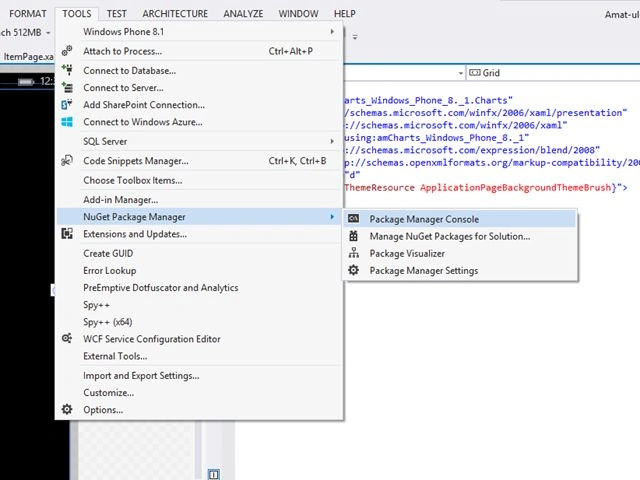
Step 2
Then write this statement in the Package Manager Console after "PM>".
PM> Install-Package amChartsQuickCharts
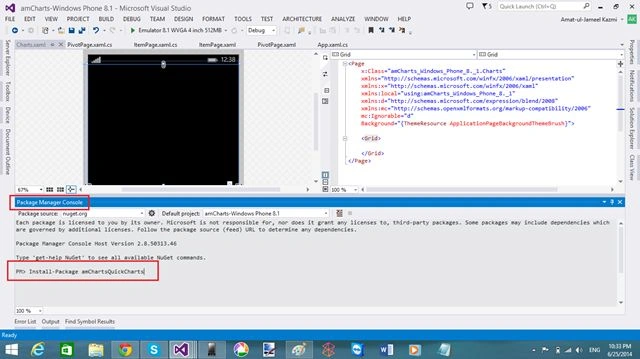
Now you have successfully installed the amCharts references.
Step 3
Now you have successfully installed the amCharts references.
Step 3
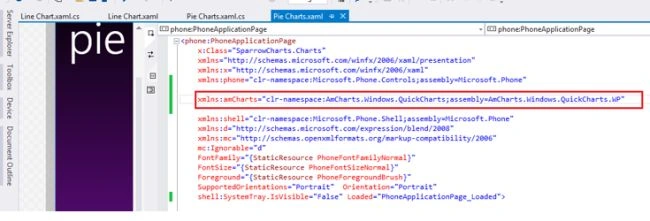
But you need to provide references like this on the page where you want to add charts.
Pie Chart
Step 4
Pie Chart
Step 4
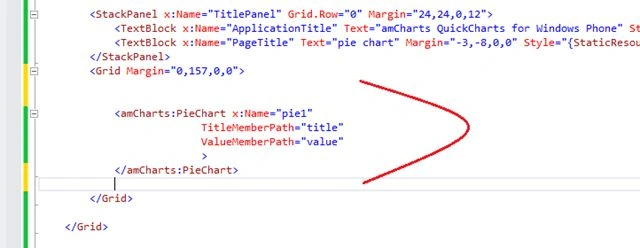
In the MainPage.xaml, provide this code in the <Grid/> tag.
Step 5
Step 5
In the MainPage.xaml.cs, create a class outside the public partial class.
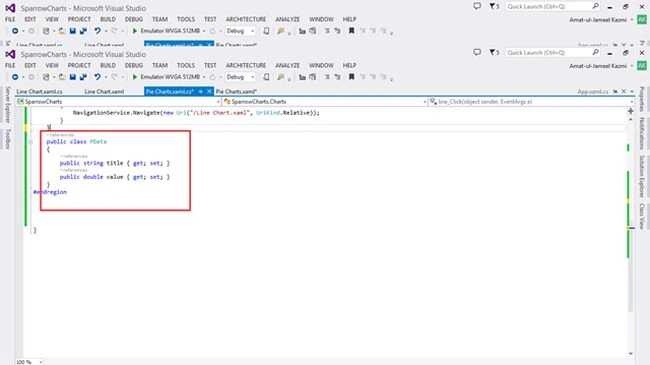
Step 6
Step 6
Now make an Observable Collection<>() inside the public partial class and add these values in it like this.
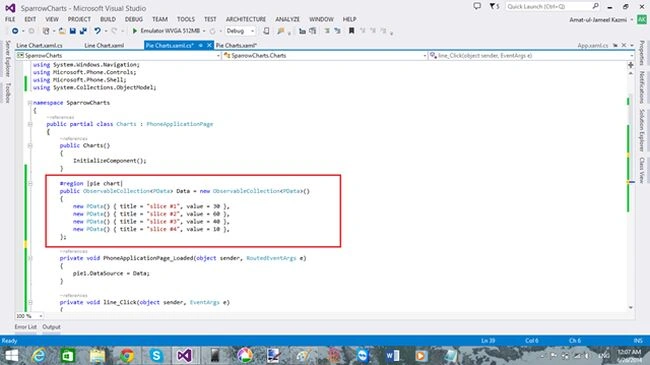
Step 7
Step 7
Then make a Loaded event of the page so that a pie chart can be visible on the page loaded event. You can do it like this.

Line Chart
Step 8
Line Chart
Step 8
Add a new page and add this code to the <Grid/> tag.
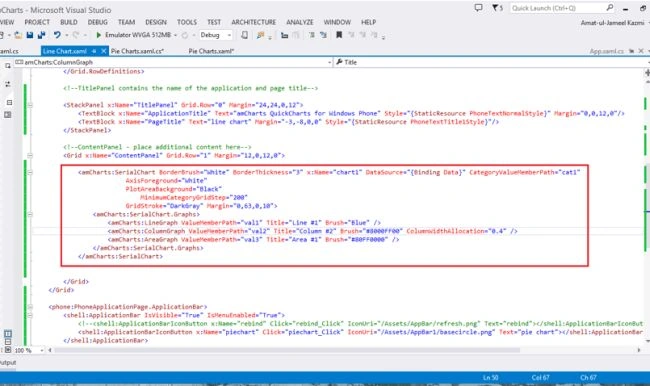
Step 9
Step 9
Now in the code behind, create a test class outside the public partial class.
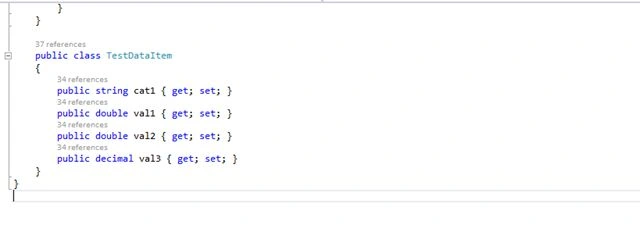
Step 10
Step 10
Like a pie chart, also create an Observable Collection <> () and add this code to it.
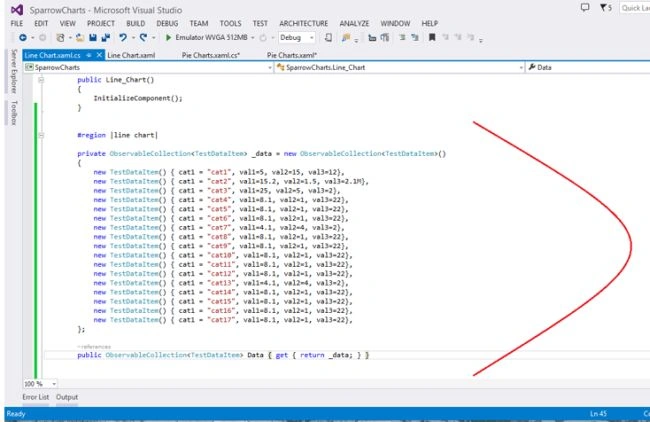
Step 11
Step 11
Now in the page loaded event, write this.

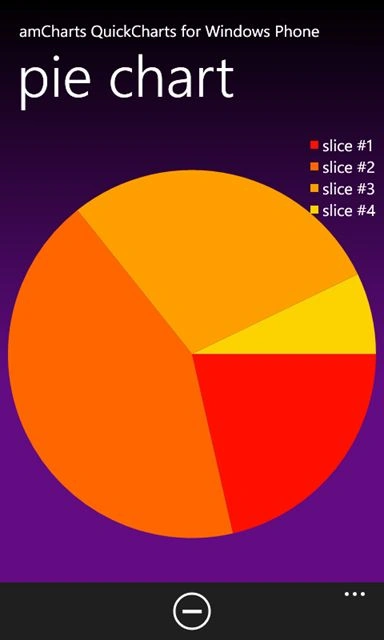
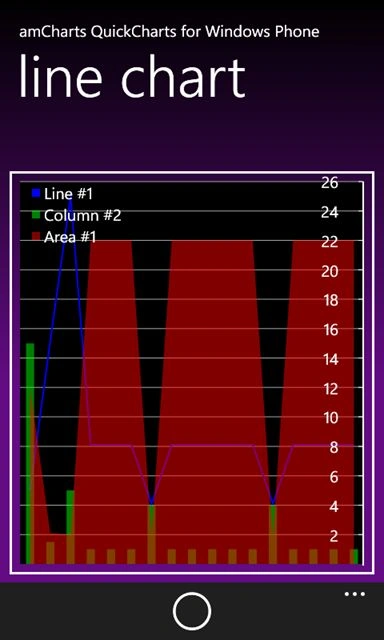
Now You are done with charts. Press CTRL+SHIFT+B (Build) and the press F5 (Run the project).
Now You are done with charts. Press CTRL+SHIFT+B (Build) and the press F5 (Run the project).
Santhakumar MunuswamyPosted Apr 25, 2015, 7:51 AM
Good work
Gowtham RajamanickamPosted Apr 18, 2015, 3:58 AM
good
Dinesh BeniwalPosted Feb 5, 2015, 10:29 AM
Thanks for sharing.
Vithal WadjePosted Feb 3, 2015, 9:45 AM
Nice start ,keep it up
Mahesh ChandPosted Feb 3, 2015, 7:14 AM
Welcome Amat from Pakistan. Nice to see young female students are stepping up and being a part of community.