

An exception is a problem that arises during the execution of a program. We have four keywords: try, catch, finally and throw to handle them.
- try
- catch
- finally
- throw
Problem 1: Write normal try/catch blocks.
Solution
- try
- {
- // Write Your Code
- }
- catch (Exception ex1)
- {
- // Handle Your Exception Here
- }
- finally
- {
- // Finally will execute whether exception occurs or not in code
- // Write your business requirement
- }
Solution
It will give an error as in the following:
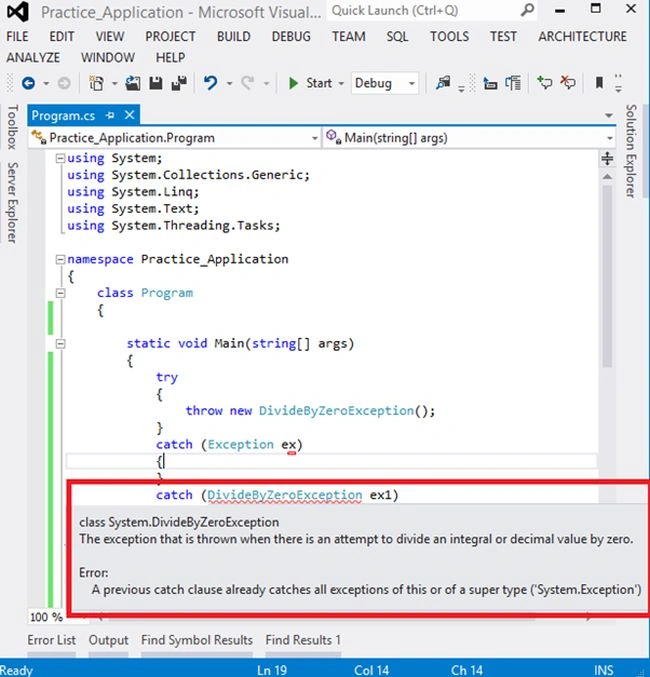
Image 1.
You can write your code as in the following:
- try
- {
- throw new DivideByZeroException();
- }
- catch (DivideByZeroException ex1)
- {
- Console.WriteLine("In DivideByZeroException Catch Block");
- }
- catch (Exception ex)
- {
- Console.WriteLine("In Exception Catch Block");
- }
- finally
- {
- Console.WriteLine("Finally Block");
- }
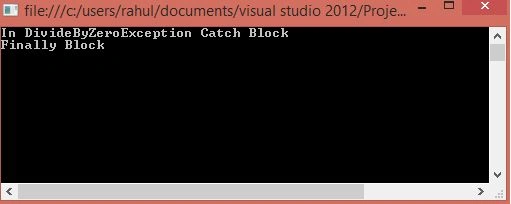
Image 2.
Problem 3: Can we have a try without a catch?
Solution: Yes but in this case I need to use a finally block as in the following:
First if I don't use a finally block then it will give an error:
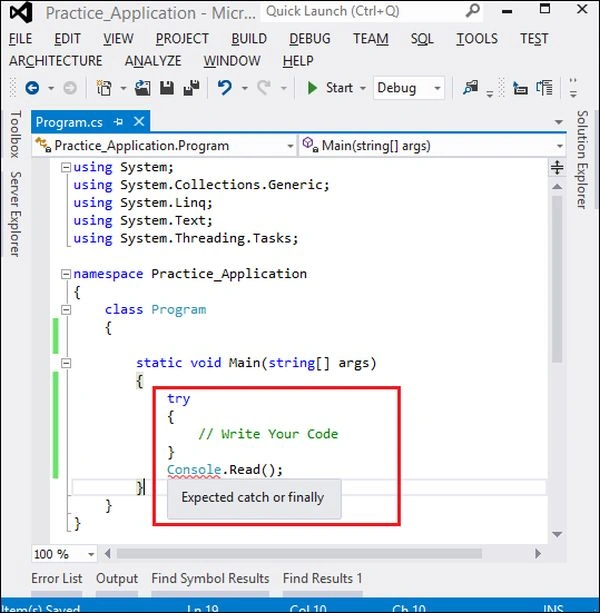
Image 3.
If I use finally then I can use a try without a catch like in the following code:
- try
- {
- // Write Your Code
- Console.WriteLine("In Try Block");
- }
- finally
- {
- // Finally will execute whether exception occurs or not in code
- // Write your business requirement
- Console.WriteLine("In Finally Block");
- }
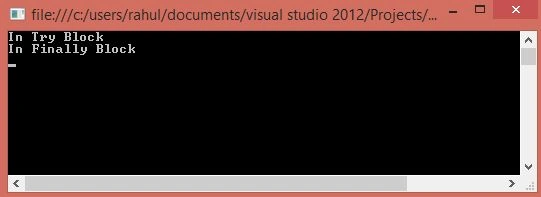
Image 4.
Problem 4: If I write the following code then will the following exception occur:
- try
- {
- Console.WriteLine("In Try Block");
- throw new DivideByZeroException();
- }
- catch (DivideByZeroException ex1)
- {
- Console.WriteLine("In DivideByZeroException Catch Block");
- throw new DivideByZeroException();
- }
- catch (Exception ex)
- {
- Console.WriteLine("In Exception Catch Block");
- throw new DivideByZeroException();
- }
- finally
- {
- Console.WriteLine("Finally Block");
- }
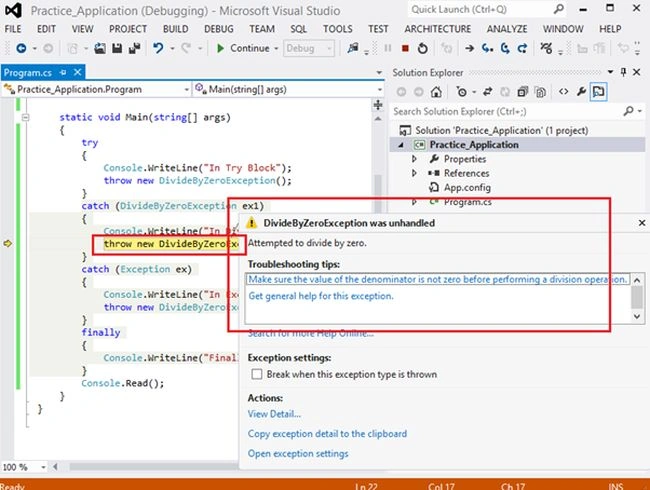
Image 5.
Problem 5: What is the difference between Throw Exception and the Throw Clause.
Solution: See both in the following code:
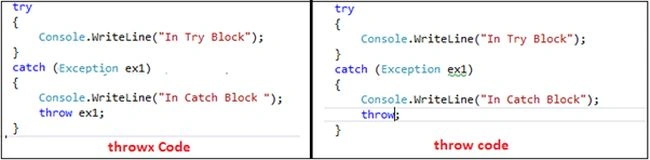
Image 6.
The difference is the Stack Trace Information that gets sent with the exception.
"When you throw an exception using "throw ex" then you override the original stack trace with a new stack trace that starts from the throwing method."
Throw
In Throw, the original exception stack trace will be retained. To keep the original stack trace information, the correct syntax is "throw" without specifying an exception.
Throw ex
In Throw ex, the original stack trace information will be overriden and you will lose the original exception stack trace. In other words "throw ex" resets the stack trace.
Rahul Kumar SaxenaPosted Feb 24, 2015, 8:16 AM
Thanks 2 All .... :)
Rahul Kumar SaxenaPosted Feb 24, 2015, 8:16 AM
Thank u KP singh...
Rahul Kumar SaxenaPosted Feb 24, 2015, 8:16 AM
Thank u Sumit Jolly...
K P Singh ChundawatPosted Dec 29, 2014, 12:48 PM
nice one Rahul Saxena sir ..
Guest UserPosted Dec 25, 2014, 11:55 AM
I liked Problem 5 explanation
Jitendra KumarPosted Dec 25, 2014, 2:04 AM
Good one...thnx.