

Best practices in Software Development is the right way to create good quality software and nowadays the developers/architects/managers are more consciousn of it or should be!
There are many of different tools for measuring the quality of software development, NDepend is one of these tools.
This purpose of this article is to show the analysis done by NDepend and the main focus is on queries and rules, metrics and dependency graphs, but NDepend has more features.
Description
NDepend is a Visual Studio static analyzer: analyze layering, specify design rules, plan refactoring, compare different versions of the code, software metrics, dependency graphs, dependency matrix, declarative code query and more!
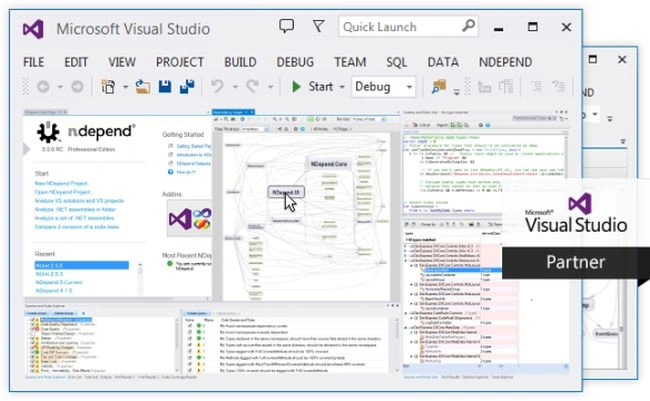
There is a trial version for 14 days, we can get it here and there is a Visual Studio Extension that can be found here.
This tool will analyse the DLL output from the project and at the end it allows showind various metrics, graphics, diagrams and rules. Here are what the analysis by NDepend can tell us:
- Application Metric: This section gives you an idea of the topology of your application.
- Assembly Metric: This section gives you an idea of the size of each assembly within your application in terms of #IL instructions and others metrics.
- VisualNDepend View: This section illustrates the size of your assemblies, namespaces, types and methods in terms of #IL instructions. You can browse this view dynamically by clicking the Launch Visual NDepend on this Project icon in the NDepend.Project UI.
- Assembly Abstracness vs. Instability: This section illustrate the Abstracness/Instability principle explained in the assemblies metrics section.
- Assembly Dependencies: This section shows all the dependencies among the assemblies of your application in a table.
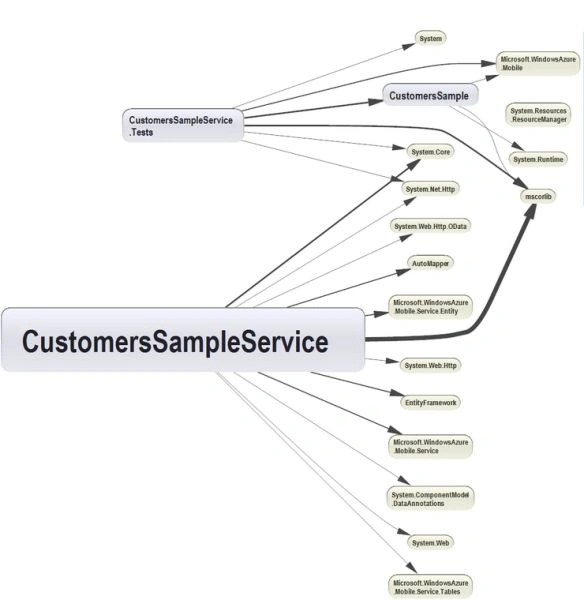
- Assembly Dependency Diagram: This section shows all the dependencies among the assemblies of your application in a diagram
- Assembly build order: This section gives you one of the possible build order for your assemblies. If a cycle exists in your assemblies
dependencies graph, this section will report it.
- NDepend information and warnings: This sections gives you advice about your code:
- It warns you when an assembly depends on a less stable assembly than itself.
- It warns you when the visibility of a type or of a member is not optimal (in the context of the analysed application).
- It warns you when a type or a member is not used (in the context of the analysed application).
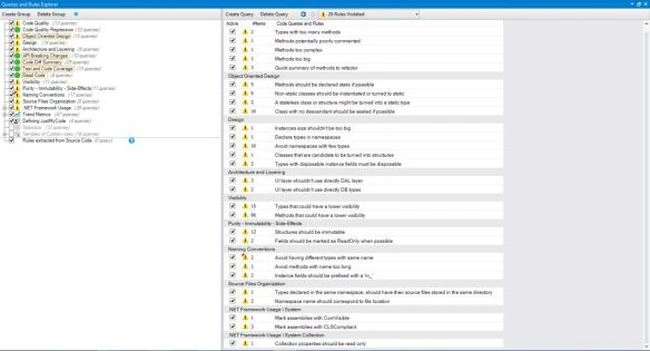
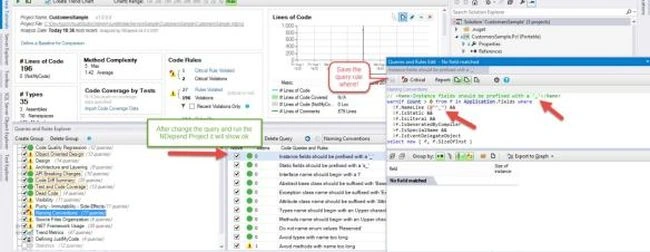
- CQLinq Queries and Rules: This section reports default CQLinq rules that have been violated. More about CQLinq here.
- Type Metrics: This section recaps type metrics in a table. A link to the documentation is provided for each metric.
This article will use an Azure Mobile Service as a demo project, but could be another project type.
After opening the project, we should attach the NDepend project to the Azure Mobile Service project as in the following:
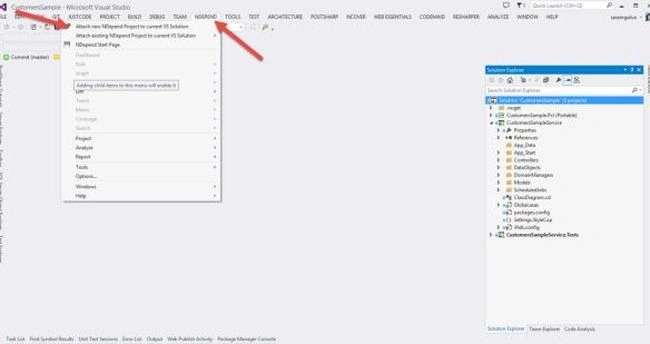
After attaching the project, we can choose the output folder and which DLL we want to analyse as in the following: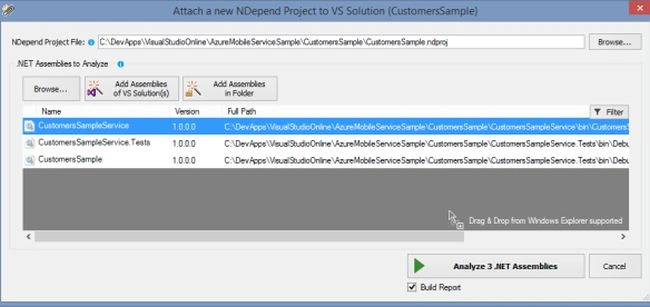
For help understanding each DLL, here is an overview:
- CustomersSample.Service is the DLL output for the project that contains the Azure Mobile Service that will be deploy to the server.
- CustomersSample.Pcl is the DLL that contains the entities that can be used in client apps (like Windows Phone, Windows Store Apps, Xamarin or in Tests.)
- CustomersSample.Tests is the DLL that contains tests for help to understand if the service is working correctly. This project simulates a client app doing requests to the service.
Note: For help in development, the Pcl contains the dtos file from the Service, but these files are “added as linked” and use directives (#if !PCL #else #endif) to change the names and to remove the base class from dtos (each dto is an EntityData).
During the analysis we can see the analysis error list as in the following: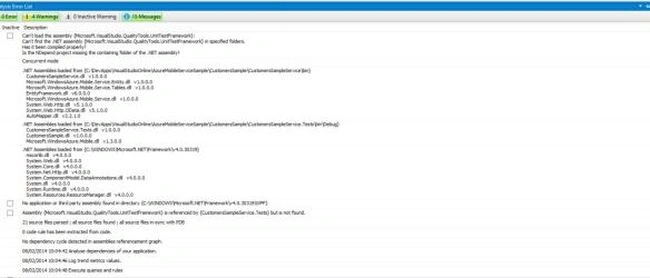
Is a little strange to have this message.
WARNING: No application or third-party assembly found in the directory {C:WINDOWSMicrosoft.NETFrameworkv4.0.30319WPF}.
Because we are analyzing an Azure Mobile Service and there is nothing related to WPF. It makes sense to me for a WPF project but not for this project.
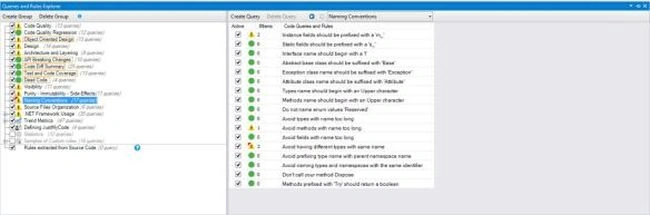
After the analysis, it shows a window that allows choosing what we want to see as in the following: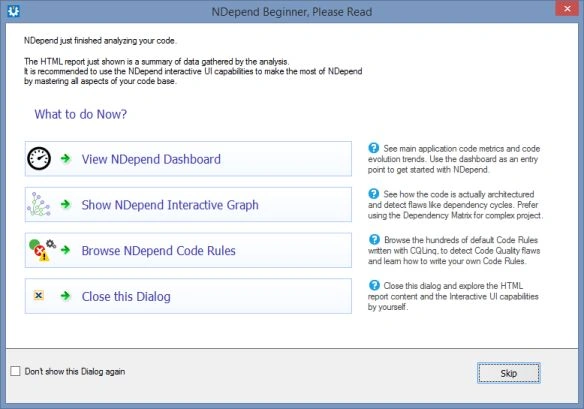
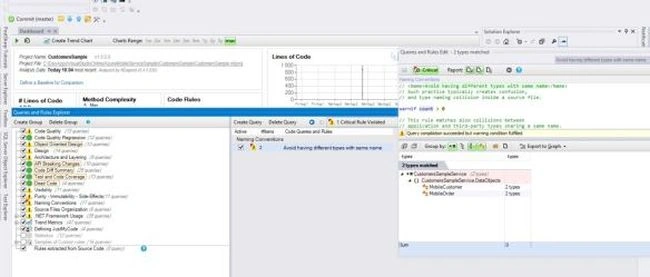
But after this choice we can see the other options, using the Visual Studio menu as in the following: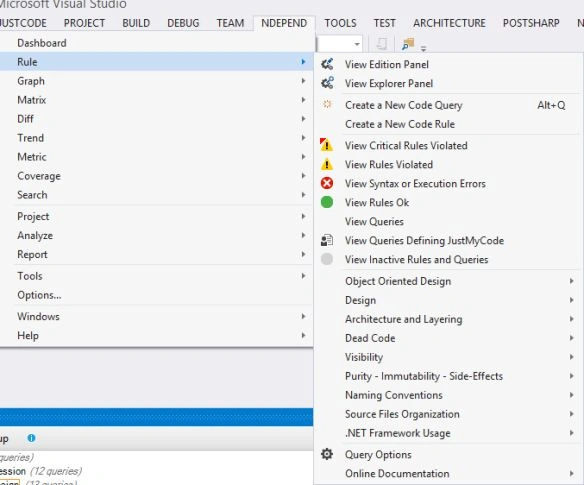
All output can be seen in Visual Studio, but after the analysis, an HTML page will be opened in our default browser that contains an overview about the output.
Yes, there are two ways to see the results, in a browser and in Visual Studio. This is a good thing for managers, for example.
See the output in the project folder, the project look like this: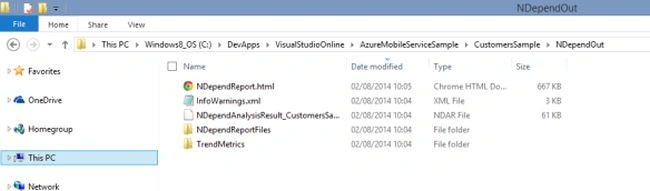
In the browser it looks like: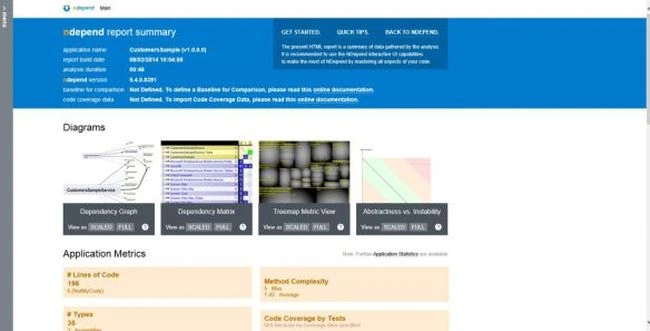
See the output for this demo here.
In Visual Studio, it is recommended to open the dashboard, because it contains an interesting overview.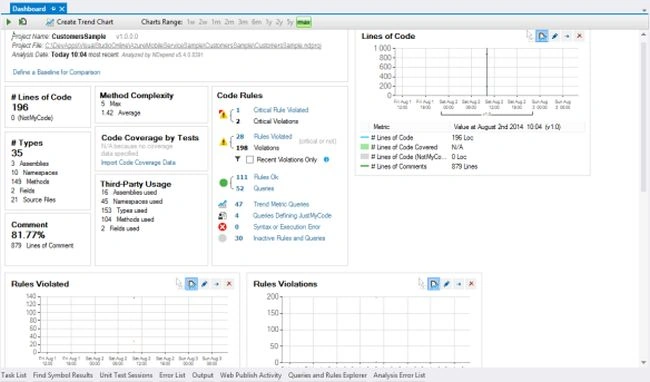
Arun KumarPosted Apr 18, 2016, 1:26 AM
How to implement Ndepend dynamically. ie, I want to test the code statics using ndepend at run time and get the result in list. Code can be dynamic.
SharadPosted Jul 17, 2015, 3:58 AM
good one...
Sara SilvaPosted Aug 7, 2014, 9:59 AM
I am not sure, or it is only available in some proejcts, not in all
Guest UserPosted Aug 7, 2014, 9:54 AM
you mean FxCop is not supported in VS2013, i didn't know this. thanks for this info!
Sara SilvaPosted Aug 7, 2014, 9:31 AM
FxCop dead in VS2013, not? NDepend has a trial version.
Guest UserPosted Aug 7, 2014, 8:49 AM
ok..is it like FxCop, if yes, then what's the advantage of using NDepend over FxCop. Secondly, is NDepend free or paid software.
Sara SilvaPosted Aug 7, 2014, 8:40 AM
is very interesting, and we learn a lot with the errors in the report .D
Guest UserPosted Aug 7, 2014, 8:14 AM
Sara, I've never used NDepend, but I'll try sometime.
Anupam SinghPosted Aug 7, 2014, 4:47 AM
well described. I have heard about it but never use. But will try now. Thanx for sharing :)
Sara SilvaPosted Aug 7, 2014, 4:20 AM
All in the article can be used in the free license.
Akhil MittalPosted Aug 7, 2014, 3:41 AM
I agree.I guess this article is the outcome of the free license offered by NDepend?? I got the mail too for this offer.It's OK if you really liked it, but the category should be different as Sandeep quoted :-).
Sandeep Singh ShekhawatPosted Aug 7, 2014, 12:25 AM
Its not suitable in Article C# category . There should be different category for third party product show case. It should not be featured in C# category because its not open source and its price is too much high. It may be featured in in other category.