

Introduction
Constructor is based on 2D game creation, without using coding. Thus, it is easy for game development, it is similar to the time necessary to make your ideas a reality. Some of the initial concepts, using constructor for game creation are given below.
- It should be very friendly.
- It should contain a lot of export options.
- It should be inexpensive.
- It must be able to make creativity into reality.
Prerequisites
- constructor-2(free edition), it can be downloaded from the link.
- Get license.
- Collect the game object (online-sprite).
Construction
This article concept is based on Rain Effect Using a Construct 2, Click File->New. Open NEW->Default new empty project.
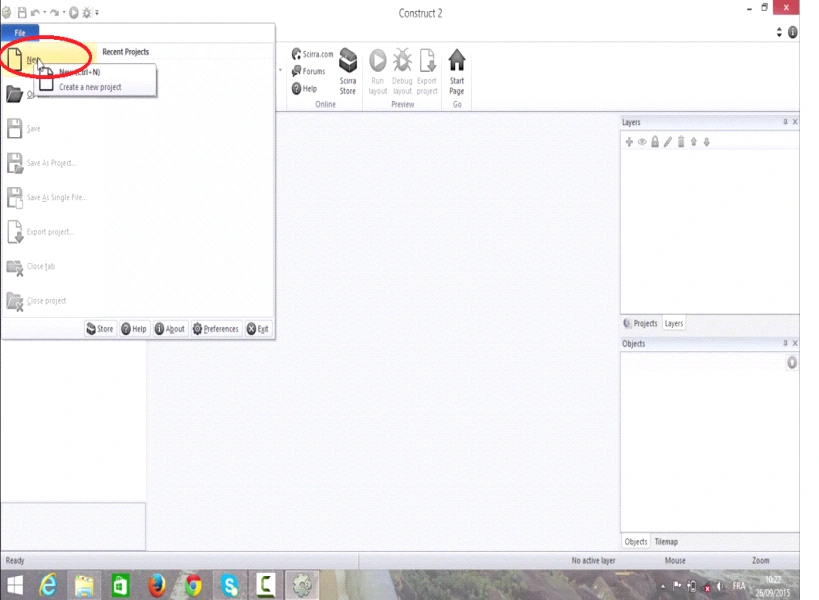
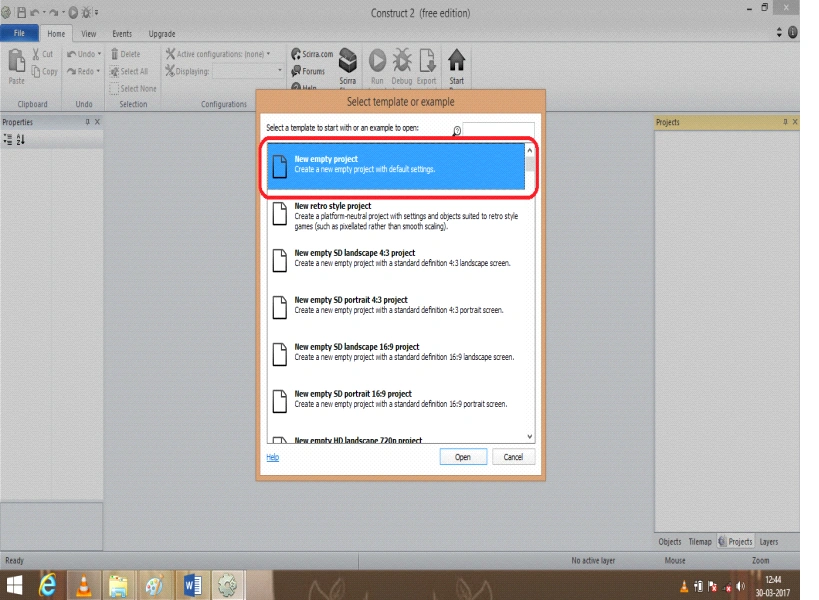
Step 1
An empty layout will be displayed and now we need to change the size of the layout in layout properties and the layout size must be (1000, 600) and a new Event sheet must be again added and named as game event.
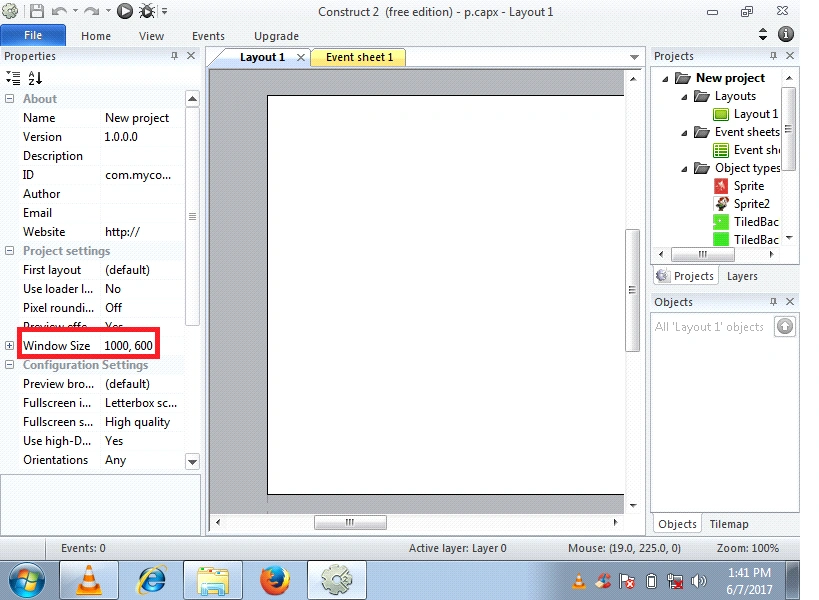
Step 2
We want to open the View->Change the following condition given template,
- Snap to grid (click)
- Show grid (click)
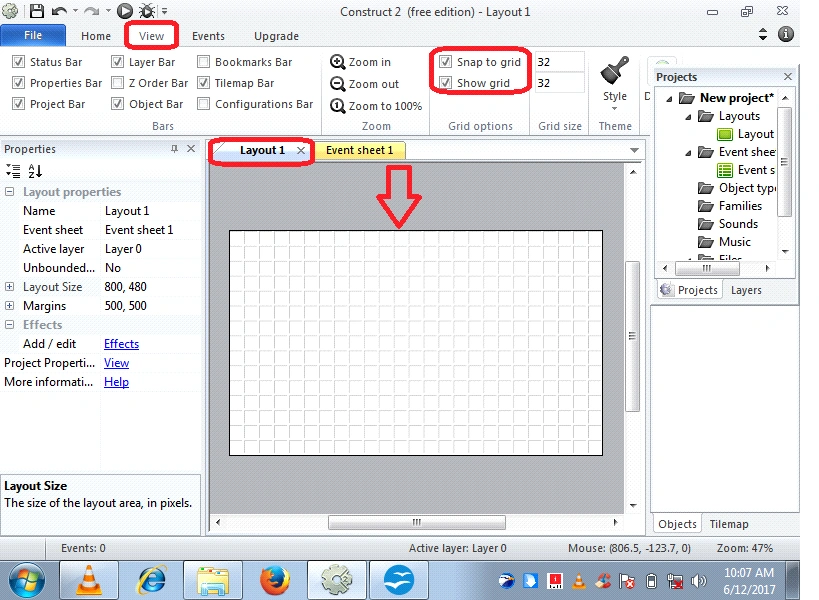
Insert the Particles Object
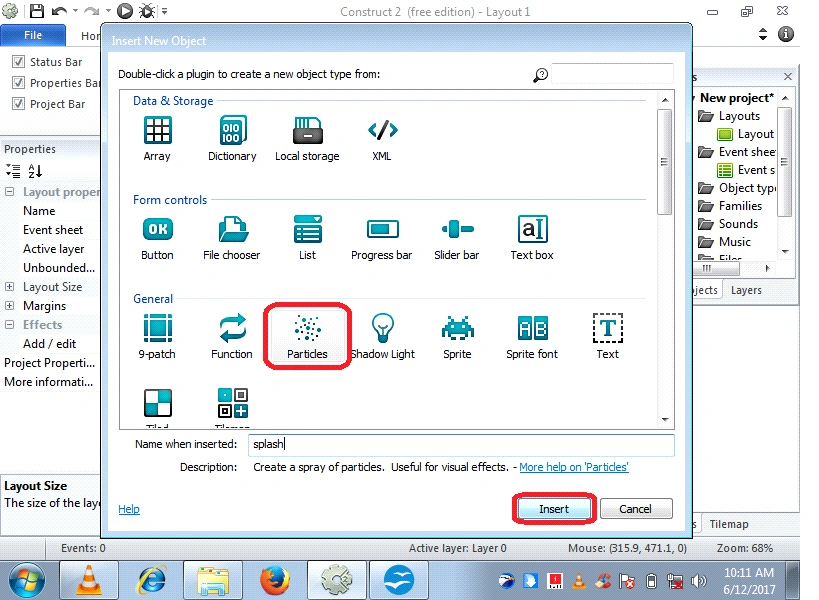
For adding the Particles object, double click->in layout sheet and insert a new object dialog box and now we can select the Particles object.
Step 3
Click Particles Object,
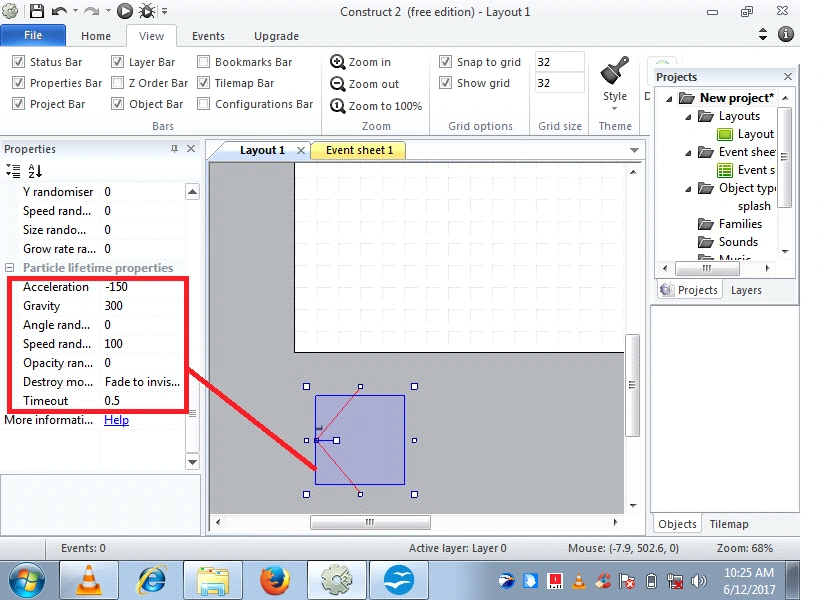
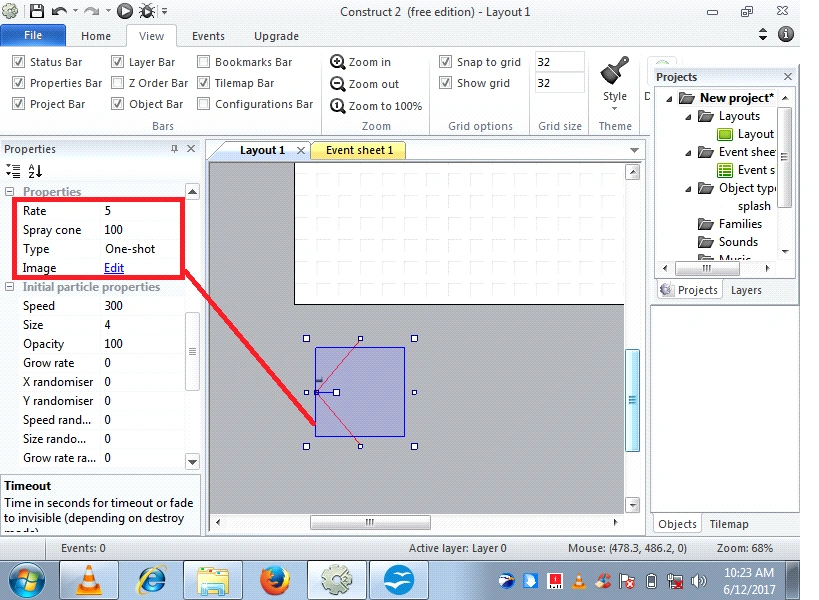
In the left hand side properties window, we need to change the following conditions' Values,
Particle lifetime properties,
- Acceleration
- Gravity
- Angle randomizer
- Speed randomizer
- Timeout
Initial Particles Properties,
- Speed
- Size
- Opacity
Properties
- Rate
- Spray cone
- Type
Insert the Sprite Object
Now again in the same layout sheet we need to insert the Sprite object, double click->in layout sheet and insert a new object dialog box and now we can select the Sprite object.
Assume name in the sprite object (Rain drop),
Click->on the Rain drop Object, left hand side properties window, see that behavior and Add-> Bullet Behavior
Rain drop Object Change
Speed-100
We are given following template see that,
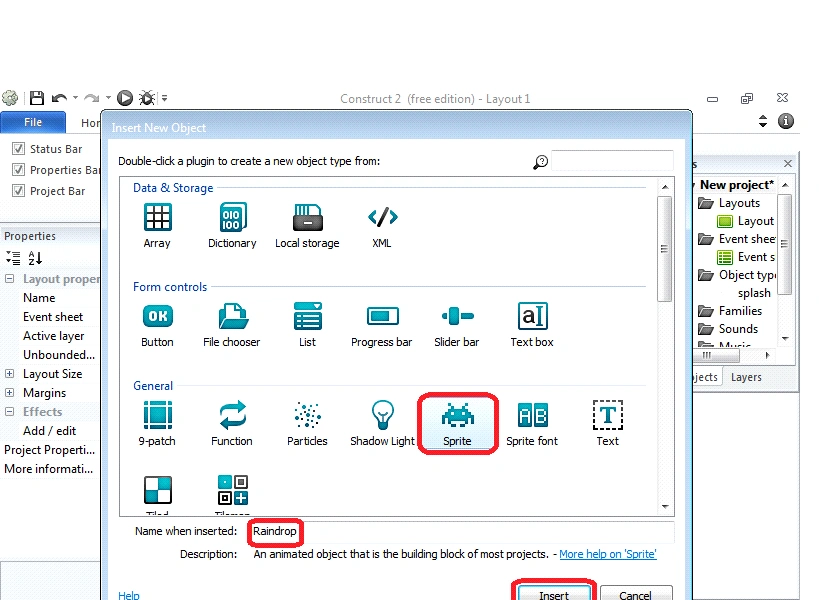
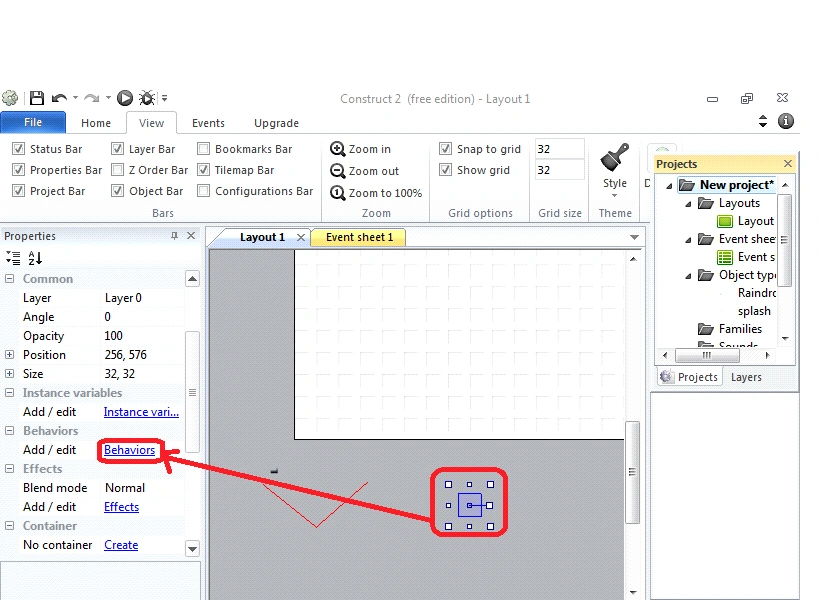
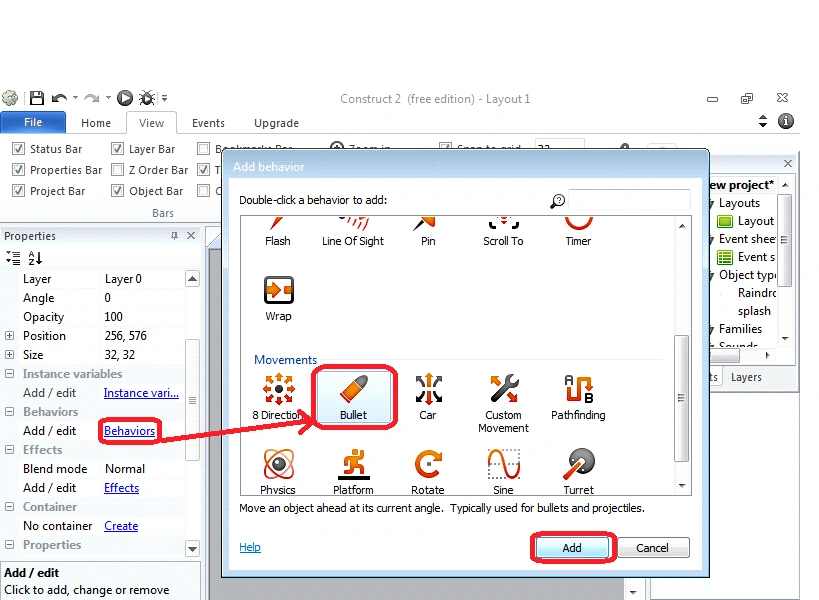
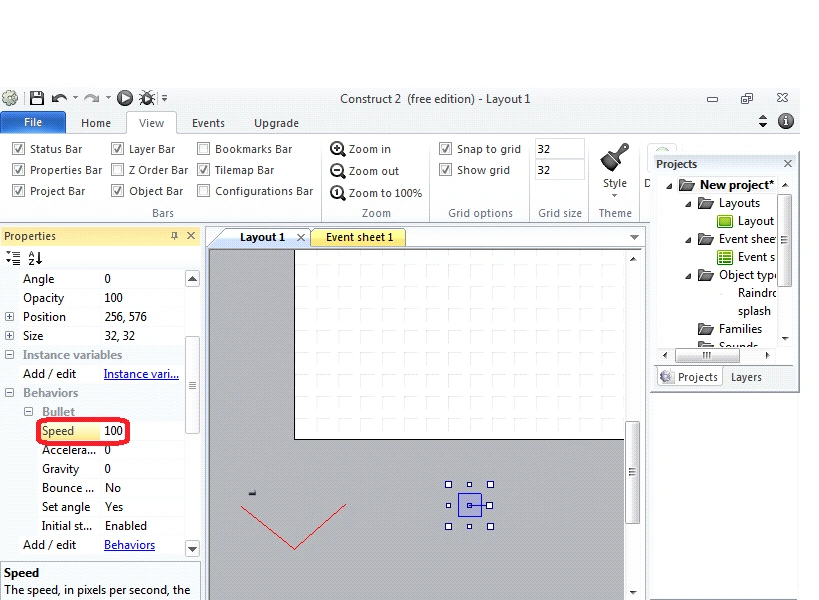
Step 4
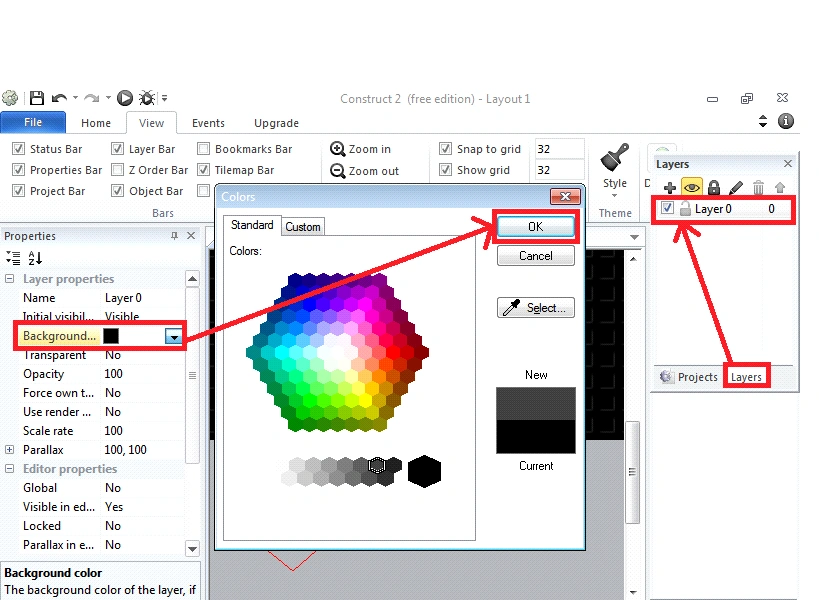
Right hand side, Click on-> Layer window and then Layer Properties Change the background color, After Click->Ok.
Insert Tiled background object
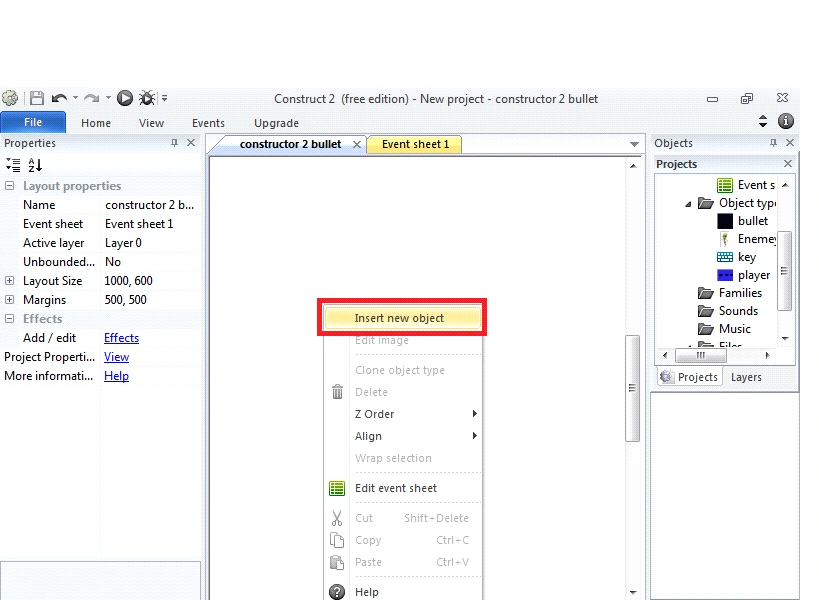
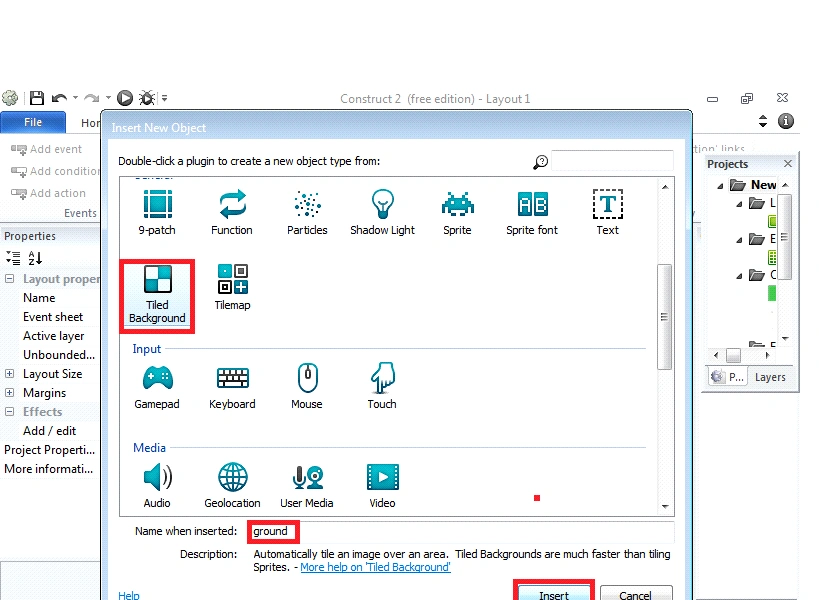
For adding the Tiled background object, double click->in layout sheet and insert a new object dialog box and now we can select the Tiled background object.
Change Tiled background object name (ground).
Step 5
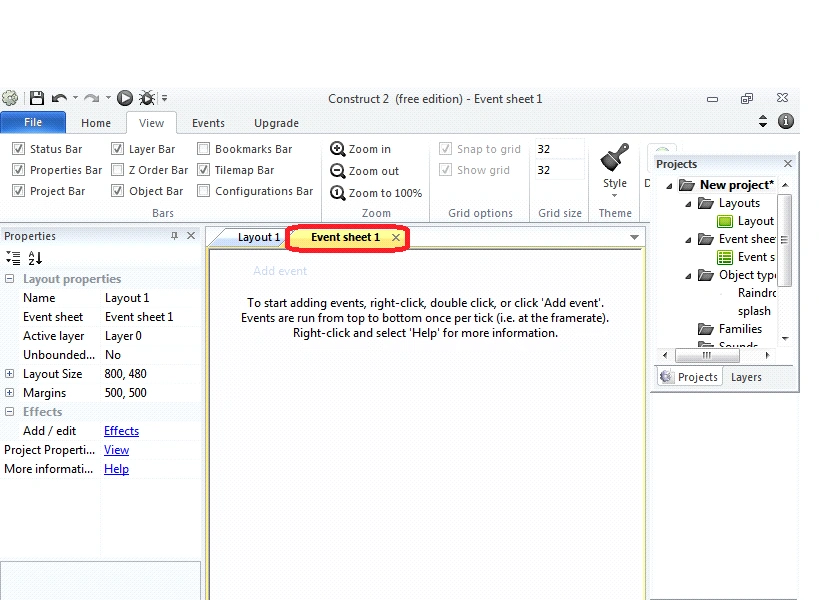
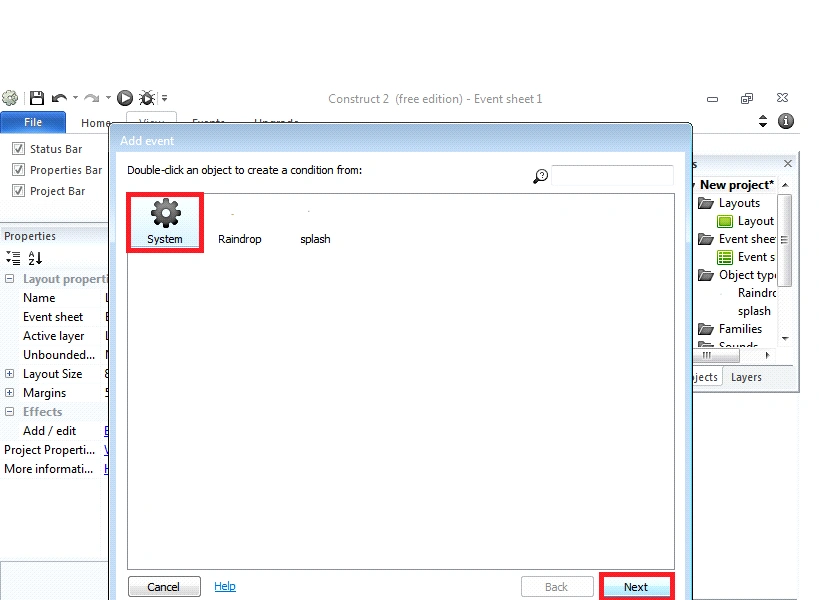
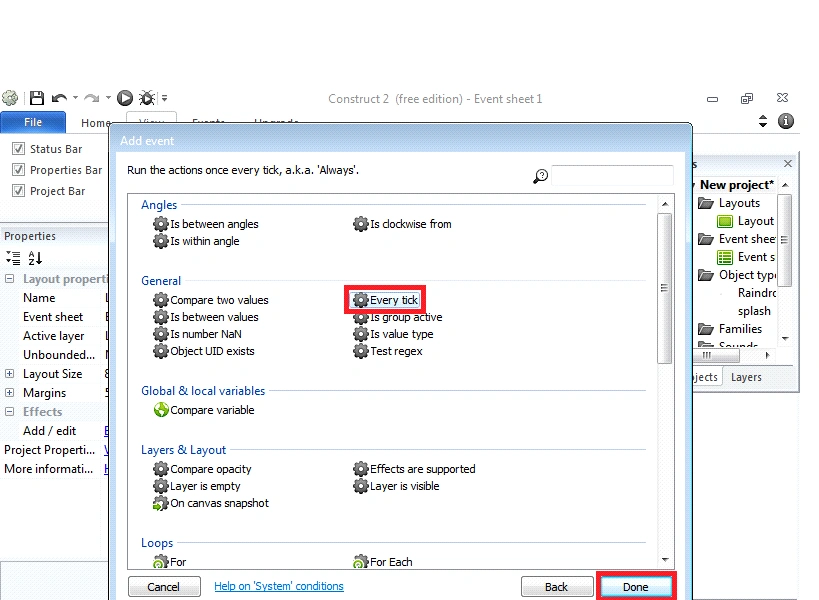
Now, we need to open the event sheets & right-click the Window stage. Now again double click->event sheet and a window box will appear and select.
- System
- Every tick
- Done.
Step 6
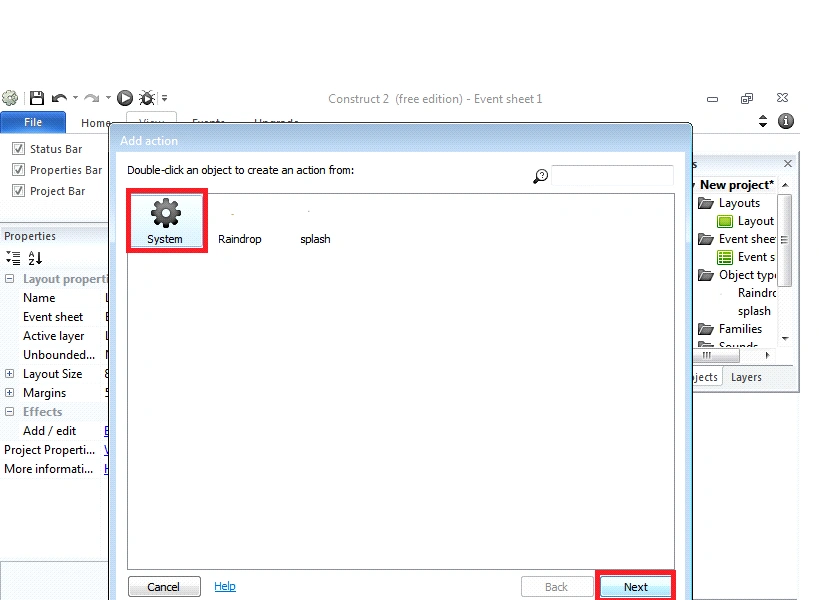
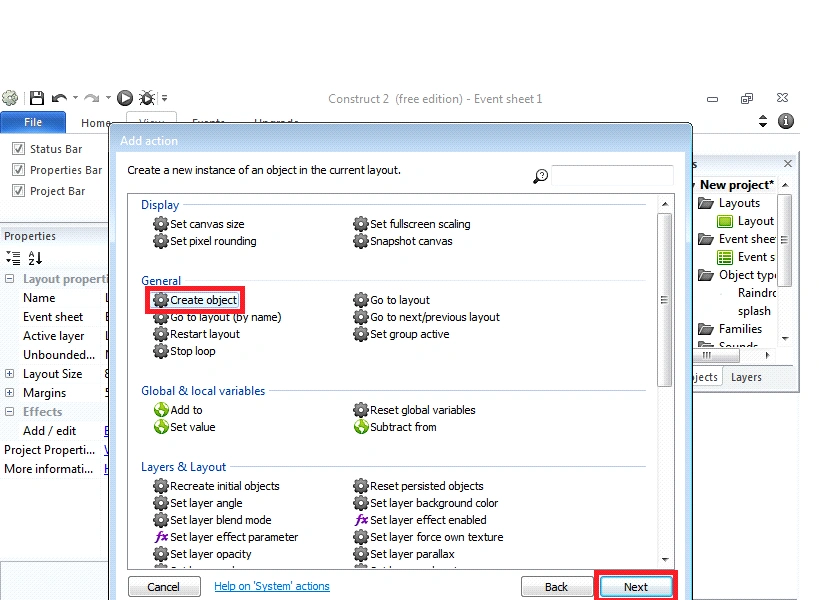
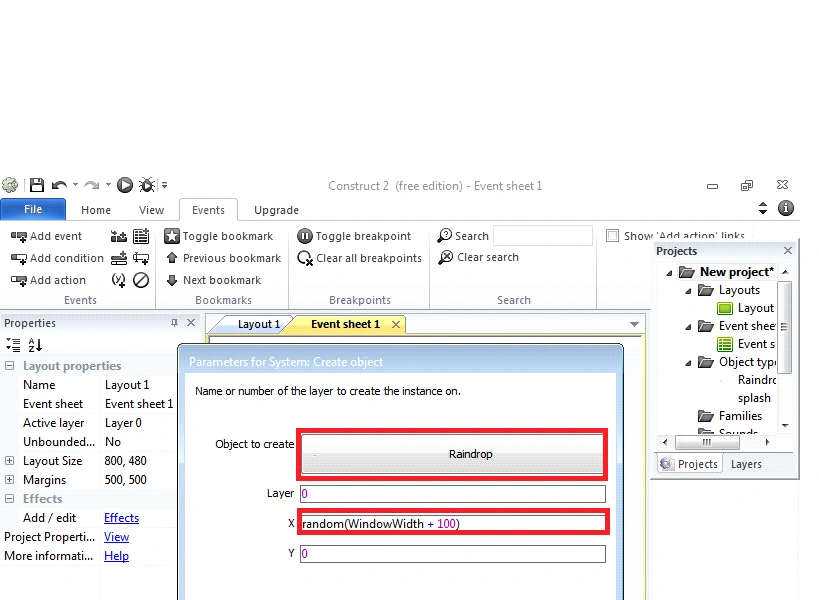
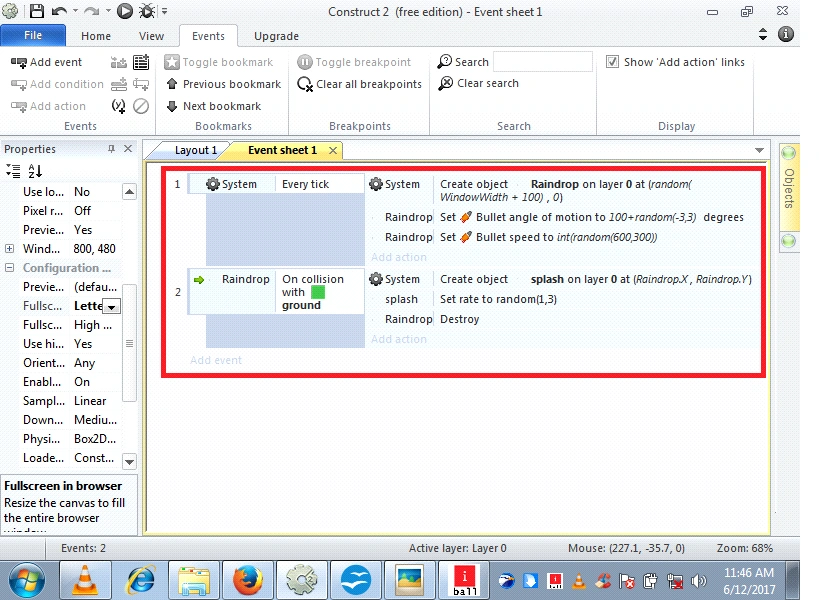
Add action click->event sheet and a window box will appear and select System object, after inserting on system object and click->next
- System
- Create object
- Select (Rain drop)
- Change X-Condition random (Window Width + 100)
- After, Done.
Step 7
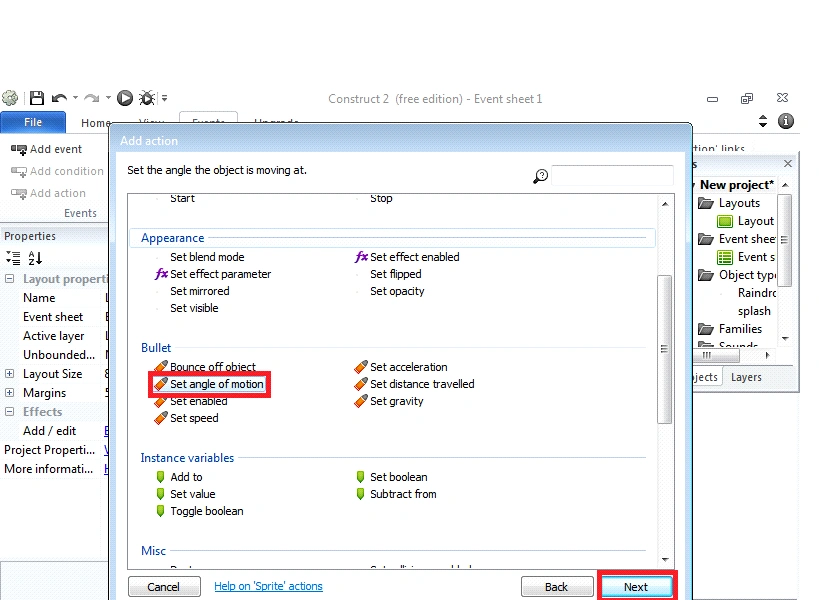
Again, Add action click->event sheet and a window box will appear and select Raindrop object, after inserting on Raindrop object and click->next.
- Raindrop (object)
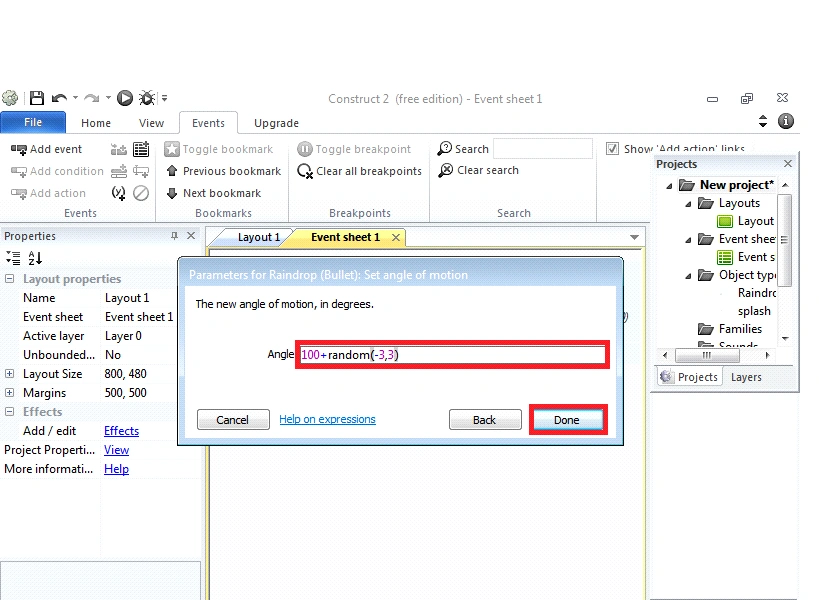
- Set angle of motion
- Angle [100 + random (-3, 3)]
- Done.
Step 8
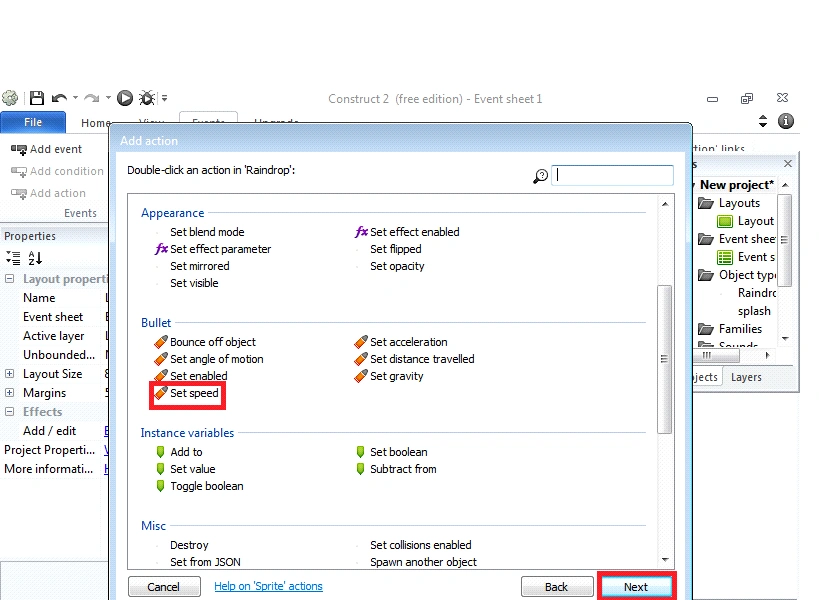
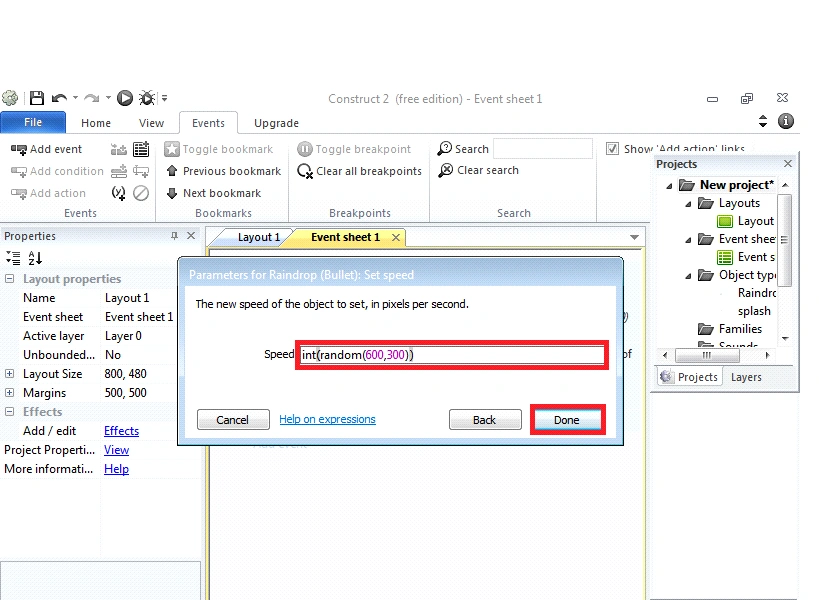
Add action click->event sheet and a window box will appear and again, select Raindrop object, after inserting on Raindrop object and click->next.
- Raindrop (object)
- Set speed
- Speed [int[p1](random (600,300))]
- After, Done.
Step 9
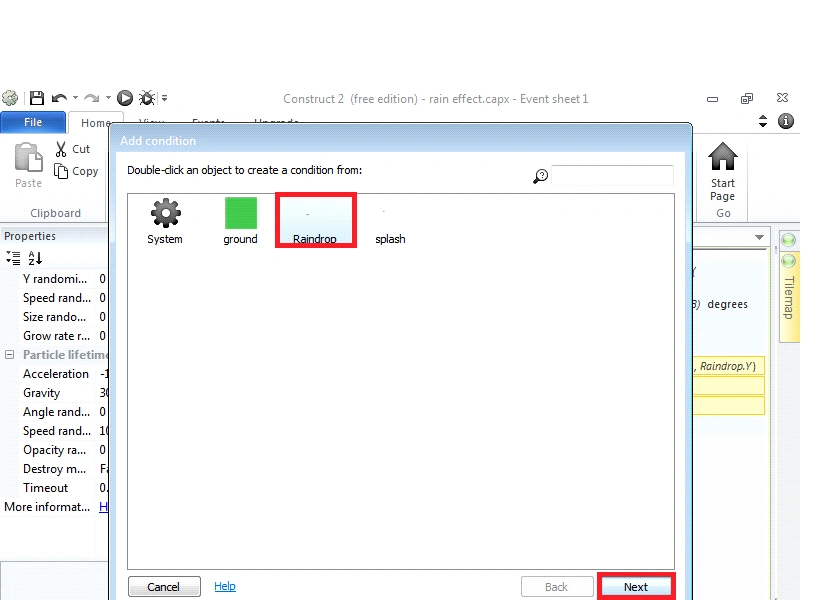
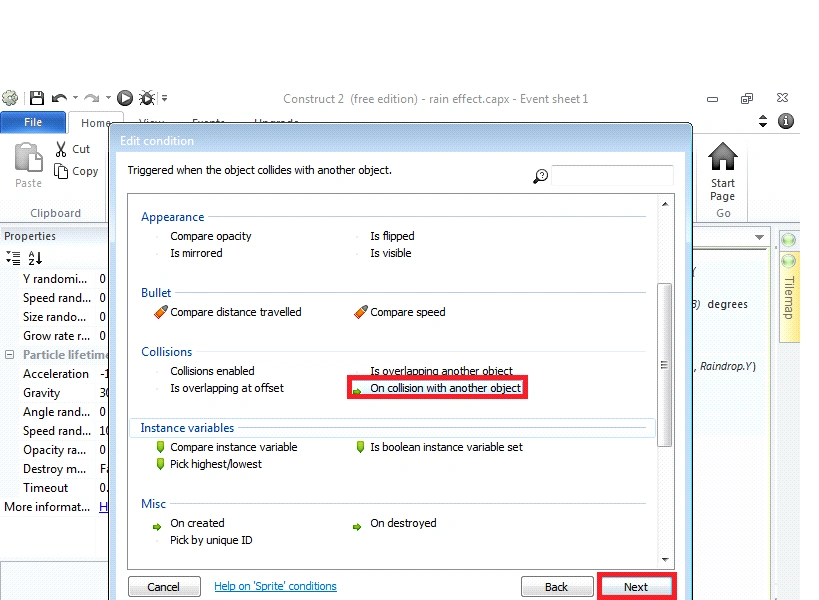
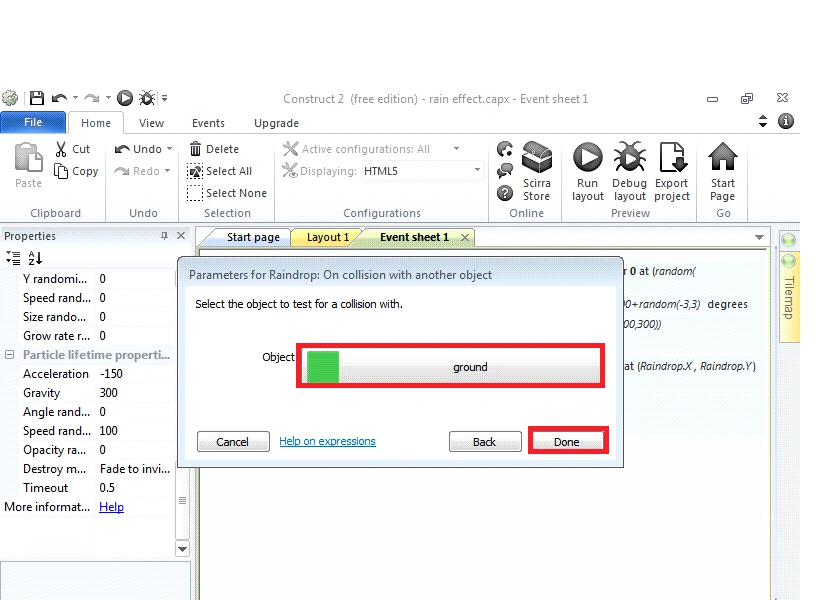
Add event Condition click->event sheet and a window box will appear and again, select Raindrop object, after inserting on Raindrop object and click->next.
- Rain drop (object)
- on collision with another object
- Select (ground object)
- Done.
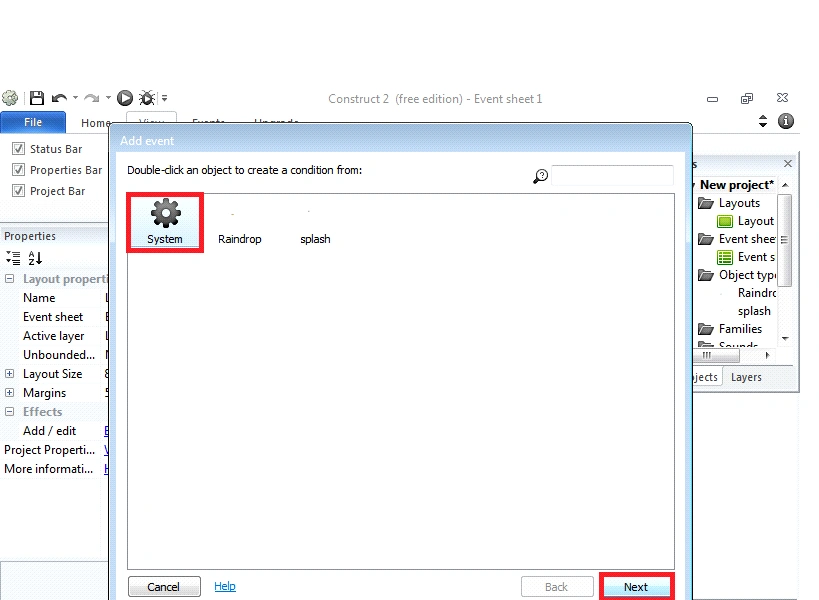
Step 10
Add event Condition click->event sheet and a window box will appear and again, select System object, after inserting on System object and click->next.
- System (object)
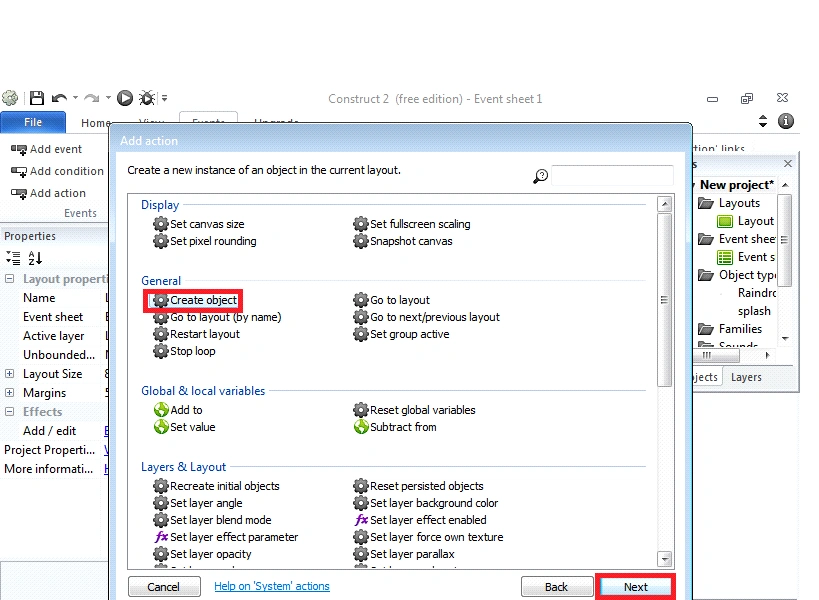
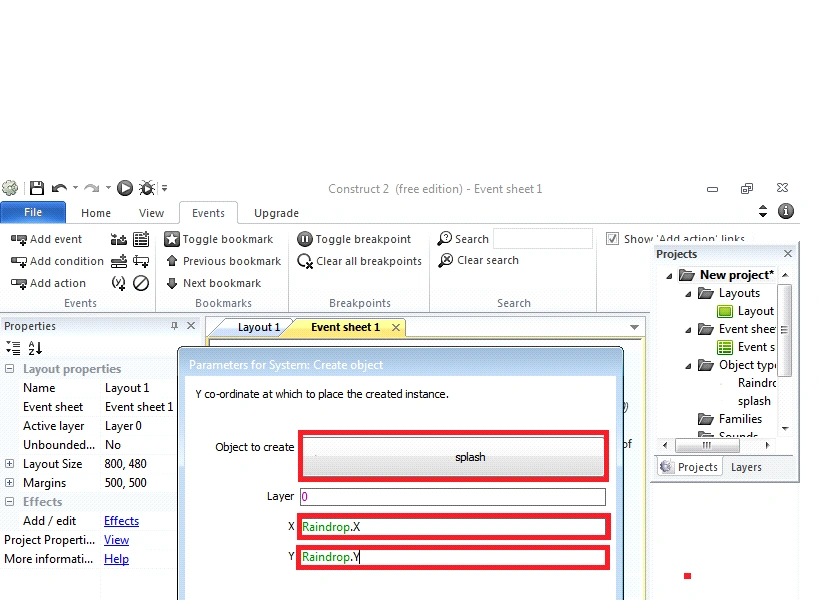
- Create object
- Select (Splash object)
- Change X and Y-Conditions
X= Raindrop
Y=Raindrop
- After, Done.
Step 11
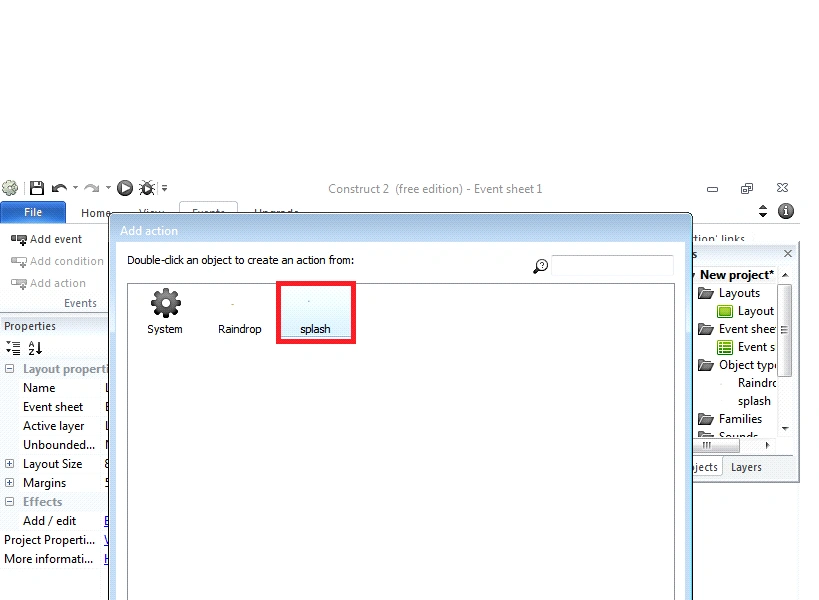
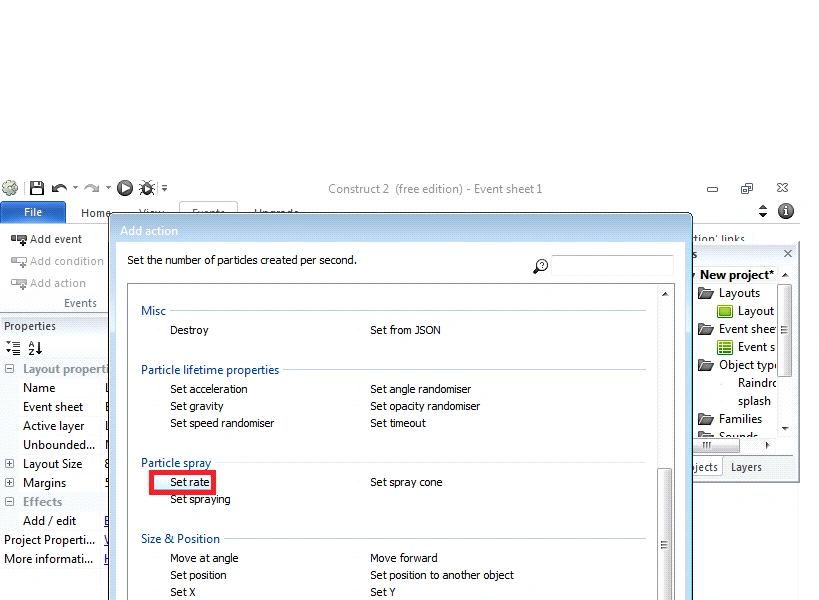
Add action click->event sheet and a window box will appear and again, select splash object, after inserting on splash object and click->next.
- Splash (object)
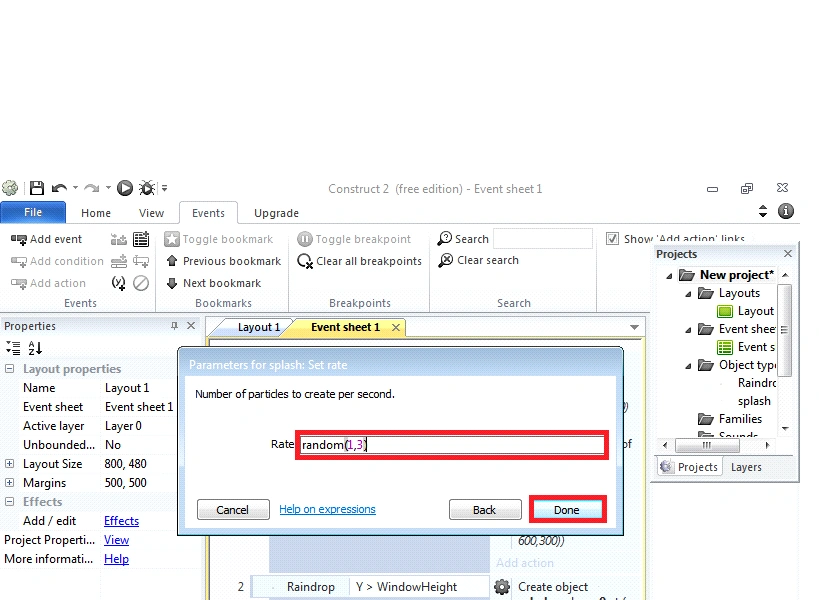
- Set rate
- Rate [random (1, 3)]
- Done.
Step 12
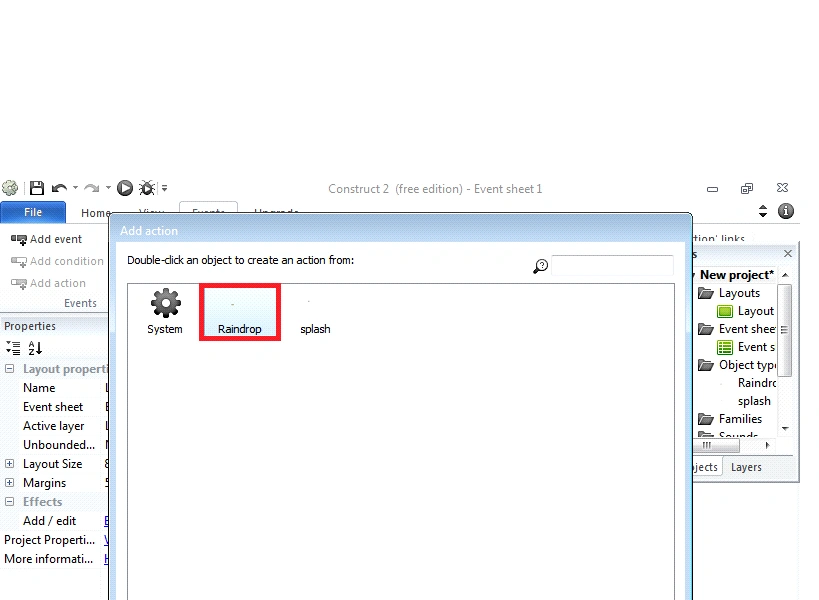
Again, Add action click->event sheet and a window box will appear and Raindrop object, after inserting on Raindrop object and click->next.
- Raindrop (object)
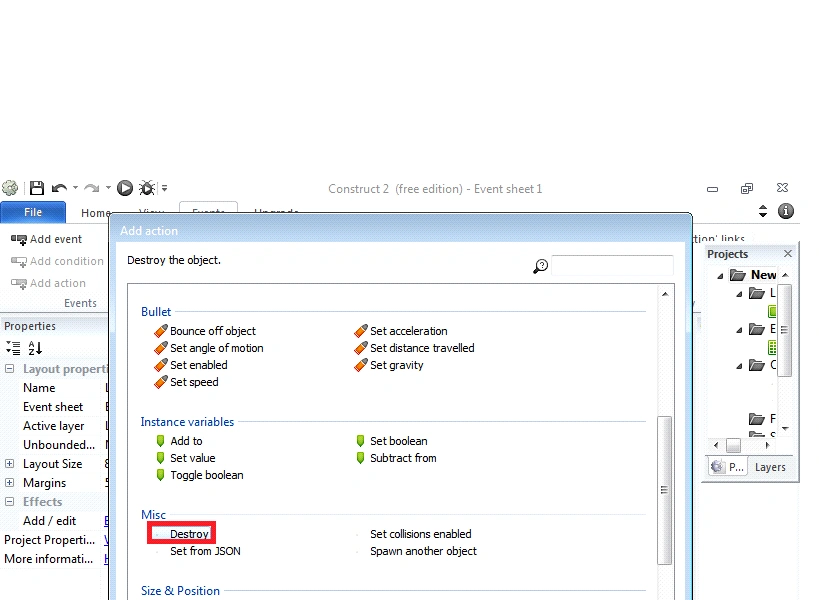
- Destroy
- Done.
This is how the event sheet will look, after the event is complete.
Output
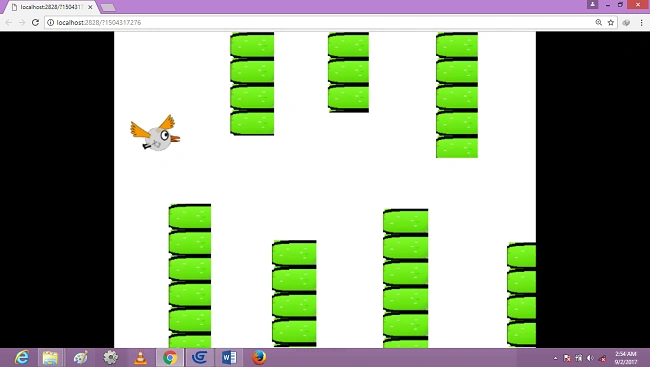
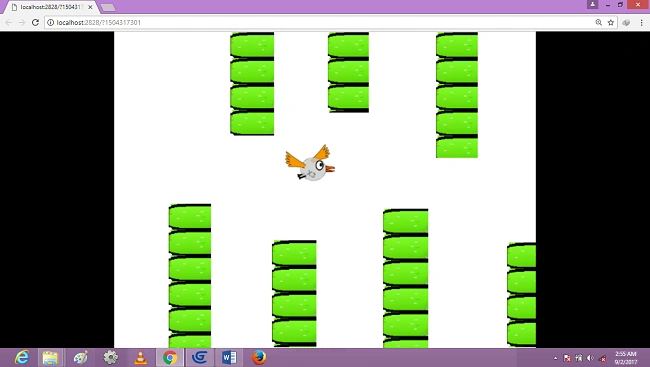
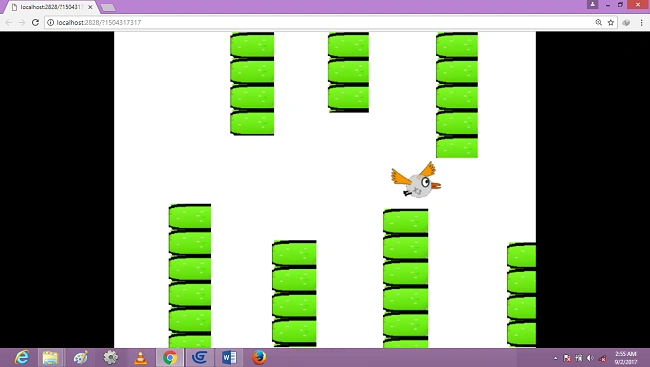
After, press F5 to run layout and Browser will display the following output.
Conclusion
Finally, we created an Angry bird game using constructor 2 Platform. We will see advanced game development concepts in the upcoming articles.
I hope this article will be useful. Thank you
Abhishek MishraPosted Oct 17, 2019, 3:20 AM
Awesome. Learnt a new thing today.