

Brief Info About Component
- A Component is nothing but a simple TypeScript class where you can create your own methods and properties as per your requirement which is used to bind with a UI (html or cshtml page) of our application.
- In Angular 2, normal TypeScript class will become a Component class once it has been decorated with @component decorator.
- @component decorator provides an additional metadata that determines how the component should be processed, instantiated, and used at runtime.
- We can also say that Components are the most basic building blocks of a UI in an Angular application
- Components are also referred to as one of the types of directives just like a structural and attribute directive, which we will see in-depth in the upcoming article.
- Finally, component must belong to an NgModule in order for it to be usable by another component or application. To specify that a component is a member of an NgModule, you should list it in the declarationsfield of that NgModule
Brief of @Component Decorators
- Decorators in Typescript are like annotations in Java or attributes in C#.
Component decorator consists of many metadata properties or attributes, but in this article we will see the most frequently used five properties with an example those are selector, template, templateUrl, style and styleUrl.
Kindly refer this link for the complete list: https://angular.io/api/core/ComponentDecorator
Selector
It is used to replace the html at runtime in the index.html. The replacement is happening using the directive name. For example in the below code we have used the <myapp> as a directive and replace content as we want.
Simple Example
Example code
File name: app.component.ts
- import { Component } from "@angular/core";
- //decorator
- @Component({
- selector: 'my-App',
- template: '<h1>{{name}}</h1>'
- })
- export class AppComponent {
- name: string = "Angular 2"
- }
File name index.html
- <!DOCTYPE html>
- <html>
- <head>
- <title>Angular QuickStart</title>
- <base href="/src/">
- <meta charset="UTF-8">
- <meta name="viewport" content="width=device-width, initial-scale=1">
- <link rel="stylesheet" href="styles.css">
- <!-- Polyfill(s) for older browsers -->
- <script src="/node_modules/core-js/client/shim.min.js"></script>
- <script src="/node_modules/zone.js/dist/zone.js"></script>
- <script src="/node_modules/systemjs/dist/system.src.js"></script>
- <script src="systemjs.config.js"></script>
- <script>
- System.import('main.js').catch(function(err){ console.error(err); });
- </script>
- </head>
- <body>
- <!--Here is the selector mapped-->
- <my-app>Loading AppComponent content here ...</my-app>
- </body>
- </html>
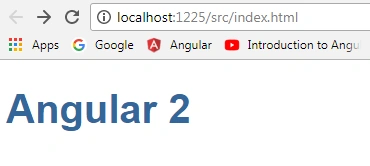
Output
Template
It is used to specify the html which is shown as an output to the user
Filename app.component.ts
Example
- import { Component } from "@angular/core";
- @Component({
- selector: 'my-App',
- template: '<h1>Hi {{name}}</h1>'
- })
- export class AppComponent {
- name: string = "Karthik"
- }
Important Note
In the above code, selector: 'my-App’ will refer to the before mentioned index.html which is the starting page of our application
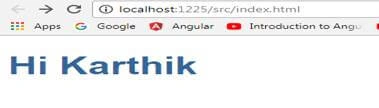
Output
TemplateUrl
URL to an external file containing a template for the view
Example
FileName app.component.ts
- import { Component } from "@angular/core";
- @Component({
- selector: 'my-App',
- templateUrl: 'app/app.component.html'
- })
- export class AppComponent {
- name: string = "Karthik"
- }
Note
Always remember that, the URL that is specified in the templateUrl property is always relative to the index.html of the angular project
FileName app.component.html
- <!DOCTYPE html>
- <html>
- <head>
- <title></title>
- <meta charset="utf-8" />
- </head>
- <body>
- <h1>This is {{name}} Home Page</h1>
- </body>
- </html>
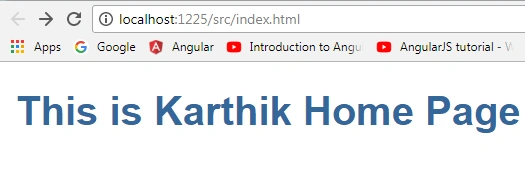
Output
Additional Notes about Template and TemplateUrl
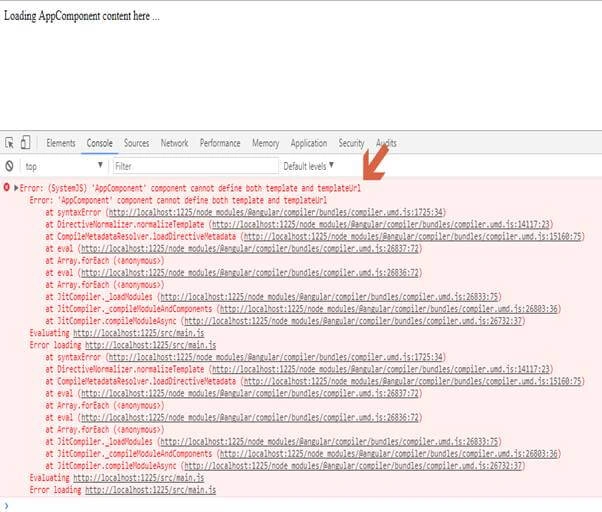
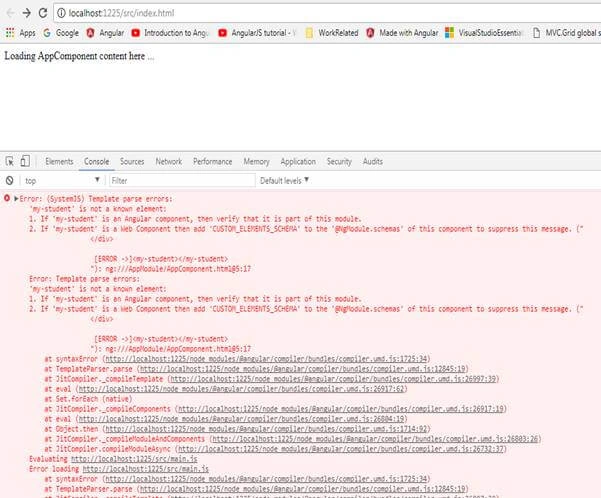
In the component we can define either template or templateUrl and cannot define both template and templateUrl property. In other words, only one of templateUrl or template can be defined per Component.
Negative Test case Example: [using both template and templateUrl]
- import { Component } from "@angular/core";
- @Component({
- selector: 'my-App',
- template: `<input type="textbox" id="txtbx" value="Karthik">`,
- templateUrl:"app/app.component.html"
- })
- export class AppComponent {
- name: string = "Angular 2"
- }
Join the conversation! Your thoughts help the community grow.