

Introduction
This article will explain how to perform CRUD (Create, Read, Update, and Delete) operations in Angular. We will see step-by-step instructions about CRUD operations in Angular.
Please refer to my previous article CRUD Asp.Net Core 3.1 Web API using Entity Framework Core.
Before we start, let's understand the objective of this demonstration, which tells what exactly will be covered in this article.
- Create Angular App
- Adding Services
- Adding Components
- Adding Bootstrap
- Register modules
- Add Routing
- Navigating menus for routing
- Adding component codes
- Filtering & Sorting
So, let's get started.
Create Angular App
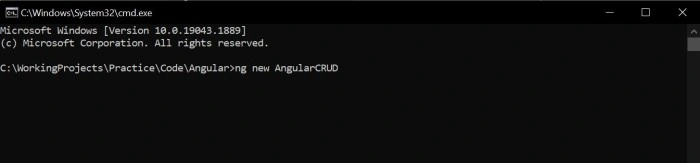
Open Command Prompt -> Navigate to the path where you want to create an angular app project using the below command.
ng new AngularCRUD
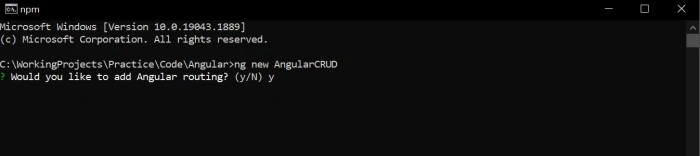
Would you like to add Angular routing? - Y (Yes)
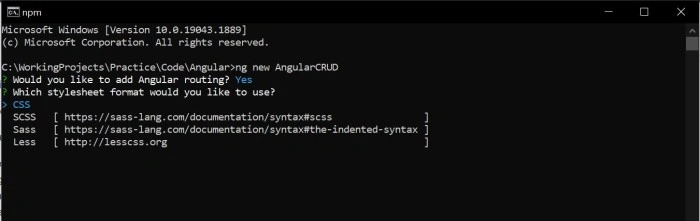
Which stylesheet format would you like to use? - CSS
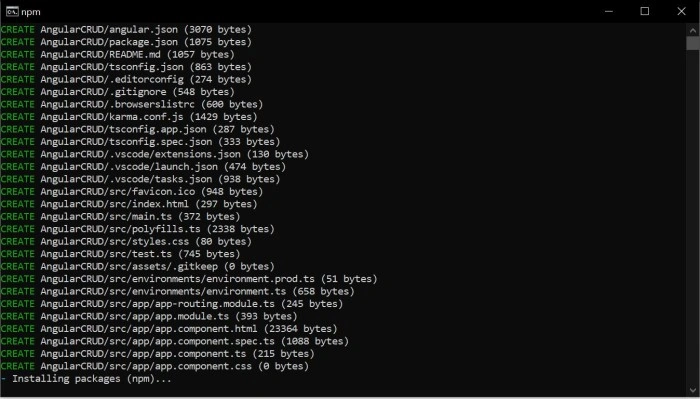
Now, Once the project is created type code . + enter button to open the project in VS Code.
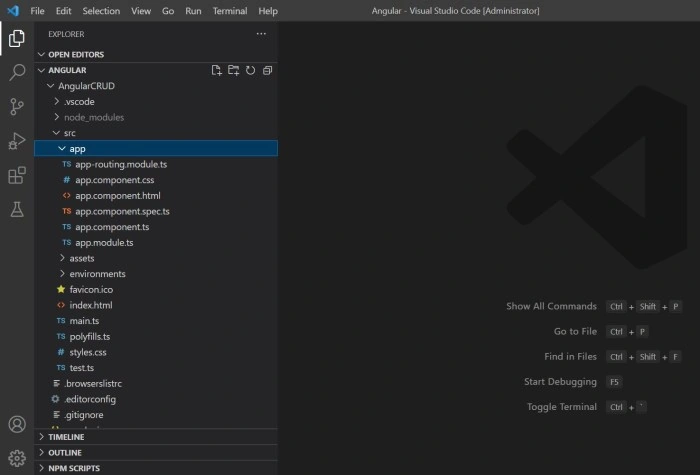
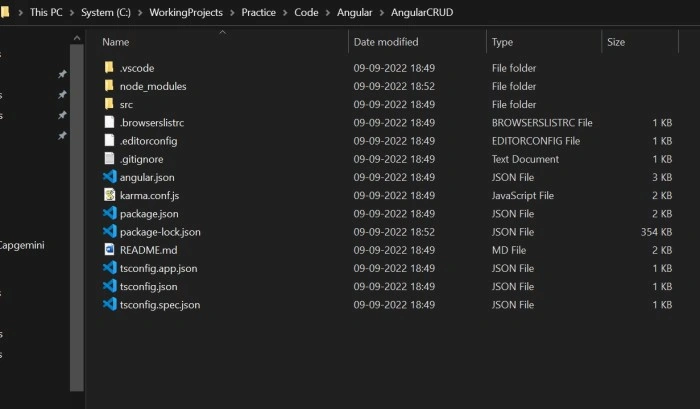
Once the angular app is created we can check in the folder path.
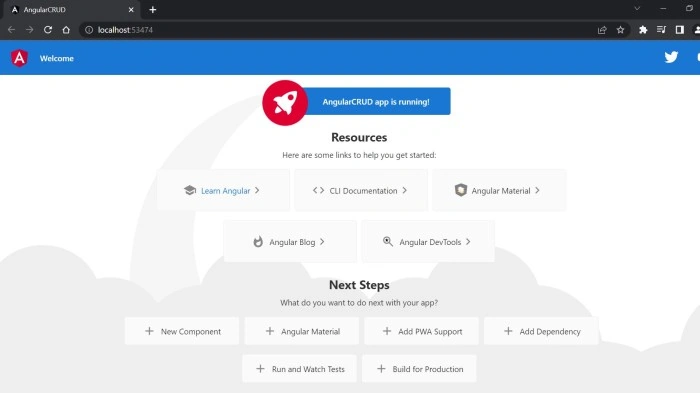
Now, open the terminal and run the project.
ng serve -o
OR
ng serve --open
Adding Service & Adding Components
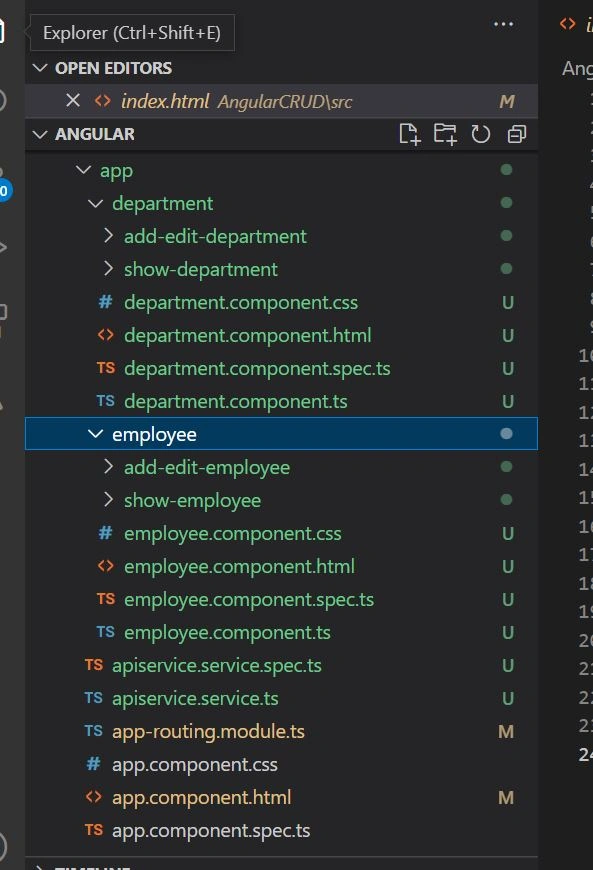
Now, we need to add service and components to our angular app. Using the below command.
Add Department component
ng g c department
Now, add Department child components
Add/ Edit Department component
ng g c department/add-edit-department
Show Department
ng g c department/show-department
Now, same goes for Employee
Add Employee component
ng g c employee
Now, add Employee child components
Add/ Edit Employee component
ng g c employee/add-edit-employee
Show Employee
ng g c employee/show-employee
Now, add service which will comunicate with Web API
ng g s apiservice
Note
- g - generate
- c - component
- s - service
Adding Bootstrap
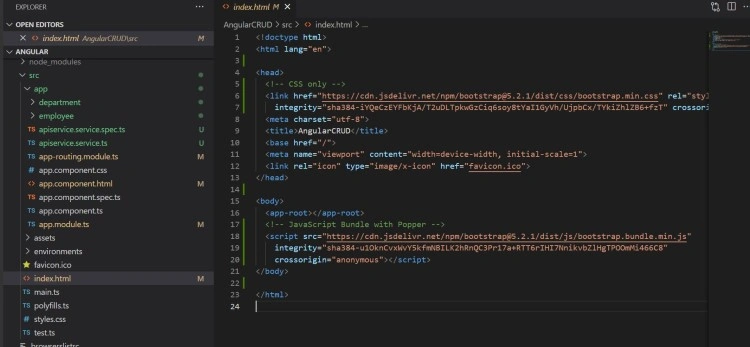
Now go to https://getbootstrap.com/ and copy the bootstrap.min.css and bootstrap.bundle.min.js links.
Open index.html page and past .css link in head section and .js after body section.
Register modules
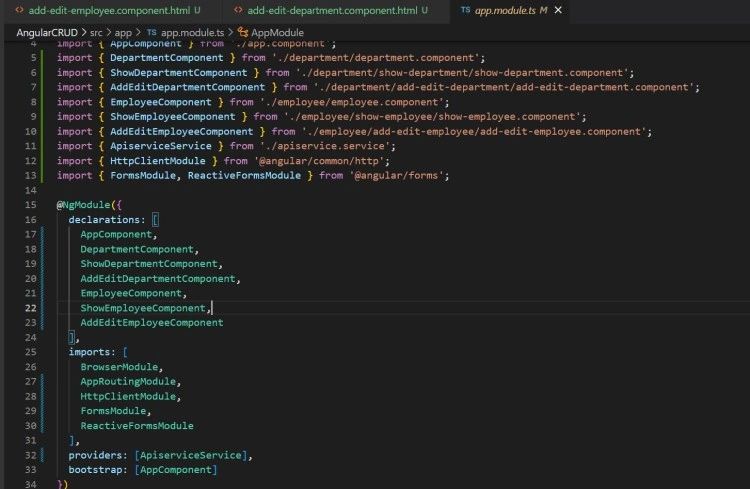
Now, open app.module.ts to register services and module. In app.module we can see all the components are been auto added. Now, we need to add service so we can use in our angular app. Also we need to add HTTP module and other modules which we will require.
- In Providers add Apiservice
- In Imports add HttpClientModule, FormsModule and ReactiveFormsModule
Add Routing
Now, Open app-routing.module.ts file and add Department and Employee in Routs
import { NgModule } from '@angular/core';
import { RouterModule, Routes } from '@angular/router';

import { EmployeeComponent } from './employee/employee.component';
import { DepartmentComponent } from './department/department.component';

const routes: Routes = [
  { path: 'employee', component: EmployeeComponent },
  { path: 'department', component: DepartmentComponent }

];

@NgModule({
  imports: [RouterModule.forRoot(routes)],
  exports: [RouterModule]
})
export class AppRoutingModule { }
Navigating menus for routing
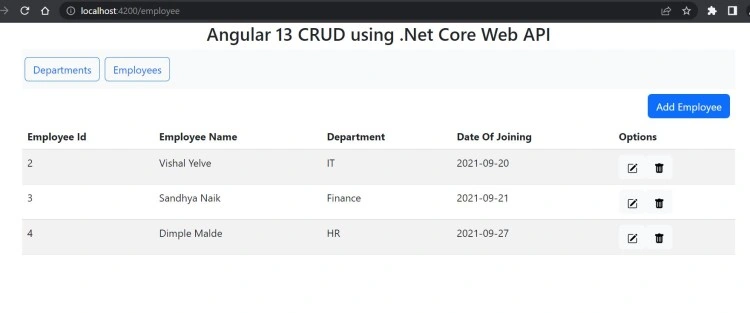
Now, Open app.component.html and add navigations.
<div class="container">
  <h3 class="d-flex justify-content-center">Angular 13 CRUD using .Net Core Web API </h3>
  <nav class="navbar navbar-expand-sm bg-light navbar-dark">
    <ul class="navbar-nav">
      <li class="nav-item">
        <button routerLink="department" class="m-1 btn btn-light btn-outline-primary" Button>Departments</button>
      </li>
      <li class="nav-item">
        <button routerLink="employee" class="m-1 btn btn-light btn-outline-primary" Button>Employees</button>
      </li>
    </ul>
  </nav>
  <router-outlet></router-outlet>
</div>
Adding service, component codes & Filtering & Sorting
Service
Now, Open apiservice.service.ts file and add code.
import { Injectable } from '@angular/core';
import { HttpClient, HttpEvent, HttpHeaders } from '@angular/common/http';
import { Observable } from 'rxjs';

@Injectable({
  providedIn: 'root'
})
export class ApiserviceService {
  readonly apiUrl = 'http://localhost:50306/api/';
  readonly photoUrl = "http://localhost:50306/Photos/";

  constructor(private http: HttpClient) { }

  // Department
  getDepartmentList(): Observable<any[]> {
    return this.http.get<any[]>(this.apiUrl + 'department/GetDepartment');
  }

  addDepartment(dept: any): Observable<any> {
    const httpOptions = { headers: new HttpHeaders({ 'Content-Type': 'application/json' }) };
    return this.http.post<any>(this.apiUrl + 'department/AddDepartment', dept, httpOptions);
  }

  updateDepartment(dept: any): Observable<any> {
    const httpOptions = { headers: new HttpHeaders({ 'Content-Type': 'application/json' }) };
    return this.http.put<any>(this.apiUrl + 'department/UpdateDepartment/', dept, httpOptions);
  }

  deleteDepartment(deptId: number): Observable<number> {
    const httpOptions = { headers: new HttpHeaders({ 'Content-Type': 'application/json' }) };
    return this.http.delete<number>(this.apiUrl + 'department/DeleteDepartment/' + deptId, httpOptions);
  }

  // Employee
  getEmployeeList(): Observable<any[]> {
    return this.http.get<any[]>(this.apiUrl + 'employee/GetEmployee');
  }

  addEmployee(emp: any): Observable<any> {
    const httpOptions = { headers: new HttpHeaders({ 'Content-Type': 'application/json' }) };
    return this.http.post<any>(this.apiUrl + 'employee/AddEmployee', emp, httpOptions);
  }

  updateEmployee(emp: any): Observable<any> {
    const httpOptions = { headers: new HttpHeaders({ 'Content-Type': 'application/json' }) };
    return this.http.put<any>(this.apiUrl + 'employee/UpdateEmployee/', emp, httpOptions);
  }

  deleteEmployee(empId: number): Observable<number> {
    const httpOptions = { headers: new HttpHeaders({ 'Content-Type': 'application/json' }) };
    return this.http.delete<number>(this.apiUrl + 'employee/DeleteEmployee/' + empId, httpOptions);
  }

  uploadPhoto(photo: any) {
    return this.http.post(this.apiUrl + 'employee/savefile', photo);
  }

  getAllDepartmentNames(): Observable<any[]> {
    return this.http.get<any[]>(this.apiUrl + 'employee/GetAllDepartmentNames');
  }

}
Components
Department Components
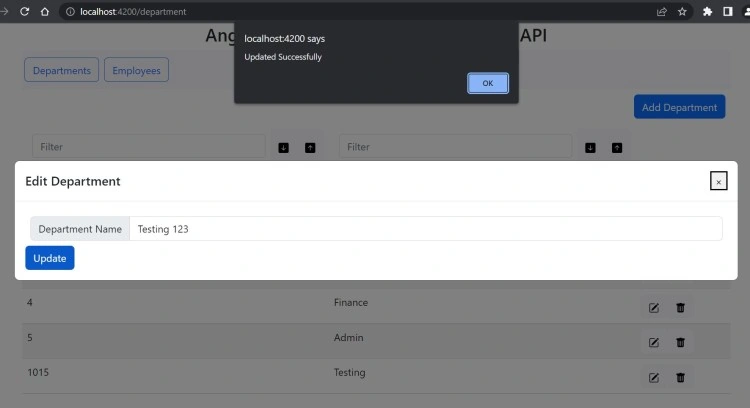
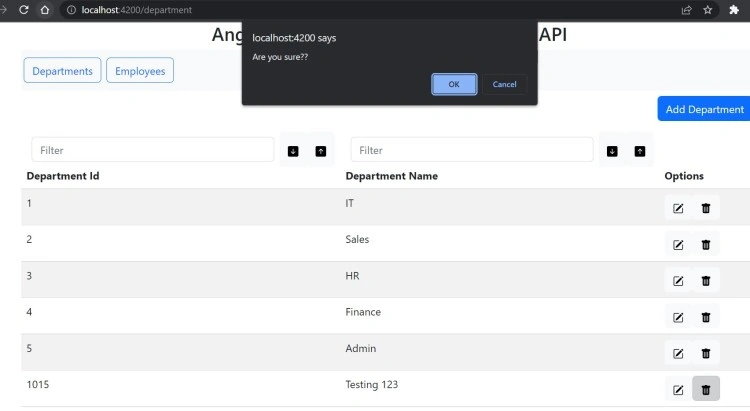
Now, Open the department.component.html and add app-show-department selector
<app-show-department></app-show-department>
Now, Open the show-department.component.html and add code.
Note
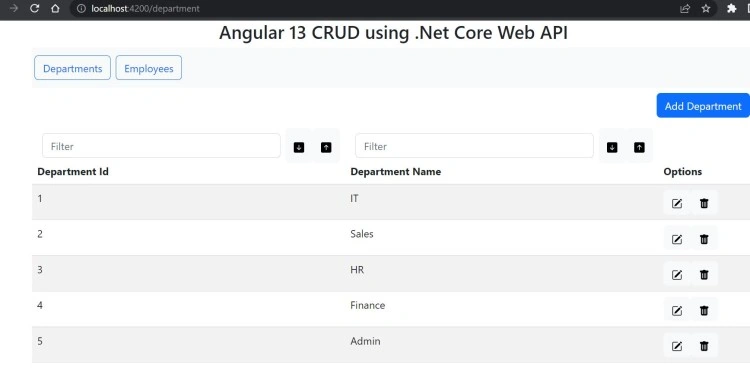
- I have added filtering and sorting in show-department.
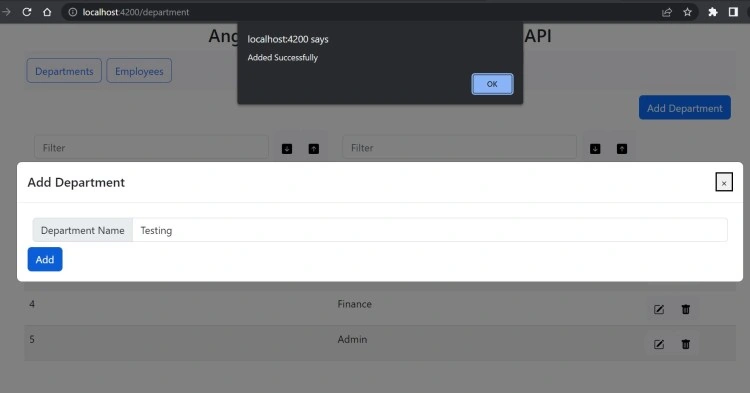
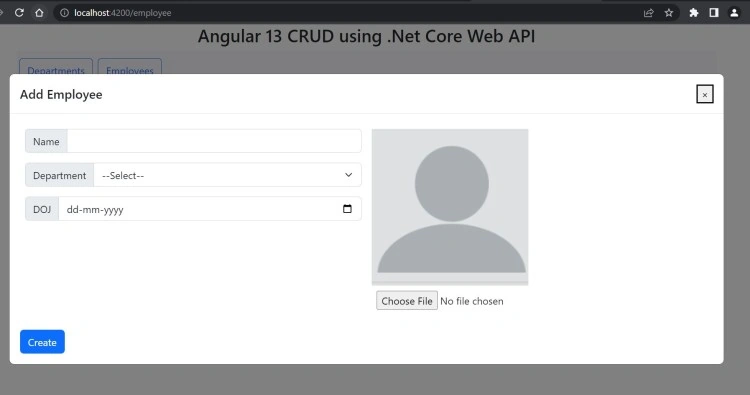
- I have used Boostrap model popup design (https://getbootstrap.com/docs/5.2/components/modal/)
<button type="button" class="btn btn-primary m-2 float-end" data-bs-toggle="modal" data-bs-target="#exampleModal"
  (click)="addClick()">
  Add Department
</button>

<!-- Modal -->
<div class="modal fade" id="exampleModal" tabindex="-1" role="dialog" aria-labelledby="exampleModalLabel"
  aria-hidden="true">
  <div class="modal-dialog modal-dialog-centered modal-xl" role="document">
    <div class="modal-content">
      <div class="modal-header">
        <h5 class="modal-title" id="exampleModalLabel">{{ModalTitle}}</h5>
        <button type="button" class="close" data-bs-dismiss="modal" aria-label="Close" (click)="closeClick()">
          <span aria-hidden="true">×</span>
        </button>
      </div>
      <div class="modal-body">
        <app-add-edit-department [depart]="depart" *ngIf="ActivateAddEditDepartComp">
        </app-add-edit-department>
      </div>
    </div>
  </div>
</div>

<table class="table table-striped">
  <thead>
    <tr>
      <th>
        <div class="d-flex flex-row">
          <input class="form-control m-2" [(ngModel)]="DepartmentIdFilter" (keyup)="FilterFn()" placeholder="Filter">
          <button type="button" class="btn btn-light" (click)="sortResult('DepartmentId',true)">
            <svg xmlns="http://www.w3.org/2000/svg" width="16" height="16" fill="currentColor"
              class="bi bi-arrow-down-square-fill" viewBox="0 0 16 16">
              <path
                d="M2 0a2 2 0 0 0-2 2v12a2 2 0 0 0 2 2h12a2 2 0 0 0 2-2V2a2 2 0 0 0-2-2H2zm6.5 4.5v5.793l2.146-2.147a.5.5 0 0 1 .708.708l-3 3a.5.5 0 0 1-.708 0l-3-3a.5.5 0 1 1 .708-.708L7.5 10.293V4.5a.5.5 0 0 1 1 0z" />
            </svg>
          </button>

          <button type="button" class="btn btn-light" (click)="sortResult('DepartmentId',false)">
            <svg xmlns="http://www.w3.org/2000/svg" width="16" height="16" fill="currentColor"
              class="bi bi-arrow-up-square-fill" viewBox="0 0 16 16">
              <path
                d="M2 16a2 2 0 0 1-2-2V2a2 2 0 0 1 2-2h12a2 2 0 0 1 2 2v12a2 2 0 0 1-2 2H2zm6.5-4.5V5.707l2.146 2.147a.5.5 0 0 0 .708-.708l-3-3a.5.5 0 0 0-.708 0l-3 3a.5.5 0 1 0 .708.708L7.5 5.707V11.5a.5.5 0 0 0 1 0z" />
            </svg>
          </button>
        </div>
        Department Id
      </th>
      <th>
        <div class="d-flex flex-row">
          <input class="form-control m-2" [(ngModel)]="DepartmentNameFilter" (keyup)="FilterFn()" placeholder="Filter">
          <button type="button" class="btn btn-light" (click)="sortResult('DepartmentName',true)">
            <svg xmlns="http://www.w3.org/2000/svg" width="16" height="16" fill="currentColor"
              class="bi bi-arrow-down-square-fill" viewBox="0 0 16 16">
              <path
                d="M2 0a2 2 0 0 0-2 2v12a2 2 0 0 0 2 2h12a2 2 0 0 0 2-2V2a2 2 0 0 0-2-2H2zm6.5 4.5v5.793l2.146-2.147a.5.5 0 0 1 .708.708l-3 3a.5.5 0 0 1-.708 0l-3-3a.5.5 0 1 1 .708-.708L7.5 10.293V4.5a.5.5 0 0 1 1 0z" />
            </svg>
          </button>

          <button type="button" class="btn btn-light" (click)="sortResult('DepartmentName',false)">
            <svg xmlns="http://www.w3.org/2000/svg" width="16" height="16" fill="currentColor"
              class="bi bi-arrow-up-square-fill" viewBox="0 0 16 16">
              <path
                d="M2 16a2 2 0 0 1-2-2V2a2 2 0 0 1 2-2h12a2 2 0 0 1 2 2v12a2 2 0 0 1-2 2H2zm6.5-4.5V5.707l2.146 2.147a.5.5 0 0 0 .708-.708l-3-3a.5.5 0 0 0-.708 0l-3 3a.5.5 0 1 0 .708.708L7.5 5.707V11.5a.5.5 0 0 0 1 0z" />
            </svg>
          </button>
        </div>
        Department Name
      </th>
      <th>Options</th>
    </tr>
  </thead>
  <tbody>
    <tr *ngFor="let dataItem of DepartmentList">
      <td>{{dataItem.DepartmentId}}</td>
      <td>{{dataItem.DepartmentName}}</td>
      <td>
        <button type="button" class="btn btn-light mr-1" data-bs-toggle="modal" data-bs-target="#exampleModal"
          (click)="editClick(dataItem)" data-backdrop="static" data-keyboard="false">
          <svg width="1em" height="1em" viewBox="0 0 16 16" class="bi bi-pencil-square" fill="currentColor"
            xmlns="http://www.w3.org/2000/svg">
            <path
              d="M15.502 1.94a.5.5 0 0 1 0 .706L14.459 3.69l-2-2L13.502.646a.5.5 0 0 1 .707 0l1.293 1.293zm-1.75 2.456l-2-2L4.939 9.21a.5.5 0 0 0-.121.196l-.805 2.414a.25.25 0 0 0 .316.316l2.414-.805a.5.5 0 0 0 .196-.12l6.813-6.814z" />
            <path fill-rule="evenodd"
              d="M1 13.5A1.5 1.5 0 0 0 2.5 15h11a1.5 1.5 0 0 0 1.5-1.5v-6a.5.5 0 0 0-1 0v6a.5.5 0 0 1-.5.5h-11a.5.5 0 0 1-.5-.5v-11a.5.5 0 0 1 .5-.5H9a.5.5 0 0 0 0-1H2.5A1.5 1.5 0 0 0 1 2.5v11z" />
          </svg>
        </button>
        <button type="button" class="btn btn-light mr-1" (click)="deleteClick(dataItem)">
          <svg width="1em" height="1em" viewBox="0 0 16 16" class="bi bi-trash-fill" fill="currentColor"
            xmlns="http://www.w3.org/2000/svg">
            <path fill-rule="evenodd"
              d="M2.5 1a1 1 0 0 0-1 1v1a1 1 0 0 0 1 1H3v9a2 2 0 0 0 2 2h6a2 2 0 0 0 2-2V4h.5a1 1 0 0 0 1-1V2a1 1 0 0 0-1-1H10a1 1 0 0 0-1-1H7a1 1 0 0 0-1 1H2.5zm3 4a.5.5 0 0 1 .5.5v7a.5.5 0 0 1-1 0v-7a.5.5 0 0 1 .5-.5zM8 5a.5.5 0 0 1 .5.5v7a.5.5 0 0 1-1 0v-7A.5.5 0 0 1 8 5zm3 .5a.5.5 0 0 0-1 0v7a.5.5 0 0 0 1 0v-7z" />
          </svg>
        </button>
      </td>
    </tr>
  </tbody>
</table>
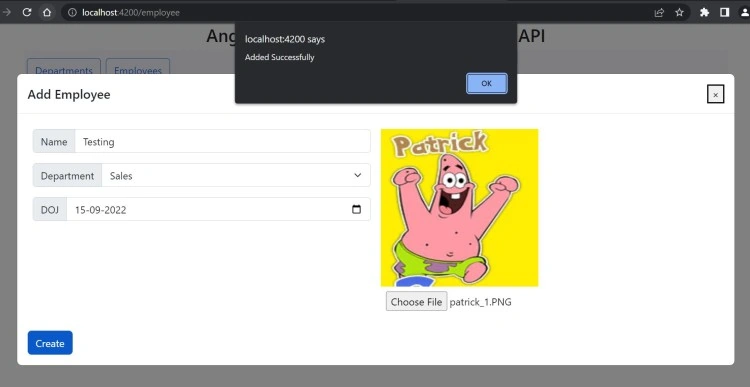
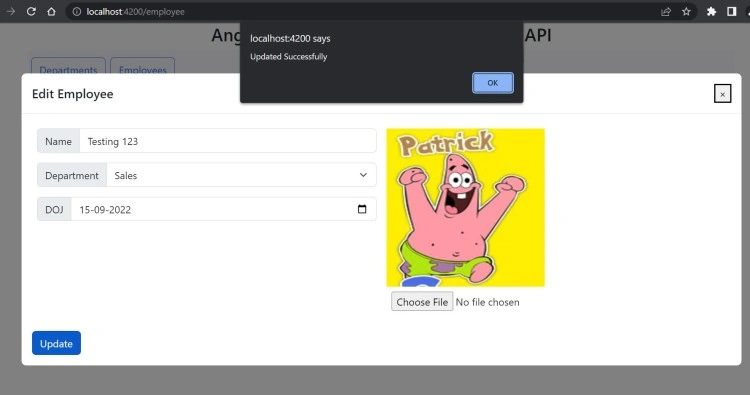
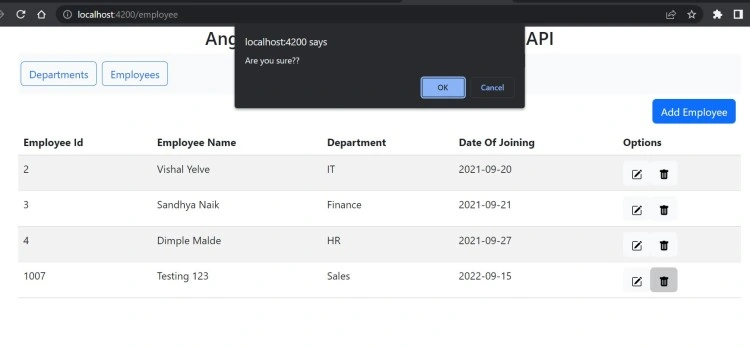
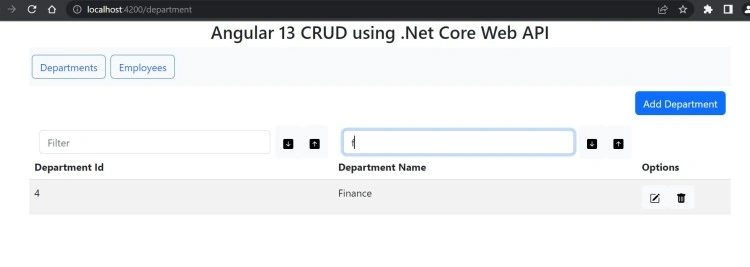
Jeet AgrawalPosted Jun 2, 2024, 10:41 AM
Nice Article to understand the End to end Angular application flow with web api
Rudra NarayanPosted Apr 12, 2024, 4:45 PM
Api/employee not execution through talend/postman
saket sumanPosted Oct 17, 2023, 11:27 AM
Thanks so much for sharing !!!
Jignesh KumarPosted May 25, 2023, 12:14 PM
Nice explanation !!! Thanks for sharing !!!
Gaurav VermaPosted Jan 14, 2023, 6:43 PM
Thanks Vishal Great !
Sandeep VangaPosted Nov 17, 2022, 12:02 PM
Where's C# code
Jaydeep PatilPosted Sep 17, 2022, 12:36 PM
Good Content!