

Introduction
- <canvas id="canvas" width="1000" height="800"></canvas>
- function dofirst()
- {
- var x = document.getElementById("canvas");
- canvas = x.getContext("2d");
- }
Step 3 Associate the Event addEventListener on mousemove and set the
function name with it.
- window.addEventListener("mousemove", bucky, false);
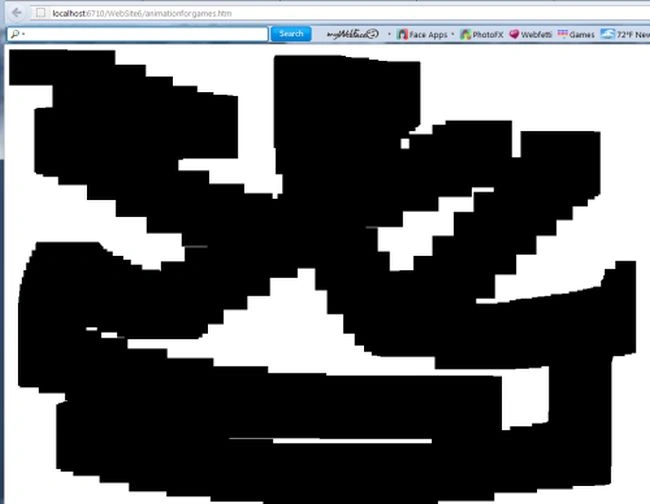
Step 4 Define the function with canvas position and fill that in shape of a rectangle. which creates an animation effect.
- function bucky(e)
- {
- // canvas.clearRect(0, 0, 600, 400);
- var xpos = e.clientX;
- var ypos = e.clientY;
- canvas.fillRect(xpos-50, ypos-50, 100, 100);
- }
Step 5 Call the function on window load.
Here is the Full Source Code
- window.addEventListener("load", dofirst, false);
- <html
- xmlns="http://www.w3.org/1999/xhtml">
- <head>
- <title></title>
- <script type="text/javascript" language="javascript">
- function dofirst()
- {
- var x = document.getElementById("canvas");
- canvas = x.getContext("2d");
- window.addEventListener("mousemove", bucky, false);
- }
- function bucky(e) {
- // canvas.clearRect(0, 0, 600, 400);
- var xpos = e.clientX;
- var ypos = e.clientY;
- canvas.fillRect(xpos-50, ypos-50, 100, 100);
- }
- window.addEventListener("load", dofirst, false);
- </script>
- </head>
- <body>
- <canvas id="canvas" width="1000" height="800"></canvas>
- </body>
- </html>

Join the conversation! Your thoughts help the community grow.