

Animation is one of the finest features in a WPF application which give us the ability to create many types of animations. To use animation, we will have to import the System.Windows.Media.Animation namespace into the application. This namespace supports all types of animation; here we will make a rectangle that will rotate at a fixed position. We will use a button to start the rotation of the rectangle. It is everywhere in Windows and many other applications. However, animations are getting more and more popular.
Step 1 : Open Visual Studio.
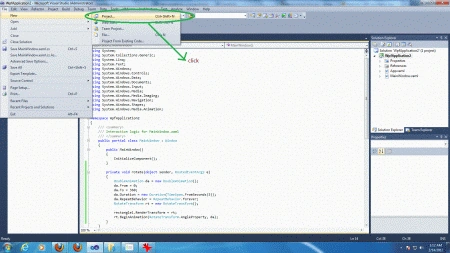
- Select new -> project
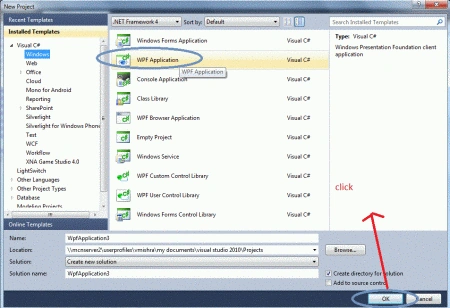
- Select your preferred language
- Select a WPF application
- Name the project
- Now name of project is "WpfApplication"
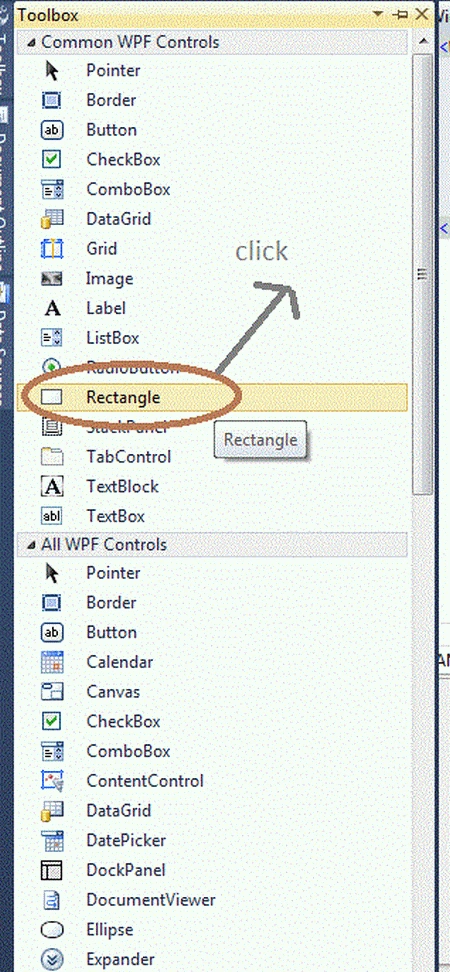
Step 2 : Open the Toolbox of WPF application.
- Drag & Drop rectangle control on design view.
- Drag & Drop button control on design view.
Step 3 : Now, the final source code of the XAML page is given below:
Code
<Window x:Class="WpfApplication2.MainWindow"
xmlns="http://schemas.microsoft.com/winfx/2006/xaml/presentation"
xmlns:x="http://schemas.microsoft.com/winfx/2006/xaml"
Title="MainWindow" Height="350" Width="525">
<Grid>
<Rectangle Height="56" HorizontalAlignment="Left" Margin="204,104,0,0" Name="rectangle1" Stroke="Black" VerticalAlignment="Top" Width="200" Fill="#FFFA0000" />
<Button Content="Button" Height="23" HorizontalAlignment="Left" Margin="21,276,0,0" Name="button1" VerticalAlignment="Top" Width="75" Click="rotate" />
</Grid>
</Window>
Step 4 : Now, the button click code is in the Page1.xaml.cs file.
Code
private void rotate(object sender, RoutedEventArgs e)
{
DoubleAnimation da = new DoubleAnimation();
da.From = 0;
da.To = 360;
da.Duration = new Duration(TimeSpan.FromSeconds(3));
da.RepeatBehavior = RepeatBehavior.Forever;
RotateTransform rt = new RotateTransform();
rectangle1.RenderTransform = rt;
rt.BeginAnimation(RotateTransform.AngleProperty, da);
}
Step 5 : Now, the final source code is in the Page1.xaml.cs file.
Code
using System.Text;
using System.Windows;
using System.Windows.Controls;
using System.Windows.Data;
using System.Windows.Documents;
using System.Windows.Input;
using System.Windows.Media;
using System.Windows.Media.Imaging;
using System.Windows.Navigation;
using System.Windows.Shapes;
using System.Windows.Media.Animation;
namespace WpfApplication2
{
public partial class MainWindow : Window
{
public MainWindow()
{
InitializeComponent();
}
private void rotate(object sender, RoutedEventArgs e)
{
DoubleAnimation da = new DoubleAnimation();
da.From = 0;
da.To = 360;
da.Duration = new Duration(TimeSpan.FromSeconds(3));
da.RepeatBehavior = RepeatBehavior.Forever;
RotateTransform rt = new RotateTransform();
rectangle1.RenderTransform = rt;
rt.BeginAnimation(RotateTransform.AngleProperty, da);
}
}
}
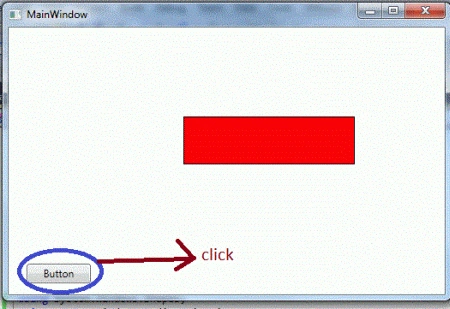
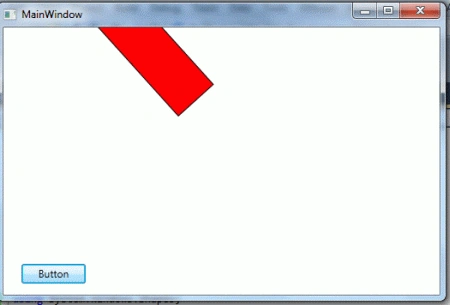
Output
Resources
Sukanya LingamaneniPosted Aug 8, 2013, 9:10 AM
Nice and Simple. Thankyou :-)
Zaki NajarPosted Sep 24, 2012, 3:21 AM
Good Work
vema reddyPosted Jul 17, 2012, 3:50 AM
Nice work by krishna thanks you so much
Sam HobbsPosted Feb 14, 2012, 10:43 AM
Is WPF Animation competitive with Shockwave Flash?